C++ Starter
Write, Compile & Learn
Entwickelt für iPhone, iPad, Mac
Kostenlos · In-App-Käufe
- Altersfreigabe4+
- KategorieBildung
- EntwicklerDozen Network Technology Co., Ltd.
- SprachenEnglisch+ 2 weitere
- Größe124,7 MB
Verlinkt auf die offizielle App Store-Seite
Download.org hostet keine Datei von C++ Starter. Die Schaltfläche öffnet die App-Seite bei App Store, wo Dozen Network Technology Co., Ltd. die App veröffentlicht. Eintrag zuletzt geprüft am 15.11.2026.
Screenshots

Info
Der Entwickler hat diesen Text nicht in Ihrer Sprache bereitgestellt.
C++ Starter is a programming and learning environment for beginners. Learn by writing and running real C++ code, progressing from basic syntax to algorithms, games, graphical interfaces, and network projects.
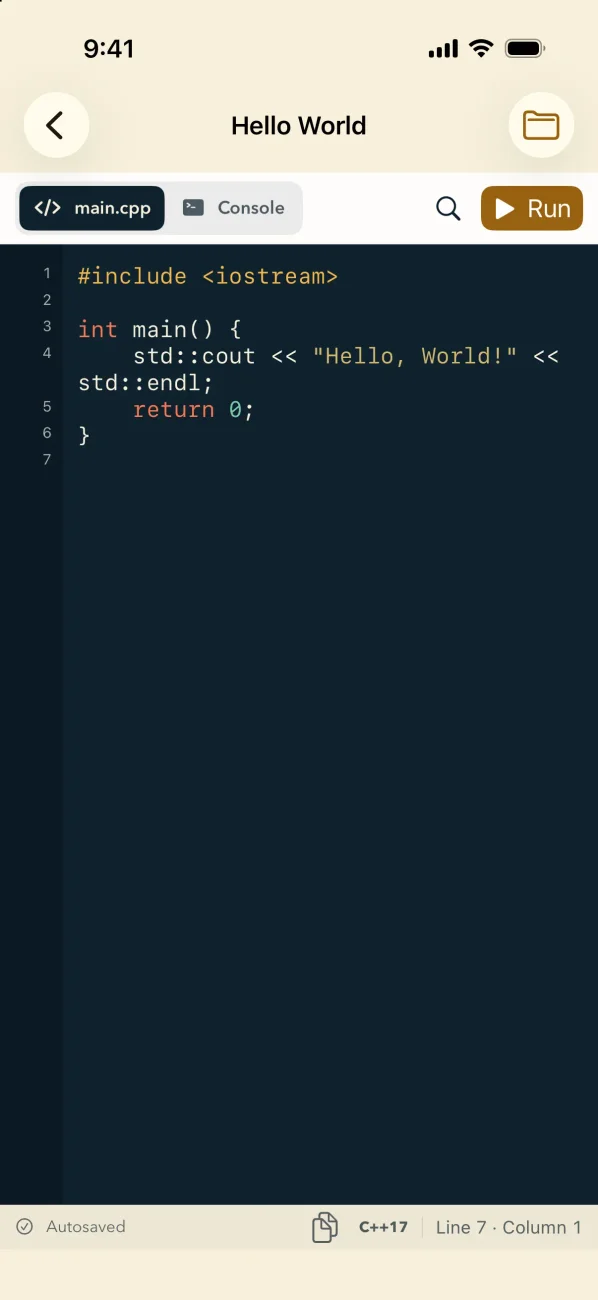
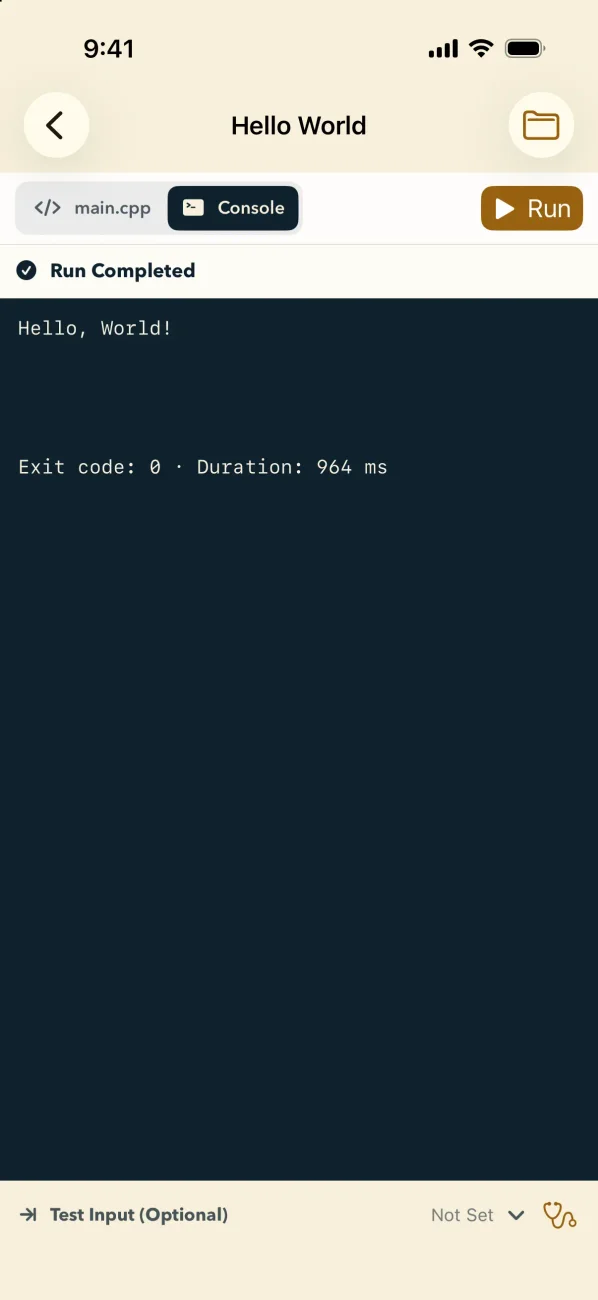
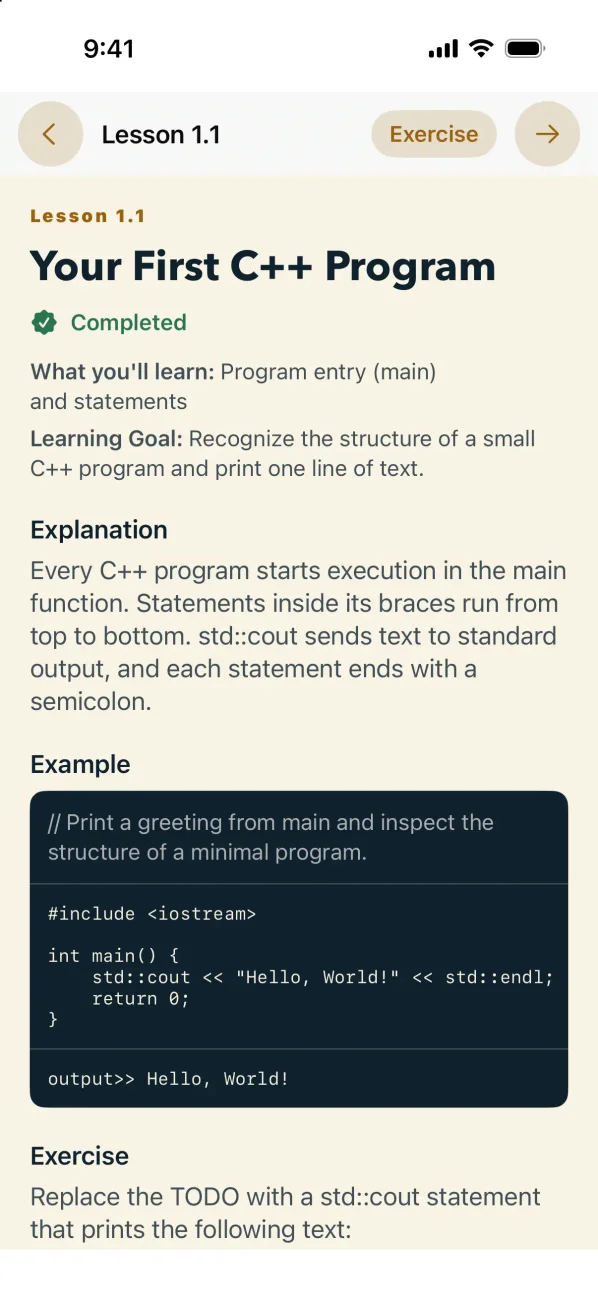
Write, compile, and run C++17 programs directly on iPhone, iPad, and Mac. Provide input and inspect output without setting up a compiler toolchain yourself.
Learn by writing code
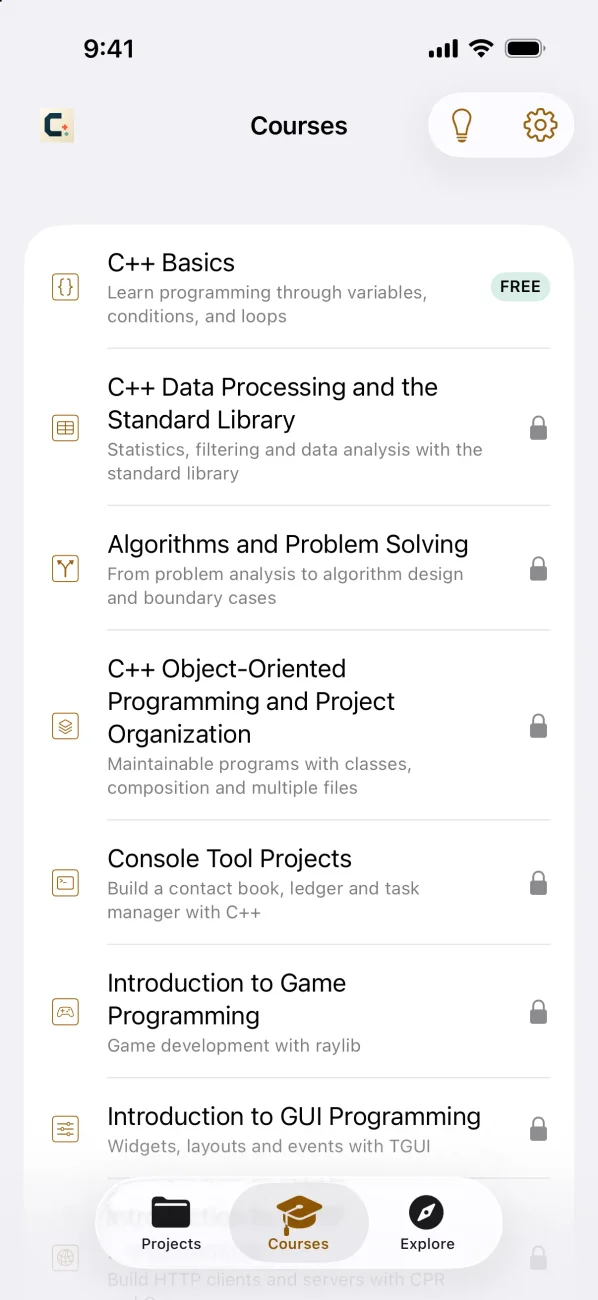
Start with 20 free C++ lessons covering variables, input and output, conditions, loops, functions, strings, containers, structs, and classes.
Continue with seven advanced courses through Learning Pro:
- C++ Data Processing and the Standard Library
- Algorithms and Problem Solving
- C++ Object-Oriented Programming and Project Organization
- Console Tool Projects
- Introduction to Game Programming
- Introduction to GUI Programming
- Introduction to HTTP Programming
Courses are available in English, Simplified Chinese, and Japanese, with explanations, examples, exercises, and reference implementations. Console exercises are checked locally using test inputs and outputs. Game and GUI exercises include interactive checklists.
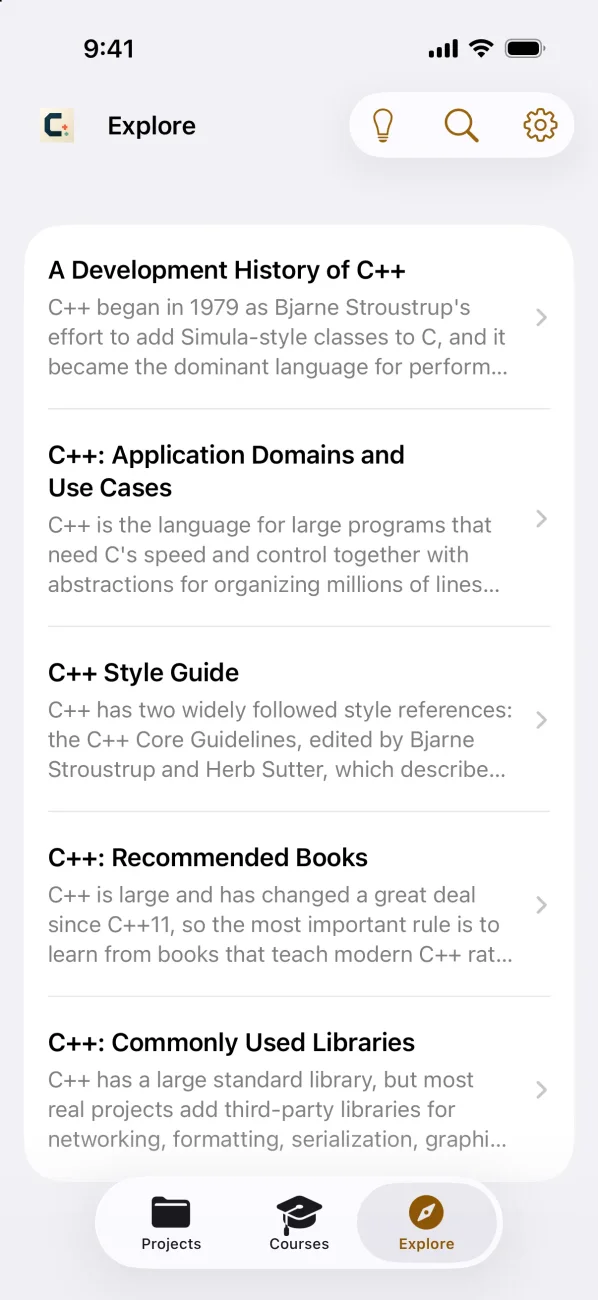
Explore beyond the code
Discover the history and applications of C++, learn coding conventions, explore popular libraries, and find recommended books to guide your next steps.
App news and contextual tips introduce new features and offer practical guidance for programming and learning.
From console programs to interactive projects
- Build data-processing tools and algorithms with the standard library
- Learn game and graphics programming with raylib
- Explore widgets, layouts, and events with TGUI
- Learn HTTP requests and server endpoints with CPR and Crow
- Edit and run client and server code within the same project
A workspace for every screen
- C++17 and multiple source files
- On-device compilation and execution
- Preset input and interactive input
- Program output and compiler diagnostics
- Automatic code saving
- Tab navigation on iPhone, with a landscape layout that leaves more room for your work
- Project-focused sidebars on iPad and Mac, with quick access to courses and Explore
- Light and Dark Mode support
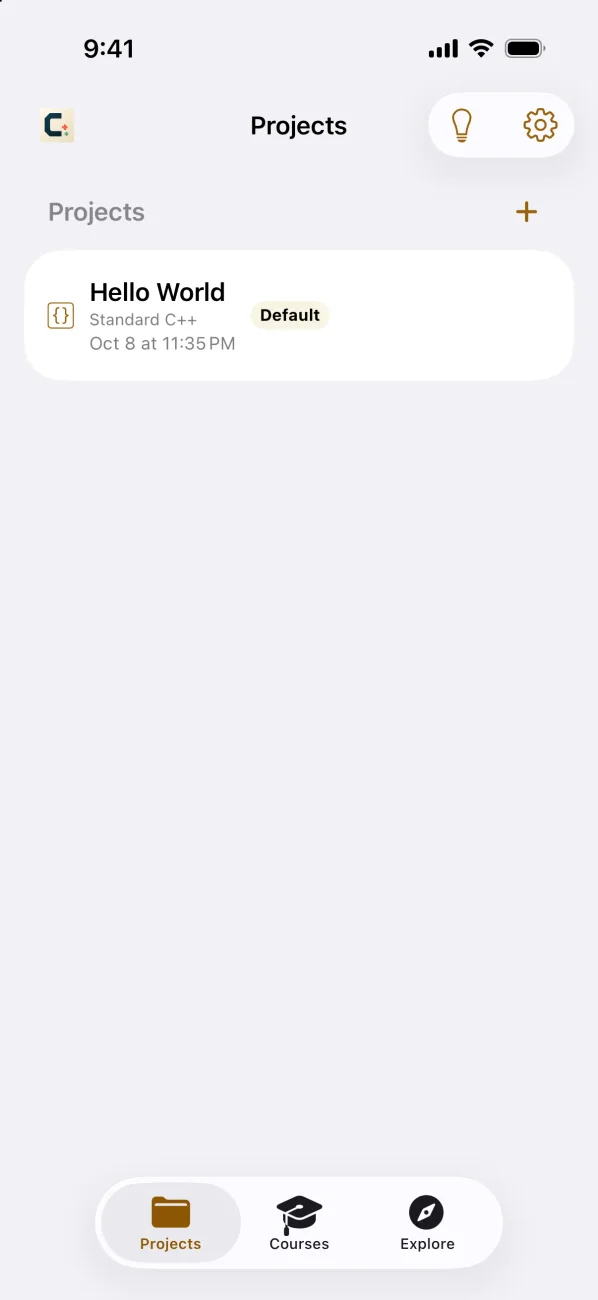
- Multiple projects and advanced library, display, and server settings with IDE Pro
Local programming, networking when needed
No account registration is required. Project code stays on the current device, and compilation and execution take place locally without uploading your source code to the developer’s servers. Network programs can access external services; data included in requests is sent to the servers specified by your code.
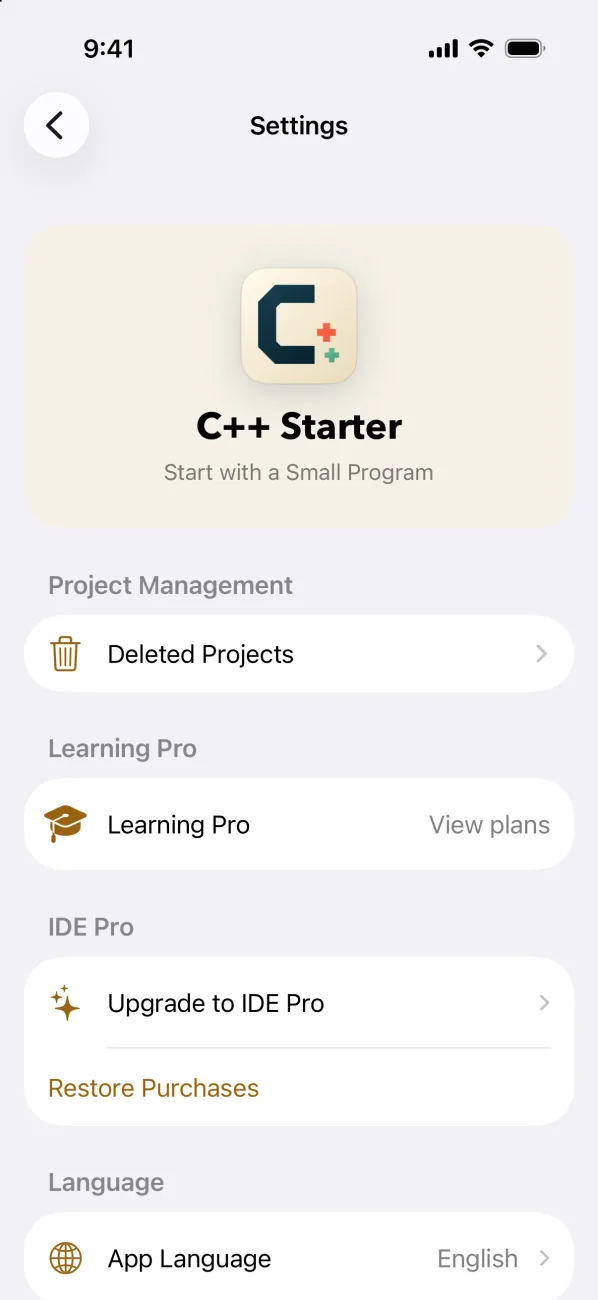
Free features and optional purchases
The complete C++ Basics course and one editable local workspace for standard C++ are free.
IDE Pro is an optional one-time purchase that unlocks multiple projects and advanced project settings.
Learning Pro provides access to paid courses for 1, 3, or 12 months, with no automatic renewal. During the access period, you can study all paid courses available in your region. The editing and execution features needed for course exercises are included; no separate IDE Pro purchase is required.
From your first program to games, interface tools, and HTTP endpoints, start building with C++ Starter.
Neue Funktionen
Version 0.3.0 · 05.11.2026
- Added C++20 support, with a choice of C++17 or C++20 for each project.
- Upgraded the local compiler and updated libraries for graphics, GUI, and networking projects.
- Source import now detects common encodings, including UTF-16, GB18030/GBK, Shift-JIS, and Big5, and converts imported files to UTF-8.
- Improved source import: original filenames are preserved, with options to replace or rename conflicting files. Importing no longer replaces main.cpp by default.
- Fixed a crash that could occur when accessibility tools accessed course code blocks on Mac.
App-Datenschutz
Was Dozen Network Technology Co., Ltd. im App Store zum Umgang dieser App mit Daten angibt.
-
Mit Ihnen verknüpfte Daten
Können erfasst und mit Ihrer Identität verknüpft werden.
- Nutzungsdaten
- Diagnose
- Sonstige Daten
Die Datenschutzpraktiken können variieren, zum Beispiel je nach den von Ihnen verwendeten Funktionen oder Ihrem Alter.
Informationen
- Anbieter
- Dozen Network Technology Co., Ltd.
- Kategorie
- Bildung
- Version
- 0.3.0
- Aktualisiert
- 05.11.2026
- Veröffentlicht
- 21.08.2026
- Größe
- 124,7 MB
- Erfordert
- iOS 17.0 oder neuer
- Altersfreigabe
- 4+
- Preis
- Kostenlos
- In-App-Käufe
- Ja
- Sprachen
- Englisch, Japanisch, Vereinf. Chinesisch
- Copyright
- © 2026 Dozen Network Technology Co., Ltd.