Caddy: Notes, Tasks & Contacts
Plus stories & a reading list
Entwickelt für iPhone, iPad, Mac
Kostenlos · In-App-Käufe
- Altersfreigabe4+
- KategorieProduktivität
- EntwicklerMike Shear
- SprachenEnglisch
- Größe14,5 MB
Verlinkt auf die offizielle App Store-Seite
Download.org hostet keine Datei von Caddy: Notes, Tasks & Contacts. Die Schaltfläche öffnet die App-Seite bei App Store, wo Mike Shear die App veröffentlicht. Eintrag zuletzt geprüft am 26.11.2026.
Screenshots

Info
Der Entwickler hat diesen Text nicht in Ihrer Sprache bereitgestellt.
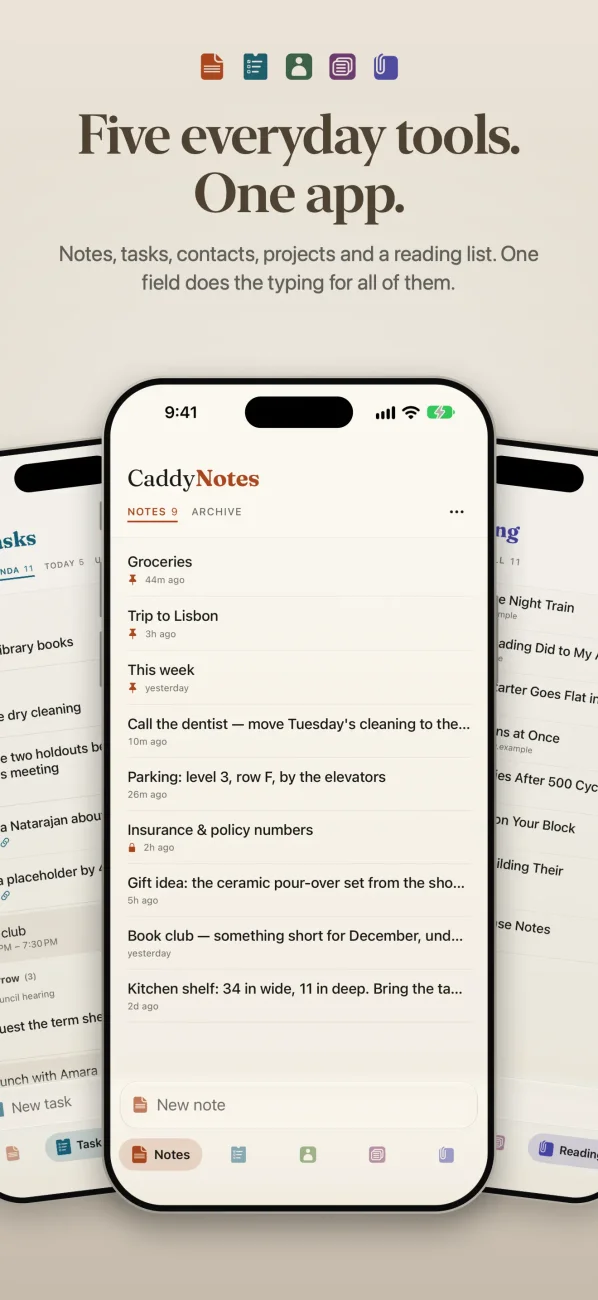
Caddy puts five everyday tools in one app: notes, tasks, contacts, a project board and a reading list. One field at the bottom of the screen does the typing for all of them. Swipe it, or tap a mark, to move between them.
MADE FOR iPHONE DUO
Caddy is built for the iPhone Duo's two screens. Unfold it and every part becomes a list beside the item you're reading, with the list's edge on the fold. Half-fold it and the two sides stay on either side of the hinge. Closed, Caddy fits the outer screen, with a row of marks for moving between parts. It works the same way on every iPhone and iPad.
NOTES
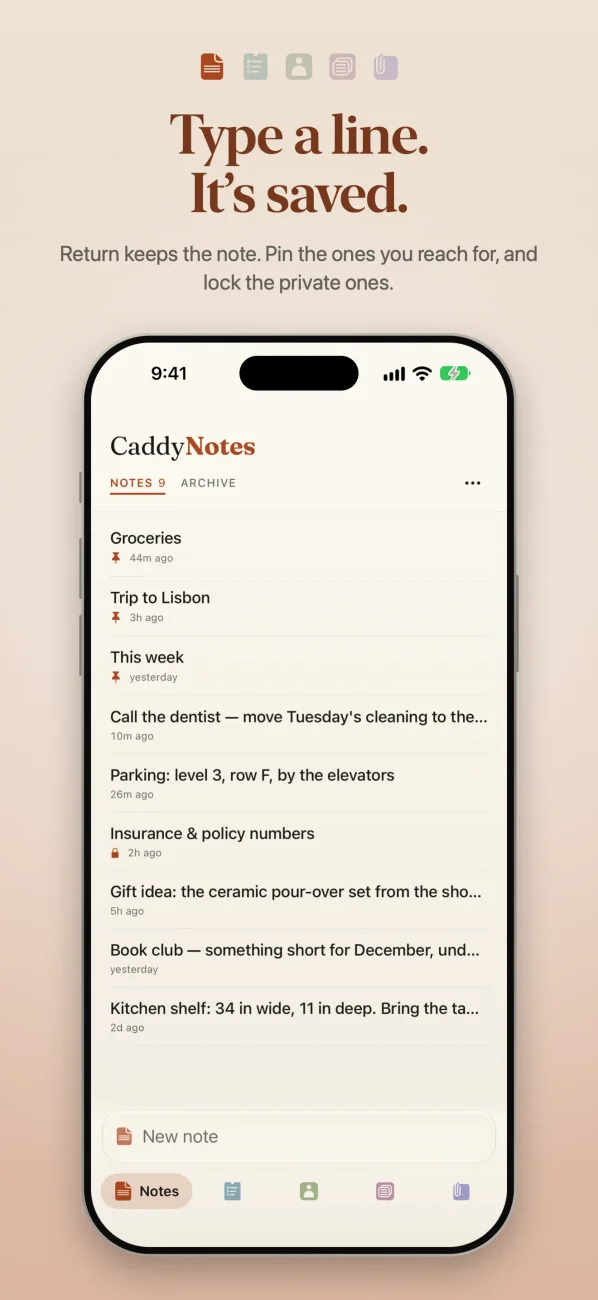
Type in the field and press Return to save a note. The first line becomes the title. Lock any note with a passphrase only you know, and open it with Face ID after that. Pin the notes you use most to a widget.
TASKS, ON YOUR REMINDERS
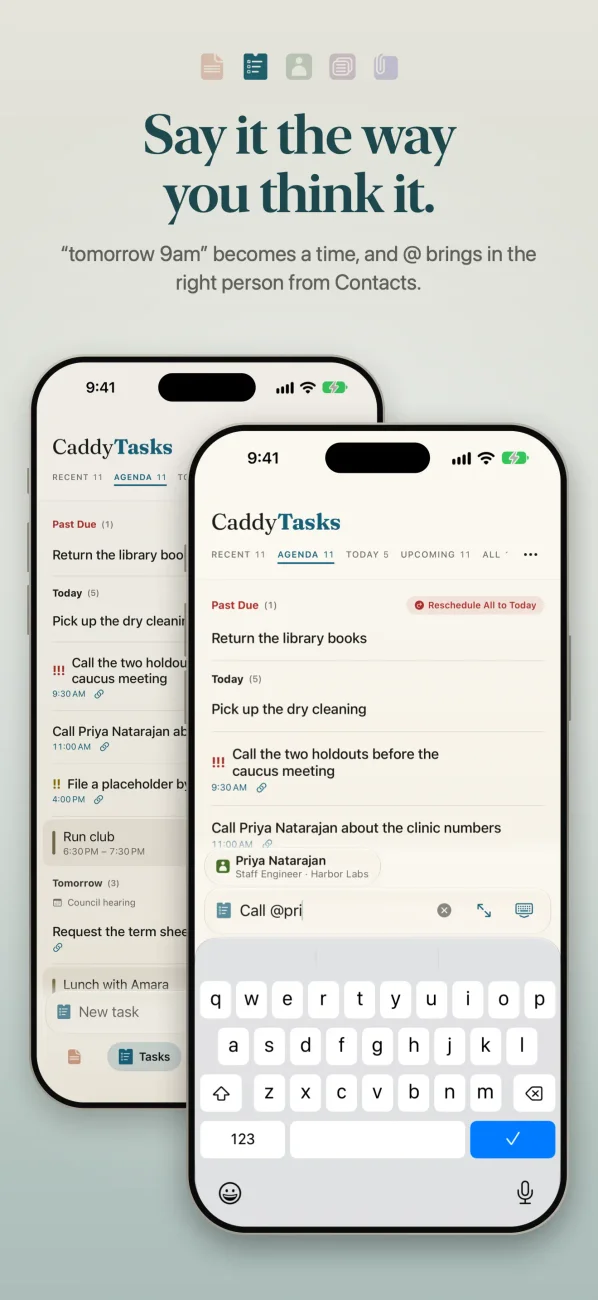
Caddy works on the reminders you already have, so everything stays in step with the Reminders app and your Mac. Type the way you think: "call the dentist tomorrow 9am" gets a due time. Type @ and pick a person from your contacts, and the task carries their name and number. Copy a link to an email and Caddy offers to make it a task. Today's calendar appears beside your tasks.
CONTACTS, FAST
Search your address book as you type, then call, message or copy in one tap. Scan a business card with the camera, or paste an email signature, and Caddy sorts it into a new contact's fields on your iPhone. Keep favorites at the top and your own card one tap away.
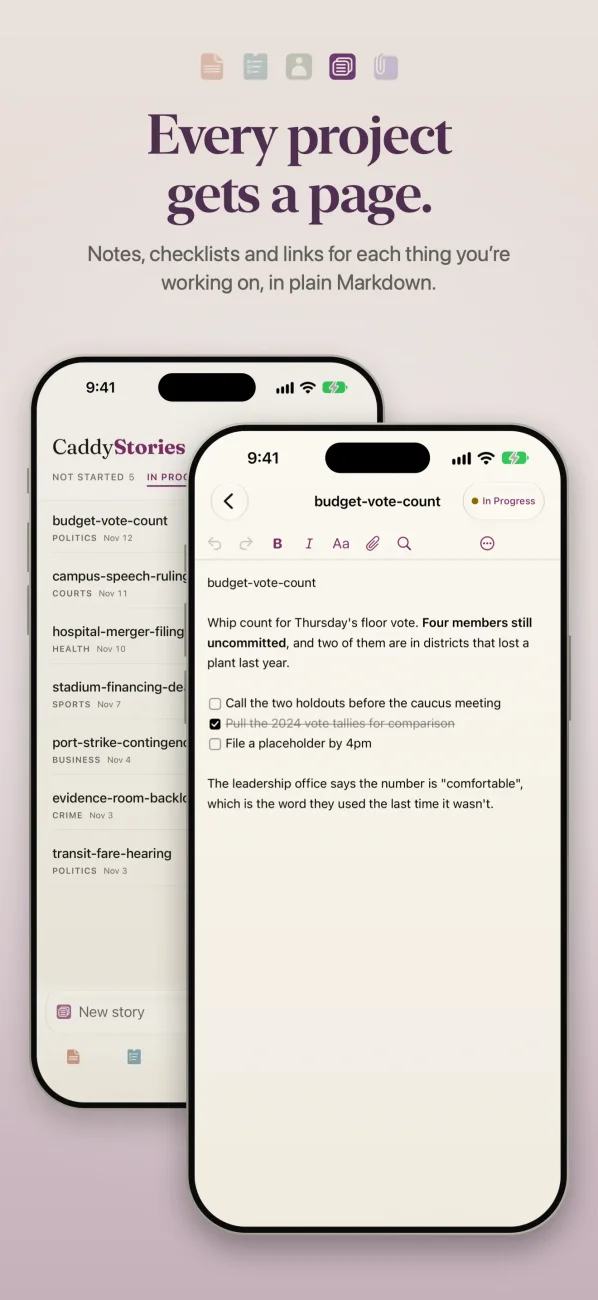
STORIES: EVERY PROJECT IN ONE PLACE
Each project gets a page for its notes, in plain Markdown. Link stories to each other and @-mention people from your contacts. Send a note or a saved article to a story from its menu.
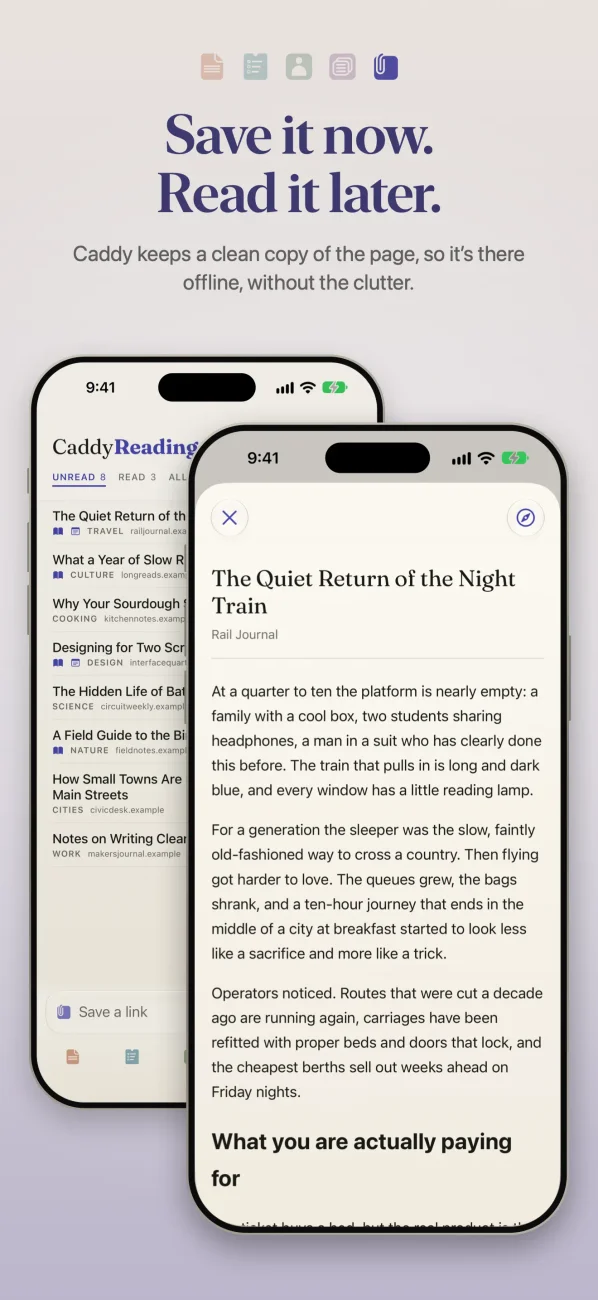
A READING LIST WORTH READING
Save a page from Safari with Caddy's extension or from any app's Share sheet, or paste a link. Caddy keeps a clean, readable copy of the text, so it's there later, offline, without the clutter.
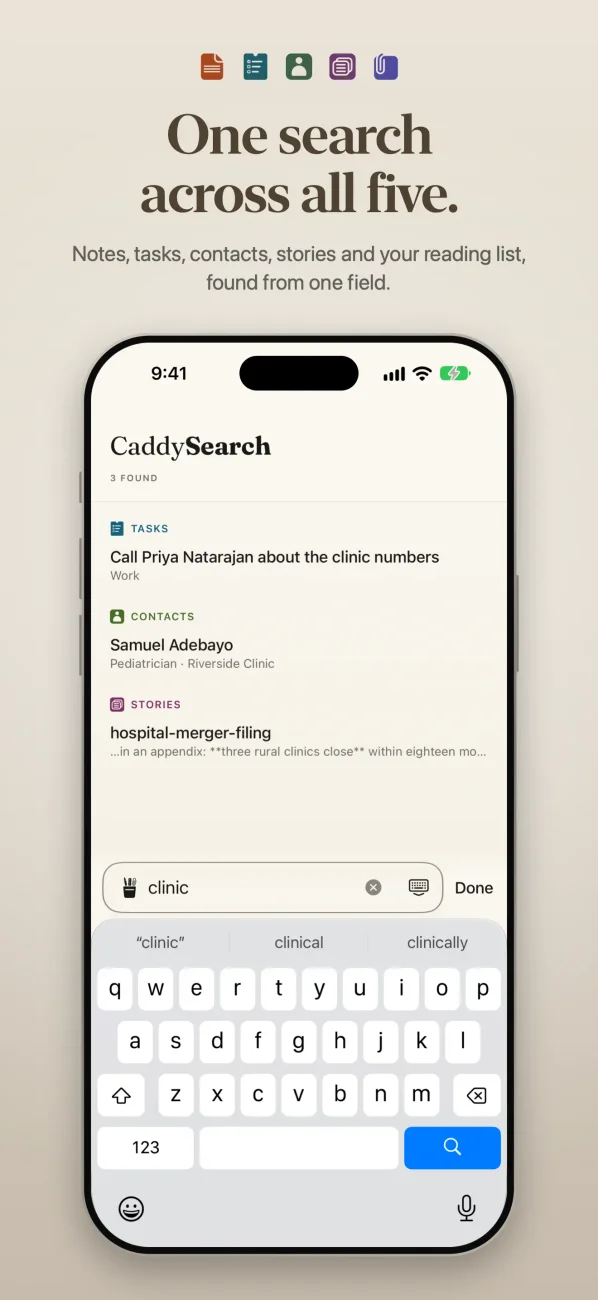
ONE SEARCH
Search your notes, tasks, contacts, stories and reading list at once.
WIDGETS
Jump to any part of Caddy from your Home Screen, see today's tasks, your pinned notes, your favorite people and what's waiting to be read.
YOUR DATA, YOUR iCLOUD
Notes and stories sync through your own iCloud account. Tasks are your Reminders and people are your Contacts, so they sync the way they always have. Caddy has no account of its own, no advertising, no analytics and no tracking.
The reading list syncs through its own server. Saved article text is encrypted on your device before it is uploaded. Turning that sync on is optional.
ALSO ON THE MAC
Caddy for Mac opens all five over whatever you're doing with one keystroke, and shows the same notes, tasks, contacts, stories and reading list. Caddy for iPhone and iPad is free.
Requires iOS 26.
Neue Funktionen
Version 1.0.5 · 24.11.2026
• On iPhone Duo, each tab's side bar is tidier: Search Everything, the tab's own actions, its Settings and Caddy Settings now share one "…" menu instead of a column of repeated icons.
• The hide-keyboard button no longer stays on screen after you rotate the unfolded Duo.
• More Mimestream email links in Tasks now show as a tappable email badge instead of plain text.
App-Datenschutz
Was Mike Shear im App Store zum Umgang dieser App mit Daten angibt.
-
Mit Ihnen verknüpfte Daten
Können erfasst und mit Ihrer Identität verknüpft werden.
- Benutzerinhalte
- Browserverlauf
- Kennungen
-
Nicht mit Ihnen verknüpfte Daten
Können erfasst werden, sind aber nicht mit Ihrer Identität verknüpft.
- Standort
Die Datenschutzpraktiken können variieren, zum Beispiel je nach den von Ihnen verwendeten Funktionen oder Ihrem Alter.
Informationen
- Anbieter
- Mike Shear
- Kategorie
- Produktivität
- Version
- 1.0.5
- Aktualisiert
- 24.11.2026
- Veröffentlicht
- 13.11.2026
- Größe
- 14,5 MB
- Erfordert
- iOS 26.0 oder neuer
- Altersfreigabe
- 4+
- Preis
- Kostenlos
- In-App-Käufe
- Ja
- Sprachen
- Englisch
- Copyright
- © 2026 Michael Shear
Das könnte Ihnen auch gefallen
-
 Chronaya: Deadline TrackerProduktivität
-
 Hobba: To-do-Liste & PlanerAufgaben & Kanban. Ein Kauf
-
 Liquid Notes | Alles erfassenDie Zukunft der Notizen
-
 GramboProduktivität
-
 The Dunbar AppProduktivität
-
 Mindor: AI Brain DumpProduktivität
-
 Sprache zu Text: KI-ProtokollKI-Zusammenfassung & Notizen
-
 Solid NotesProduktivität
-
 iWrote: Markdown Writer AppProduktivität
-
 Unblocked To-Do ListProduktivität