Caddy: Notes, Tasks & Contacts
Plus stories & a reading list
Conçue pour iPhone, iPad, Mac
Gratuit · Achats intégrés
- Classification d’âge4+
- CatégorieProductivité
- DéveloppeurMike Shear
- LanguesAnglais
- Taille14,6 Mo
Renvoie vers la page App Store officielle
Download.org n’héberge aucun fichier de Caddy: Notes, Tasks & Contacts. Le bouton ouvre la page de l’application sur App Store, où Mike Shear la publie. Fiche vérifiée pour la dernière fois le 29/11/2026.
Captures d’écran

À propos
Le développeur n’a pas fourni ce texte dans votre langue.
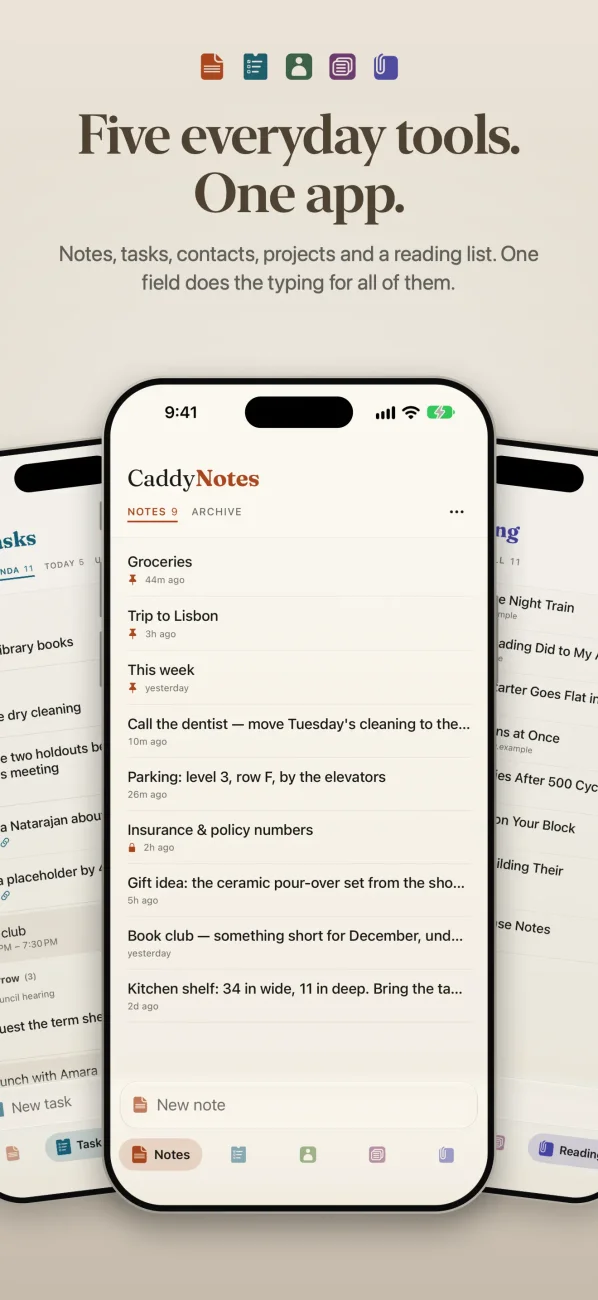
Caddy puts five everyday tools in one app: notes, tasks, contacts, a project board and a reading list. One field at the bottom of the screen does the typing for all of them. Swipe it, or tap a mark, to move between them.
MADE FOR iPHONE DUO
Caddy is built for the iPhone Duo's two screens. Unfold it and every part becomes a list beside the item you're reading, with the list's edge on the fold. Half-fold it and the two sides stay on either side of the hinge. Closed, Caddy fits the outer screen, with a row of marks for moving between parts. It works the same way on every iPhone and iPad.
NOTES
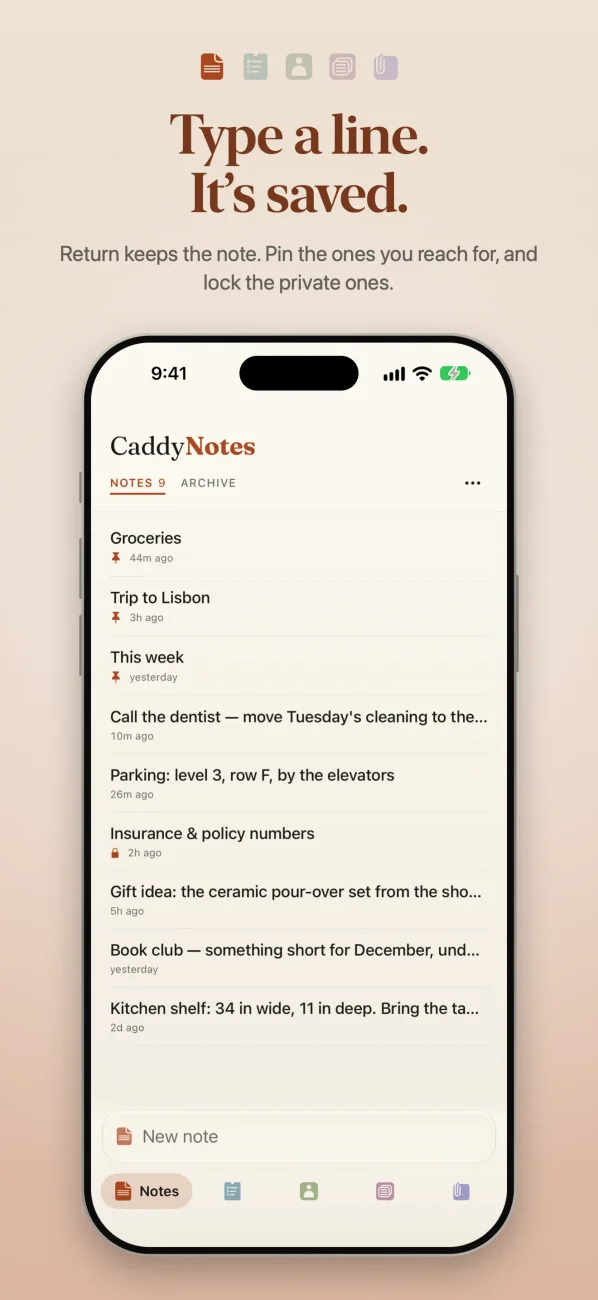
Type in the field and press Return to save a note. The first line becomes the title. Lock any note with a passphrase only you know, and open it with Face ID after that. Pin the notes you use most to a widget.
TASKS, ON YOUR REMINDERS
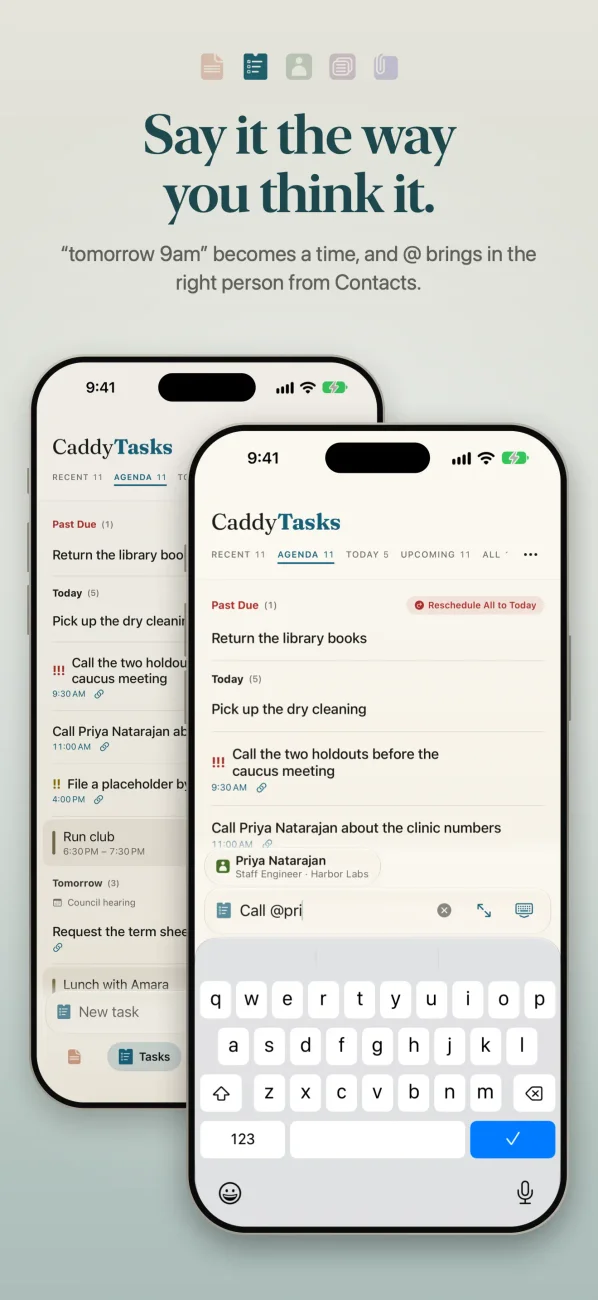
Caddy works on the reminders you already have, so everything stays in step with the Reminders app and your Mac. Type the way you think: "call the dentist tomorrow 9am" gets a due time. Type @ and pick a person from your contacts, and the task carries their name and number. Copy a link to an email and Caddy offers to make it a task. Today's calendar appears beside your tasks.
CONTACTS, FAST
Search your address book as you type, then call, message or copy in one tap. Scan a business card with the camera, or paste an email signature, and Caddy sorts it into a new contact's fields on your iPhone. Keep favorites at the top and your own card one tap away.
STORIES: EVERY PROJECT IN ONE PLACE
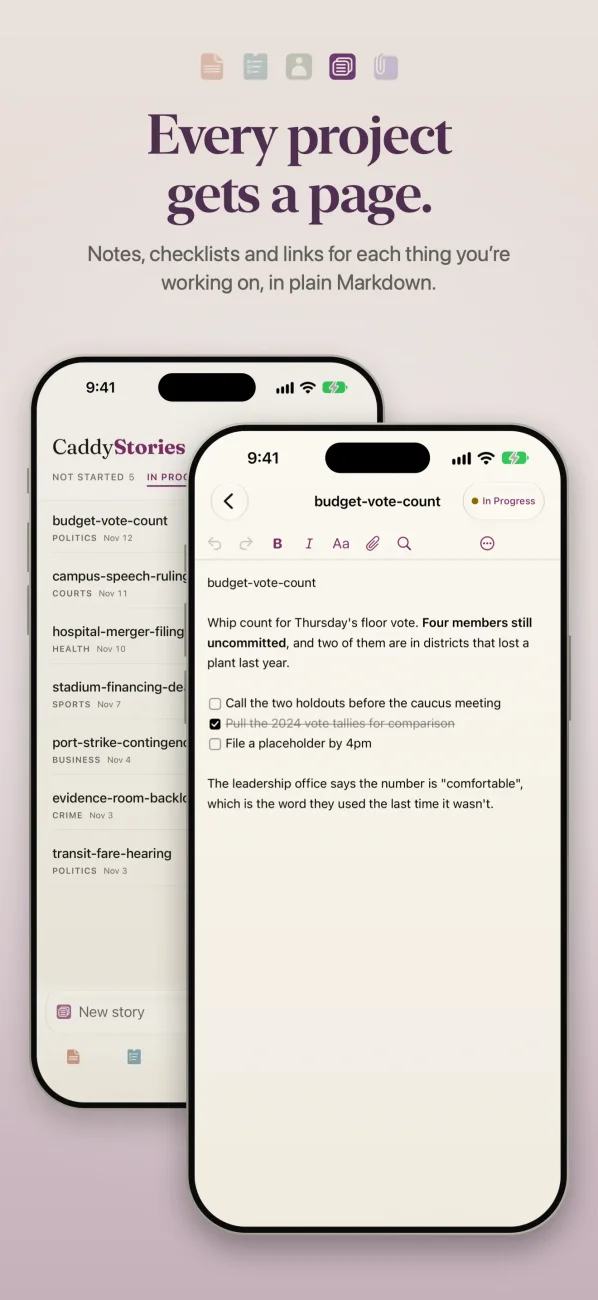
Each project gets a page for its notes, in plain Markdown. Link stories to each other and @-mention people from your contacts. Send a note or a saved article to a story from its menu.
A READING LIST WORTH READING
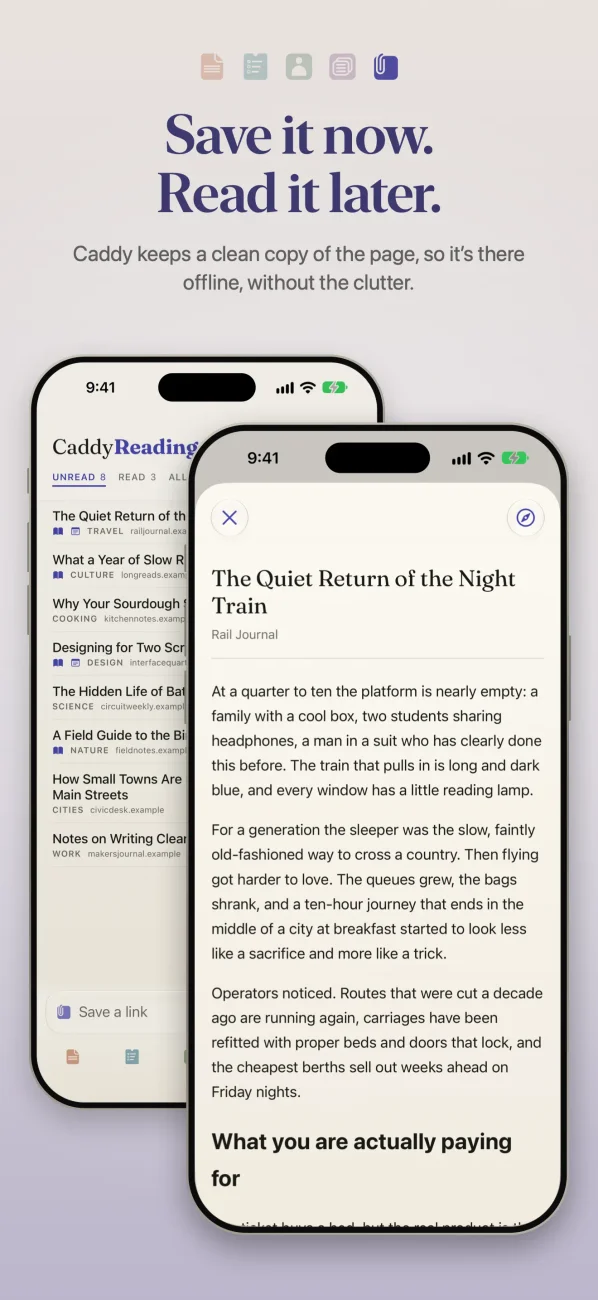
Save a page from Safari with Caddy's extension or from any app's Share sheet, or paste a link. Caddy keeps a clean, readable copy of the text, so it's there later, offline, without the clutter.
ONE SEARCH
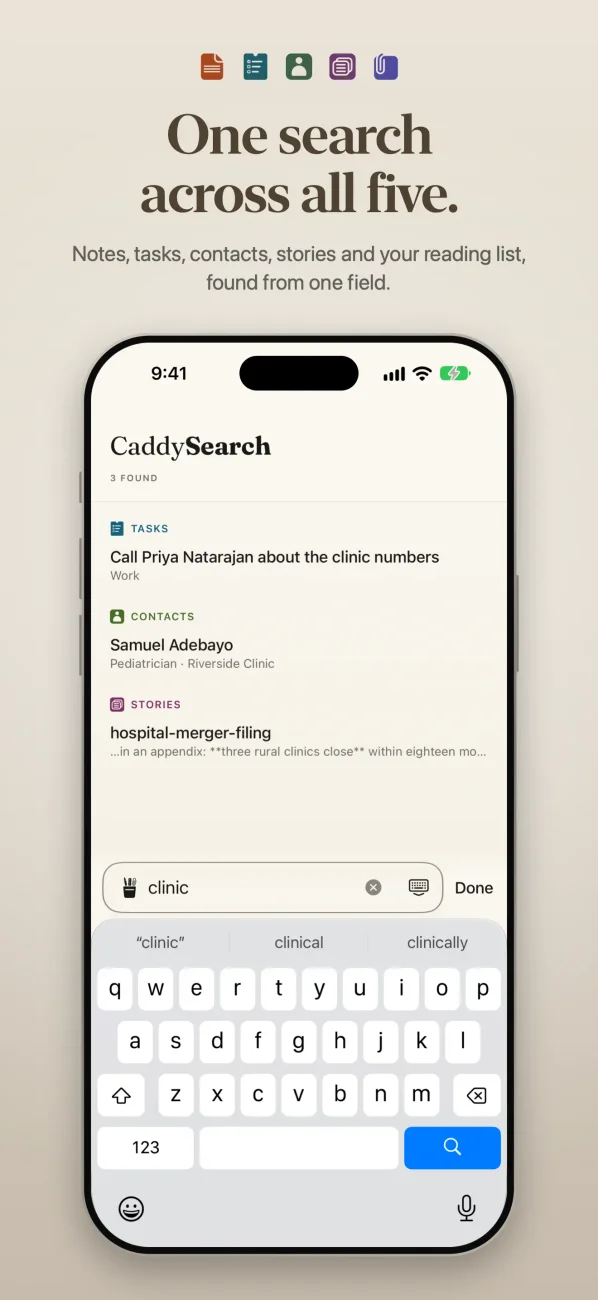
Search your notes, tasks, contacts, stories and reading list at once.
WIDGETS
Jump to any part of Caddy from your Home Screen, see today's tasks, your pinned notes, your favorite people and what's waiting to be read.
YOUR DATA, YOUR iCLOUD
Notes and stories sync through your own iCloud account. Tasks are your Reminders and people are your Contacts, so they sync the way they always have. Caddy has no account of its own, no advertising, no analytics and no tracking.
The reading list syncs through its own server. Saved article text is encrypted on your device before it is uploaded. Turning that sync on is optional.
ALSO ON THE MAC
Caddy for Mac opens all five over whatever you're doing with one keystroke, and shows the same notes, tasks, contacts, stories and reading list. Caddy for iPhone and iPad is free.
Requires iOS 26.
Nouveautés
Version 1.0.6 · 28/11/2026
• Picking a list in Tasks is easier on a small screen: tap the list's name at the top for a menu of every view and list, instead of swiping a thin row sideways. Other tabs switch to the same menu whenever their choices don't fit.
• Appearance and Background are now set once, in Caddy Settings, for every service.
• Bright now changes the whole of Tasks and Stories straight away, not just the top of the screen.
• Closing Search no longer leaves its heading over the tab for a moment.
Confidentialité de l’application
Ce que Mike Shear déclare sur l’App Store au sujet du traitement des données par cette application.
-
Données établissant un lien avec vous
Peuvent être collectées et liées à votre identité.
- Contenu utilisateur
- Historique de navigation
- Identifiants
-
Données n’établissant aucun lien avec vous
Peuvent être collectées, mais ne sont pas liées à votre identité.
- Emplacement
Les pratiques en matière de confidentialité peuvent varier, notamment en fonction des fonctionnalités que vous utilisez ou de votre âge.
Informations
- Vendeur
- Mike Shear
- Catégorie
- Productivité
- Version
- 1.0.6
- Mis à jour
- 28/11/2026
- Publié
- 13/11/2026
- Taille
- 14,6 Mo
- Nécessite
- iOS 26.0 ou version ultérieure
- Classification d’âge
- 4+
- Prix
- Gratuit
- Achats intégrés
- Oui
- Langues
- Anglais
- Copyright
- © 2026 Michael Shear
Vous aimerez peut-être aussi
-
 Chronaya: Deadline TrackerProductivité
-
 Hobba : Liste de tâchesProjets & kanban. Achat unique
-
 Liquid Notes | Tout capturerL'avenir de la prise de notes
-
 GramboProductivité
-
 The Dunbar AppProductivité
-
 Mindor: AI Brain DumpProductivité
-
 Résumé IA: Transcription CoursCompte rendu & Dictaphone
-
 Solid NotesProductivité
-
 iWrote: Markdown Writer AppProductivité
-
 Unblocked To-Do ListProductivité