Chapbook: Notes
Know which notes are firm
Entwickelt für iPhone, iPad, Mac
Kostenlos
- Altersfreigabe4+
- KategorieProduktivität
- EntwicklerConstellation Ltd
- SprachenEnglisch
- Größe5,9 MB
Verlinkt auf die offizielle App Store-Seite
Download.org hostet keine Datei von Chapbook: Notes. Die Schaltfläche öffnet die App-Seite bei App Store, wo Constellation Ltd die App veröffentlicht. Eintrag zuletzt geprüft am 18.11.2026.
Screenshots

Info
Der Entwickler hat diesen Text nicht in Ihrer Sprache bereitgestellt.
Chapbook is a notebook that knows which of your notes are settled.
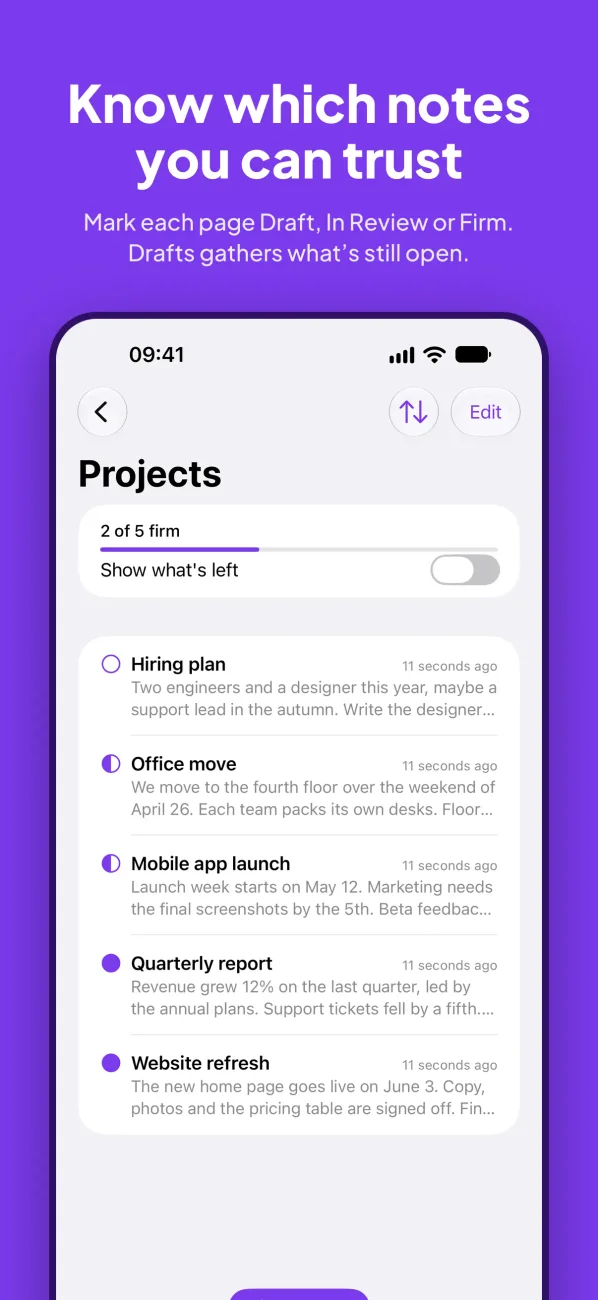
Every page can be a Draft, In Review or Firm. A meter on each notebook shows how much of it is firm, and Show what's left lists the pages that still need work. Everything you capture starts as a Draft, so Drafts is your inbox: raise a note's certainty or move it, and it's handled.
FIRM MEANS FIRM
Firm pages open read-only, so a settled note can't be changed by accident. Unlock one when it really needs to change.
NOTEBOOKS, SECTIONS AND PAGES
• Organize pages in notebooks and sections, with Quick Notes for everything else
• Subpages, and backlinks that show which pages link to the one you're reading
• Pin the pages you use most, tag them, and drag them into order
• Save Search keeps a search in the sidebar
• Today opens your daily note, and New from Template starts a page from one of your templates
• Trash keeps deleted pages until you empty it
• Open a page in its own window on iPad and Mac
A REAL EDITOR
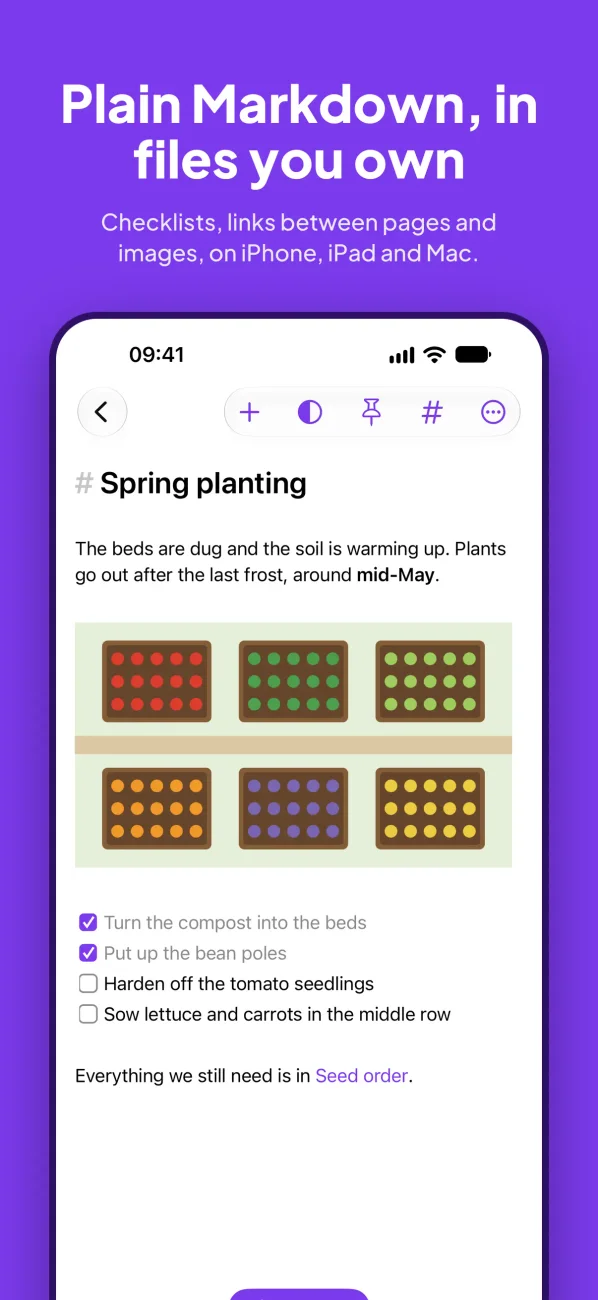
• Headings, bold, italic, lists, quotes and code, with Markdown shortcuts as you type
• Tables, headings that fold, and Focus to hide everything but the page
• Checklists you tick with a tap
• Links between pages: type [[ and pick one
• Images and PDFs inside a page, and Scan Document on iPhone and iPad
• Full undo and redo
RECORD AND DRAW
• Record audio into a note. The transcript appears under the recording, and it is made on your device.
• Insert a drawing on iPhone, iPad and Mac
• Copy as Text turns what you wrote by hand into text
FIND ANYTHING
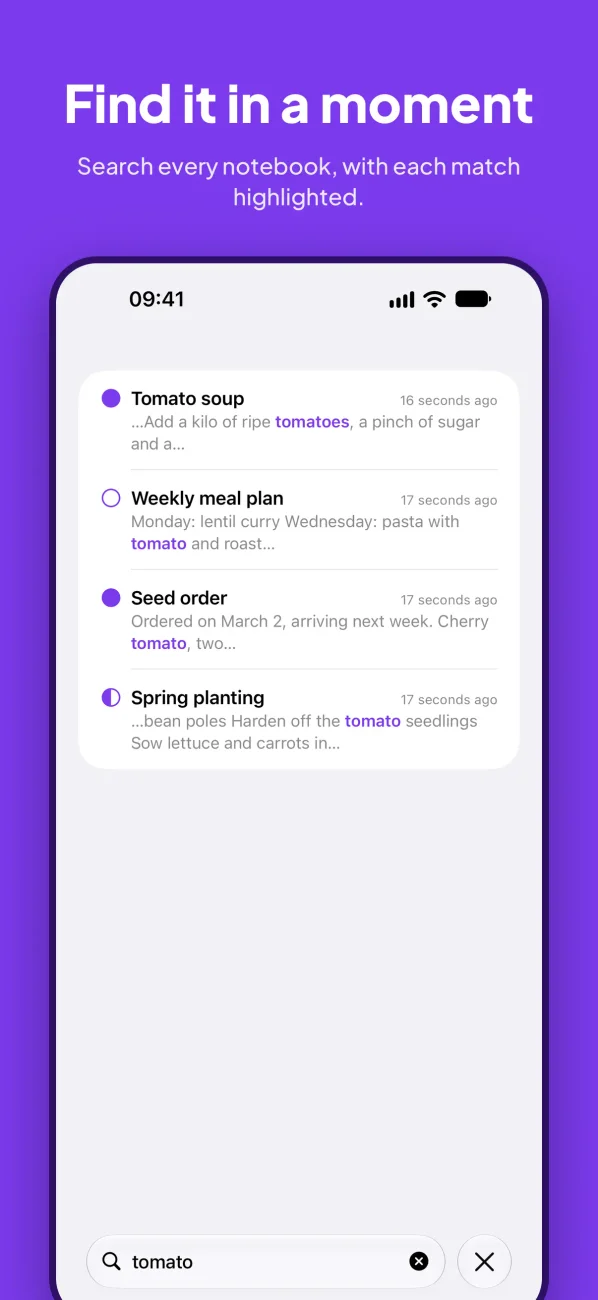
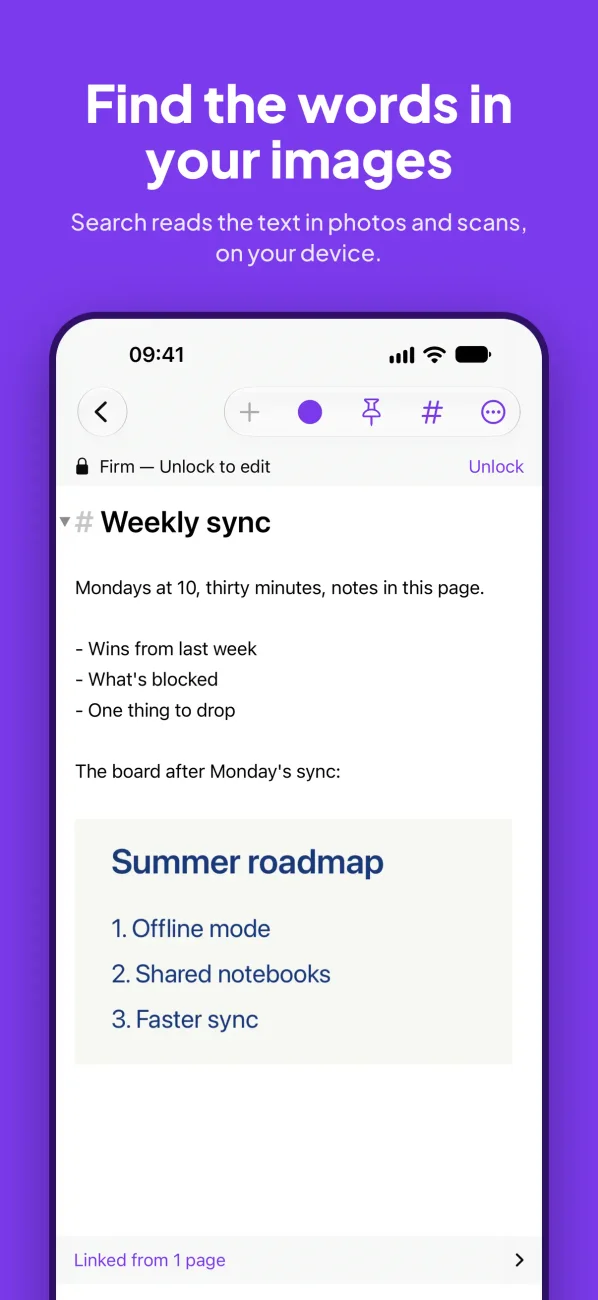
Search every page as you type, with your words highlighted in the list and in the page. Search also finds the text inside attached images and PDFs, and what you wrote by hand in a drawing. Your notes also show up in Spotlight.
On devices that support them, Suggest Title, Suggest Tags and Summarize offer a title, tags or a summary for a page. They run on your device, and nothing changes until you accept.
HISTORY AND LOCKS
• Version History keeps earlier versions of each page, and Restore This Version brings one back
• Lock Note protects a page with a password, and Face ID or Touch ID. A locked page is encrypted in its file.
CAPTURE FROM ANYWHERE
• Share text, links, photos and PDFs from any app into Quick Notes
• Widgets with your pinned and recent notes, and a checklist you tick without opening the app
• A New Note control for Control Center and the Lock Screen
• Shortcuts and Siri: create a note, add to one, or open one
• On Mac: Chapbook in the menu bar, and a keyboard shortcut for a new note from any app
• Continue a page on another device with Handoff
YOUR FILES, YOUR WAY
Every page is a plain Markdown file in iCloud Drive › Chapbook, or in any folder you choose.
• Import a folder of Markdown files or single .md and .txt files, images included
• Import .one and .onepkg notebooks, .enex and .bear2bk files, .textbundle and .textpack notes, zip archives of Markdown and CSV files, and HTML
• Export a page as Markdown, plain text, PDF, HTML, RTF or .docx
PRIVATE BY DESIGN
No account, no ads, no tracking and no analytics. Your notes stay on your devices and in your own iCloud Drive. Recordings, transcripts and suggestions are made on your device and are never sent to us or anyone else.
New here? The Getting Started notebook shows everything in a few pages.
Neue Funktionen
Version 1.1.0 · 12.11.2026
Chapbook 1.1 is a big update. Your notes are still plain Markdown files in your own folder.
RECORD AND DRAW
• Record audio into a note. The transcript appears under the recording, and it is made on your device.
• Insert a drawing on iPhone, iPad and Mac
• Search finds what you wrote by hand, and Copy as Text turns it into text
A BIGGER EDITOR
• Tables
• Headings that fold
• Focus hides everything but the page
• Subpages and backlinks
• New from Template, and a daily note with Today
• Save Search keeps a search in the sidebar
FIND MORE
• Search finds the text inside attached images and PDFs
• Suggest Title, Suggest Tags and Summarize, on devices that support them. They run on your device, and nothing changes until you accept.
HISTORY AND LOCKS
• Version History keeps earlier versions of each page, and Restore This Version brings one back
• Lock Note protects a page with a password, and Face ID or Touch ID
CAPTURE
• A checklist widget you tick without opening the app
• Share photos and PDFs into Chapbook, and attach them from Shortcuts
• On Mac: Chapbook in the menu bar, and Control-Option-Command-N for a new note from any app
IMPORT AND EXPORT
• Import .one and .onepkg notebooks, .enex and .bear2bk files, .textbundle and .textpack notes, zip archives of Markdown and CSV files, and HTML
• When an import leaves something out, Chapbook lists what to review
• Export a page as RTF or .docx
CHANGES AND FIXES
• Shortcuts no longer add text to a Firm note. Change its status to edit it.
• Fixed a rare freeze while saving notes
• Attachments show again in a note you moved to another section
• Dark and tinted app icons on iPhone and iPad
If you also use Chapbook 1.0 on another device: a note with a recording shows "Missing attachment" there until you update. Nothing is lost.
App-Datenschutz
Was Constellation Ltd im App Store zum Umgang dieser App mit Daten angibt.
-
Keine Daten erfasst
Der Entwickler erfasst keine Daten von dieser App.
Die Datenschutzpraktiken können variieren, zum Beispiel je nach den von Ihnen verwendeten Funktionen oder Ihrem Alter.
Informationen
- Anbieter
- Constellation Corp Ltd
- Kategorie
- Produktivität
- Version
- 1.1.0
- Aktualisiert
- 12.11.2026
- Veröffentlicht
- 10.11.2026
- Größe
- 5,9 MB
- Erfordert
- iOS 26.5 oder neuer
- Altersfreigabe
- 4+
- Preis
- Kostenlos
- Sprachen
- Englisch
- Copyright
- © Constellation Corp Ltd
Das könnte Ihnen auch gefallen
-
 Murmur: Voice Notes AppProduktivität
-
 MLA: Mental Load AssistantProduktivität
-
 Atlas ProductivityProduktivität
-
 Jot: Quick Notes & InboxProduktivität
-
 NextUp: Client Meeting NotesProduktivität
-
 PoptMerken und teilen, ganz privat
-
 CellWazeProduktivität
-
 Corenk: GewohnheitstrackerGewohnheiten & Wochentabelle
-
 TimeLoop: Wochenplaner & To-doGeteilter Kalender & Routine
-
 Scatterbrain: ADHD PriorityProduktivität