Chroia: Riso Print Camera
Halftone Photo Filter & Editor
Entwickelt für iPhone
Kostenlos · In-App-Käufe
- Altersfreigabe4+
- KategorieFoto und Video
- EntwicklerJaehoon Lee
- SprachenEnglisch+ 2 weitere
- Größe4,4 MB
Verlinkt auf die offizielle App Store-Seite
Download.org hostet keine Datei von Chroia: Riso Print Camera. Die Schaltfläche öffnet die App-Seite bei App Store, wo Jaehoon Lee die App veröffentlicht. Eintrag zuletzt geprüft am 23.11.2026.
Screenshots
Info
Der Entwickler hat diesen Text nicht in Ihrer Sprache bereitgestellt.
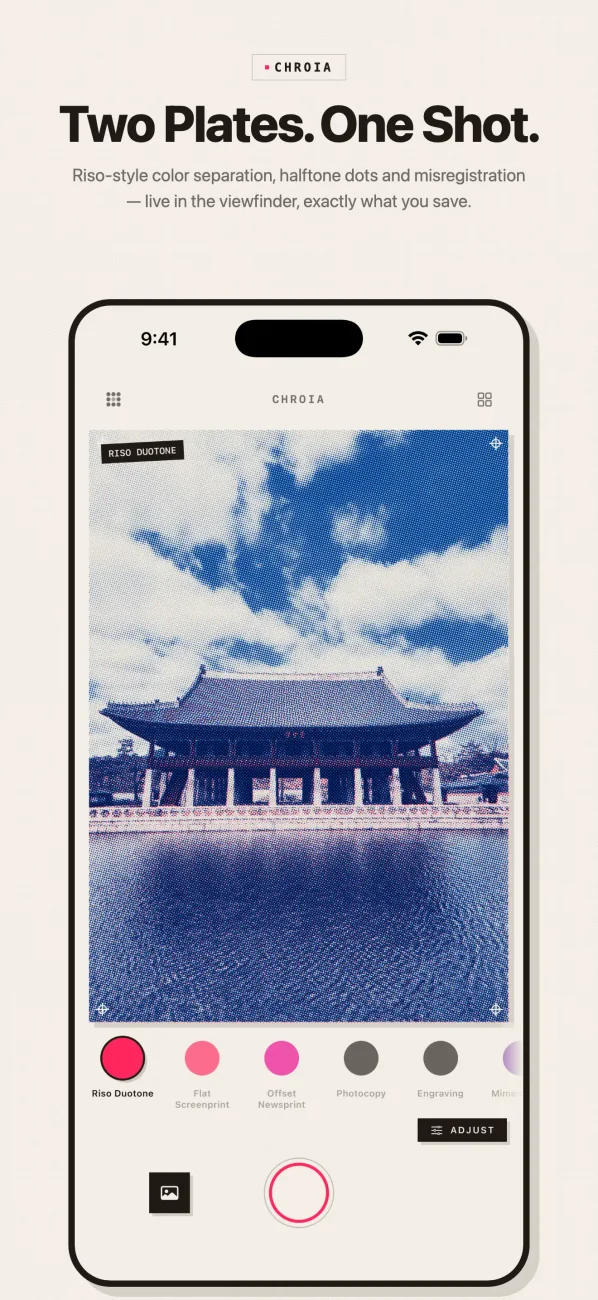
A camera that reproduces risograph printing — multi-plate color
separation, halftone dot screens, and intentional plate
misregistration, rendered live in your viewfinder. Or bring in any
photo from your library and print it the same way.
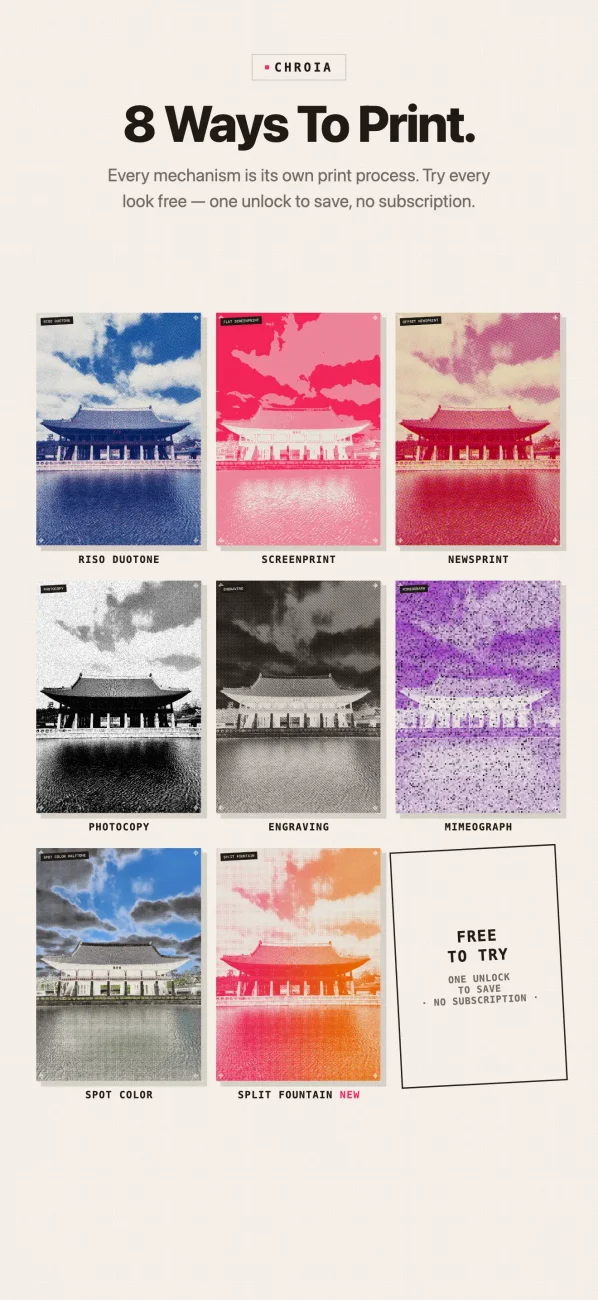
EIGHT REAL PRINT PROCESSES
* Riso Duotone — color-separated into pink + cobalt plates, overprinted
* Flat Screenprint — halftone-free spot color
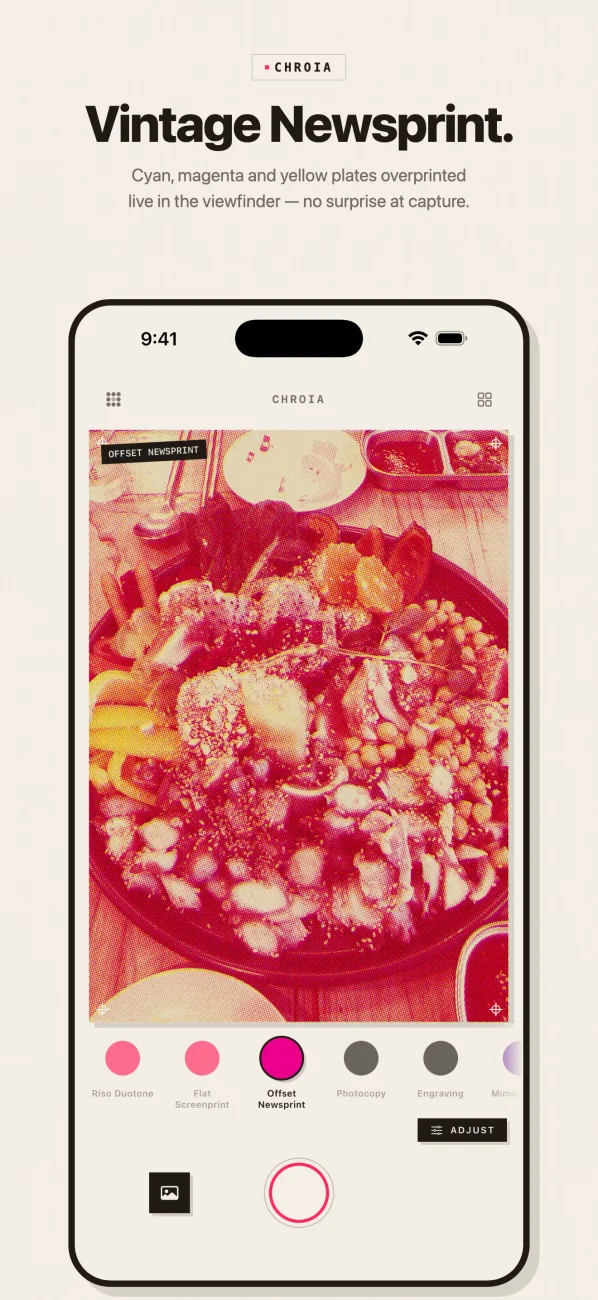
* Offset Newsprint — a genuine CMY rosette, vintage press texture
* Photocopy — Xerox-style decay and scan noise
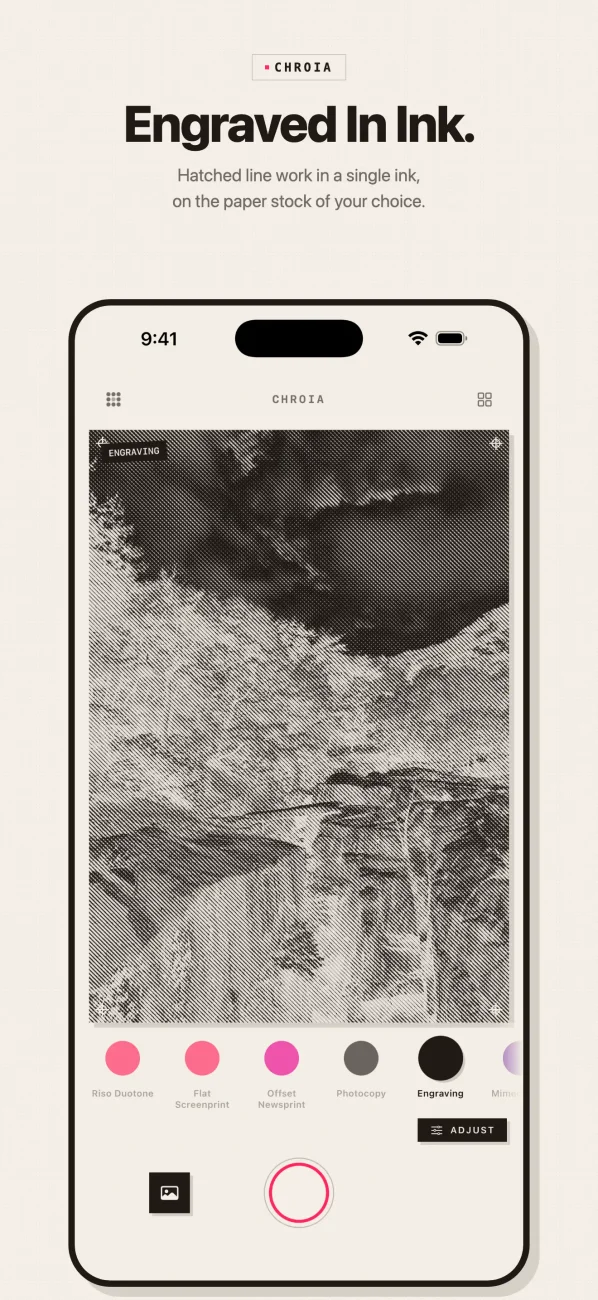
* Engraving — single-plate crosshatch
* Mimeograph — blocky ink blotches
* Spot Color Halftone — the most saturated color survives a black dot screen
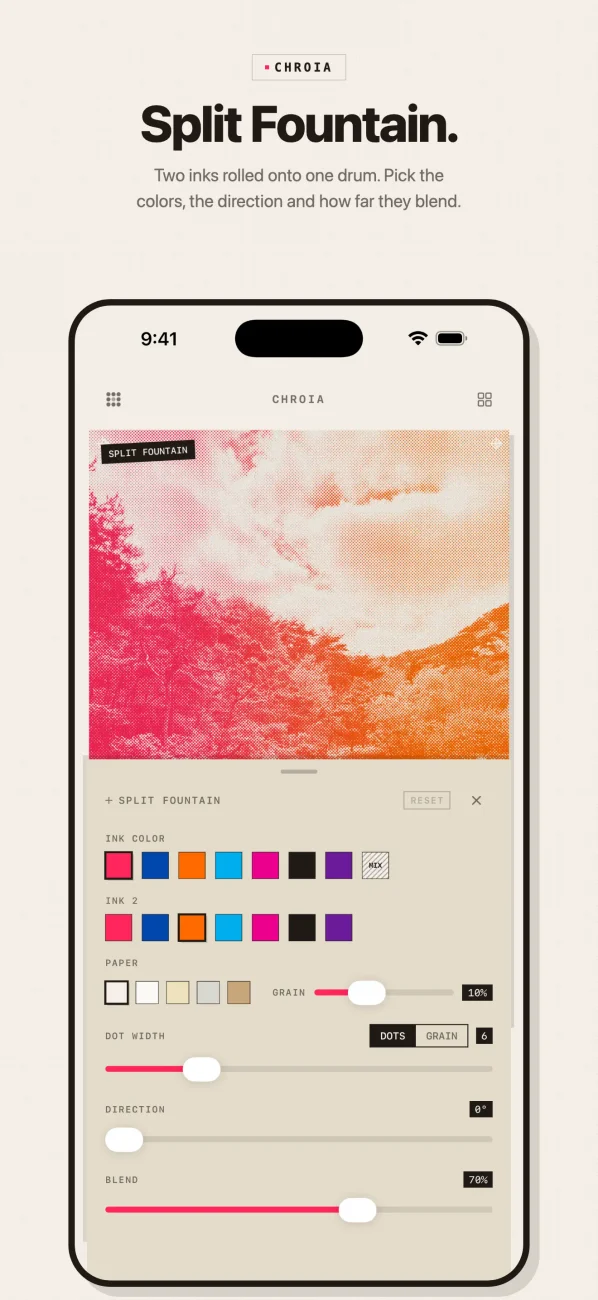
* Split Fountain — two inks rolled onto one drum, fading across the frame
Each one is a genuinely different rendering pipeline — not one
filter with eight color presets.
EVERY VALUE IS A SLIDER
Pick a catalog spot ink or mix your own with hue, saturation, and
brightness — plus paper stock and paper grain, screen angle, dot
width, halftone dots or riso grain, misregistration strength, and
split-fountain direction and blend. Nothing is hardcoded to a preset.
Dial in your own look.
WHAT YOU SEE IS WHAT YOU PRINT
Every print process renders in full in the viewfinder — every ink
plate, all three CMY plates of Offset Newsprint, and the intentional
misregistration, exactly as saved.
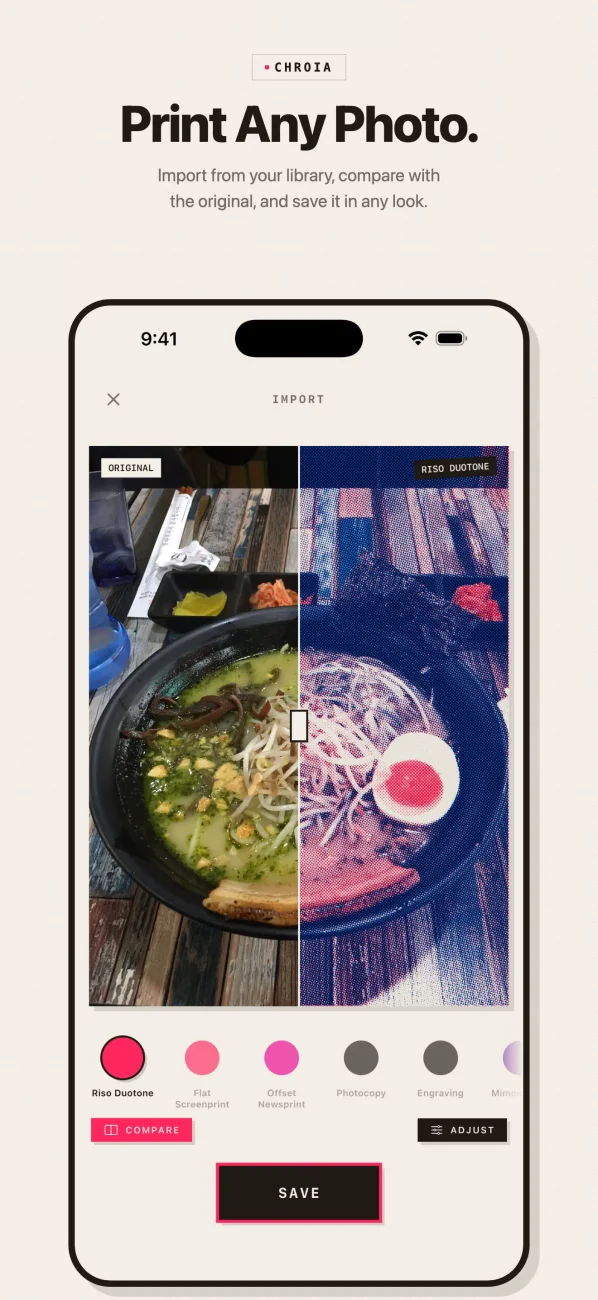
YOUR PHOTOS, REPRINTED
Tap the photo button next to the shutter to open any photo from your
library in the same print processes and sliders. A before/after
split shows exactly what changed, and your original is never
touched — the print is saved as a new photo.
TRY EVERYTHING FREE
Preview and adjust all eight print processes at no cost. Saving with
Photocopy is free; Full Unlock is a single one-time purchase ($5.99,
not a subscription) that lets you save with the other seven: Riso
Duotone, Flat Screenprint, Offset Newsprint, Engraving, Mimeograph,
Spot Color Halftone, and Split Fountain.
EVERYTHING ELSE YOU'D EXPECT
* HEIC capture, saved straight to a dedicated "Chroia" album in your
Photos library — no separate account, no cloud
* The mechanism you shot with is written into every photo's own EXIF
* In English, Japanese and Korean
No ads. No tracking.
Neue Funktionen
Version 1.5.0 · 19.11.2026
Split Fountain, and Every Print Matches Its Preview
• NEW: Split Fountain — two inks rolled onto one drum, fading across
your shot. Pick both inks, the direction and how far they blend.
• Offset Newsprint now shows all three CMY plates live, so every
print process saves exactly what the viewfinder shows.
• Tone fix: Flat Screenprint, Mimeograph, Engraving and Spot Color
Halftone printed shadows as paper and highlights as ink. Shadows
now take the ink, like a real print — these four looks change.
• Adjust panel: values move in whole steps, screen angles snap to
standard print angles, and RESET returns to the preset.
Split Fountain is included in Full Unlock.
App-Datenschutz
Was Jaehoon Lee im App Store zum Umgang dieser App mit Daten angibt.
-
Mit Ihnen verknüpfte Daten
Können erfasst und mit Ihrer Identität verknüpft werden.
- Käufe
- Kennungen
- Nutzungsdaten
- Diagnose
Die Datenschutzpraktiken können variieren, zum Beispiel je nach den von Ihnen verwendeten Funktionen oder Ihrem Alter.
Informationen
- Anbieter
- Jaehoon Lee
- Kategorie
- Foto und Video
- Version
- 1.5.0
- Aktualisiert
- 19.11.2026
- Veröffentlicht
- 16.09.2026
- Größe
- 4,4 MB
- Erfordert
- iOS 18.6 oder neuer
- Altersfreigabe
- 4+
- Preis
- Kostenlos
- In-App-Käufe
- Ja
- Sprachen
- Englisch, Japanisch, Koreanisch
- Copyright
- © 2026 Chroia
Das könnte Ihnen auch gefallen
-
 InkWaltz: VideofilterRisografie, Halbton & Papier
-
 re:see: Through Another LensFoto und Video
-
 PhotoShaders: Retro Photo ArtFoto und Video
-
 Tone Cam — Printed PhotosFoto und Video
-
 Inkling: Riso PrintFoto und Video
-
 ZiNEYRaster, Dither & Duotone
-
 Echoroll: Sound Film CameraFoto und Video
-
 Camera WhizFoto und Video
-
 PRINT DOT - Halbton FotodruckRisografie, Siebdruck & Retro
-
 BADSCAN — Photocopy CamRiso-, Fax- & Print-Filter