
Inkling: Riso Print
Turn your photos into prints
Entwickelt für iPhone
Kostenlos · In-App-Käufe
- Altersfreigabe4+
- KategorieFoto und Video
- Entwickler亚 张
- SprachenVereinf. Chinesisch+ 4 weitere
- Größe35,7 MB
Verlinkt auf die offizielle App Store-Seite
Download.org hostet keine Datei von Inkling: Riso Print. Die Schaltfläche öffnet die App-Seite bei App Store, wo 亚 张 die App veröffentlicht. Eintrag zuletzt geprüft am 22.11.2026.
Screenshots
Info
Der Entwickler hat diesen Text nicht in Ihrer Sprache bereitgestellt.
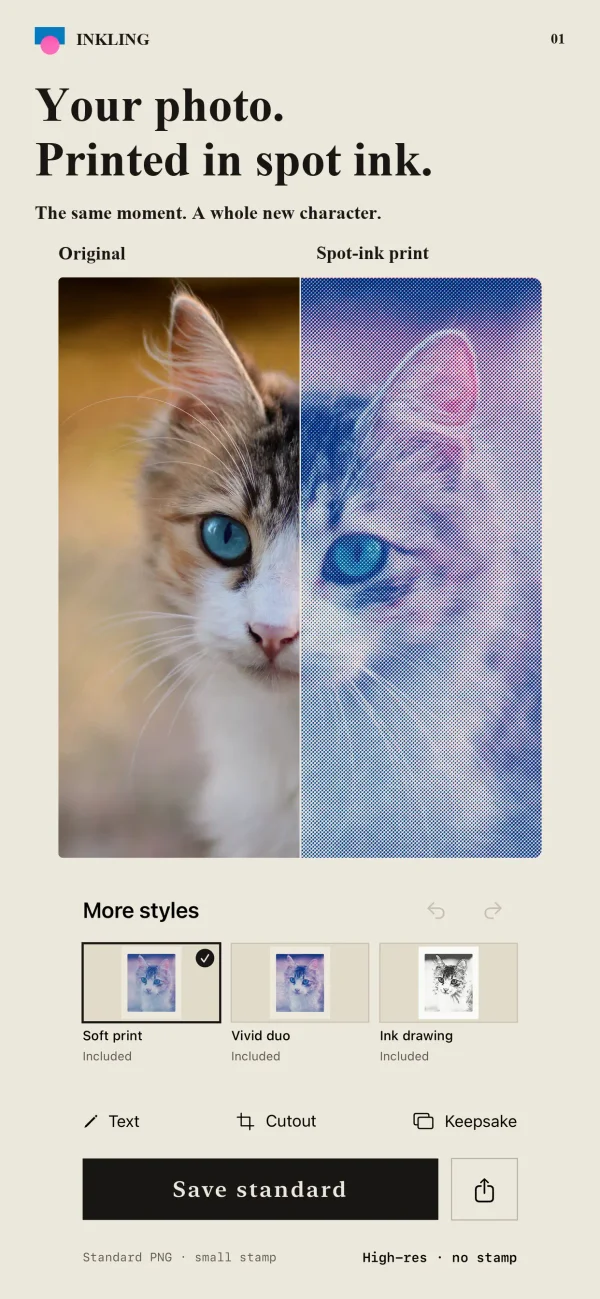
Turn your photos into spot-ink prints, and make a keepsake of your own.
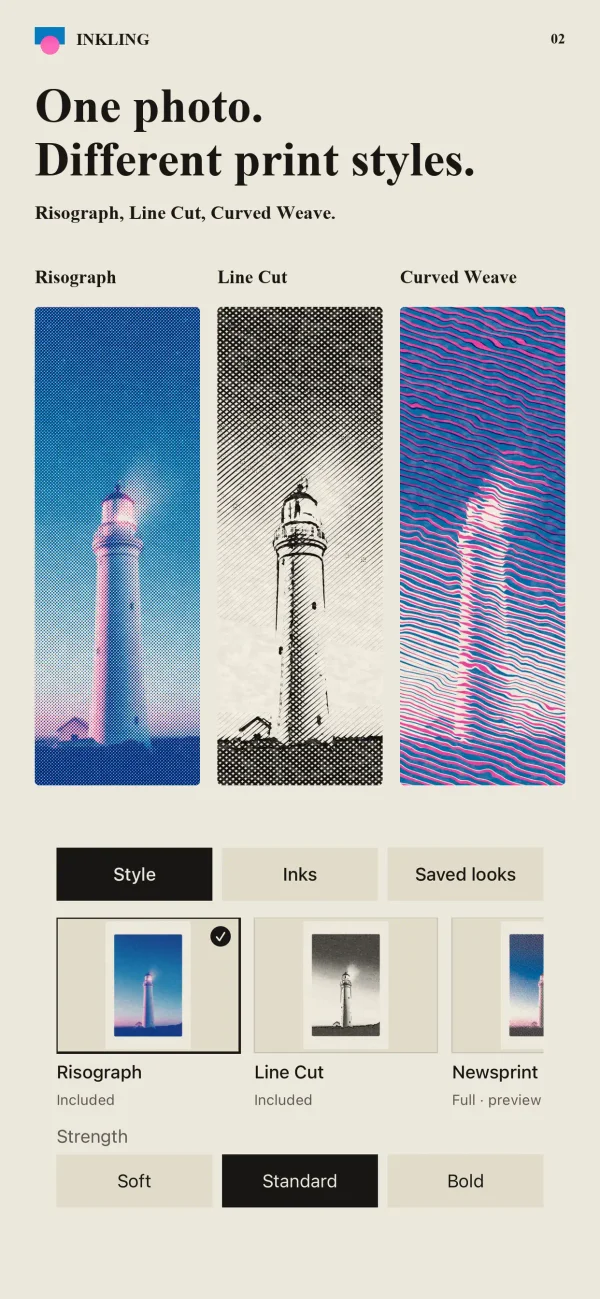
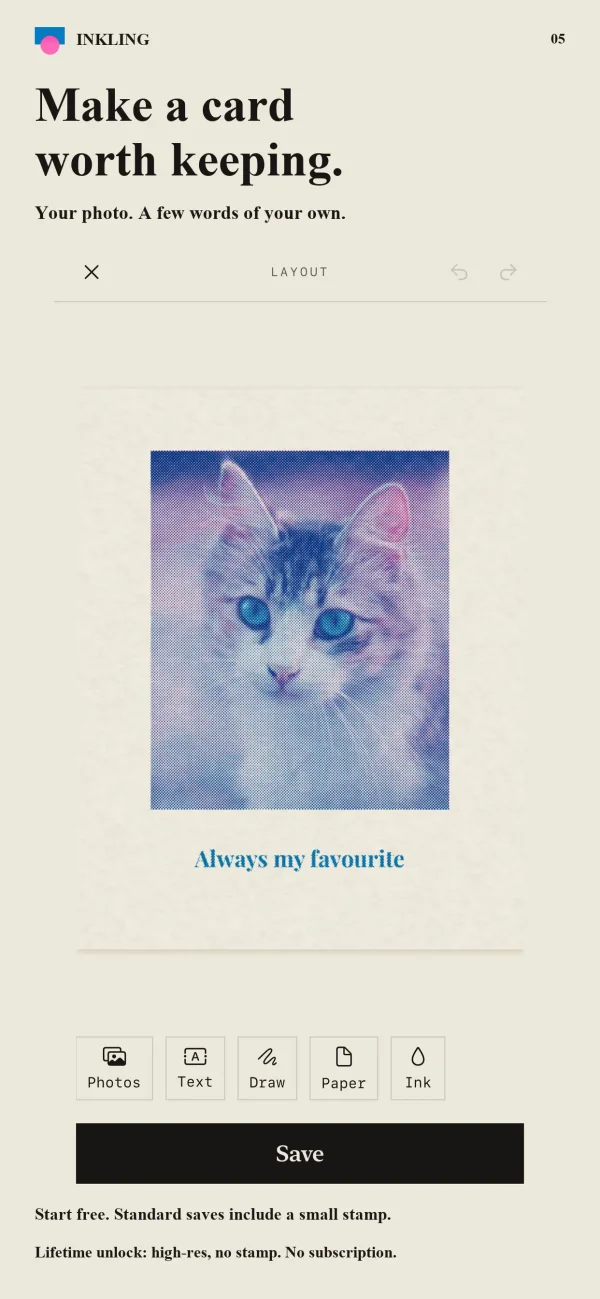
• Preview eight print styles on your photo, including Risograph, Line Cut and Curved Weave. Choose your inks and adjust the result from soft to bold.
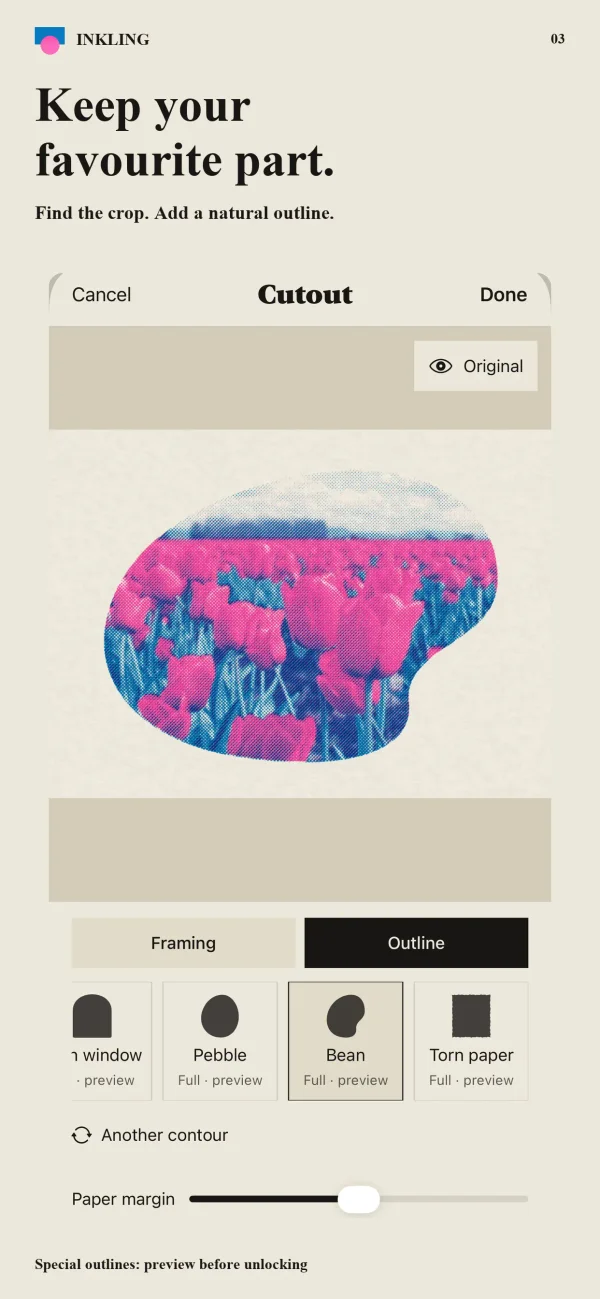
• Frame your favourite detail with Cutout. Drag and zoom, choose a natural outline, then carry the same crop and inks into a layout.
• Make a card, photo strip or page of memories. Arrange up to four photos, add a date, a few words or a drawing, and print them together.
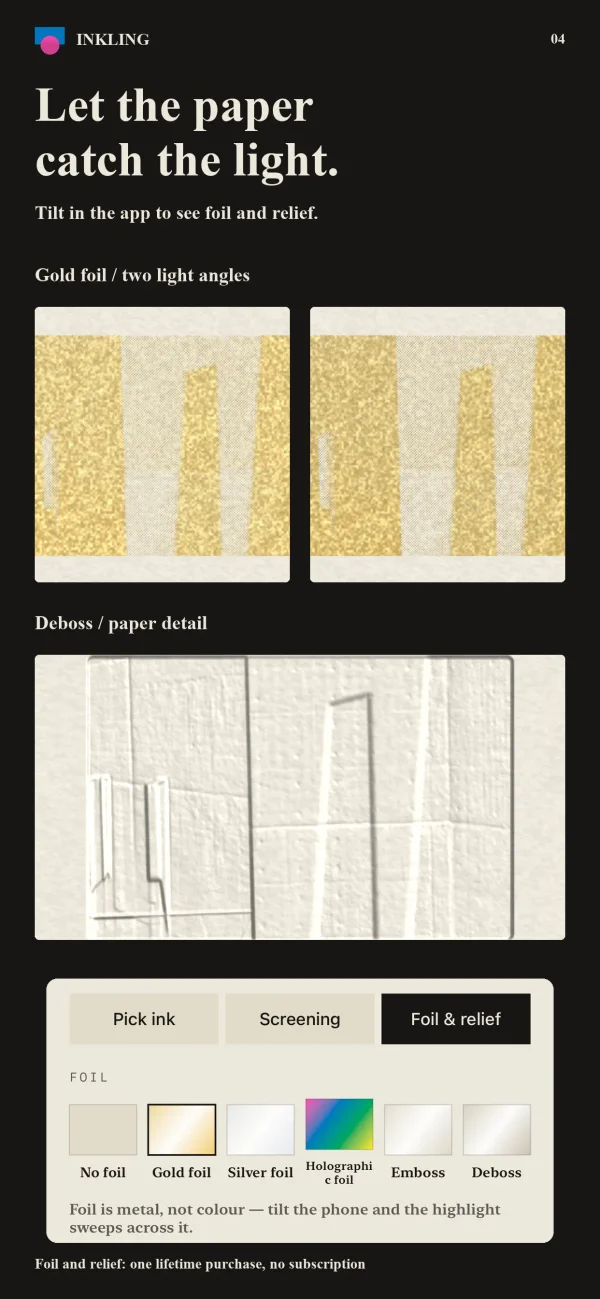
• Add tactile paper, deboss or foil. Tilt your phone in the app to watch light move across the surface. Your saved prints stay in the Press Room, ready to share or edit as copies.
START FOR FREE
Use basic print styles, framing, circle and oval outlines, and save standard PNGs with a small stamp. Preview full-version styles, inks and special outlines on your photo before buying.
ONE LIFETIME PURCHASE
Unlock every print process and ink, all layouts and outlines, high-resolution saves without a stamp, separation PDFs and print animations. No subscription. High-resolution output follows your photo's resolution; it does not add detail to a small source image.
Your photos are processed on your device. No account or analytics. Photo editing works offline; purchasing and restoring use the App Store.
Neue Funktionen
Version 3.8 · 21.11.2026
- Turn a photo into a wallpaper with Warm editorial or Fine cobalt. Drag and pinch to frame it edge to edge.
- Start with Ember horizon or Tidal arc to make a background without a photo.
- Frame wallpapers for the inner or outer display of iPhone Duo. Unfold to see your print beside the style and crop controls.
App-Datenschutz
Was 亚 张 im App Store zum Umgang dieser App mit Daten angibt.
-
Keine Daten erfasst
Der Entwickler erfasst keine Daten von dieser App.
Die Datenschutzpraktiken können variieren, zum Beispiel je nach den von Ihnen verwendeten Funktionen oder Ihrem Alter.
Informationen
- Anbieter
- 亚 张
- Kategorie
- Foto und Video
- Version
- 3.8
- Aktualisiert
- 21.11.2026
- Veröffentlicht
- 05.08.2026
- Größe
- 35,7 MB
- Erfordert
- iOS 17.0 oder neuer
- Altersfreigabe
- 4+
- Preis
- Kostenlos
- In-App-Käufe
- Ja
- Sprachen
- Vereinf. Chinesisch, Tradit. Chinesisch, Koreanisch, Englisch, Japanisch
- Copyright
- © 2026 nooption
Das könnte Ihnen auch gefallen
-
 Tone Cam — Printed PhotosFoto und Video
-
 Pressed: Risograph & RasterFotoeffekte mit Druckcharakter
-
 PRINT DOT - Halbton FotodruckRisografie, Siebdruck & Retro
-
 InkWaltz: VideofilterRisografie, Halbton & Papier
-
 Chroia: Riso Print CameraFoto und Video
-
 PhotoShaders: Retro Photo ArtFoto und Video
-
 Stamp: Aesthetic Photo JournalFoto und Video
-
 BADSCAN — Photocopy CamRiso-, Fax- & Print-Filter
-
 Painta - AI Photo ArtFoto und Video
-
 Dottre: Halftone Print LabFoto und Video