Clockblock: Alarm & Blocker
Focus sessions & screen time
Entwickelt für iPhone
Kostenlos · In-App-Käufe
- Altersfreigabe4+
- KategorieProduktivität
- EntwicklerJames Bradley
- SprachenEnglisch
- Größe51,0 MB
Verlinkt auf die offizielle App Store-Seite
Download.org hostet keine Datei von Clockblock: Alarm & Blocker. Die Schaltfläche öffnet die App-Seite bei App Store, wo James Bradley die App veröffentlicht. Eintrag zuletzt geprüft am 18.11.2026.
Screenshots


Info
Der Entwickler hat diesen Text nicht in Ihrer Sprache bereitgestellt.
Wake up. Stay off your phone.
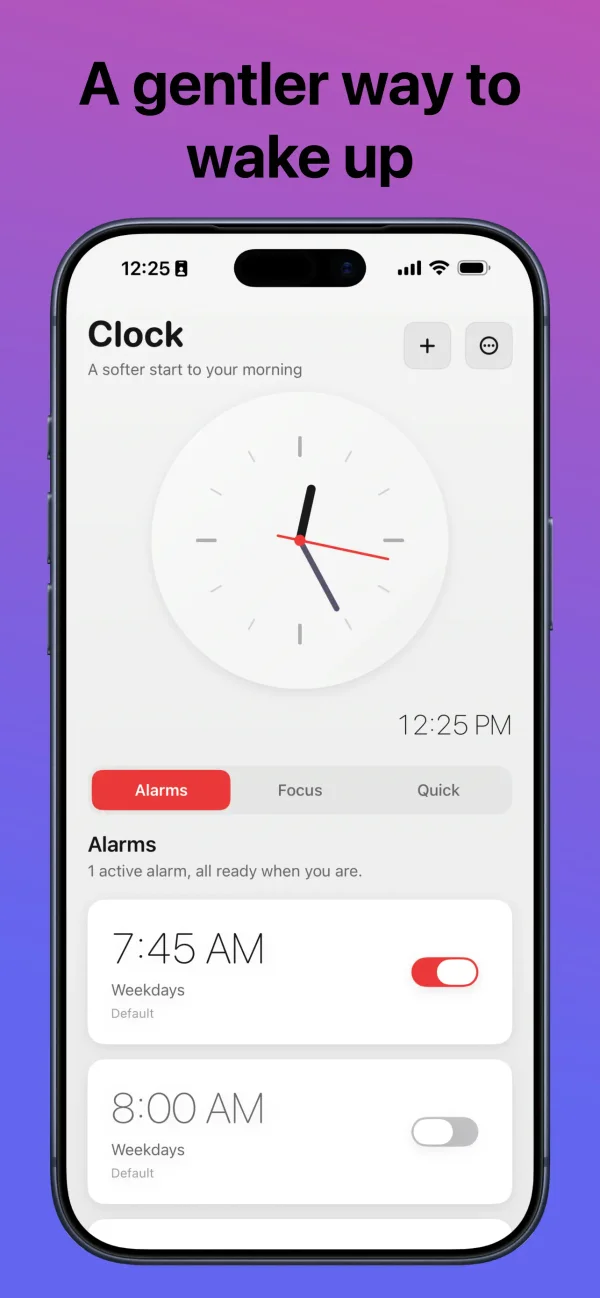
Clockblock is an alarm that blocks distracting apps the moment you hit stop — so the first thing you touch in the morning isn't an endless scroll.
Built from the ground up for iOS 26. No willpower. No guilt. Just a calmer start.
HOW IT WORKS
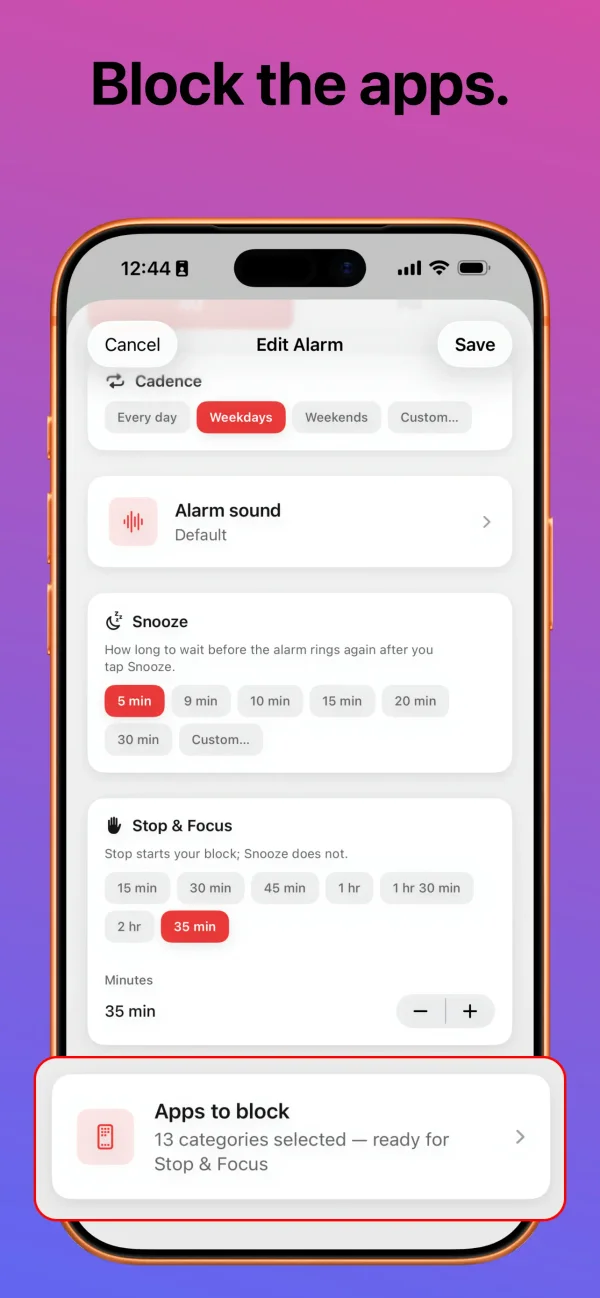
Set an alarm. Choose which apps to block. When the alarm goes off, you have two choices:
• Stop — the alarm ends and your blocks activate instantly
• Snooze — the alarm delays, nothing else changes
That's it. The friction is designed in.
FOCUS, BEYOND MORNINGS
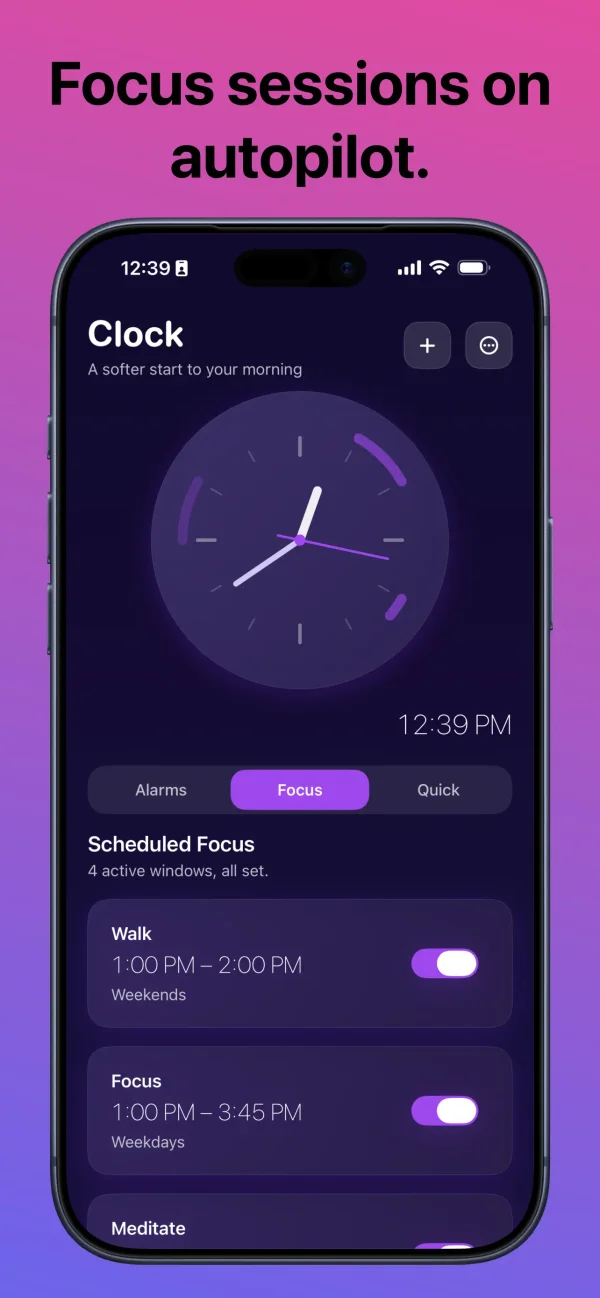
• Scheduled Focus — set recurring deep work windows that block apps on autopilot
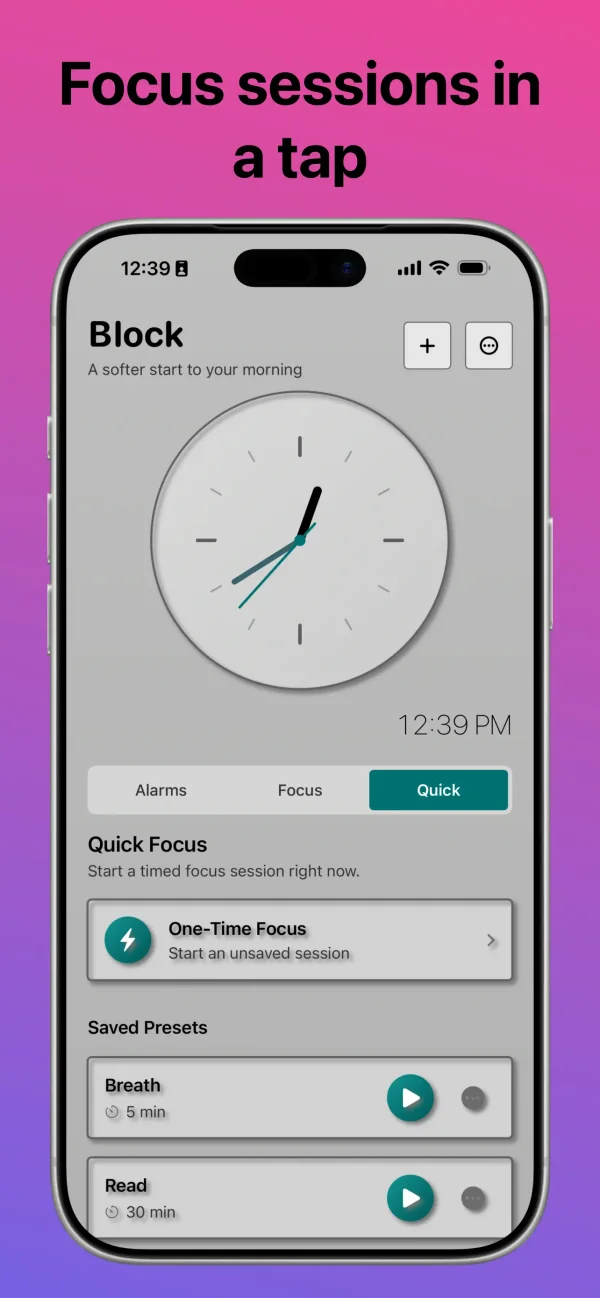
• Quick Focus — need to concentrate now? One tap, pick a duration, done
• Live Activities keep your session visible without pulling you back in
HOME & LOCK SCREEN WIDGETS
See your next alarm and active focus at a glance. Start a quick focus without opening the app.
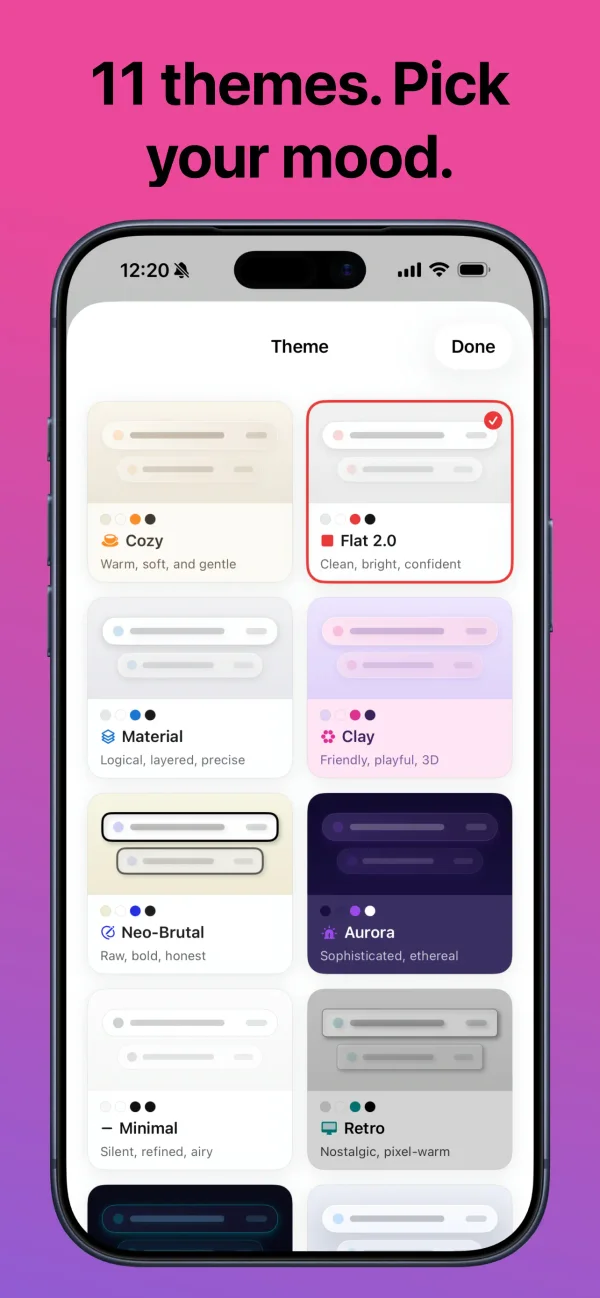
11 THEMES, INCLUDING LIQUID GLASS
Cozy, Flat, Material, Clay, Brutal, Aurora, Minimal, Retro, Holographic, Liquid Glass, and Neumorphism. Pick the one that matches your mood, or your home screen.
POWERED BY THE LATEST APPLE FRAMEWORKS
Clockblock uses AlarmKit for reliable wake-ups and Screen Time for precise app blocking, the new foundation Apple ships in iOS 26.
PRIVATE BY DESIGN
Your alarms, blocks, and screen time data never leave your device. No account. No tracking. No cloud.
Mornings should feel like yours again. Clockblock is here to help.
Neue Funktionen
Version 1.0.2 · 25.06.2026
• New: blocked apps now show an app theme-matched screen instead of the plain iOS shield, with a message and your unlock time.
• Fix: Blocks now activate instantly when you tap Stop.
• Other bug fixes and polish across themes, alarms, and the trial chip.
App-Datenschutz
Was James Bradley im App Store zum Umgang dieser App mit Daten angibt.
-
Keine Daten erfasst
Der Entwickler erfasst keine Daten von dieser App.
Die Datenschutzpraktiken können variieren, zum Beispiel je nach den von Ihnen verwendeten Funktionen oder Ihrem Alter.
Informationen
- Anbieter
- James Bradley
- Kategorie
- Produktivität
- Version
- 1.0.2
- Aktualisiert
- 25.06.2026
- Veröffentlicht
- 21.04.2026
- Größe
- 51,0 MB
- Erfordert
- iOS 26.1 oder neuer
- Altersfreigabe
- 4+
- Preis
- Kostenlos
- In-App-Käufe
- Ja
- Sprachen
- Englisch
- Copyright
- © 2026 James Bradley
Das könnte Ihnen auch gefallen
-
 ScoutloopProduktivität
-
 Morgenroutine & Wecker: RYZRApp-Sperre & Bildschirmzeit
-
 Caledari: AI Calendar PlannerProduktivität
-
 GlobeTempus Plus: WeltuhrZeitzonen & Meeting-Planer
-
 Simple Alarm Clock Smart WatchProduktivität
-
 RibbonKalender-Widget für den Monat
-
 goob: alarm & app blockerProduktivität
-
 Mado Bildschirmzeit reduzierenApps sperren, Handy weglegen
-
 Cobra Chicken: Lauter WeckerFür Tiefschläfer und ADHS
-
 Quizwall: Fokus App-BlockerApps per Quiz entsperren