ClockIn: Working hours planner
Daily timesheet & break log
Entwickelt für iPhone
In-App-Käufe
- Altersfreigabe4+
- KategorieProduktivität
- EntwicklerRajkumar Sharma
- SprachenEnglisch
- Größe7,6 MB
ClockIn: Working hours planner ist bei App Store derzeit möglicherweise nicht verfügbar
Bei unserer letzten Prüfung war der Store-Eintrag nicht erreichbar. Der Link führt weiterhin zur offiziellen App Store-Seite.
Screenshots



Info
Der Entwickler hat diesen Text nicht in Ihrer Sprache bereitgestellt.
ClockIn is a simple and easy to use "to-do" list app where you can plan & execute your working hours better by creating tasks, managing them and keeping track of tasks completed.
Our Privacy Policy: https://clockin-app.web.app/privacy
Our Terms of Use: https://clockin-app.web.app/terms
Neue Funktionen
Version 2.0 · 06.10.2026
ClockIn 2.0 is all about your work day.
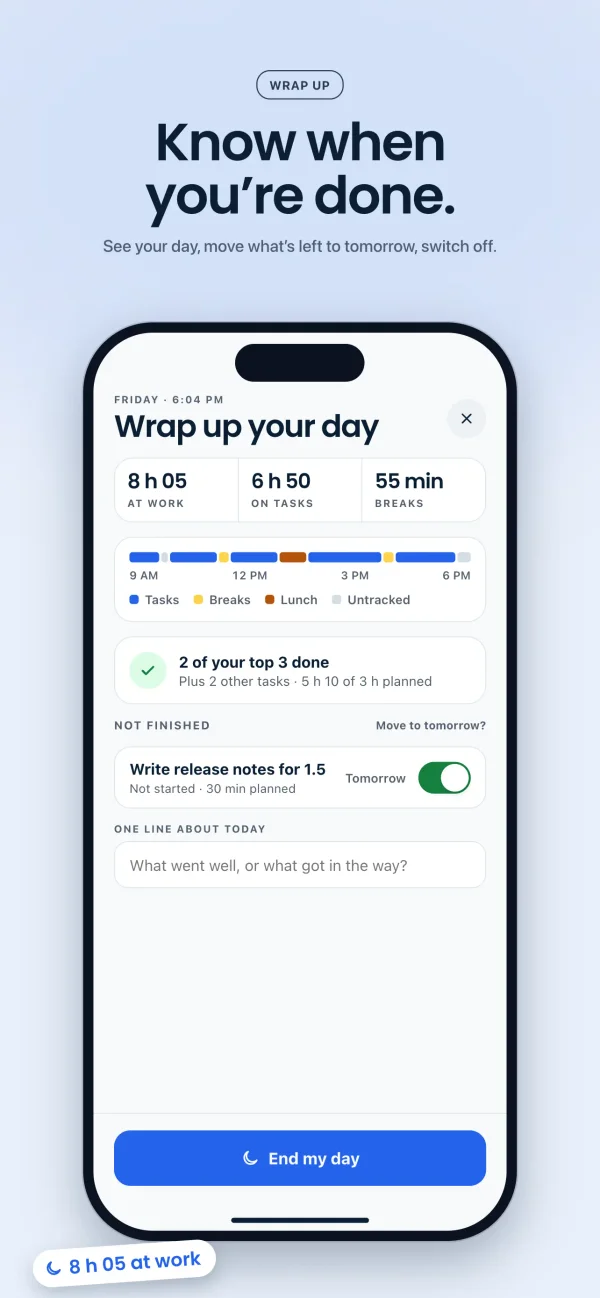
Clock in, clock out
• Start your day with one tap and see how long you've been at work
• Take a break or lunch. A running task timer pauses until you're back
• End the day with a quick review: see your hours, move unfinished tasks to tomorrow and jot down a line about the day
Plan your top 3
• Each morning, pick the three tasks that would make today a good day
• Tasks left over from earlier in the week can join today's plan
Never lose track of time
• Forgot to start a timer? Add the missed time from the gaps in your day
• Left a timer running? ClockIn asks if you're still working and lets you stop it at the end of your day
Hands-free
• Clock in automatically when you arrive at the office, or when your Work Focus turns on
• Use Siri, Shortcuts or the Action button: "Start my day in ClockIn"
Timer for every task
• A new ClockIn tab with a stopwatch, or a timer with 15–60 minute presets
• Your day and your timer appear in Live Activities and the Dynamic Island
On your Home Screen and Lock Screen
• New Work day and This week widgets with Start day, Break and End day buttons
• Control Center controls on iOS 18
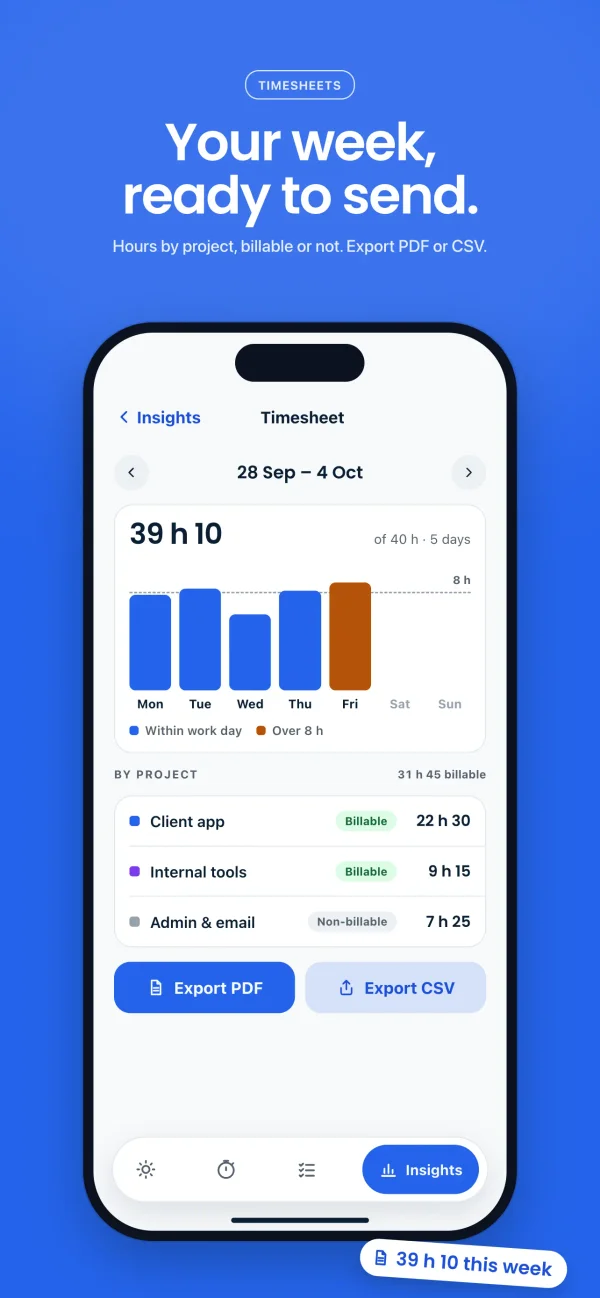
Weekly timesheet (Bronze)
• See your hours for each day of the week and export them as a PDF or CSV
A fresh new look
• Redesigned from the ground up, with dark mode
Your tasks and history carry over from the previous version.
App-Datenschutz
Was Rajkumar Sharma im App Store zum Umgang dieser App mit Daten angibt.
-
Keine Daten erfasst
Der Entwickler erfasst keine Daten von dieser App.
Die Datenschutzpraktiken können variieren, zum Beispiel je nach den von Ihnen verwendeten Funktionen oder Ihrem Alter.
Informationen
- Anbieter
- Rajkumar Sharma
- Kategorie
- Produktivität
- Version
- 2.0
- Aktualisiert
- 06.10.2026
- Veröffentlicht
- 18.01.2022
- Größe
- 7,6 MB
- Erfordert
- iOS 16.0 oder neuer
- Altersfreigabe
- 4+
- In-App-Käufe
- Ja
- Sprachen
- Englisch
- Copyright
- © 2026 Rajkumar Sharma
Das könnte Ihnen auch gefallen
-
 VisualRecordProduktivität
-
 YMP LiteProduktivität
-
 Timely - Time TrackerProduktivität
-
 MathScrollProduktivität
-
 monotasker: tasks & to do listProduktivität
-
 3weeks -plan habit, goal, lifeProduktivität
-
 ProgressBar: Tracker for goalsProduktivität
-
 Fund Raising | Record KeepingProduktivität
-
 SoilHueProduktivität
-
 Enterprise 4bProduktivität