ClockIn: Working hours planner
Daily timesheet & break log
Designed for iPhone
Free · In-app purchases
- Age rating4+
- CategoryProductivity
- DeveloperRajkumar Sharma
- LanguagesEnglish
- Size7.6 MB
Links to the official App Store page
Download.org hosts no file of ClockIn: Working hours planner. The button opens its official App Store page, published by Rajkumar Sharma. Listing last checked on Nov 12, 2026.
Screenshots



About
ClockIn is a simple and easy to use "to-do" list app where you can plan & execute your working hours better by creating tasks, managing them and keeping track of tasks completed.
Our Privacy Policy: https://clockin-app.web.app/privacy
Our Terms of Use: https://clockin-app.web.app/terms
What’s new
Version 2.0 · Oct 6, 2026
ClockIn 2.0 is all about your work day.
Clock in, clock out
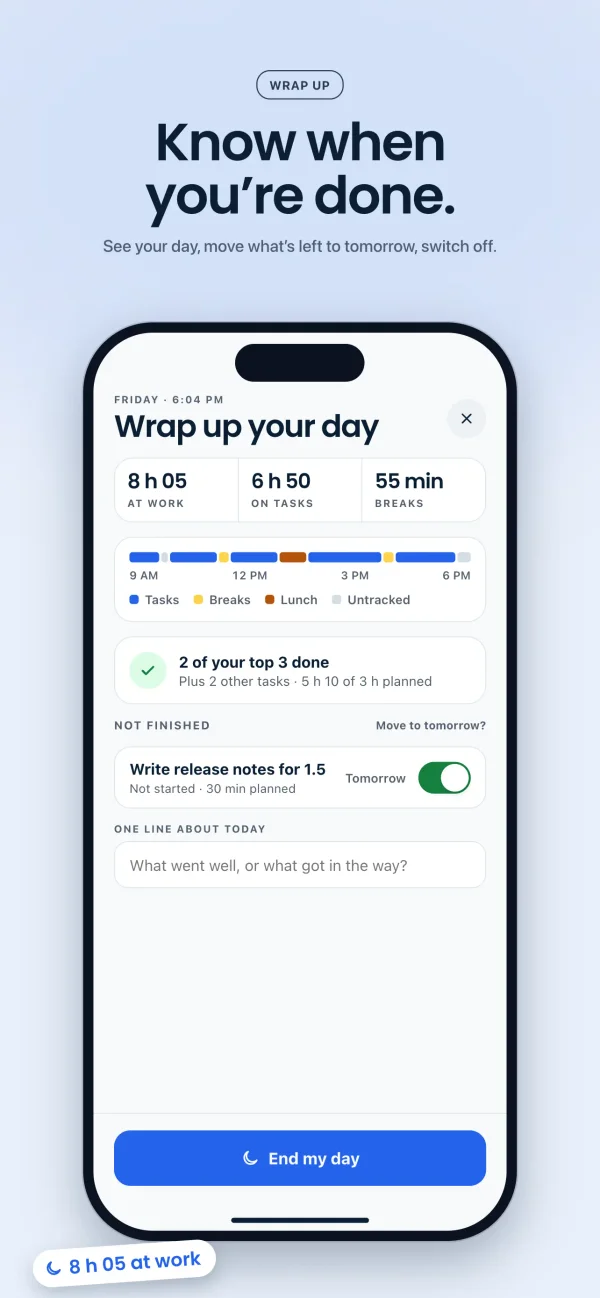
• Start your day with one tap and see how long you've been at work
• Take a break or lunch. A running task timer pauses until you're back
• End the day with a quick review: see your hours, move unfinished tasks to tomorrow and jot down a line about the day
Plan your top 3
• Each morning, pick the three tasks that would make today a good day
• Tasks left over from earlier in the week can join today's plan
Never lose track of time
• Forgot to start a timer? Add the missed time from the gaps in your day
• Left a timer running? ClockIn asks if you're still working and lets you stop it at the end of your day
Hands-free
• Clock in automatically when you arrive at the office, or when your Work Focus turns on
• Use Siri, Shortcuts or the Action button: "Start my day in ClockIn"
Timer for every task
• A new ClockIn tab with a stopwatch, or a timer with 15–60 minute presets
• Your day and your timer appear in Live Activities and the Dynamic Island
On your Home Screen and Lock Screen
• New Work day and This week widgets with Start day, Break and End day buttons
• Control Center controls on iOS 18
Weekly timesheet (Bronze)
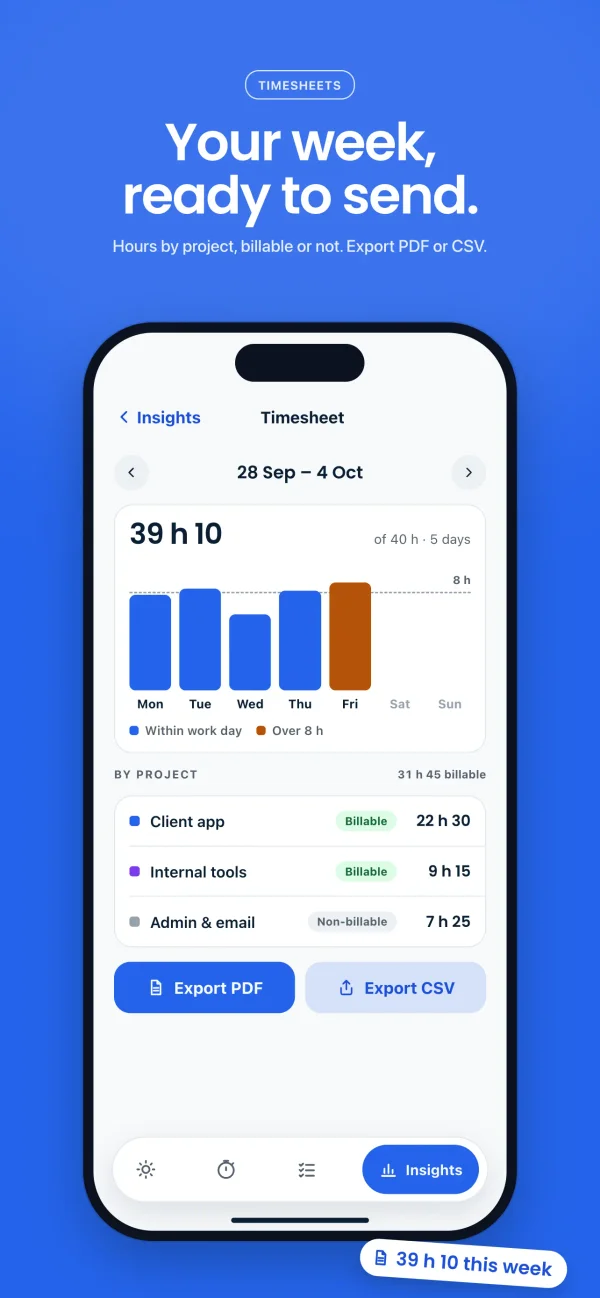
• See your hours for each day of the week and export them as a PDF or CSV
A fresh new look
• Redesigned from the ground up, with dark mode
Your tasks and history carry over from the previous version.
App privacy
What Rajkumar Sharma declares on the App Store about how this app handles data.
-
Data not collected
The developer does not collect any data from this app.
Privacy practices may vary, for example with the features you use or your age.
Information
- Seller
- Rajkumar Sharma
- Category
- Productivity
- Version
- 2.0
- Updated
- Oct 6, 2026
- Released
- Jan 18, 2022
- Size
- 7.6 MB
- Requires
- iOS 16.0 or later
- Age rating
- 4+
- Price
- Free
- In-app purchases
- Yes
- Languages
- English
- Copyright
- © 2026 Rajkumar Sharma
You might also like
-
 VisualRecordProductivity
-
 YMP LiteProductivity
-
 Timely - Time TrackerKeep track of your time
-
 MathScrollBuild focus with math
-
 monotasker: tasks & to do lista simple way to complete goals
-
 3weeks -plan habit, goal, lifeMake habits, change lifestyle.
-
 ProgressBar: Tracker for goalsProductivity
-
 Fund Raising | Record KeepingTarget Fund Raising
-
 SoilHueMunsell soil color from photo
-
 Enterprise 4bProductivity