
CNC Path: G-Code Simulator
Toolpath Viewer & NC Editor
Entwickelt für iPhone, iPad
In-App-Käufe
- Altersfreigabe4+
- KategorieProduktivität
- Entwickler宇 张
- SprachenEnglisch+ 1 weitere
- Größe73,3 MB
CNC Path: G-Code Simulator ist bei App Store derzeit möglicherweise nicht verfügbar
Bei unserer letzten Prüfung war der Store-Eintrag nicht erreichbar. Der Link führt weiterhin zur offiziellen App Store-Seite.
Screenshots


Info
Der Entwickler hat diesen Text nicht in Ihrer Sprache bereitgestellt.
CNC Path is an iPhone and iPad workspace for CNC professionals and learners to manage, edit, OCR-import, and visualize supported CNC programs.
Key features:
- Create, organize, import, and export CNC programs in a local Program Library
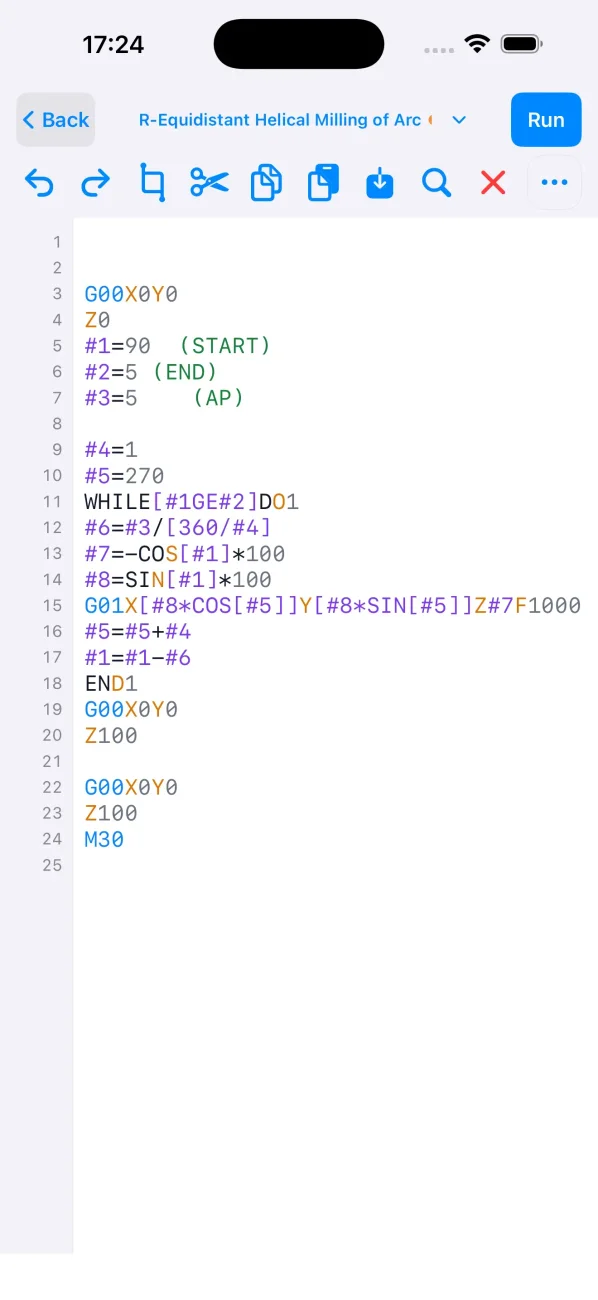
- View and edit CNC program text with a mobile-friendly editor
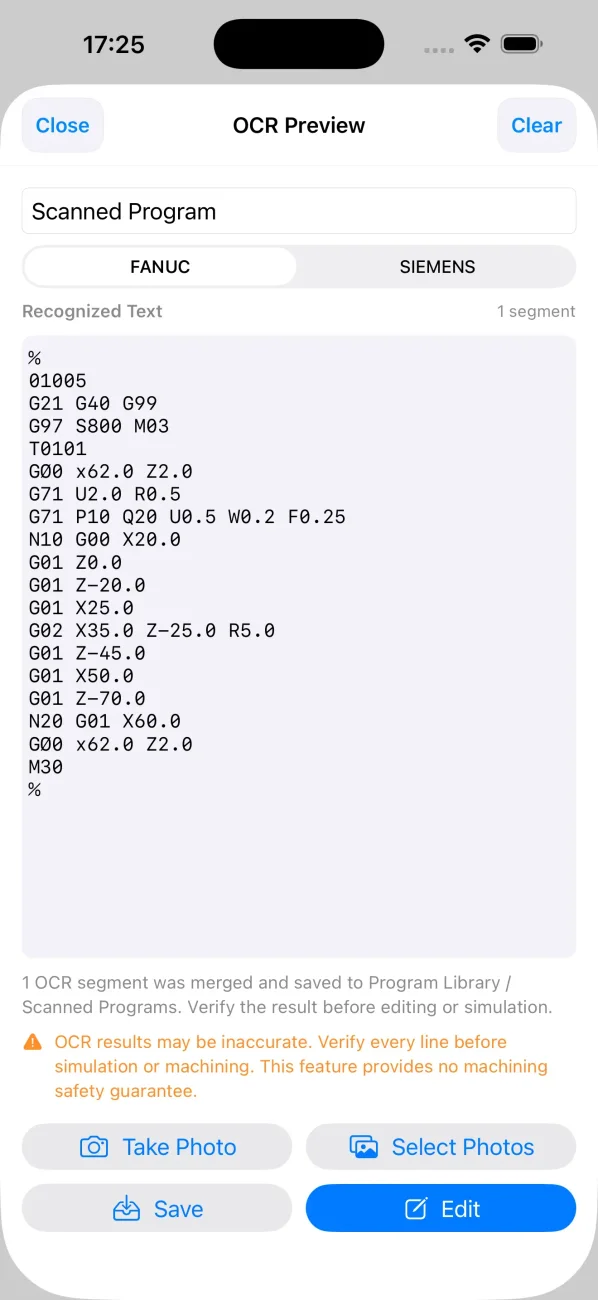
- Import programs from camera or images with on-device OCR and review the result before saving
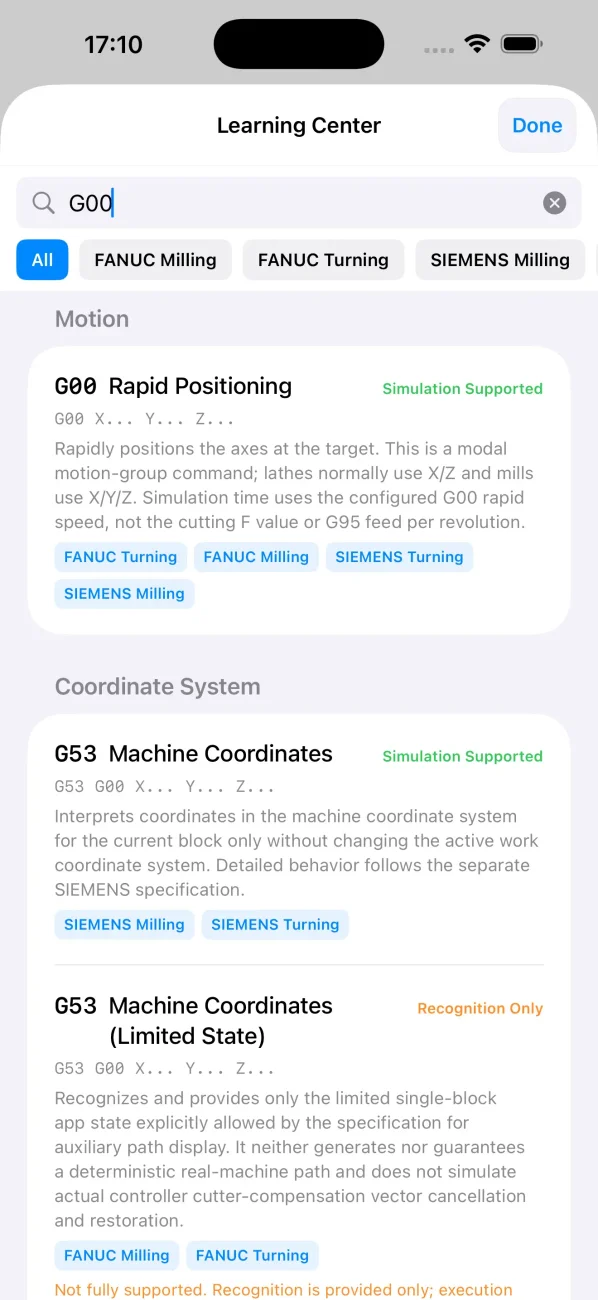
- Look up CNC instructions and their current support boundaries
- Run lightweight toolpath simulation for supported basic instructions
- Use OCR, import/export, syntax checking, and advanced macro-program, fixed-cycle, and arithmetic-expression simulation
- Keep program-linked images and PDF drawings available with a floating button; annotate and crop images, then reopen saved edits
The Program Library, editing, instruction reference, and ordinary supported simulation remain free. OCR, import/export, syntax checking, macro programs, fixed cycles, arithmetic-expression simulation, and the program reference floating button require an active trial or membership. The seven-day trial starts only when selected and does not renew or charge. Monthly and Pro Lifetime Unlock prices are shown by the App Store.
CNC Path provides auxiliary toolpath visualization only. It does not guarantee collision detection, machining safety, or complete real-machine verification. Users must manually verify OCR results and CNC programs.
Terms of Use (Apple Standard EULA): https://www.apple.com/legal/internet-services/itunes/dev/stdeula/
Neue Funktionen
Version 1.0.13 · 15.11.2026
• Improved parsing of FANUC and SIEMENS programs, with better support for compact and numbered blocks.
• Corrected some coordinate offset, spindle speed limit and arc parsing issues.
• Source photos are now added to Drawing References when scanned programs are saved, making comparison easier.
App-Datenschutz
Was 宇 张 im App Store zum Umgang dieser App mit Daten angibt.
-
Keine Daten erfasst
Der Entwickler erfasst keine Daten von dieser App.
Die Datenschutzpraktiken können variieren, zum Beispiel je nach den von Ihnen verwendeten Funktionen oder Ihrem Alter.
Informationen
- Anbieter
- 宇 张
- Kategorie
- Produktivität
- Version
- 1.0.13
- Aktualisiert
- 15.11.2026
- Veröffentlicht
- 31.07.2026
- Größe
- 73,3 MB
- Erfordert
- iOS 16.0 oder neuer
- Altersfreigabe
- 4+
- In-App-Käufe
- Ja
- Sprachen
- Englisch, Vereinf. Chinesisch
- Copyright
- © 2026 Zhang Yu
Das könnte Ihnen auch gefallen
-
 ShopCAM: CNC G-Code GeneratorProduktivität
-
 CNC For UProduktivität
-
 MoCoNCProduktivität
-
 CNC Feeds & SpeedsProduktivität
-
 CNC · G-Code — HelpG-Code & Rechner, offline
-
 Mr. Machinist: CNC & Shop MathProduktivität
-
 Walter Feeds & SpeedsProduktivität
-
 CNC Machinist Calculator UltraSchnittdaten, Gewinde, G-Code
-
 The Phillips MachinistProduktivität
-
 Gewinde RechnerDaten für das Gewindeschneiden