
CNC Path: G-Code Simulator
Toolpath Viewer & NC Editor
Designed for iPhone, iPad
Free · In-app purchases
- Age rating4+
- CategoryProductivity
- Developer宇 张
- LanguagesEnglish+ 1 more
- Size73.3 MB
Links to the official App Store page
Download.org hosts no file of CNC Path: G-Code Simulator. The button opens its official App Store page, published by 宇 张. Listing last checked on Nov 21, 2026.
Screenshots


About
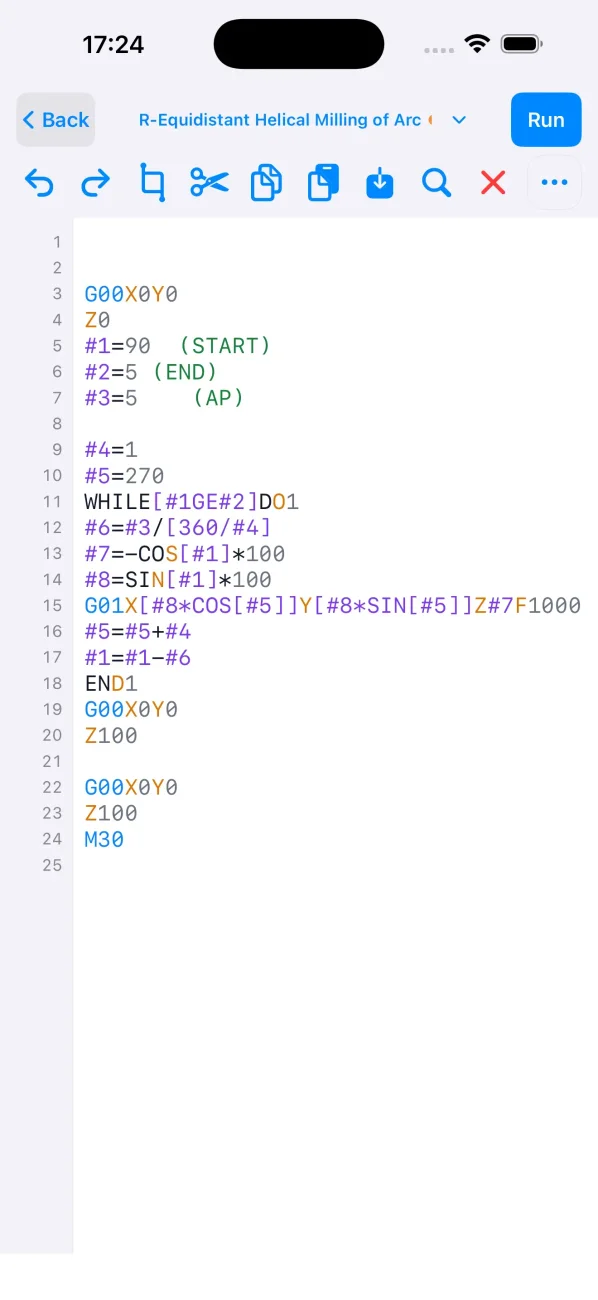
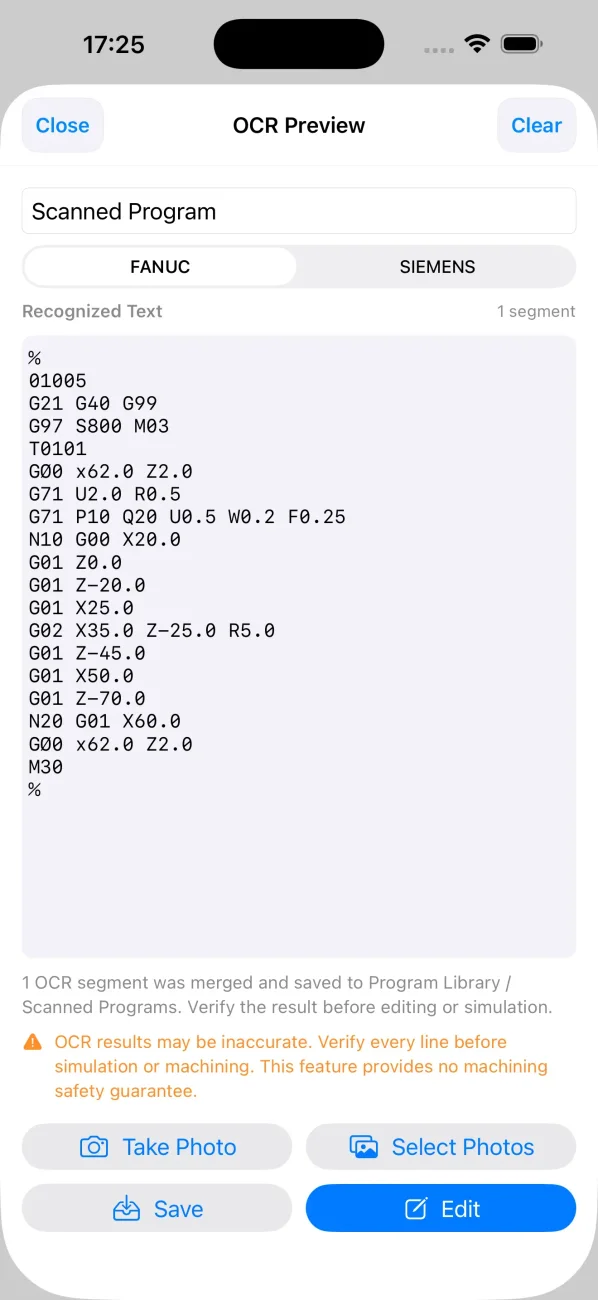
CNC Path is an iPhone and iPad workspace for CNC professionals and learners to manage, edit, OCR-import, and visualize supported CNC programs.
Key features:
- Create, organize, import, and export CNC programs in a local Program Library
- View and edit CNC program text with a mobile-friendly editor
- Import programs from camera or images with on-device OCR and review the result before saving
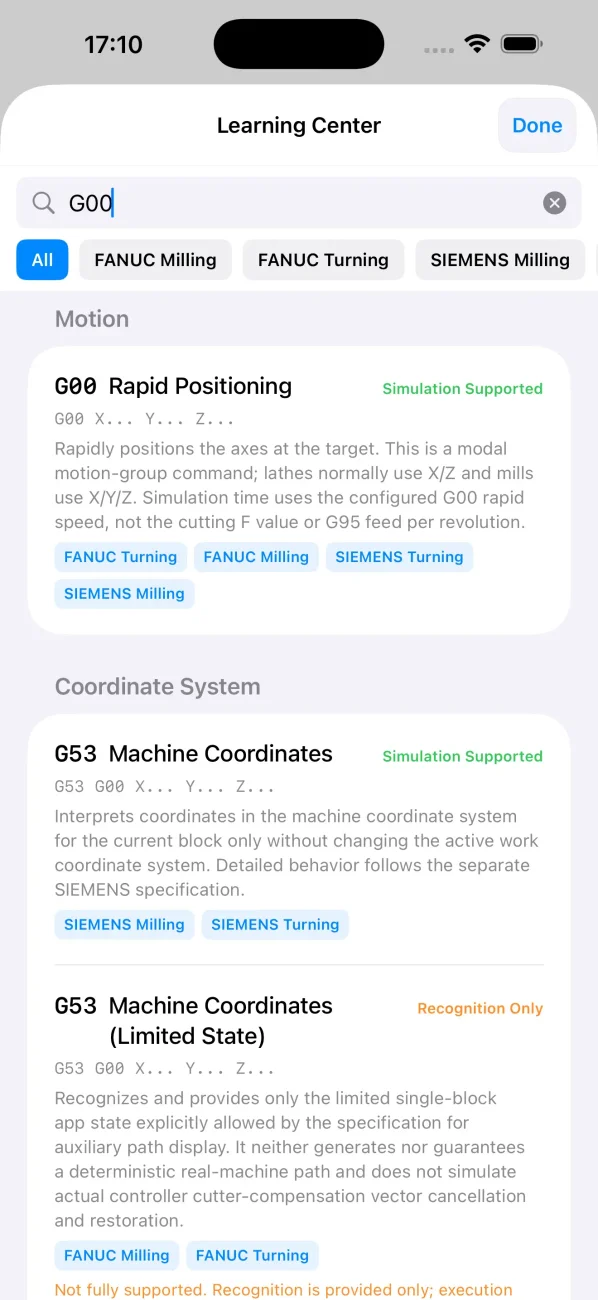
- Look up CNC instructions and their current support boundaries
- Run lightweight toolpath simulation for supported basic instructions
- Use OCR, import/export, syntax checking, and advanced macro-program, fixed-cycle, and arithmetic-expression simulation
- Keep program-linked images and PDF drawings available with a floating button; annotate and crop images, then reopen saved edits
The Program Library, editing, instruction reference, and ordinary supported simulation remain free. OCR, import/export, syntax checking, macro programs, fixed cycles, arithmetic-expression simulation, and the program reference floating button require an active trial or membership. The seven-day trial starts only when selected and does not renew or charge. Monthly and Pro Lifetime Unlock prices are shown by the App Store.
CNC Path provides auxiliary toolpath visualization only. It does not guarantee collision detection, machining safety, or complete real-machine verification. Users must manually verify OCR results and CNC programs.
Terms of Use (Apple Standard EULA): https://www.apple.com/legal/internet-services/itunes/dev/stdeula/
What’s new
Version 1.0.13 · Nov 15, 2026
• Improved parsing of FANUC and SIEMENS programs, with better support for compact and numbered blocks.
• Corrected some coordinate offset, spindle speed limit and arc parsing issues.
• Source photos are now added to Drawing References when scanned programs are saved, making comparison easier.
App privacy
What 宇 张 declares on the App Store about how this app handles data.
-
Data not collected
The developer does not collect any data from this app.
Privacy practices may vary, for example with the features you use or your age.
Information
- Seller
- 宇 张
- Category
- Productivity
- Version
- 1.0.13
- Updated
- Nov 15, 2026
- Released
- Jul 31, 2026
- Size
- 73.3 MB
- Requires
- iOS 16.0 or later
- Age rating
- 4+
- Price
- Free
- In-app purchases
- Yes
- Languages
- English, Simplified Chinese
- Copyright
- © 2026 Zhang Yu
You might also like
-
 ShopCAM: CNC G-Code GeneratorMachinist CAM & Toolpaths
-
 CNC For UCNC program calculator
-
 MoCoNCAutomated CNC Programming
-
 CNC Feeds & SpeedsCNC recipe & test cut logging
-
 CNC · G-Code — HelpG-code & calculators, offline
-
 Mr. Machinist: CNC & Shop MathBlueprint Inspection & GD&T
-
 Walter Feeds & SpeedsProductivity
-
 CNC Machinist Calculator UltraSpeeds & Feeds, Threads, GD&T
-
 The Phillips MachinistProductivity
-
 Thread CalculatorData for metal working