
Coffee: Markdown Notes
Plain files, sums and links
Entwickelt für iPhone, iPad
Kostenlos
- Altersfreigabe4+
- KategorieProduktivität
- Entwickleramplified creations
- SprachenEnglisch
- Größe7,4 MB
Verlinkt auf die offizielle App Store-Seite
Download.org hostet keine Datei von Coffee: Markdown Notes. Die Schaltfläche öffnet die App-Seite bei App Store, wo amplified creations die App veröffentlicht. Eintrag zuletzt geprüft am 20.11.2026.
Screenshots




Info
Der Entwickler hat diesen Text nicht in Ihrer Sprache bereitgestellt.
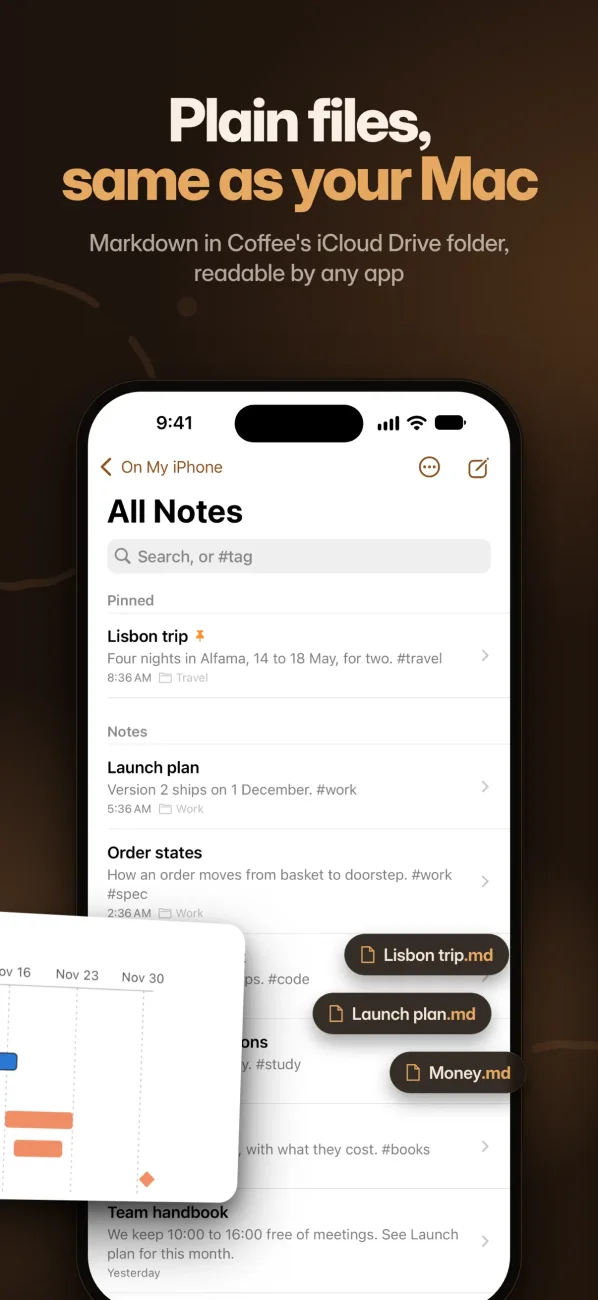
Coffee keeps your notes as plain Markdown files. On iPhone and iPad it finds them by itself in Coffee's own folder in iCloud Drive, the same one Coffee for Mac uses, or in a folder you choose. Nothing to import, nothing to export, and the files open in any other app too.
NEW IN 1.1
- Write with Apple Pencil on iPad: handwriting becomes text in your note, and sketches sit in your notes as pictures
- Coffee's own folder in iCloud Drive, found without asking
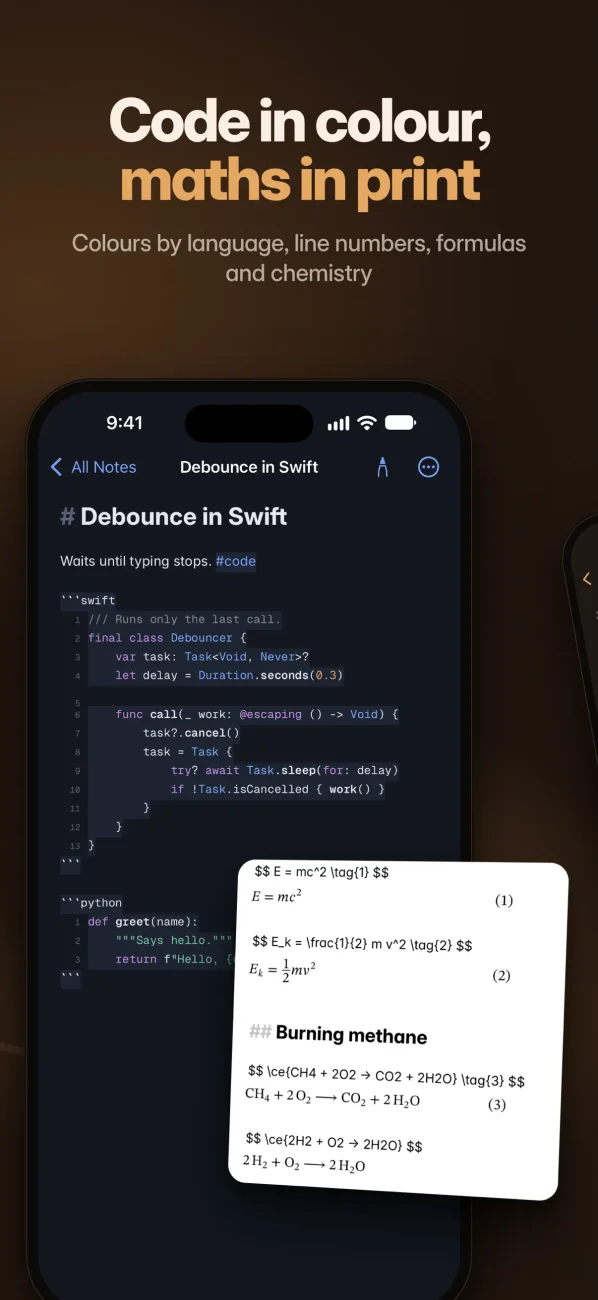
- Code coloured by language, with optional line numbers
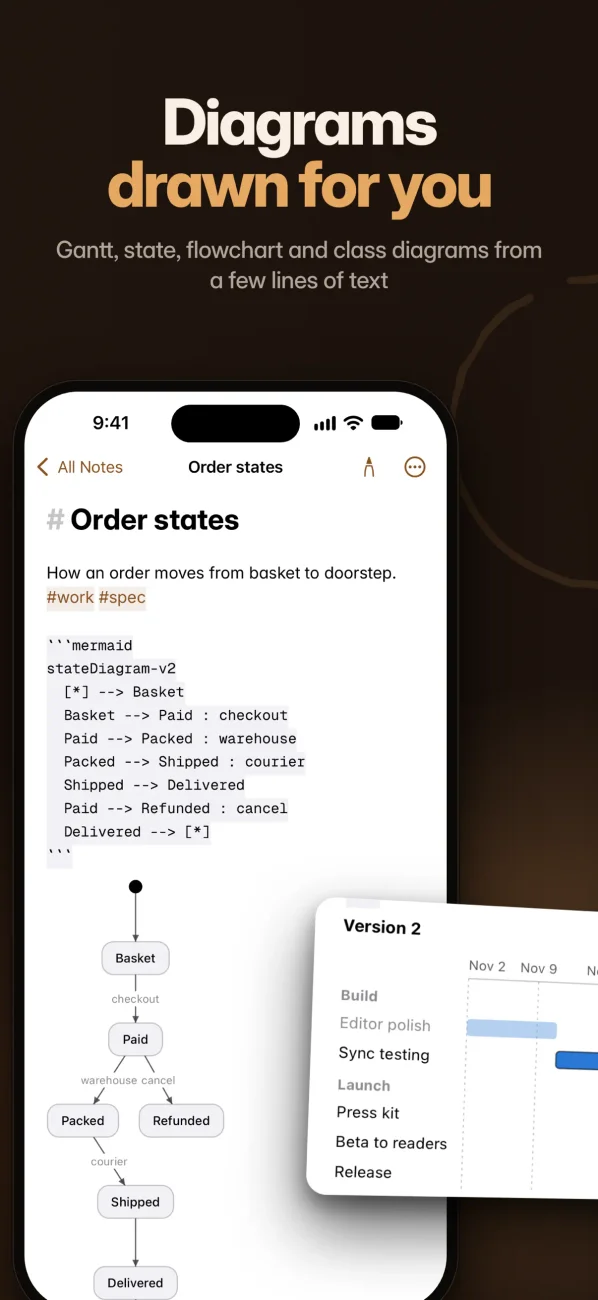
- Gantt charts, class diagrams and state diagrams, drawn natively
- Chemistry with \ce{} and numbered equations
- A live table of contents with [TOC], and links that jump to a heading
- Tables of any size, with columns you can move, add and remove
- Emoji by name: type :tada: and pick from the list
SUMS BESIDE THE LINE
- Write 18 * 12 and the answer sits beside the line, never in your file
- Totals, subtotals, grand totals and percentages
- Currencies with today's rate, or a past day's: €100 in USD on 1 Jan 2025
- Loans and interest: $300,000 at 4% for 30 years is the monthly payment
- Cooking conversions: 1 cup flour in grams
- Work hours and workdays between two dates, skipping public holidays
- Totals by #tag, names of two or three words, and lines that carry on from the one above
- Calculate with Coffee in Shortcuts
- Tap an answer to copy it
WRITE
- Headings, bold, lists and quotes formatted as you type, with the Markdown marks kept quiet
- A bar above the keyboard for headings, tasks, lists, links, code, tables and photos
- Pictures at the size you ask for: 
- Press Return at the end of a list and it continues; press it again and the list ends
- Tap a task's box to tick it
DRAWN, NOT JUST WRITTEN
- Mermaid flowcharts, sequence, pie, gantt, class and state diagrams drawn under their code
- Maths in $$ blocks drawn as formulas, with equation numbers
- Canvases: notes, text and links as cards with arrows, in the same .canvas files Coffee for Mac and Obsidian use
LINKED NOTES
- Type [[ and pick a note to link to it
- Tap a link to open the note, made for you if it isn't there yet, or jump straight to a heading
- See which notes link back to the one you're reading
- Tag notes with #tags and browse them in the sidebar
BRING THINGS IN, SEND THINGS OUT
- Import Word (.docx and older .doc), OpenDocument (.odt) and rich text (.rtf) documents as notes
- Share a note as a PDF or a web page, charts and formulas included
- Shortcuts: Add to Coffee Inbox, New Coffee Note, Open Today's Note and Calculate with Coffee
ASK
- Ask a question about the note or all your notes, answered on the device by Apple Intelligence (on iPhones and iPads that support it)
ORGANISED
- Folders and tags in the sidebar, notes pinned to the top
- Pins and sort order are shared with Coffee on your Mac
- Search titles and what's inside, or a #tag
- Spotlight finds your notes
MADE FOR IPHONE AND IPAD
- Themes from Coffee for Mac: Coffee, Espresso, Matcha, Midnight and Paper
- Inter, Geist, serif or mono, at the size you like
- Light and dark mode, and lined paper for writing by hand
- On iPad, your notes beside the note, and keyboard shortcuts
ONE COFFEE FOR ALL YOUR DEVICES
Try everything free for 14 days. After that your notes stay readable, and your Coffee account unlocks writing on your iPhone, iPad and Mac. One purchase covers all three: sign in with the same email on each.
Neue Funktionen
Version 1.1 · 15.11.2026
Write with Apple Pencil on iPad: handwriting becomes text, and sketches sit in your notes.
Your notes are found by themselves in Coffee's own folder in iCloud Drive, the same one Coffee for Mac uses.
Code blocks coloured by language, with optional line numbers.
Gantt charts, class diagrams and state diagrams, drawn natively.
Chemistry with \ce{} and numbered equations.
A live table of contents with [TOC], and links that jump to a heading.
Tables of any size, and columns you can move, add and remove.
Emoji by name: type :tada: and pick from the list.
Sums that carry on from the line above, names of two or three words, subtotals and grand totals.
Loans and interest, past exchange rates, cooking conversions, work hours and public holidays.
Totals by #tag, and Calculate with Coffee in Shortcuts.
App-Datenschutz
Was amplified creations im App Store zum Umgang dieser App mit Daten angibt.
-
Mit Ihnen verknüpfte Daten
Können erfasst und mit Ihrer Identität verknüpft werden.
- Kontaktinformationen
Die Datenschutzpraktiken können variieren, zum Beispiel je nach den von Ihnen verwendeten Funktionen oder Ihrem Alter.
Informationen
- Anbieter
- AMPLIFIED CREATIONS - INFORMÁTICA E GESTÃO, LDA
- Kategorie
- Produktivität
- Version
- 1.1
- Aktualisiert
- 15.11.2026
- Veröffentlicht
- 14.11.2026
- Größe
- 7,4 MB
- Erfordert
- iOS 18.0 oder neuer
- Altersfreigabe
- 4+
- Preis
- Kostenlos
- Sprachen
- Englisch
- Copyright
- © 2026 Amplified Creations, Lda
Das könnte Ihnen auch gefallen
-
 Comma: Local notes & MarkdownProduktivität
-
 Yetly: Recurring RemindersProduktivität
-
 RhythmKeep: Habit TrackerProduktivität
-
 Purnote — Plain Markdown NotesProduktivität
-
 Metis: Markdown NotesProduktivität
-
 markup - Markdown Previewer -Produktivität
-
 Riff CalendarDer Kalender zum Zoomen
-
 Kanban Project ManagerProduktivität
-
 AvoDo: Shared Notes & TasksProduktivität
-
 Maho NotesProduktivität