
Comic Reader Y for Mobile
Read ZIP, RAR & PDF comics
Entwickelt für iPhone, iPad
Kostenlos
- Altersfreigabe4+
- KategorieBücher
- Entwicklergoodmix.net
- SprachenEnglisch+ 3 weitere
- Größe47,3 MB
Verlinkt auf die offizielle App Store-Seite
Download.org hostet keine Datei von Comic Reader Y for Mobile. Die Schaltfläche öffnet die App-Seite bei App Store, wo goodmix.net die App veröffentlicht. Eintrag zuletzt geprüft am 14.11.2026.
Screenshots
Info
Der Entwickler hat diesen Text nicht in Ihrer Sprache bereitgestellt.
Comic Reader Y reads the comic files and image folders you already have, with no conversion, from your Mac or PC, a USB drive, or a NAS.
■ Supported formats
• ZIP / CBZ, RAR / CBR, 7z / CB7, LZH, TAR / CBT (including compressed TAR such as tar.gz)
• EPUB (image-based comic EPUBs without DRM)
• PDF
• Folders of images (JPEG, PNG, HEIC, WebP, AVIF, JPEG XL…)
• Password-protected ZIP (the password is never stored)
■ Read books wherever they are
• Copy over USB from the Finder (Mac) or Apple Devices / iTunes (PC); the "+" menu shows how
• Import files and folders from the Files app or the share sheet
• Read folders on USB drives, SD cards, external SSDs, or iCloud Drive in place
• Connect to Mac file sharing or a NAS over SMB. Pages load one at a time, so large files open fast
• WebDAV servers (NAS, Nextcloud, rclone…) over https, with self-signed certificates you can trust by fingerprint. Works via Tailscale too
• With Tailscale built in, read books on your home Mac, PC, or NAS while away. No Tailscale app is needed on your iPhone; a Tailscale account is required
• Read books on a nearby iPhone or iPad over a direct connection (no shared Wi-Fi), protected by a code and the host's approval
• Share over SMB so a Mac, PC, or SMB app on your Wi-Fi can read and write your books
• Sync external or NAS folders into On My iPhone or the Secret Folder; later runs fetch only new books
• Books on external drives and NAS join your shelf as you open their folders
■ A reader built for comics
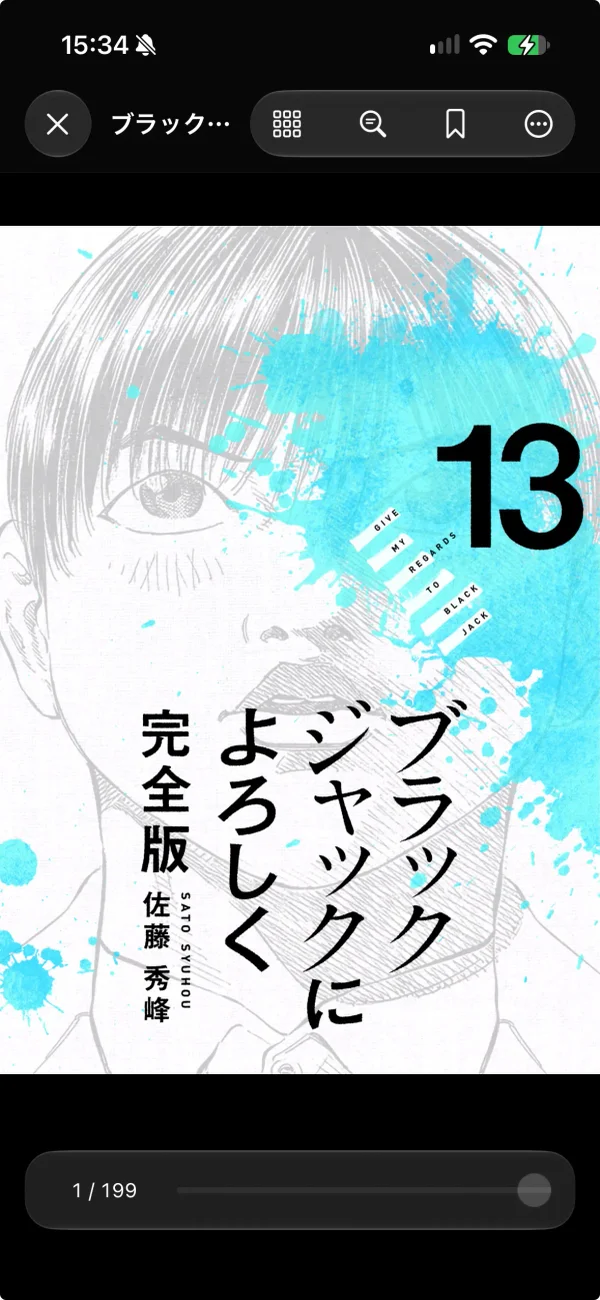
• Right-to-left or left-to-right, automatic spreads on iPad and landscape iPhone, cover alone, or spreads shifted by one page
• Horizontal paging or vertical scrolling
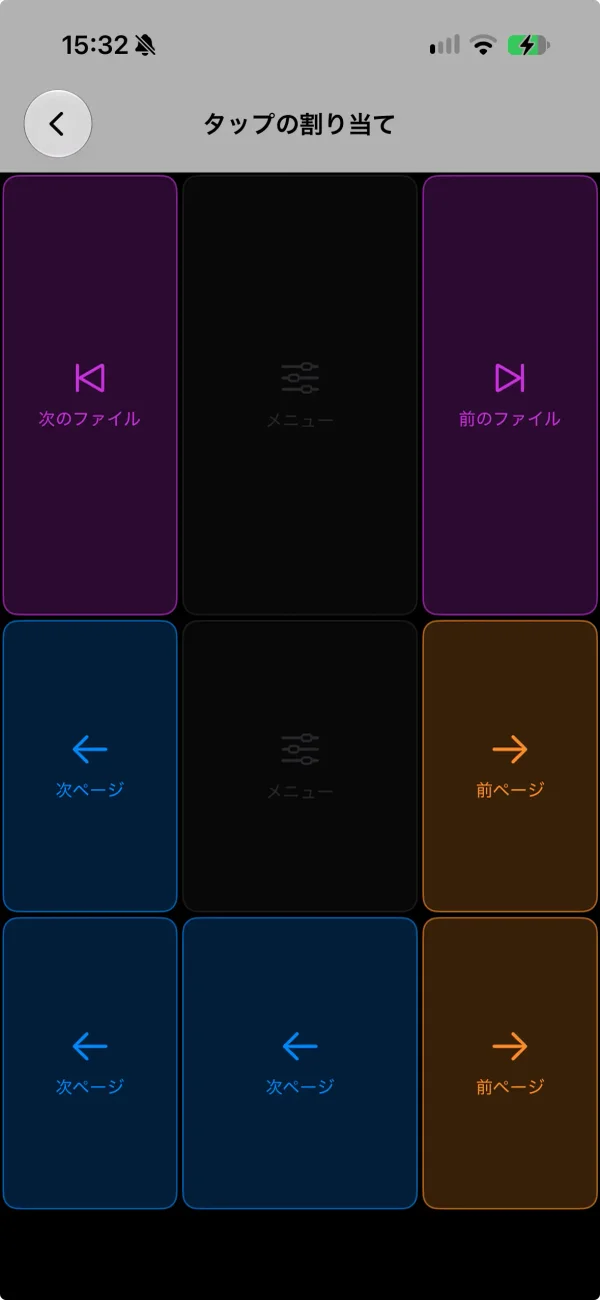
• A 3×3 or 4×4 tap grid you can assign freely (pages, menu, bookmark, thumbnails…)
• Customizable reader menu: choose which functions appear, in what order, as icons or in the menu
• Yellowed-paper correction: old scans back to white paper and black ink, automatically or always
• Per-book settings remember reading mode, direction, spread, zoom, and correction for each book
• Auto page turn, optionally paced by the amount of text on each page
• Monochrome and sepia tones, background colors, keyboard paging on iPad
■ A shelf that's easy to browse
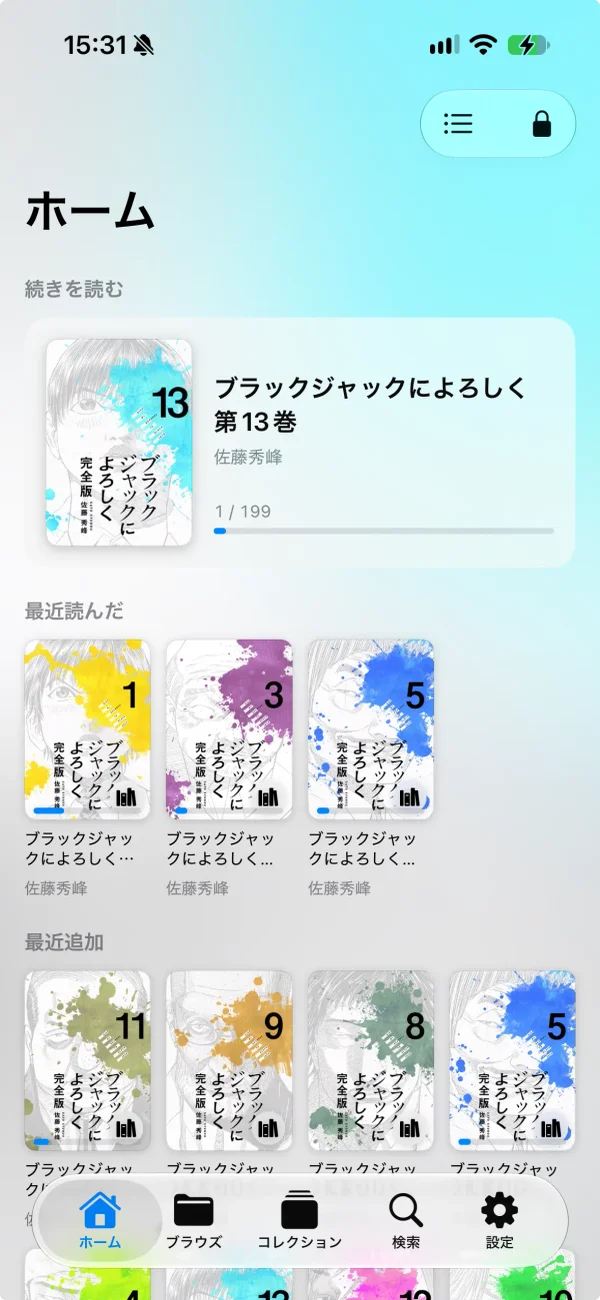
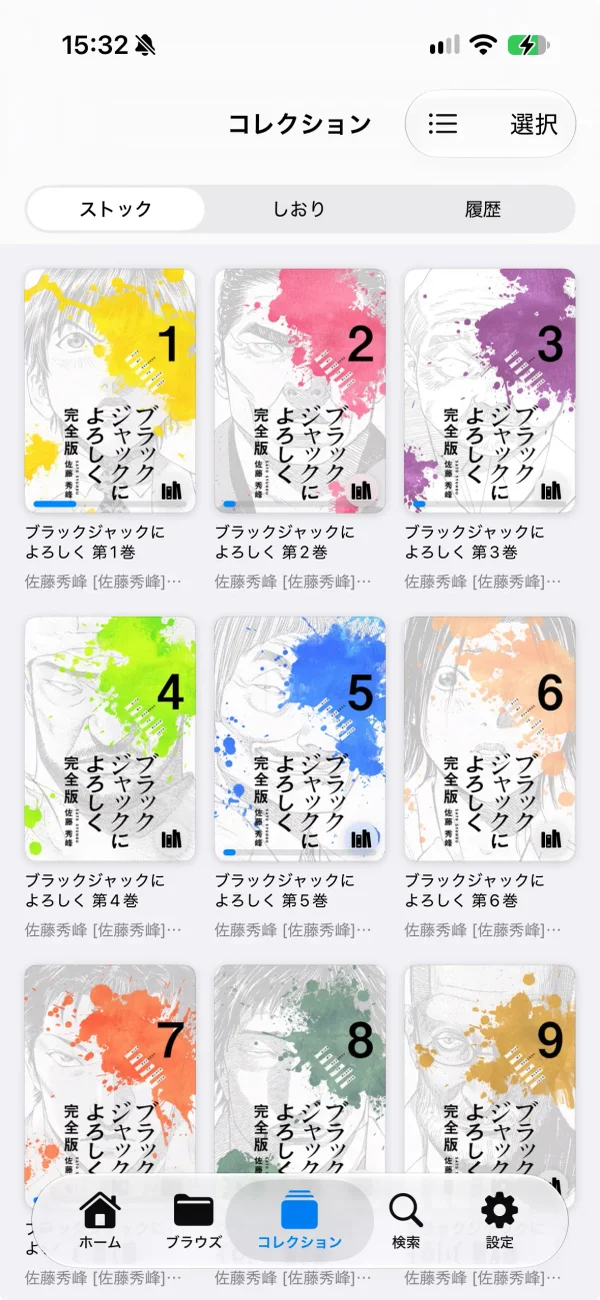
• Home shows Continue Reading, Up Next (next books in the folder), Recently Read, Stock, and Recently Added; sections and background are configurable
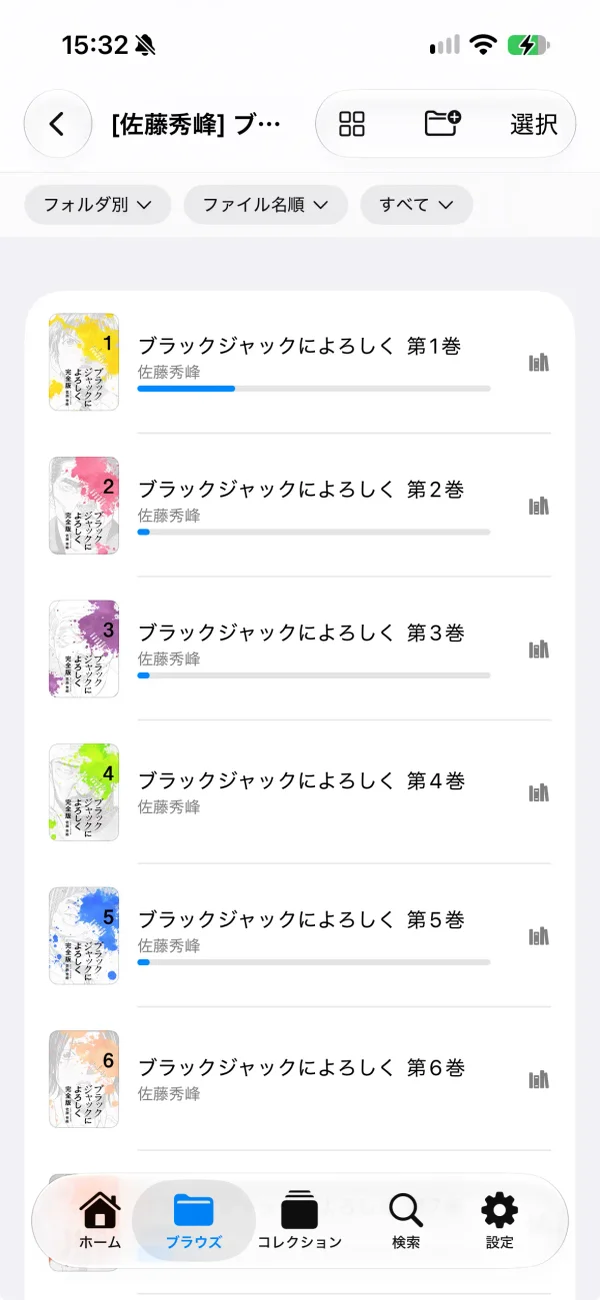
• Browse by folder, by author, or as one flat list, in list or grid view, sorted by name, title, author, or date
• Author, title, and volume are picked out of file names automatically, with built-in or custom naming rules
• Search across file names, titles, authors, and folder names, or only within the open folder
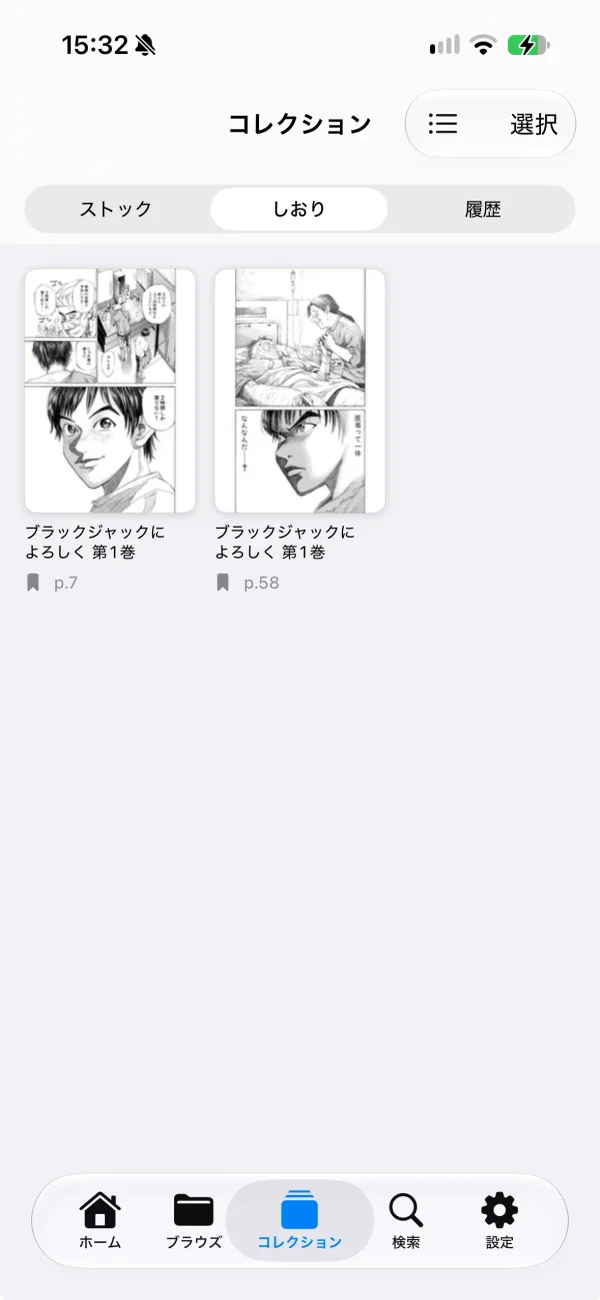
• Stock (your to-read list), bookmarks, and history
• Copy, move, delete, rename, and batch actions
■ AI tagging, AI search and full-text search (Apple Intelligence devices only)
• AI tagging: when rules fall short, AI reads author, title, and volume from the file name, folder names, and cover text, only for books you choose; edit tags by hand anytime
• AI search: describe a book in a sentence or type a half-remembered reading. Titles, authors, and file names are matched by their reading as well
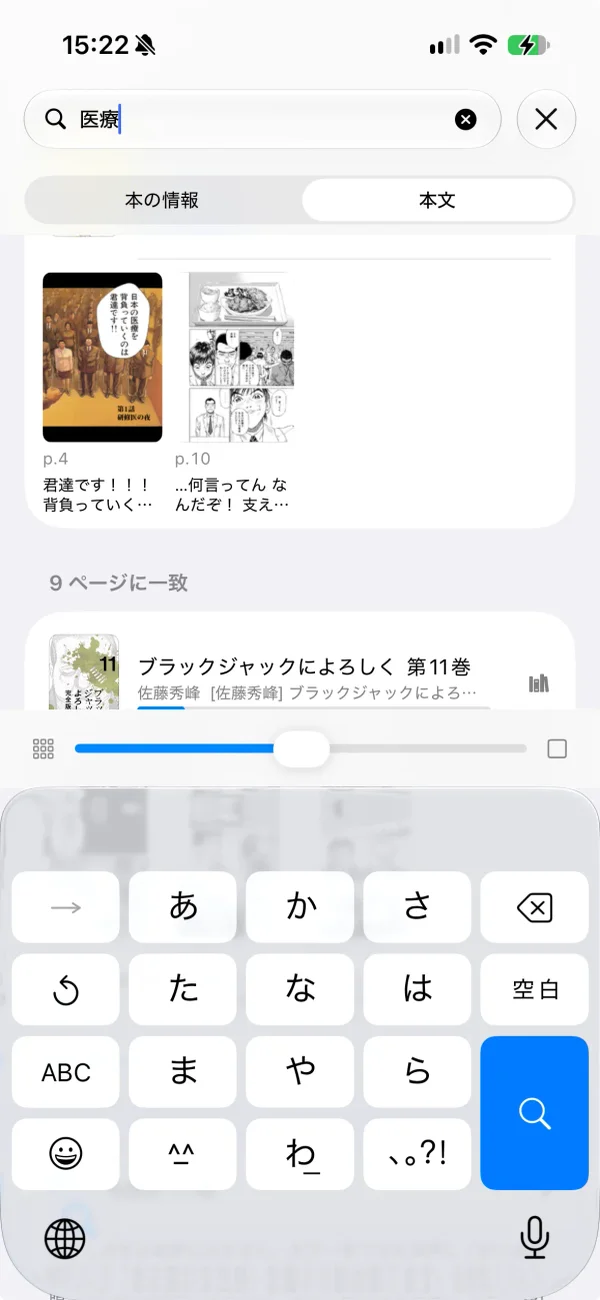
• Full-text search: page text is recognized and indexed, so you can find a page by a line of dialogue or a word
• Everything runs on your device; nothing is sent anywhere
■ Privacy and locking
• App Lock with Face ID / Touch ID or a 4-digit passcode
• Secret Folder: an area hidden from the Files app and your Mac, with its own history and bookmarks
■ Backups
Shelf data is included in iCloud Backup; files in On My iPhone and the Secret Folder are optional.
Available in English, Japanese, French, and Korean.
---
Note: AI tagging and AI search require Apple Intelligence. Full-text search uses iOS text recognition.
Note: This app is a viewer for your own files. It does not include any comics or images.
Note: The screenshots show "Black Jack ni Yoroshiku" by Shuho Sato.
Neue Funktionen
Version 1.4 · 11.11.2026
What's new in version 1.4
■ Folder sharing via Tailscale
Tailscale is now built into the app. Install Tailscale on your Mac, Windows PC, or a supported NAS and sign in there, and you can read books from its file sharing from anywhere, without installing the Tailscale app on your iPhone. In the + menu on Home or Browse, choose "Add via Tailscale," sign in with your Tailscale account, pick a device from the list, and connect with the user name and password of the Mac or NAS. Book data travels directly between your devices, encrypted, and no iOS VPN configuration is created. The key is stored only on this device; sign out in Settings > Remote > Tailscale. Away from home you'll be on cellular data, so turn on "Load over Cellular" in Settings > Remote.
Note: using Tailscale requires a Tailscale account. Problems caused by the Tailscale service itself are outside the scope of this app's support.
■ WebDAV servers
Add a folder on a WebDAV server, such as a NAS (Synology, QNAP, and others), Nextcloud, or rclone, and read its books just like an SMB share. In the + menu on Home or Browse, choose "Add a WebDAV Server," enter the URL, sign in with your user name and password, and pick a folder. For a self-signed https certificate, the app shows the certificate's fingerprint; once you check it and choose to trust it, only that certificate is accepted from then on. Plain http works on your local network, and WebDAV also works via Tailscale ("Add via Tailscale" > "Add via WebDAV").
■ "Up Next" and "Stock" on Home
Home gains an "Up Next" section, showing the books that follow the one you last opened in the same folder, and a "Stock" section, showing the books in your stock. Choose which sections appear, their order, and how many items they show in Settings > Home.
■ Bug fix
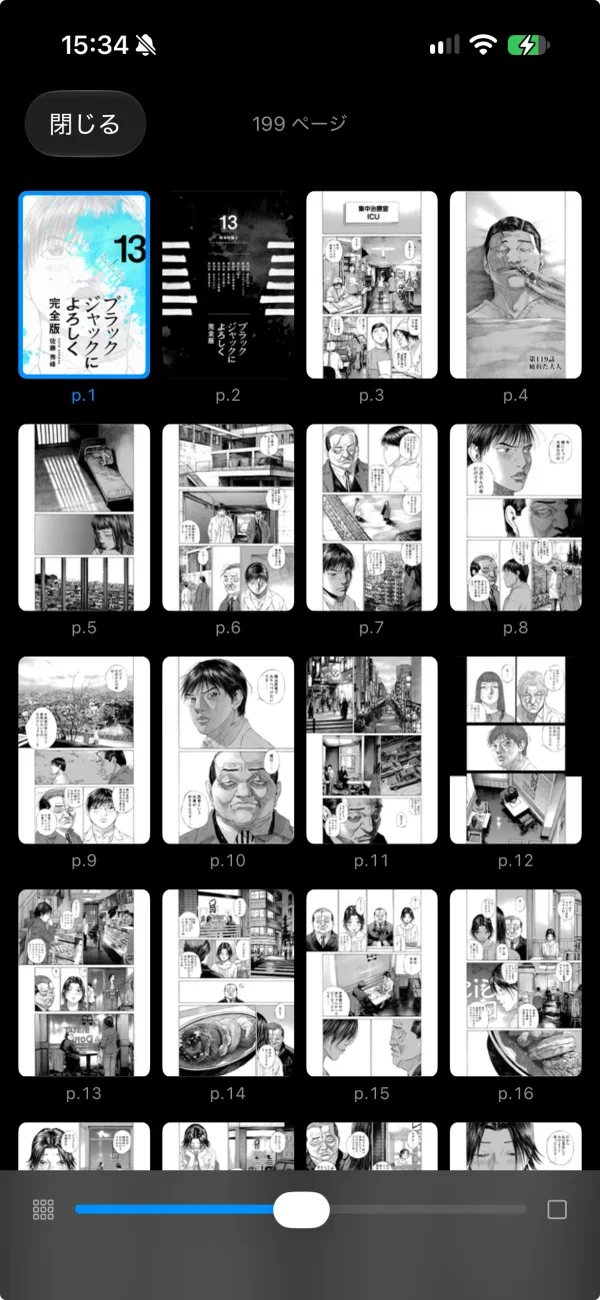
With "Reduce Transparency" turned on in iOS (Settings > Accessibility > Display & Text Size), opening a book showed a solid white, black, or gray screen with no menu. This is fixed. Settings > General also gains "Screen Effects," where you can turn off the blurred background behind the page thumbnails and the flip effect when switching Secret Mode individually.
App-Datenschutz
Was goodmix.net im App Store zum Umgang dieser App mit Daten angibt.
-
Keine Daten erfasst
Der Entwickler erfasst keine Daten von dieser App.
Die Datenschutzpraktiken können variieren, zum Beispiel je nach den von Ihnen verwendeten Funktionen oder Ihrem Alter.
Informationen
- Anbieter
- 善彦 Nishida
- Kategorie
- Bücher
- Version
- 1.4
- Aktualisiert
- 11.11.2026
- Veröffentlicht
- 24.10.2026
- Größe
- 47,3 MB
- Erfordert
- iOS 27.0 oder neuer
- Altersfreigabe
- 4+
- Preis
- Kostenlos
- Sprachen
- Englisch, Französisch, Japanisch, Koreanisch
- Copyright
- © 2026 Yoshihiko Nishida
Das könnte Ihnen auch gefallen
-
 Anyview - Comic & Book ReaderBücher
-
 Comic & Manga Reader: ManulCBZ, NAS, Komga & Übersetzer
-
 Comicbreath: Comic-ReaderDoppelseiten auf Duo & iPad
-
 AirReader: ZIP, CBZ & PDFBücher
-
 TritonPanels Comic-ReaderCBZ, CBR, Manga & PDF lesen
-
 Halftone: Comic & Manga ReaderBücher
-
 Versa: Comic & Manga ReaderCBZ, CBR & PDF Leser für NAS
-
 TinyReaderHubBücher
-
 xiComic - Comic & Manga LeserCBZ, CBR & RAR Betrachter
-
 ComicGlassManga-Scan Reader: NAS & Cloud