
Condense: Compress Clips
Check Video for Upscaling
Entwickelt für iPhone, iPad, Mac
In-App-Käufe
- Altersfreigabe4+
- KategorieFoto und Video
- EntwicklerBreeze Creations
- SprachenEnglisch
- Größe3,3 MB
Condense: Compress Clips ist bei App Store derzeit möglicherweise nicht verfügbar
Bei unserer letzten Prüfung war der Store-Eintrag nicht erreichbar. Der Link führt weiterhin zur offiziellen App Store-Seite.
Screenshots
Info
Der Entwickler hat diesen Text nicht in Ihrer Sprache bereitgestellt.
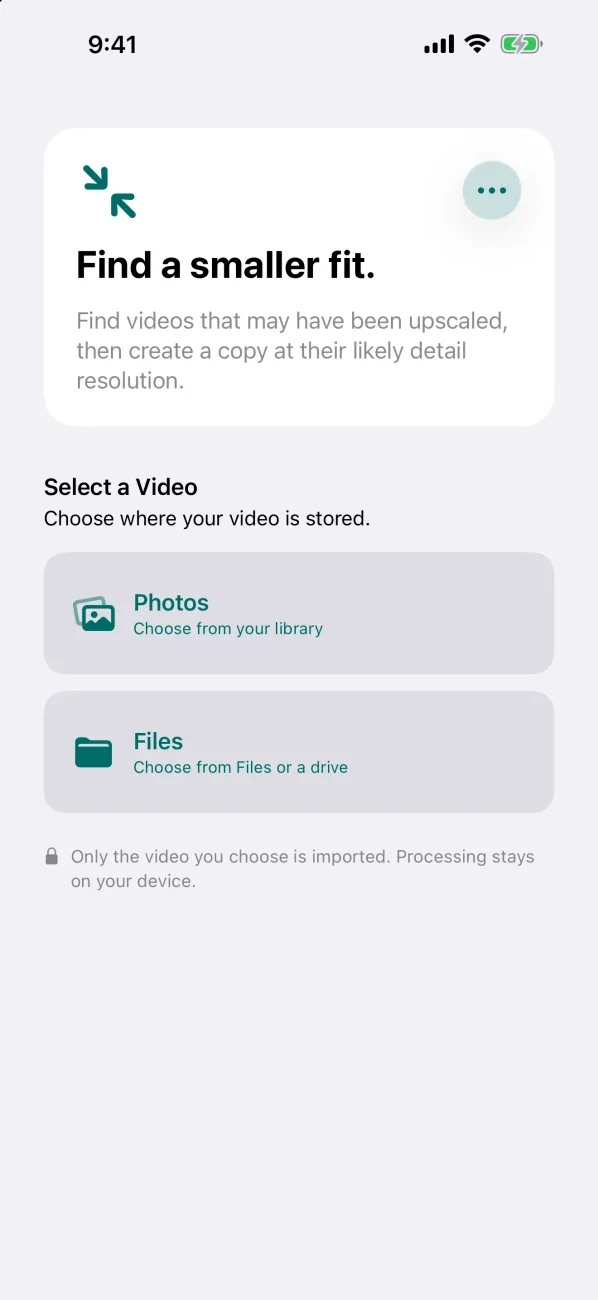
Find out whether a video may be carrying more pixels than useful detail.
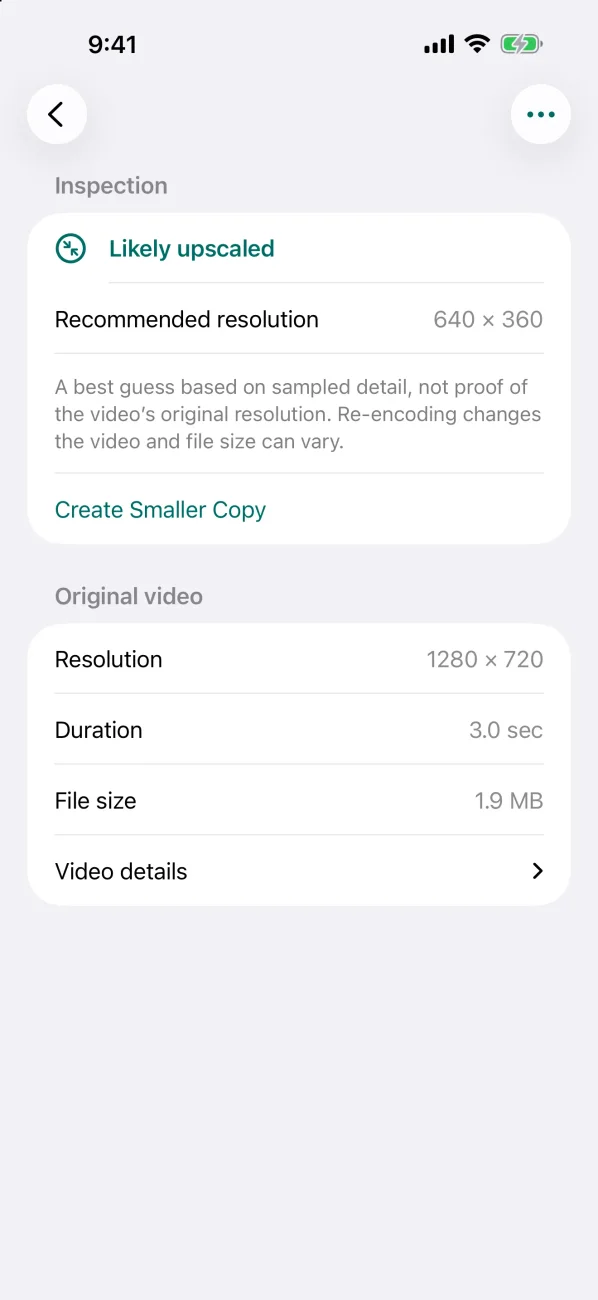
Condense inspects one video you select and looks for signs that it was enlarged from a smaller resolution—for example, 1080p footage saved as 4K. When the evidence is strong enough, it recommends a smaller resolution and can create a new copy while leaving your original untouched.
FOCUSED VIDEO INSPECTION
• Choose one video from Photos or Files
• Review its resolution, duration, codec, and file size
• See a clear likely-upscaled or no-detection result
• Create a smaller copy only when the analysis supports a recommendation
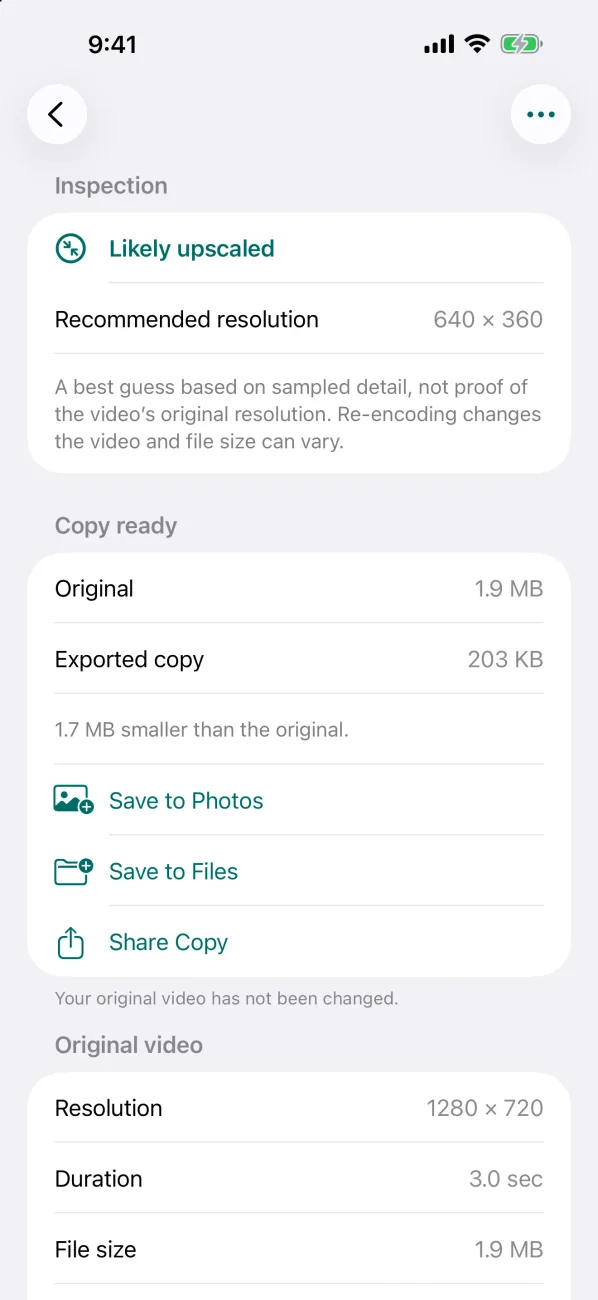
• Compare the original and exported file sizes
• Save to Photos or Files, or use the system share sheet
A CONSERVATIVE RECOMMENDATION
Condense samples several frames and compares likely source-resolution candidates. Its result is a best guess, not proof of the video's history. Smooth or heavily compressed footage may not provide enough evidence, and Condense will say so instead of offering a generic compression mode.
An exported copy is resized and re-encoded. It is not byte-for-byte lossless, cannot recover the original source file, and is not guaranteed to use less storage.
TRY EXPORTING FREE
Import and analysis are free. When you want to create a recommended smaller copy, start a free 7-day trial through the App Store. The trial never renews and never charges automatically.
After the trial, Condense Forever is a separate one-time purchase that permanently unlocks exporting. There is no subscription. Eligible purchases support Apple's Family Sharing. Prices are shown in the app using the App Store's localized value.
PRIVATE BY DESIGN
Inspection and export happen on your iPhone, iPad, or Mac. Condense has no accounts, advertising, analytics, tracking, or media uploads.
Photos imports use Apple's system picker, so the app can access only the video you select. Condense asks for add-only Photos access only when you choose to save an exported copy to your library. Files and sharing use Apple's system interfaces.
Choose a video. Inspect its detail. Create a recommended smaller copy when the evidence supports it.
Neue Funktionen
Version 1.1.0 · 07.10.2026
Updated layouts for iPhone Duo.
App-Datenschutz
Was Breeze Creations im App Store zum Umgang dieser App mit Daten angibt.
-
Keine Daten erfasst
Der Entwickler erfasst keine Daten von dieser App.
Die Datenschutzpraktiken können variieren, zum Beispiel je nach den von Ihnen verwendeten Funktionen oder Ihrem Alter.
Informationen
- Anbieter
- Breeze Creations
- Kategorie
- Foto und Video
- Version
- 1.1.0
- Aktualisiert
- 07.10.2026
- Veröffentlicht
- 22.09.2026
- Größe
- 3,3 MB
- Erfordert
- iOS 17.0 oder neuer
- Altersfreigabe
- 4+
- In-App-Käufe
- Ja
- Sprachen
- Englisch
- Copyright
- © 2026 Breeze Creations LLC
Das könnte Ihnen auch gefallen
-
 Photo Compress: Image ResizerFoto und Video
-
 Video Compressor-Fast CompressFoto und Video
-
 SnapSize: Fotos verkleinern KBExakte Größe, HEIC in JPG
-
 Video Compressor : Reduce MBVideo- Audiogröße reduzieren
-
 Stylo - AI Comic ArtistTurn photos into comic art
-
 Video komprimieren ZuschneidenFilmgröße ändern
-
 Video Komprimieren, KompressorVerkleinern & Speicher sparen
-
 Video Kompressor:Format &GrößeFotos & Videos verkleinern
-
 Video Compressor - HQ CompressFoto und Video
-
 Video Komprimieren - KleinernVideo compress, komprimierer