
Condense: Compress Clips
Check Video for Upscaling
Designed for iPhone, iPad, Mac
Free · In-app purchases
- Age rating4+
- CategoryPhoto & Video
- DeveloperBreeze Creations
- LanguagesEnglish
- Size3.3 MB
Links to the official App Store page
Download.org hosts no file of Condense: Compress Clips. The button opens its official App Store page, published by Breeze Creations. Listing last checked on Nov 20, 2026.
Screenshots
About
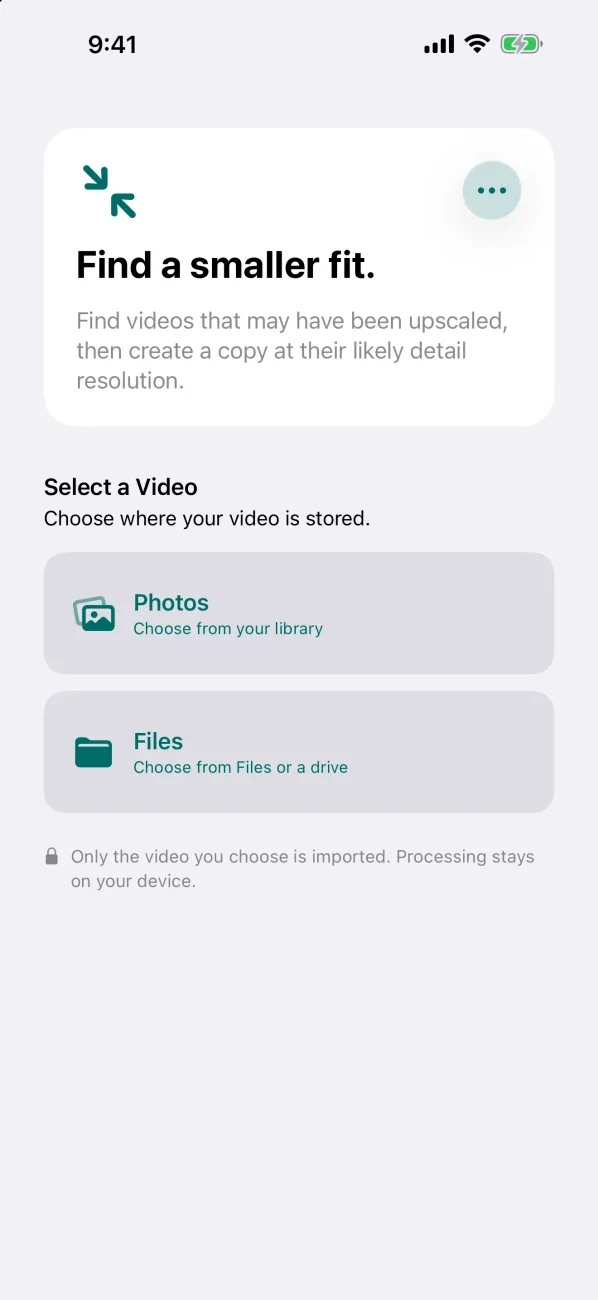
Find out whether a video may be carrying more pixels than useful detail.
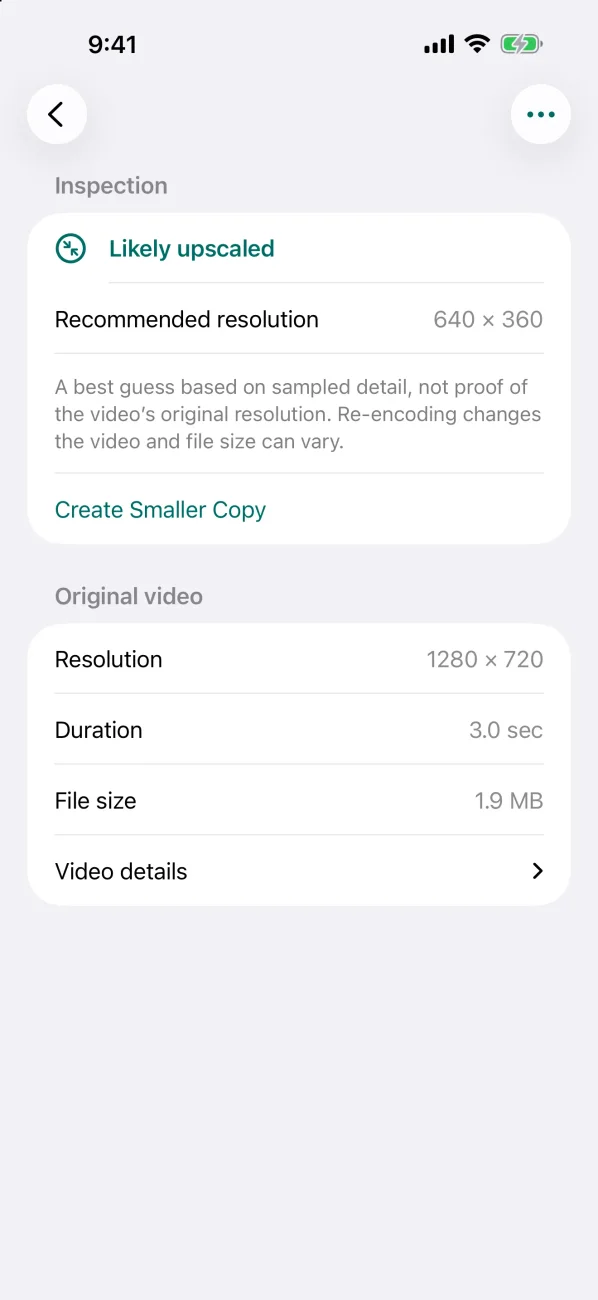
Condense inspects one video you select and looks for signs that it was enlarged from a smaller resolution—for example, 1080p footage saved as 4K. When the evidence is strong enough, it recommends a smaller resolution and can create a new copy while leaving your original untouched.
FOCUSED VIDEO INSPECTION
• Choose one video from Photos or Files
• Review its resolution, duration, codec, and file size
• See a clear likely-upscaled or no-detection result
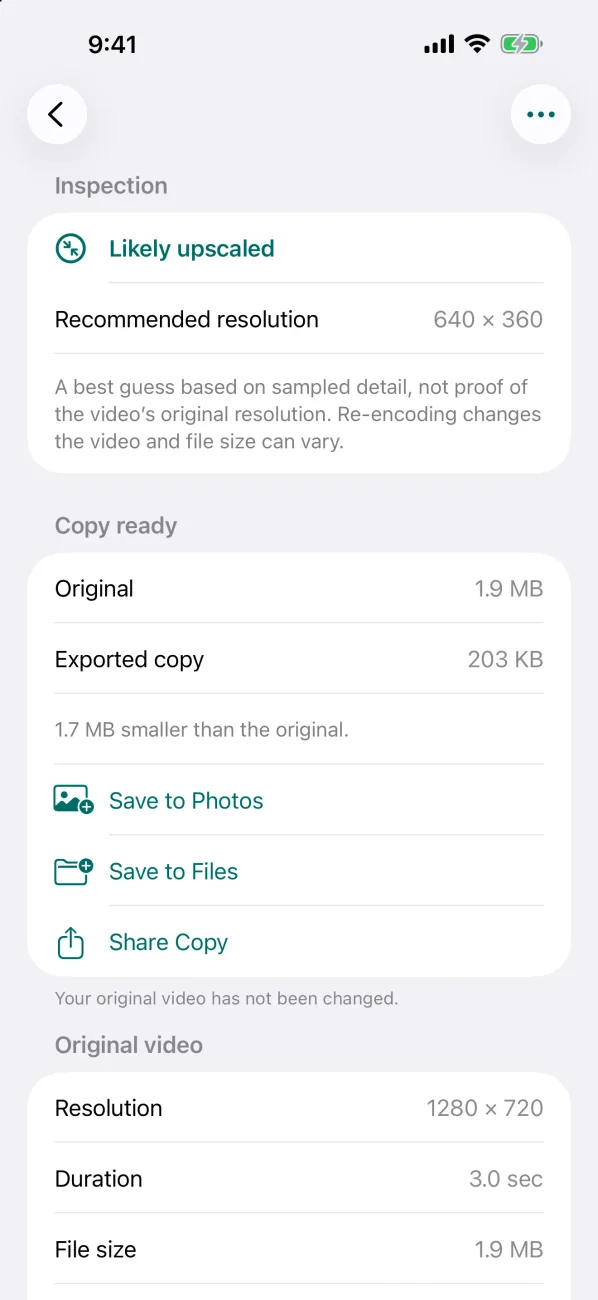
• Create a smaller copy only when the analysis supports a recommendation
• Compare the original and exported file sizes
• Save to Photos or Files, or use the system share sheet
A CONSERVATIVE RECOMMENDATION
Condense samples several frames and compares likely source-resolution candidates. Its result is a best guess, not proof of the video's history. Smooth or heavily compressed footage may not provide enough evidence, and Condense will say so instead of offering a generic compression mode.
An exported copy is resized and re-encoded. It is not byte-for-byte lossless, cannot recover the original source file, and is not guaranteed to use less storage.
TRY EXPORTING FREE
Import and analysis are free. When you want to create a recommended smaller copy, start a free 7-day trial through the App Store. The trial never renews and never charges automatically.
After the trial, Condense Forever is a separate one-time purchase that permanently unlocks exporting. There is no subscription. Eligible purchases support Apple's Family Sharing. Prices are shown in the app using the App Store's localized value.
PRIVATE BY DESIGN
Inspection and export happen on your iPhone, iPad, or Mac. Condense has no accounts, advertising, analytics, tracking, or media uploads.
Photos imports use Apple's system picker, so the app can access only the video you select. Condense asks for add-only Photos access only when you choose to save an exported copy to your library. Files and sharing use Apple's system interfaces.
Choose a video. Inspect its detail. Create a recommended smaller copy when the evidence supports it.
What’s new
Version 1.1.0 · Oct 7, 2026
Updated layouts for iPhone Duo.
App privacy
What Breeze Creations declares on the App Store about how this app handles data.
-
Data not collected
The developer does not collect any data from this app.
Privacy practices may vary, for example with the features you use or your age.
Information
- Seller
- Breeze Creations
- Category
- Photo & Video
- Version
- 1.1.0
- Updated
- Oct 7, 2026
- Released
- Sep 22, 2026
- Size
- 3.3 MB
- Requires
- iOS 17.0 or later
- Age rating
- 4+
- Price
- Free
- In-app purchases
- Yes
- Languages
- English
- Copyright
- © 2026 Breeze Creations LLC
You might also like
-
 Photo Compress: Image ResizerMB to KB & Batch Compressor
-
 Video Compressor-Fast CompressShrink Videos. Keep Quality.
-
 SnapSize: Compress Photo to KBExact KB, resize, crop, HEIC
-
 Video Compressor : Reduce MBReduce Video & Audio Size
-
 Stylo: Cartoon Photo EditorToon App AI Photo Editor
-
 Video Compress - Resize VideosShrink Video,Video Compressor
-
 Video Compressor, Size ReducerCompress Videos, Free Up Space
-
 Video Compressor-Shrink videosCompress videos & photos
-
 Video Compressor - HQ CompressReduce video size dramatically
-
 Video Compressor・Reduce SizeBatch Resize, Compress, Shrink