
- Altersfreigabe4+
- KategorieUnterhaltung
- Entwickler莼乾 沈
- SprachenEnglisch+ 2 weitere
- Größe1,7 MB
Verlinkt auf die offizielle App Store-Seite
Download.org hostet keine Datei von Console Link. Die Schaltfläche öffnet die App-Seite bei App Store, wo 莼乾 沈 die App veröffentlicht. Eintrag zuletzt geprüft am 23.11.2026.
Screenshots

Info
Der Entwickler hat diesen Text nicht in Ihrer Sprache bereitgestellt.
Turn Your iPad into a True Gaming Display!
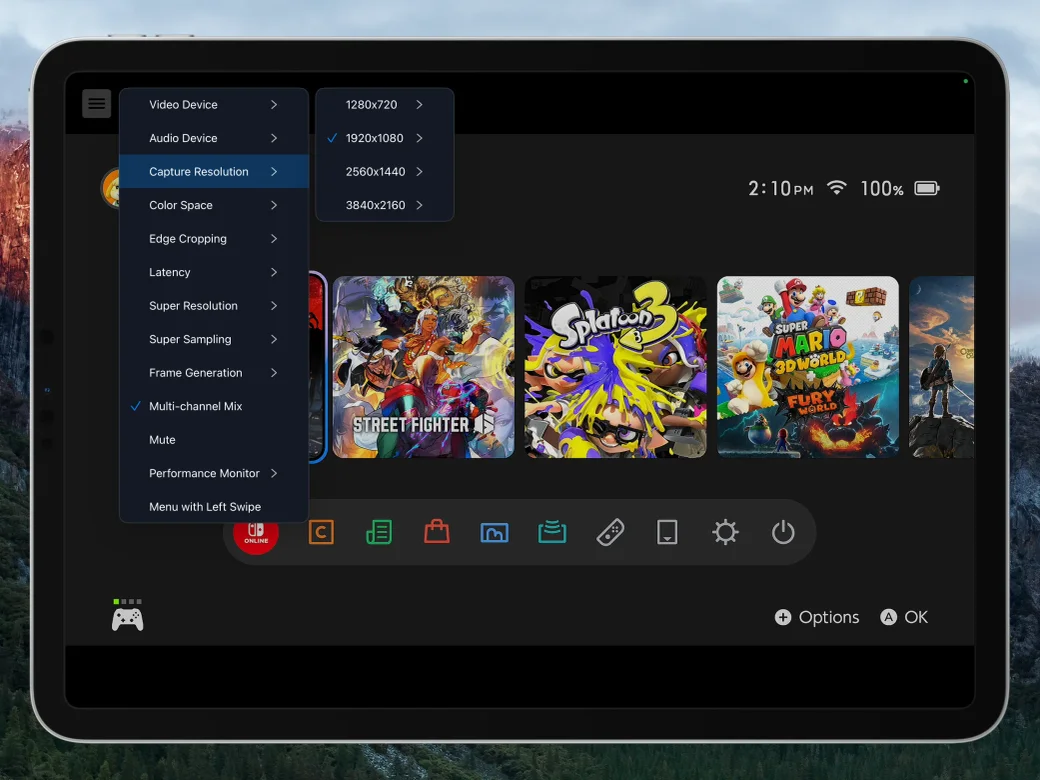
Console Link transforms your iPad into a high-performance gaming monitor. With ultra-low latency, 5K upscaling, and full HDMI input support via capture cards, your iPad becomes the ultimate display for any console.
Whether you are using a PlayStation, Xbox, Nintendo Switch, or any HDMI-compatible device, Console Link delivers a seamless, high-quality gameplay preview-directly on your iPad.
Key Features
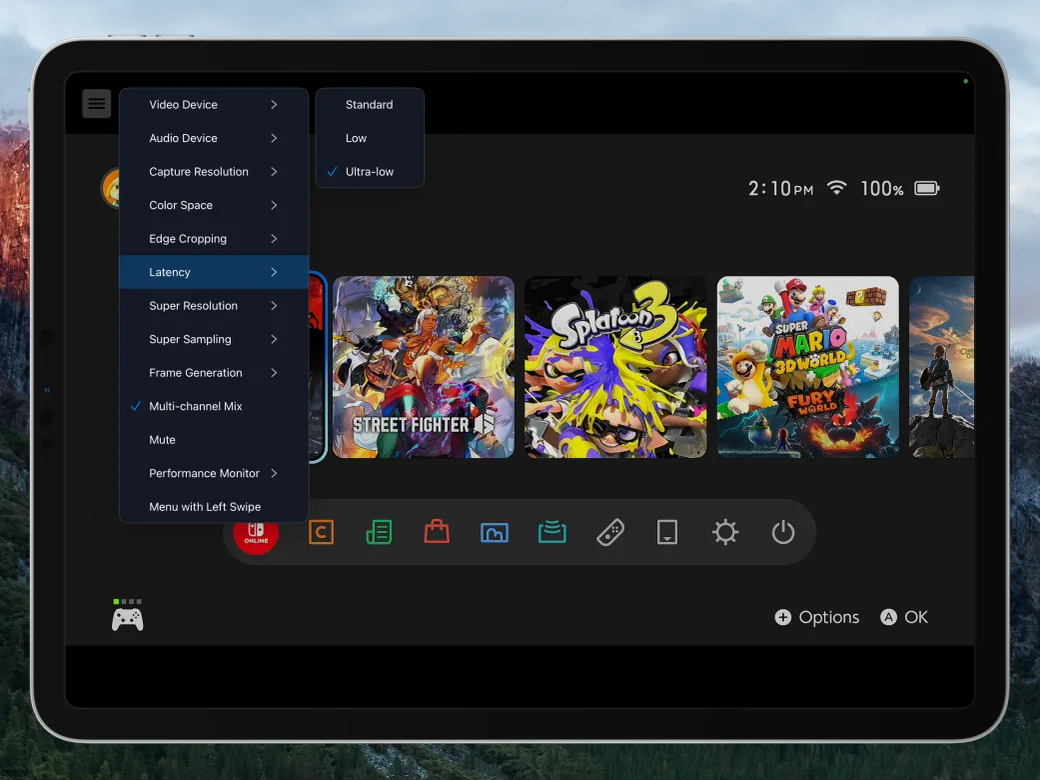
Ultra-Low Latency Mode
New synchronization engine, experience near-zero delay. Perfect sync with iPad refresh rate for smooth, responsive gameplay.
5K Video Output
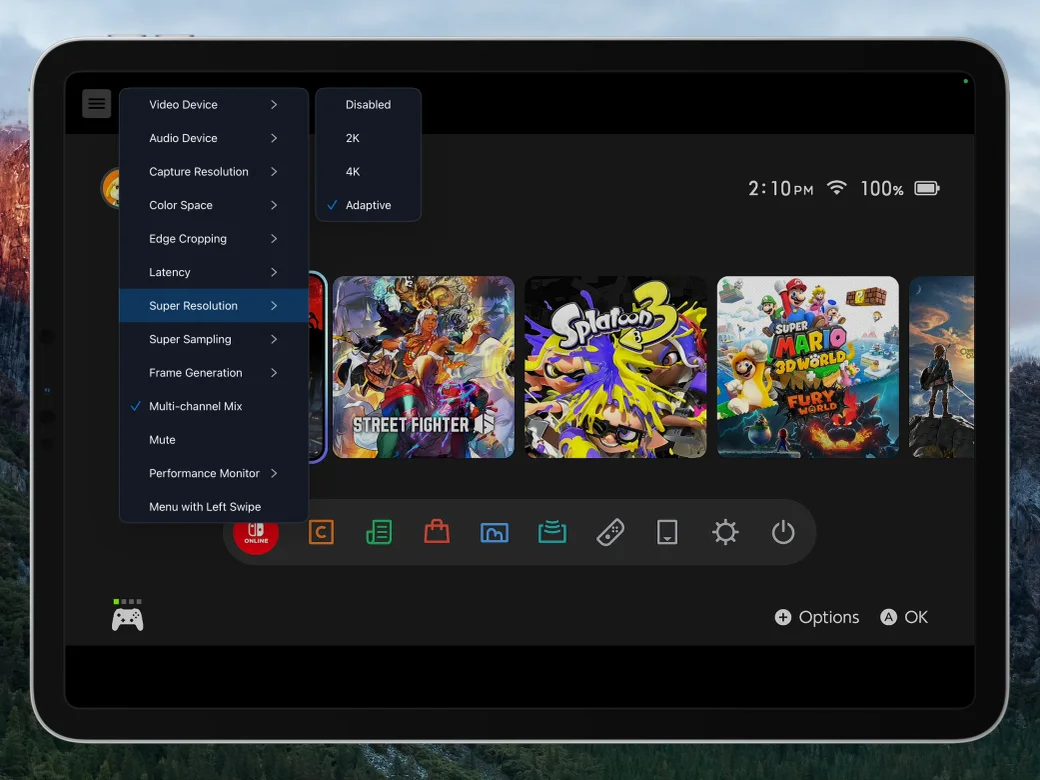
Enhances HDMI input signals up to 5K resolution, powered by advanced super-resolution and image upsampling technologies.
Frame Generation Technology
Supports interpolation from 30 FPS to 60 FPS and from 60 FPS to 120 FPS. With intelligent motion frame interpolation and frame timing optimization, it delivers smoother gameplay while maintaining stable and natural visual quality.
Optimized Rendering Engine
Built on Apple Metal and Audio Unit for high-performance video and audio rendering with reduced power consumption.
4K 120fps Rendering
Smooth, fluid gameplay with support for 4K at up to 120 frames per second. Includes crop-to-edge features and sharp frame rendering.
Advanced Upscaling & Sampling
Choose from low, medium, or high sampling modes to boost image clarity without sacrificing performance.
Professional Color Space Support
Switch between sRGB, Display P3, and Adobe RGB for accurate color tuning based on your screen.
AirPods Optimized Audio
Enjoy stable, low-latency wireless audio with seamless AirPods integration.
MetalHUD Performance Monitor
Full implementation of Apple MetalHUD, providing real-time monitoring of FPS, GPU, and memory usage.
Requirements
Any HDMI-compatible device can stream to your iPad via a supported USB 3.0 video capture card. Console Link leverages Apple Metal graphics technology to deliver fast, efficient rendering-without dropped frames or stutters.
Devices
HDMI output device (e.g., PS5, Xbox Series X|S, Nintendo Switch)
USB 3.0 video capture card supporting the UVC protocol
Systems
iPad running iPadOS 17.0 or higher, can work perfectly.
Terms of Service
https://www.apple.com/legal/internet-services/itunes/dev/stdeula/
Disclaimer
PlayStation, Xbox, Nintendo Switch, and related trademarks are the property of their respective owners.
Console Link is not affiliated with, endorsed by, or authorized by Sony, Microsoft, Nintendo, or any of their subsidiaries.
Neue Funktionen
Version 28.0.8 · 20.11.2026
Adjusted frame generation presets to improve compatibility and stability.
App-Datenschutz
Was 莼乾 沈 im App Store zum Umgang dieser App mit Daten angibt.
-
Keine Daten erfasst
Der Entwickler erfasst keine Daten von dieser App.
Die Datenschutzpraktiken können variieren, zum Beispiel je nach den von Ihnen verwendeten Funktionen oder Ihrem Alter.
Informationen
- Anbieter
- 莼乾 沈
- Kategorie
- Unterhaltung
- Version
- 28.0.8
- Aktualisiert
- 20.11.2026
- Veröffentlicht
- 02.06.2023
- Größe
- 1,7 MB
- Erfordert
- iOS 17.0 oder neuer
- Altersfreigabe
- 4+
- Preis
- 8,99 €
- Sprachen
- Englisch, Vereinf. Chinesisch, Ukrainisch
- Copyright
- © 2023-2026 CHUNQIAN SHEN
Das könnte Ihnen auch gefallen
-
 Console CaptureUnterhaltung
-
 VirtualFriend - VB EmulatorUnterhaltung
-
 Portal: Remote PlayKonsole, Cloud Gaming & HDMI
-
 Razer PC Remote PlayUnterhaltung
-
 RuddarrUnterhaltung
-
 Razer Cortex MobileUnterhaltung
-
 UTM SE: Retro PC emulatorUnterhaltung
-
 SwitchBuddy: Switch BegleiterSpiele ~ Übertragen ~ Widgets
-
 PXPlay: Remote PlayStreame deine Konsolen Spiele
-
 Provenance AppUnterhaltung