
- 対象年齢4+
- カテゴリエンターテインメント
- 開発元莼乾 沈
- 言語英語ほか2言語
- サイズ1.7 MB
App Storeの公式ページにリンクしています
Download.orgはConsole Linkのファイルを一切ホストしていません。ボタンを押すと、莼乾 沈が公開しているApp Storeのアプリページが開きます。ページの最終確認:2026/11/23。
スクリーンショット

概要
開発元はこのテキストをお使いの言語で提供していません。
Turn Your iPad into a True Gaming Display!
Console Link transforms your iPad into a high-performance gaming monitor. With ultra-low latency, 5K upscaling, and full HDMI input support via capture cards, your iPad becomes the ultimate display for any console.
Whether you are using a PlayStation, Xbox, Nintendo Switch, or any HDMI-compatible device, Console Link delivers a seamless, high-quality gameplay preview-directly on your iPad.
Key Features
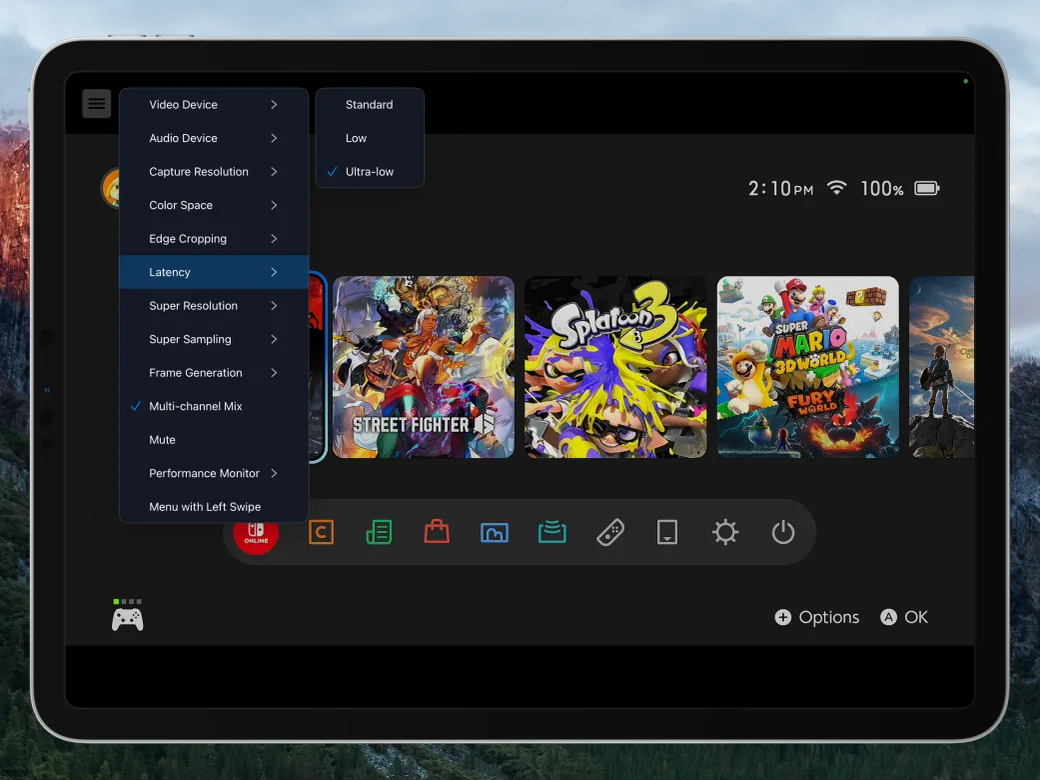
Ultra-Low Latency Mode
New synchronization engine, experience near-zero delay. Perfect sync with iPad refresh rate for smooth, responsive gameplay.
5K Video Output
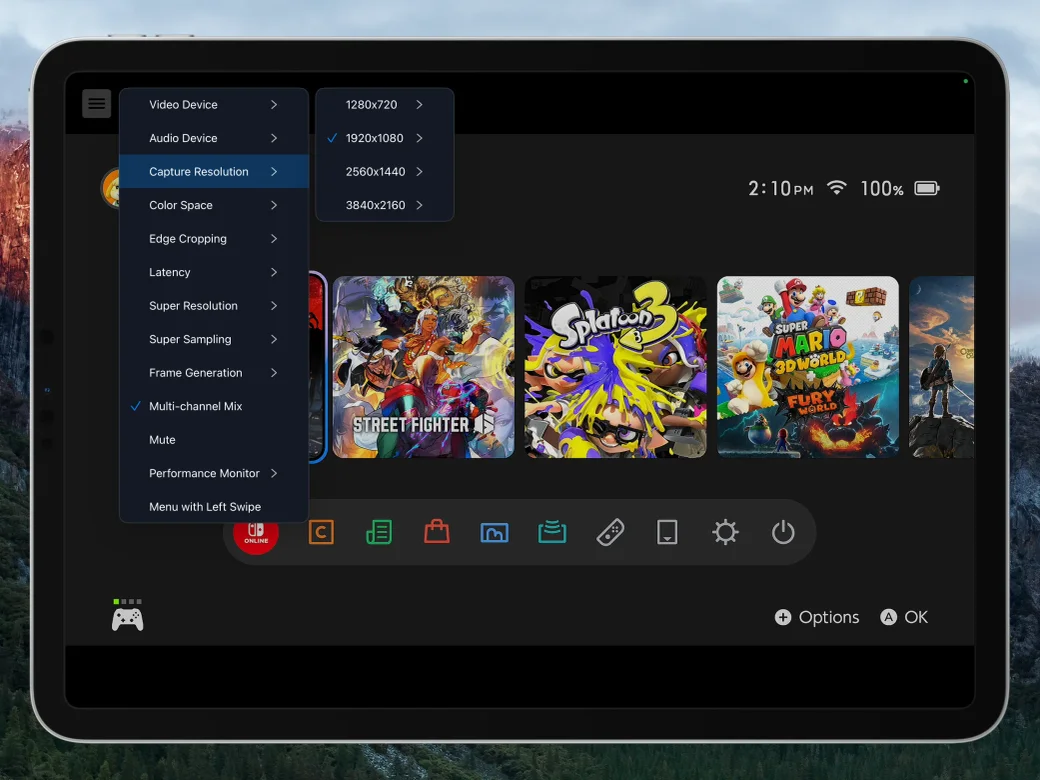
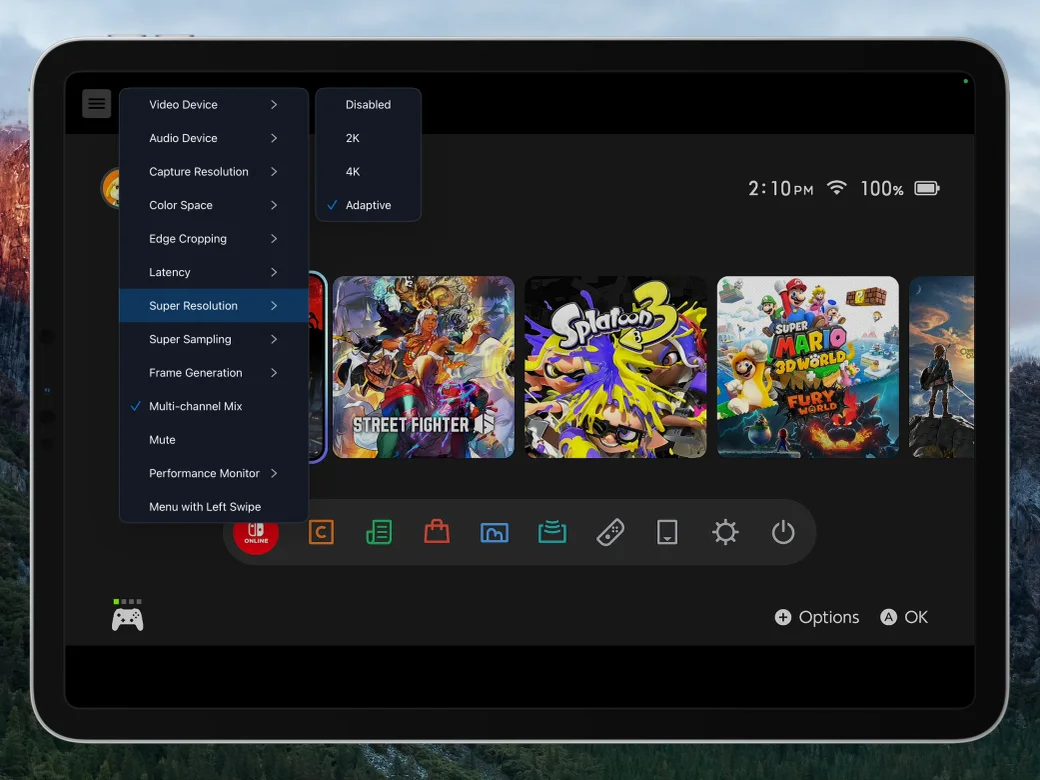
Enhances HDMI input signals up to 5K resolution, powered by advanced super-resolution and image upsampling technologies.
Frame Generation Technology
Supports interpolation from 30 FPS to 60 FPS and from 60 FPS to 120 FPS. With intelligent motion frame interpolation and frame timing optimization, it delivers smoother gameplay while maintaining stable and natural visual quality.
Optimized Rendering Engine
Built on Apple Metal and Audio Unit for high-performance video and audio rendering with reduced power consumption.
4K 120fps Rendering
Smooth, fluid gameplay with support for 4K at up to 120 frames per second. Includes crop-to-edge features and sharp frame rendering.
Advanced Upscaling & Sampling
Choose from low, medium, or high sampling modes to boost image clarity without sacrificing performance.
Professional Color Space Support
Switch between sRGB, Display P3, and Adobe RGB for accurate color tuning based on your screen.
AirPods Optimized Audio
Enjoy stable, low-latency wireless audio with seamless AirPods integration.
MetalHUD Performance Monitor
Full implementation of Apple MetalHUD, providing real-time monitoring of FPS, GPU, and memory usage.
Requirements
Any HDMI-compatible device can stream to your iPad via a supported USB 3.0 video capture card. Console Link leverages Apple Metal graphics technology to deliver fast, efficient rendering-without dropped frames or stutters.
Devices
HDMI output device (e.g., PS5, Xbox Series X|S, Nintendo Switch)
USB 3.0 video capture card supporting the UVC protocol
Systems
iPad running iPadOS 17.0 or higher, can work perfectly.
Terms of Service
https://www.apple.com/legal/internet-services/itunes/dev/stdeula/
Disclaimer
PlayStation, Xbox, Nintendo Switch, and related trademarks are the property of their respective owners.
Console Link is not affiliated with, endorsed by, or authorized by Sony, Microsoft, Nintendo, or any of their subsidiaries.
新機能
バージョン 28.0.8 · 2026/11/20
Adjusted frame generation presets to improve compatibility and stability.
アプリのプライバシー
このアプリのデータの取り扱いについて、莼乾 沈がApp Storeで申告している内容です。
-
データの収集なし
開発元はこのアプリからデータを収集しません。
プライバシーの取り扱いは、ご利用の機能やお客様の年齢などに応じて異なる場合があります。
情報
- 販売元
- 莼乾 沈
- カテゴリ
- エンターテインメント
- バージョン
- 28.0.8
- 更新日
- 2026/11/20
- リリース
- 2023/6/2
- サイズ
- 1.7 MB
- 必要条件
- iOS 17.0以降
- 対象年齢
- 4+
- 価格
- ¥1,300
- 言語
- 英語, 簡体字中国語, ウクライナ語
- 著作権
- © 2023-2026 CHUNQIAN SHEN
こちらもおすすめ
-
 Console Captureエンターテインメント
-
 VirtualFriend - VB Emulatorエンターテインメント
-
 Portal: Remote Playコンソール、クラウドゲーム、HDMI
-
 Razer PC Remote Playエンターテインメント
-
 Ruddarrエンターテインメント
-
 Razer Cortex Mobileエンターテインメント
-
 UTM SE: Retro PC emulatorエンターテインメント
-
 SwitchBuddy: スイッチ & eShopお得アプリセール, スクショ転送, ゲーム情報
-
 PXPlay: Remote Playエンターテインメント
-
 Provenance Appエンターテインメント