ConvertCenter
Convert & Resize Files Easily
Entwickelt für iPhone, iPad
Kostenlos
- Altersfreigabe4+
- KategorieProduktivität
- EntwicklerMartha G Korra
- SprachenEnglisch
- Größe5,4 MB
Verlinkt auf die offizielle App Store-Seite
Download.org hostet keine Datei von ConvertCenter. Die Schaltfläche öffnet die App-Seite bei App Store, wo Martha G Korra die App veröffentlicht. Eintrag zuletzt geprüft am 16.11.2026.
Screenshots


Info
Der Entwickler hat diesen Text nicht in Ihrer Sprache bereitgestellt.
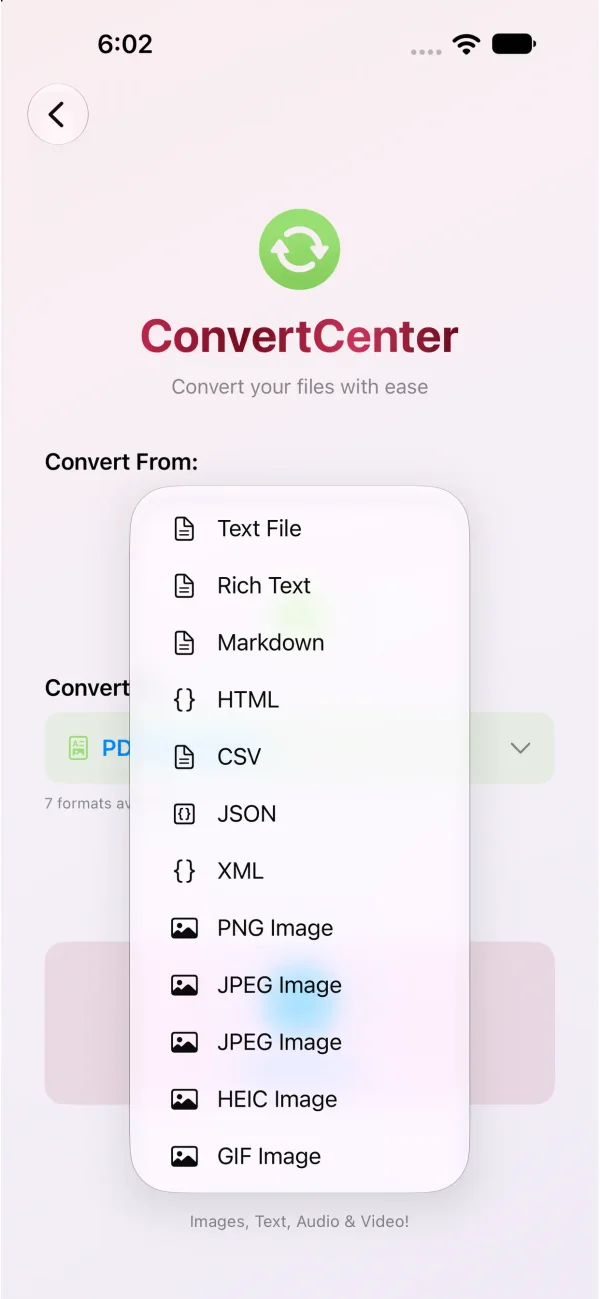
FILE TOOLS - CONVERT & RESIZE FILES WITH EASE
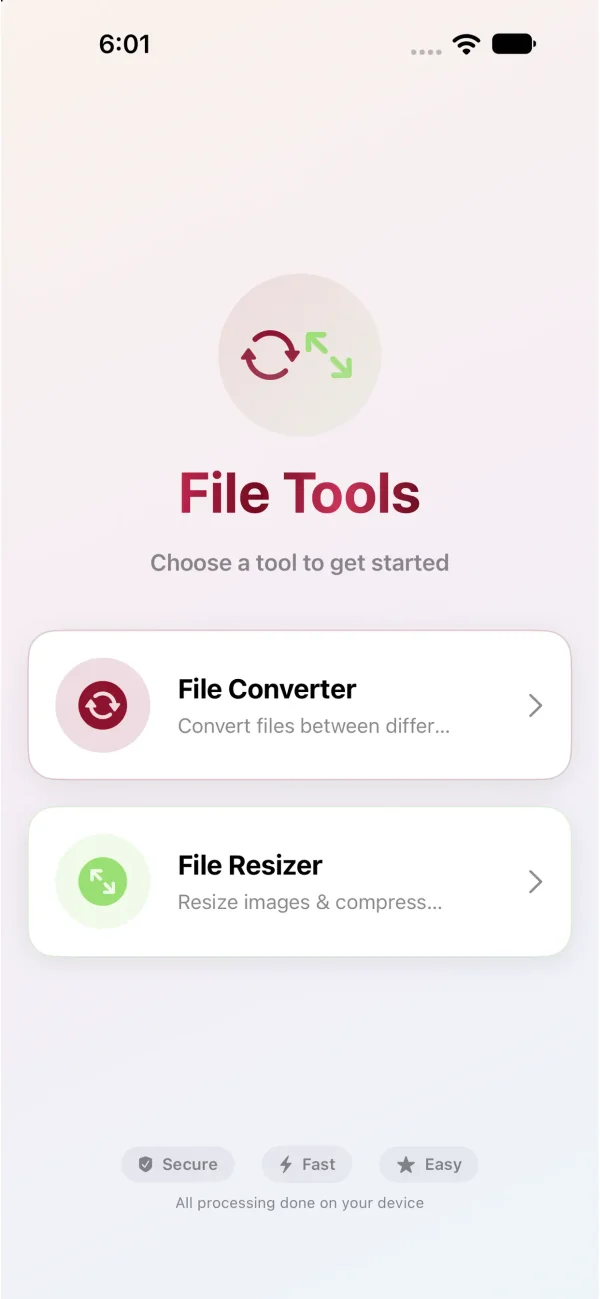
Two powerful tools in one app: Convert files between formats and/or resize/compress them. All processing happens on your device for complete privacy.
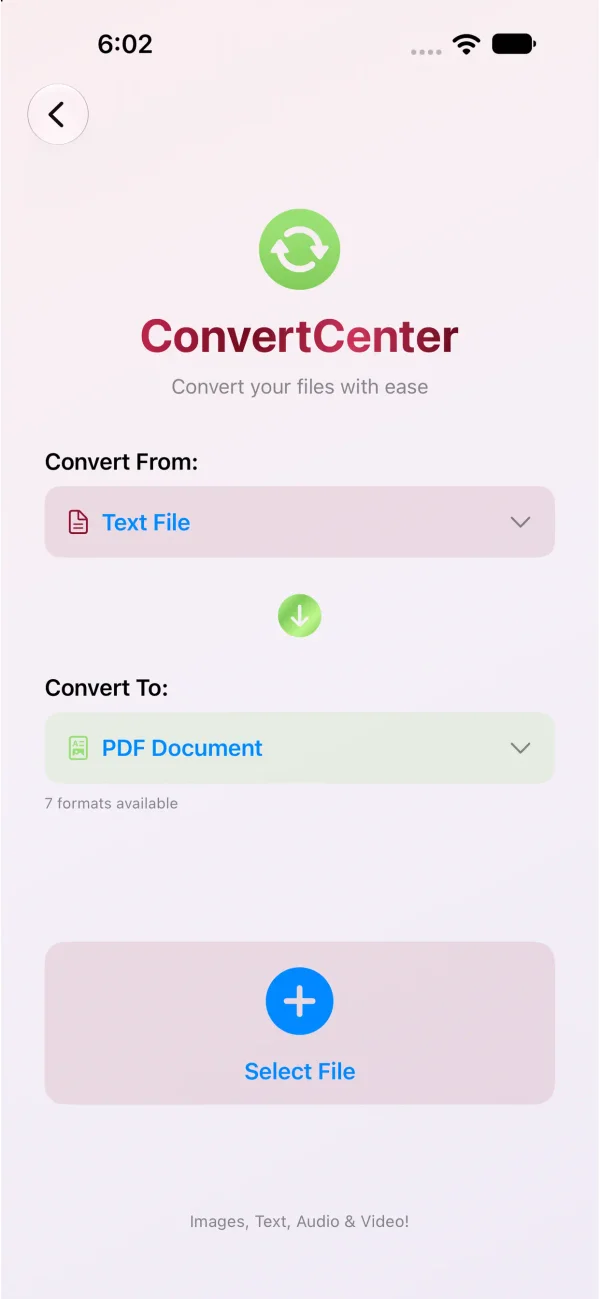
FILE CONVERTER
Convert between 20+ file formats:
• Images: JPG, PNG, HEIC, WebP, GIF, BMP, TIFF
• Documents: PDF, TXT, RTF, HTML, Markdown
• Audio: Extract from videos, convert formats
• Fast conversion with quality preservation
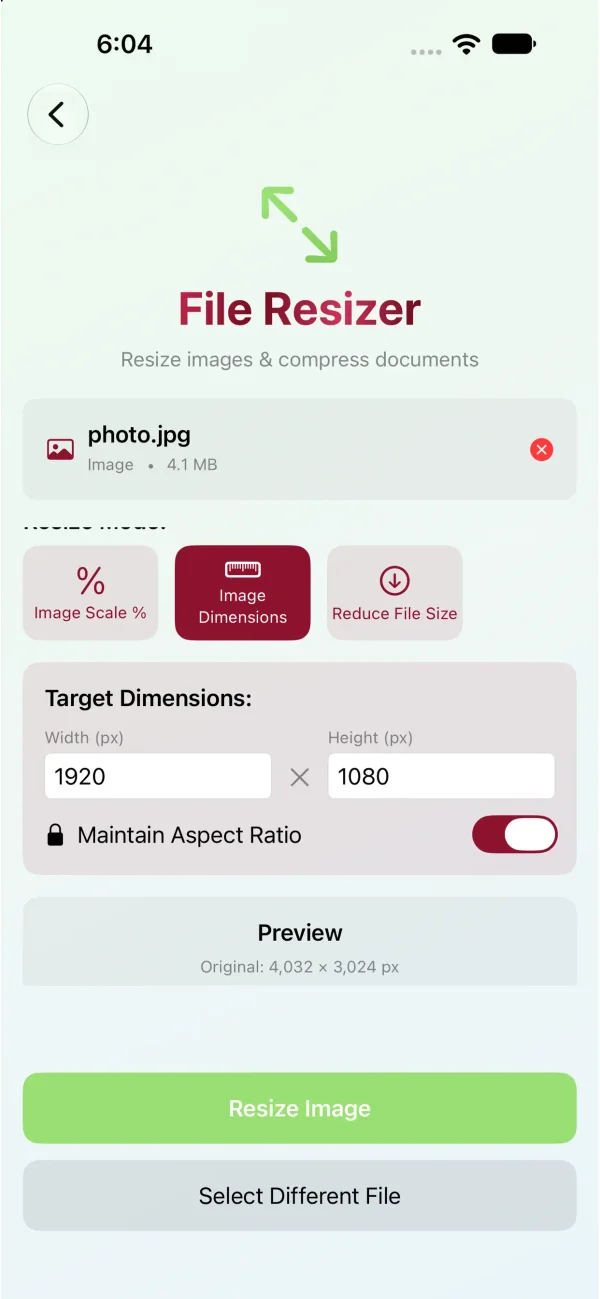
FILE RESIZER & COMPRESSOR
Optimize your files with smart compression:
• Resize images by percentage or exact pixels
• Compress files by up to 90%
• Reduce PDFs from GB to MB
• Four compression levels to choose from
• Perfect for email and cloud storage
KEY FEATURES
-Complete Privacy - All processing on your device
-Preview Files - See results before saving
-Size Statistics - View before/after comparison
-Easy Sharing - Share to any app instantly
-Lightning Fast - Process files in seconds
-Beautiful Design - Intuitive and modern interface
-Photo Integration - Import from library easily
PERFECT FOR
• Reducing file sizes for email attachments
• Converting images for social media
• Compressing large PDFs for sharing
• Resizing photos to exact dimensions
• Freeing up storage space
• Preparing files for upload
• Converting document formats
• Optimizing images for websites
WHY CHOOSE US?
File Tools works offline with no file size limits, no watermarks, and unlimited conversions. Your files never leave your device.
Download now and transform your files with ease!
Neue Funktionen
Version 4.223 · 24.09.2026
FILE TOOLS - CONVERT & RESIZE FILES WITH EASE
Two powerful tools in one app: Convert files between formats and/or resize/compress them. All processing happens on your device for complete privacy.
FILE CONVERTER
Convert between 20+ file formats:
• Images: JPG, PNG, HEIC, WebP, GIF, BMP, TIFF
• Documents: PDF, TXT, RTF, HTML, Markdown
• Audio: Extract from videos, convert formats
• Fast conversion with quality preservation
FILE RESIZER & COMPRESSOR
Optimize your files with smart compression:
• Resize images by percentage or exact pixels
• Compress files by up to 90%
• Reduce PDFs from GB to MB
• Four compression levels to choose from
• Perfect for email and cloud storage
KEY FEATURES
-Complete Privacy - All processing on your device
-Preview Files - See results before saving
-Size Statistics - View before/after comparison
-Easy Sharing - Share to any app instantly
-Lightning Fast - Process files in seconds
-Beautiful Design - Intuitive and modern interface
-Photo Integration - Import from library easily
PERFECT FOR
• Reducing file sizes for email attachments
• Converting images for social media
• Compressing large PDFs for sharing
• Resizing photos to exact dimensions
• Freeing up storage space
• Preparing files for upload
• Converting document formats
• Optimizing images for websites
WHY CHOOSE US?
File Tools works offline with no file size limits, no watermarks, and unlimited conversions. Your files never leave your device.
Download now and transform your files with ease!
App-Datenschutz
Was Martha G Korra im App Store zum Umgang dieser App mit Daten angibt.
-
Daten, die zum Tracking Ihrer Person verwendet werden
Können verwendet werden, um Sie über Apps und Websites anderer Unternehmen hinweg zu verfolgen.
- Kennungen
- Nutzungsdaten
-
Nicht mit Ihnen verknüpfte Daten
Können erfasst werden, sind aber nicht mit Ihrer Identität verknüpft.
- Kennungen
- Nutzungsdaten
- Diagnose
Die Datenschutzpraktiken können variieren, zum Beispiel je nach den von Ihnen verwendeten Funktionen oder Ihrem Alter.
Informationen
- Anbieter
- Martha G Korra
- Kategorie
- Produktivität
- Version
- 4.223
- Aktualisiert
- 24.09.2026
- Veröffentlicht
- 23.02.2026
- Größe
- 5,4 MB
- Erfordert
- iOS 27.0 oder neuer
- Altersfreigabe
- 4+
- Preis
- Kostenlos
- Sprachen
- Englisch
- Copyright
- © ConvertCenter (c)2026, Martha Korra All rights reserved
Das könnte Ihnen auch gefallen
-
 Caya HubProduktivität
-
 VAULT by ToolkitProduktivität
-
 deep.spaceProduktivität
-
 EvoAIProduktivität
-
 PromptWallet AI Prompt LibraryProduktivität
-
 Talking Calendar ClockProduktivität
-
 Schattenarbeit TagebuchHeile dein inneres Selbst
-
 Web to PDF Converter ProProduktivität
-
 Catch — A Pocket NotebookProduktivität
-
 Marklens: Markdown ReaderProduktivität