- Altersfreigabe17+
- KategorieDienstprogramme
- EntwicklerPaul Davis
- SprachenEnglisch+ 1 weitere
- Größe80,6 MB
Verlinkt auf die offizielle App Store-Seite
Download.org hostet keine Datei von Crest Browser. Die Schaltfläche öffnet die App-Seite bei App Store, wo Paul Davis die App veröffentlicht. Eintrag zuletzt geprüft am 20.11.2026.
Screenshots

Info
Der Entwickler hat diesen Text nicht in Ihrer Sprache bereitgestellt.
Work, personal life, and everything between deserve their own Space. Crest is a native browser for iPhone and iPad that keeps your accounts separate, your tabs organized, and your browsing distinctly yours.
KEEP YOUR ACCOUNTS SEPARATE
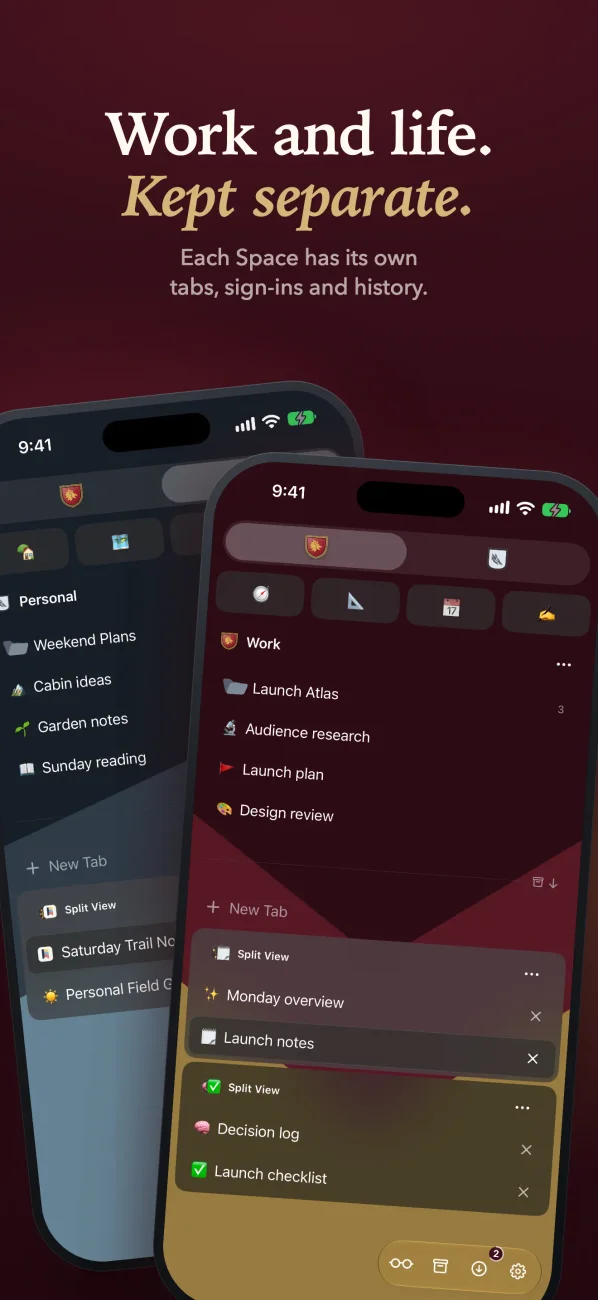
Each Space has its own tabs, cookies, website data, history, passwords, and site permissions. Stay signed in to different accounts on the same website. Switch from work to personal browsing without carrying the wrong session with you.
GIVE EVERY TAB A PLACE
Pin the sites you use every day. Save pages in folders. Keep today's tabs close and completed work in the archive. Select and move tabs, folders, and Split View groups together. On iPhone, bring in the sidebar with a gesture; on iPad, keep it beside your page.
MAKE IT YOUR OWN
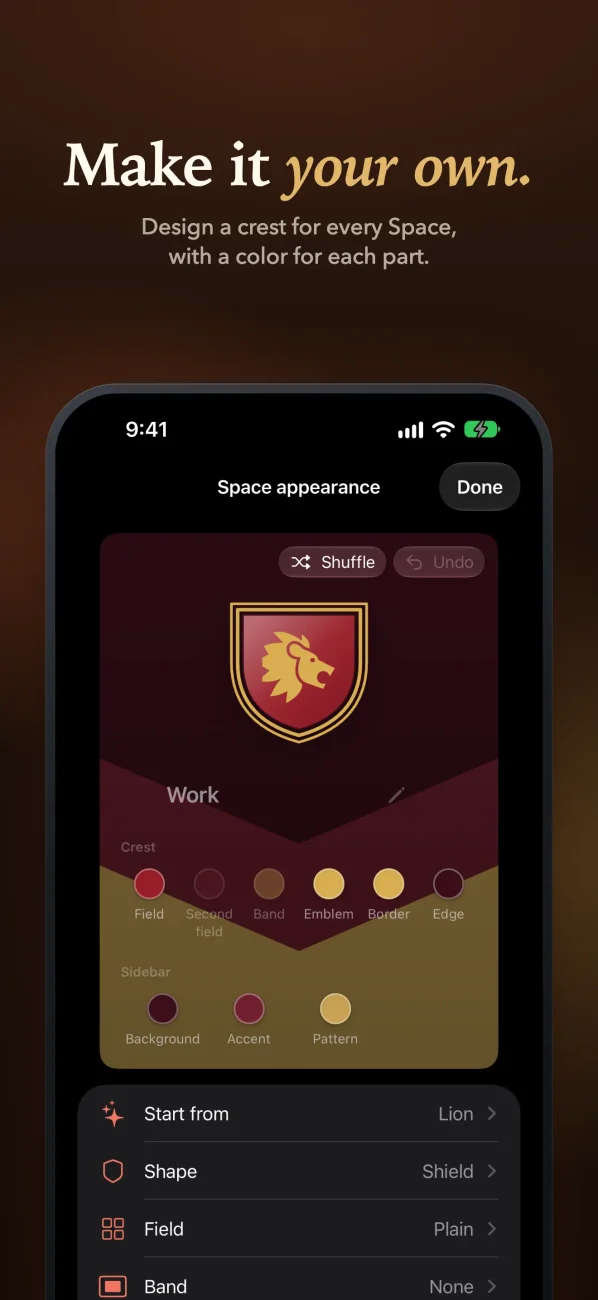
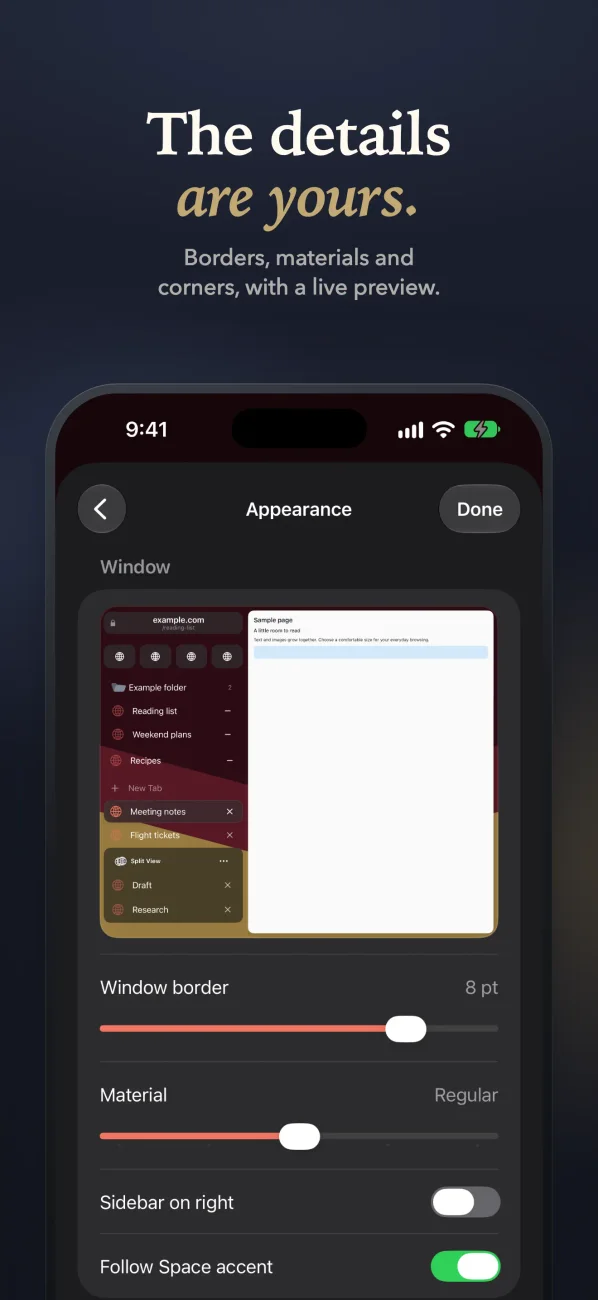
Start from Winter, Lion, or another template in Crest Studio, then choose a color for each part of the crest and the sidebar. Choose a crest, emoji, monogram, or symbol. Appearance settings adjust the window border, sidebar material, tab corners, borders, and default page zoom.
KEEP RELATED PAGES TOGETHER
Group two to four pages in Split View. On iPad, browse them side by side and resize the columns. On iPhone, swipe across the compact toolbar to move between pages in the group. Peek lets you check supported links without losing your place, then keep the page as a tab when you need it.
TOOLS FOR EVERYDAY BROWSING
Choose one default search for every Space and another for Private Browsing, or pick one for a single Space. Search from a new tab to find the pages and tabs you use most. Translate webpages on device with Apple's Translation framework. Read supported articles in Reader, find text on a page, adjust zoom, share links, and export pages. Content blocking and site permissions give you control over each Space. Language availability varies, and translation may require a language download.
PRIVATE WHEN YOU NEED IT
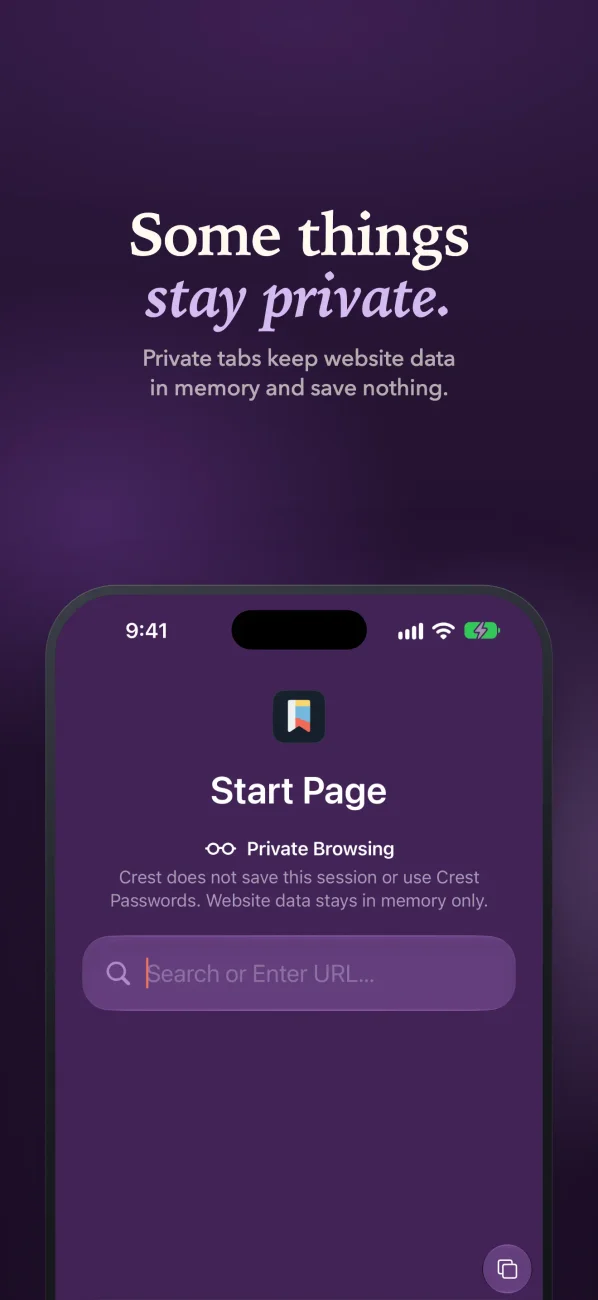
Private Browsing uses temporary website storage. Private tabs stay out of saved history, restoration, archive, and sync. Crest does not run an advertising SDK, collect browsing analytics, or require a Crest account.
PICK UP ON ANOTHER DEVICE
Optional iCloud sync keeps supported Space and tab organization available across your Apple devices through your private iCloud database. Crest is also available for Mac.
Crest is free and open source, built with Apple's WebKit. Requires iOS 26.1 or iPadOS 26.1 or later. Some website features and integrations vary by device.
Neue Funktionen
Version 0.10.8 · 18.11.2026
Crest 0.10 brings three styles, new sidebar settings, and a Material color setting that keeps glass surfaces and text readable over any Space.
• Choose a style in Settings › Appearance or during setup. Heraldic keeps every control, while Modern and Simple show fewer, simpler ones and keep the rest under Advanced. Any Space can have its own, and Space icons in the switcher can be dots.
• Texture is its own setting for every Space.
• Choose how much room the sidebar keeps between rows with Spacing, and set Tab size from Thin to Large.
• Hold a tab or pin to preview its page, or hold a folder to see its tabs with a search field.
• Groups gather open tabs under a simple header that syncs to every device.
• Folders and groups have a … button for their actions, and you can move a whole folder to another Space. An open folder's or group's archive box archives all its tabs, and a saved folder's − unloads them.
• A closed folder shows only its loaded tabs, and Split Views look and work like folders.
• A tab's menu offers Save Tab and Unsave Tab. New tabs open at the top of your open tabs, or at the bottom or in the current folder if you choose.
• On iPad and an unfolded iPhone, the page slides with the sidebar as you switch Spaces. With Animate pages when switching Spaces off or Reduce Motion on, it fades instead, and the setting is now in Appearance.
• Material color sets how the address field, pins and other glass surfaces read. Automatic follows each Space, or keep them Light, Dark or System. Text over a Space's colors is easier to read.
• Going back from the first page of a tab a link opened closes it and returns you to the tab that opened it.
• Super Copy, on by default, copies and shares links without known trackers.
Fixes
• A click anywhere in the address field opens it, in Quick Windows too.
• A folder inside a closed folder opens when you tap it, and folder rows line up with the tabs beside them.
• The Private Browsing Space no longer offers a lock, which could lock it with no way back in until Crest quit.
• Going back in a tab Crest reopened shows the earlier page again on sites such as Reddit.
• Crest no longer crashes while it checks which languages it can translate a page into.
App-Datenschutz
Was Paul Davis im App Store zum Umgang dieser App mit Daten angibt.
-
Keine Daten erfasst
Der Entwickler erfasst keine Daten von dieser App.
Die Datenschutzpraktiken können variieren, zum Beispiel je nach den von Ihnen verwendeten Funktionen oder Ihrem Alter.
Informationen
- Anbieter
- Paul Davis
- Kategorie
- Dienstprogramme
- Version
- 0.10.8
- Aktualisiert
- 18.11.2026
- Veröffentlicht
- 02.09.2026
- Größe
- 80,6 MB
- Erfordert
- iOS 26.1 oder neuer
- Altersfreigabe
- 17+
- Preis
- Kostenlos
- Sprachen
- Englisch, Arabisch
- Copyright
- © 2026 Paul Davis
Das könnte Ihnen auch gefallen
-
 Lens: Simple, Private BrowserDienstprogramme
-
 Balance BrowserDienstprogramme
-
 Akari: Browser with Ad BlockerDienstprogramme
-
 Emerald BrowserDienstprogramme
-
 Blank BrowserDienstprogramme
-
 MarsBrowserDienstprogramme
-
 Vanilla - Private BrowserKlares Design, schnelle Suche
-
 Vee BrowserDienstprogramme
-
 Private Browser: Web IncognitoDienstprogramme
-
 tabbrowser: Ad Blocker BrowserDienstprogramme