Cube Mentor: 3x3 Solver
Easy cubing guide & algorithms
Entwickelt für iPhone, iPod touch
Kostenlos · In-App-Käufe
- Altersfreigabe4+
- KategorieBildung
- EntwicklerVishnu Vidyadharan
- SprachenEnglisch
- Größe27,6 MB
Verlinkt auf die offizielle App Store-Seite
Download.org hostet keine Datei von Cube Mentor: 3x3 Solver. Die Schaltfläche öffnet die App-Seite bei App Store, wo Vishnu Vidyadharan die App veröffentlicht. Eintrag zuletzt geprüft am 29.11.2026.
Screenshots
Info
Der Entwickler hat diesen Text nicht in Ihrer Sprache bereitgestellt.
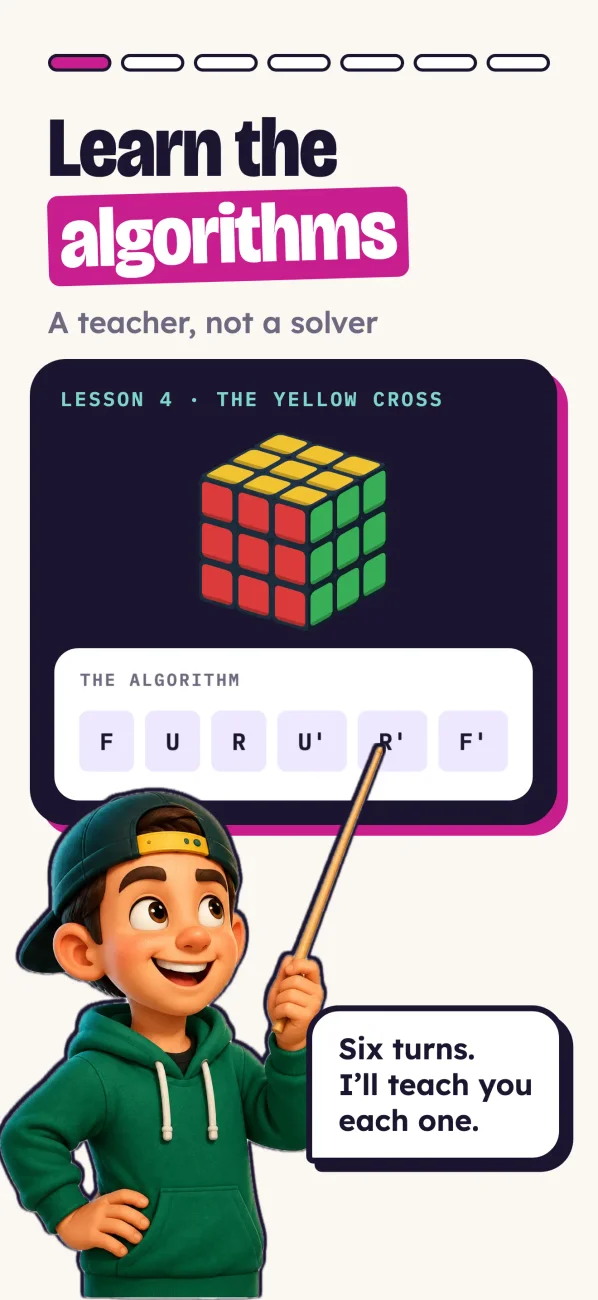
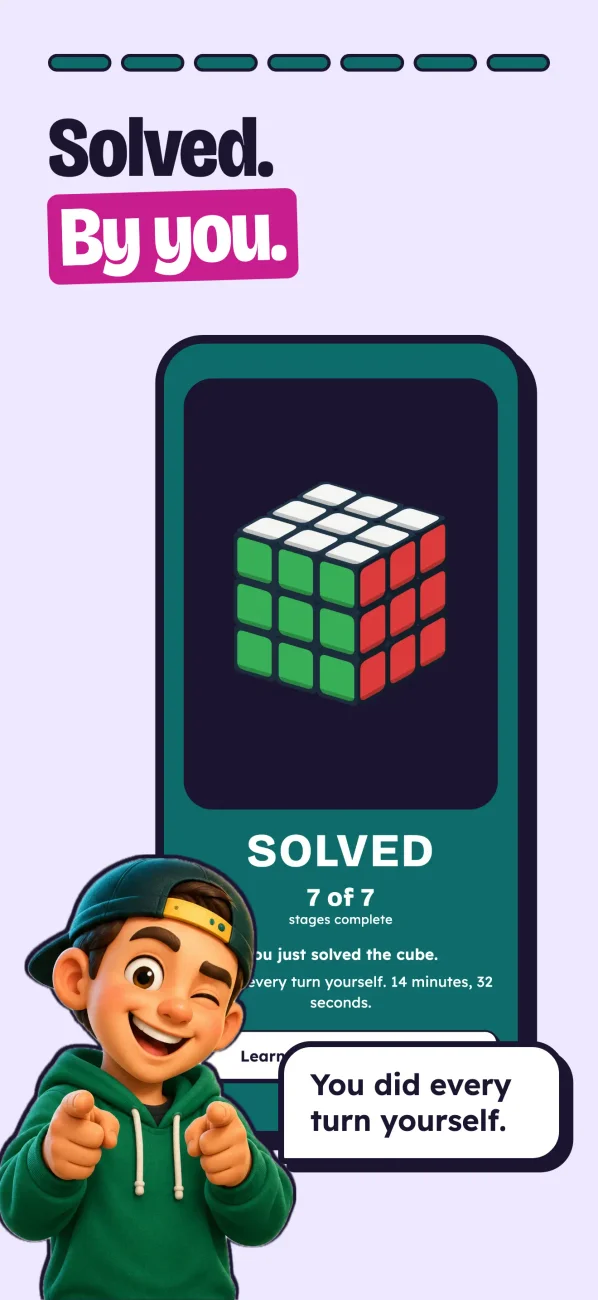
Most cube apps solve the cube for you. Cube Mentor teaches you to solve it yourself — one stage at a time, with a 3D cube that shows you exactly which way to turn.
Point your camera at each face. Cube Mentor reads the colors, works out which stage your cube is already at, and coaches you from there. No memorizing a wall of notation, no scrubbing back through a video, no guessing what "R U R' U'" is supposed to mean.
HOW IT WORKS
1. Scan — hold up each face and let the camera read it. Or type the colors in by hand if you'd rather.
2. Learn — Cube Mentor works out the stage your cube is actually at, and teaches that stage.
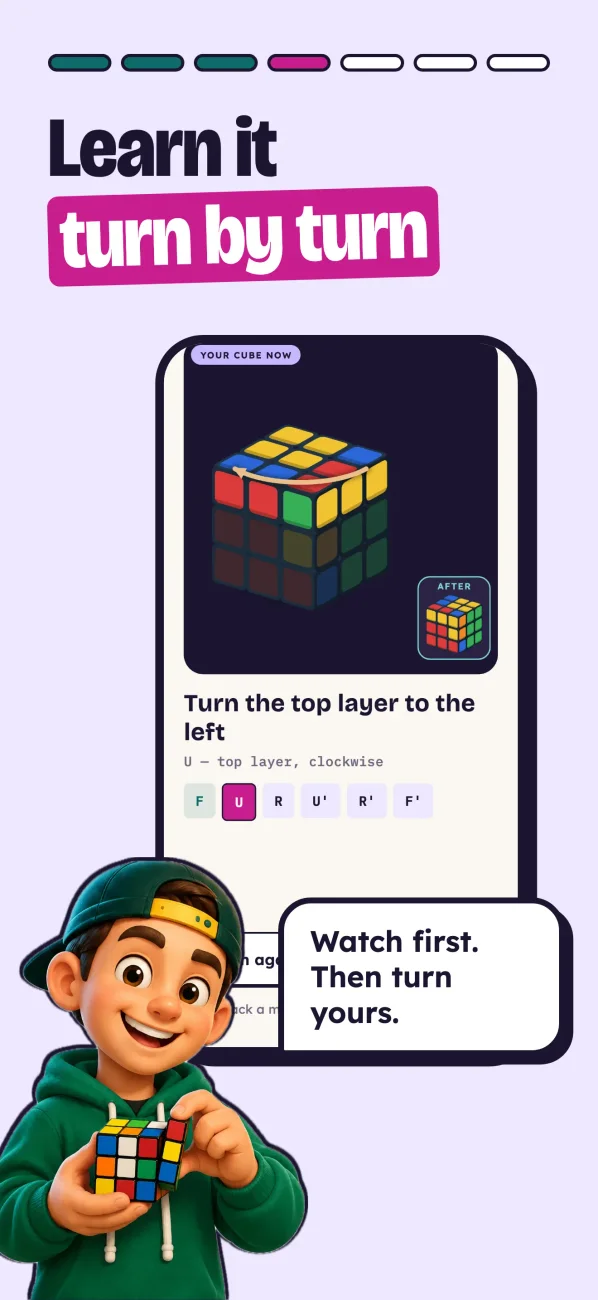
3. Turn — a 3D cube shows every move with an arrow. Follow along on the cube in your hands.
THE SEVEN STAGES
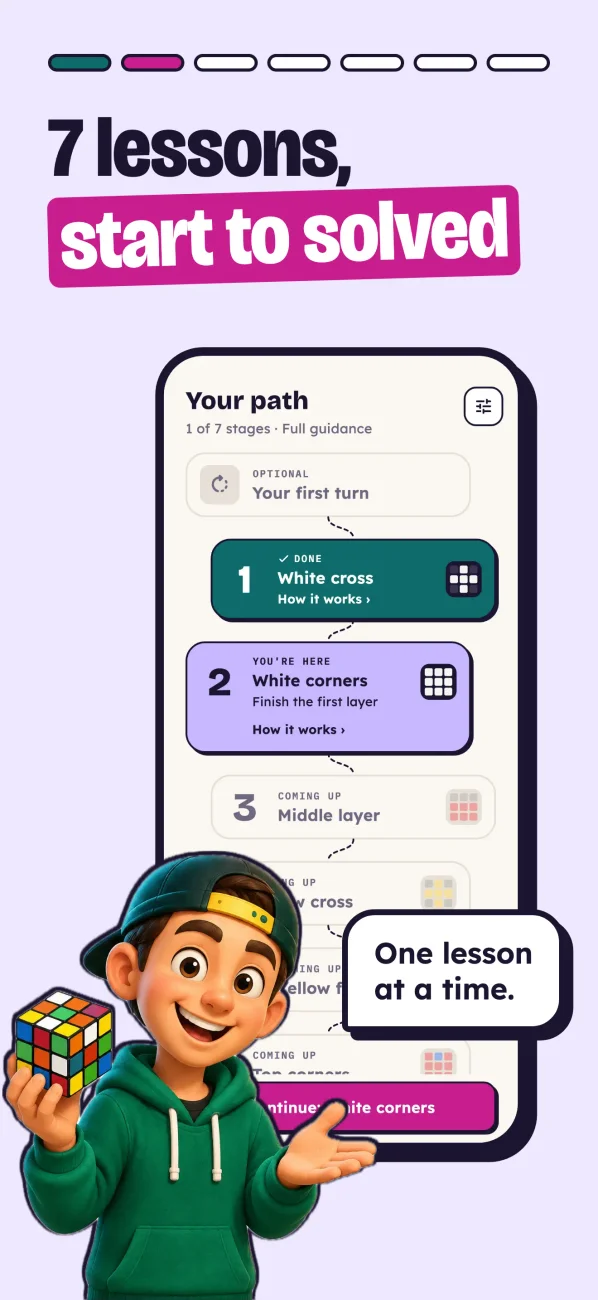
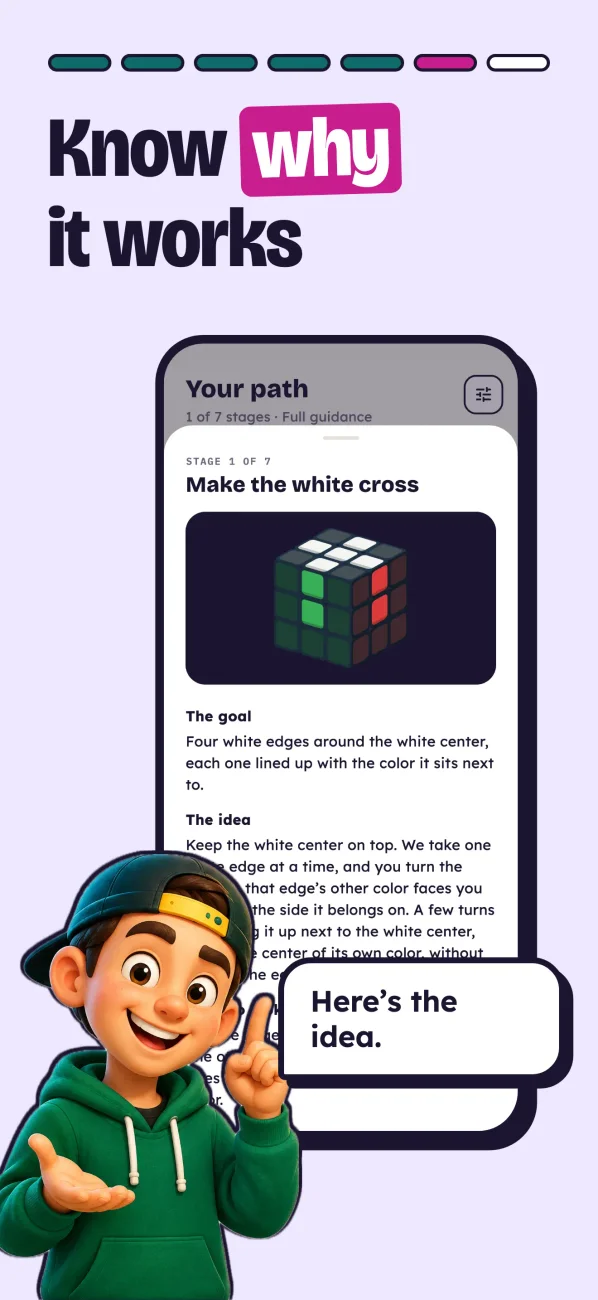
1. White cross — four white edges around the white center
2. White corners — finish the first layer
3. Middle layer — the left and right algorithms
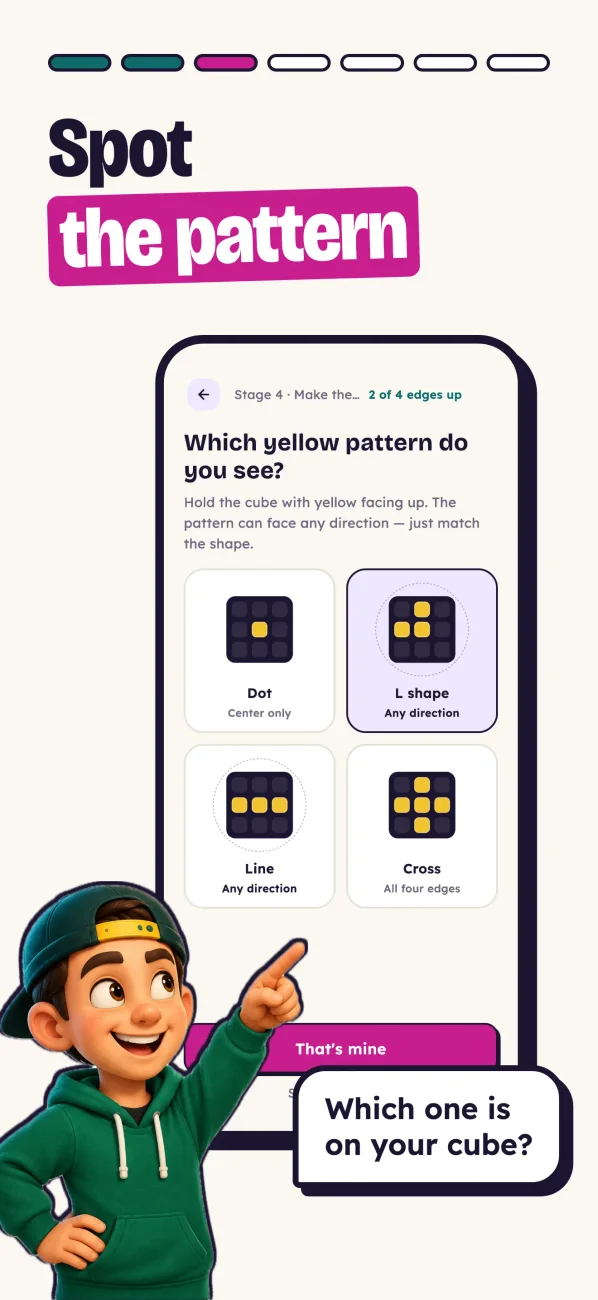
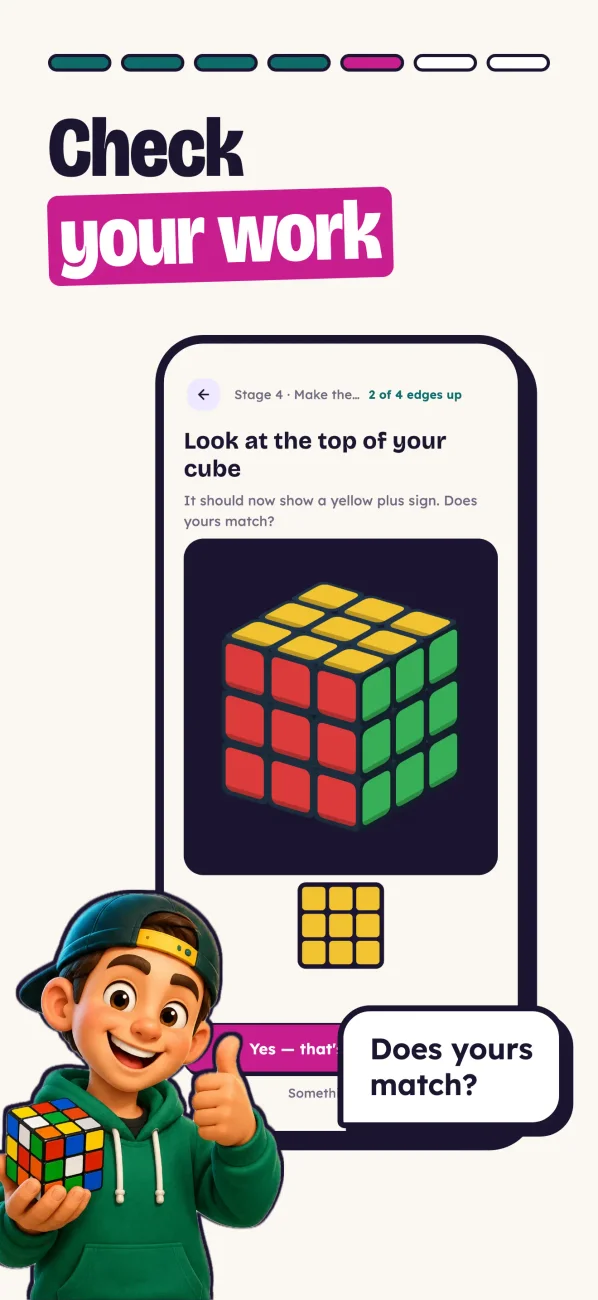
4. Yellow cross — a yellow plus sign on top
5. Yellow face — all nine yellow squares
6. Corner positions — move corners into place
7. Final edges — the last four pieces
Finish a stage and Cube Mentor names what you just achieved and what it means for the cube in your hands.
WHY CUBE MENTOR
• Learn to solve it. You are taught the moves, not handed an answer to copy.
• Never guess your next turn. The arrow shows you the face and the direction.
• Built for complete beginners. No cube vocabulary needed to start.
• Camera scanning, with a manual color editor available at every step.
• It tells you when to rotate the whole cube, so you always know how to hold it.
• Pick up where you left off — your stage is remembered between sessions.
• Screen-reader labels throughout, and every move described in plain language.
• Reduced-motion support, and layouts that hold up at double text size.
PRIVACY
• Free, with ads. One small purchase removes them for good.
• Never an ad during a lesson or a scan.
• Ads are not personalized. The app does not use your advertising ID and never asks to track you.
• No account, no sign-up, no email address.
• Lessons and scanning work offline. Only ads and the purchase need a connection.
• The camera is used only to read the colors on your cube.
WHO IT'S FOR
Anyone holding a scrambled 3x3 who has never solved one. Anyone who followed a tutorial once, got lost somewhere around the middle layer, and put the cube back in a drawer. Anyone who has quietly meant to learn this for years and never got round to it.
Looking for a cube solver that explains itself instead of just printing a solution? That's this.
Cube Mentor covers the standard 3x3 cube. Once installed it appears on your home screen as Cube Coach.
You already own the cube. This is the coach.
Neue Funktionen
Version 1.1.0 · 28.11.2026
A new look, and a new way to learn.
• Your path: all seven stages on one screen. Open any stage you've reached to see its goal and the idea behind its turns.
• Watch, then turn: each turn plays on screen first, then you make it on your cube.
• A small "after" cube beside each turn shows how your cube should look once you've made it.
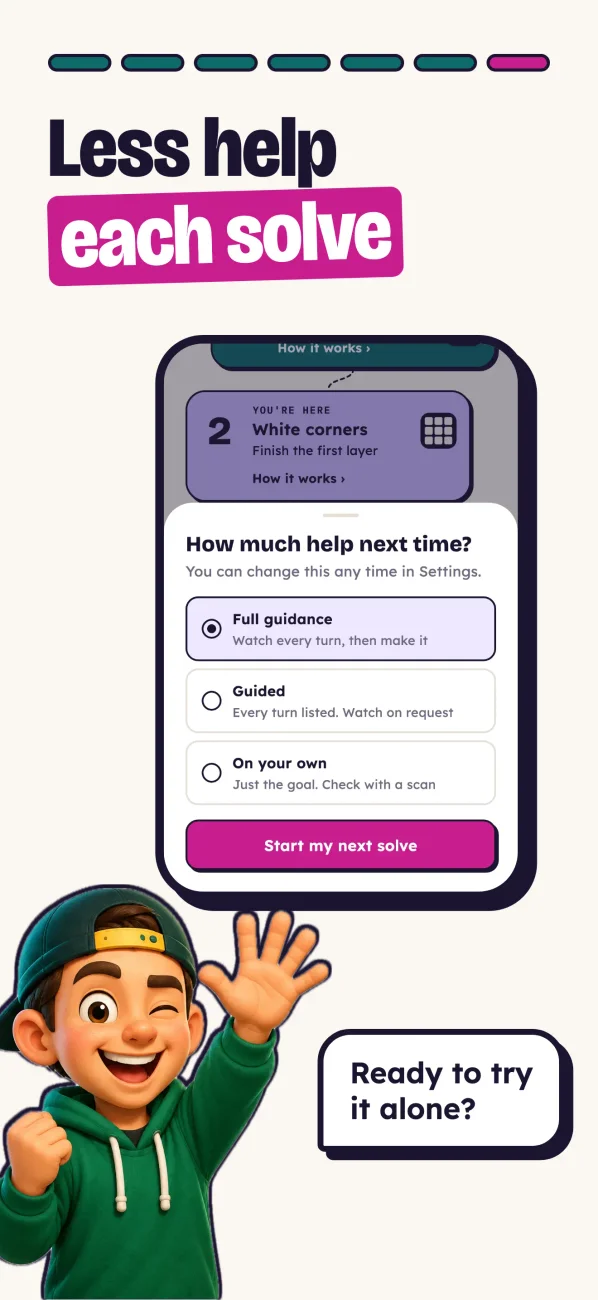
• Three coaching levels: Full guidance, Guided and On your own. After each solve you can choose a little less help.
• Clearer help when a turn goes the wrong way.
• A one-minute first-turn lesson for complete beginners. Skip it any time.
• Letters on the stickers, in Settings, for anyone who finds the colors hard to tell apart.
This version adds ads. There is never one during a lesson or a scan, and none before you finish your first stage. One small purchase removes them for good.
App-Datenschutz
Was Vishnu Vidyadharan im App Store zum Umgang dieser App mit Daten angibt.
-
Mit Ihnen verknüpfte Daten
Können erfasst und mit Ihrer Identität verknüpft werden.
- Standort
- Kennungen
- Nutzungsdaten
-
Nicht mit Ihnen verknüpfte Daten
Können erfasst werden, sind aber nicht mit Ihrer Identität verknüpft.
- Diagnose
Die Datenschutzpraktiken können variieren, zum Beispiel je nach den von Ihnen verwendeten Funktionen oder Ihrem Alter.
Informationen
- Anbieter
- Vishnu Vidyadharan
- Kategorie
- Bildung
- Version
- 1.1.0
- Aktualisiert
- 28.11.2026
- Veröffentlicht
- 11.09.2026
- Größe
- 27,6 MB
- Erfordert
- iOS 15.0 oder neuer
- Altersfreigabe
- 4+
- Preis
- Kostenlos
- In-App-Käufe
- Ja
- Sprachen
- Englisch
- Copyright
- © 2026 Vishnu Vidyadharan
Das könnte Ihnen auch gefallen
-
 CubeMaster 3D Solver GuideBildung
-
 Cubelab LBLBildung
-
 Cubi – Zauberwürfel lernen3×3-Lektionen für Anfänger
-
 Cubofix: Zauberwürfel lösenWürfel scannen und in 3D lösen
-
 Cube Solver: ZauberwürfelScannen, Stoppuhr & Formeln
-
 CubeSteps: Zauberwürfel lösenAlgorithmen in 3D lernen
-
 Cube Coach: Learn to SolveBildung
-
 Piano & Sticker: GehörbildungHör einen Ton, sammle Sticker
-
 Rock Identifier: Steine GaverMineralien & Kristalle scannen
-
 xcross.gg Timer Rubik & CubeBildung