DateMap - Calendar & Countdown
Schedule reminders at a glance
Entwickelt für iPhone, iPad
In-App-Käufe
- Altersfreigabe4+
- KategorieProduktivität
- Entwickler涛 王
- SprachenEnglisch+ 2 weitere
- Größe7,1 MB
DateMap - Calendar & Countdown ist bei App Store derzeit möglicherweise nicht verfügbar
Bei unserer letzten Prüfung war der Store-Eintrag nicht erreichbar. Der Link führt weiterhin zur offiziellen App Store-Seite.
Screenshots

Info
Der Entwickler hat diesen Text nicht in Ihrer Sprache bereitgestellt.
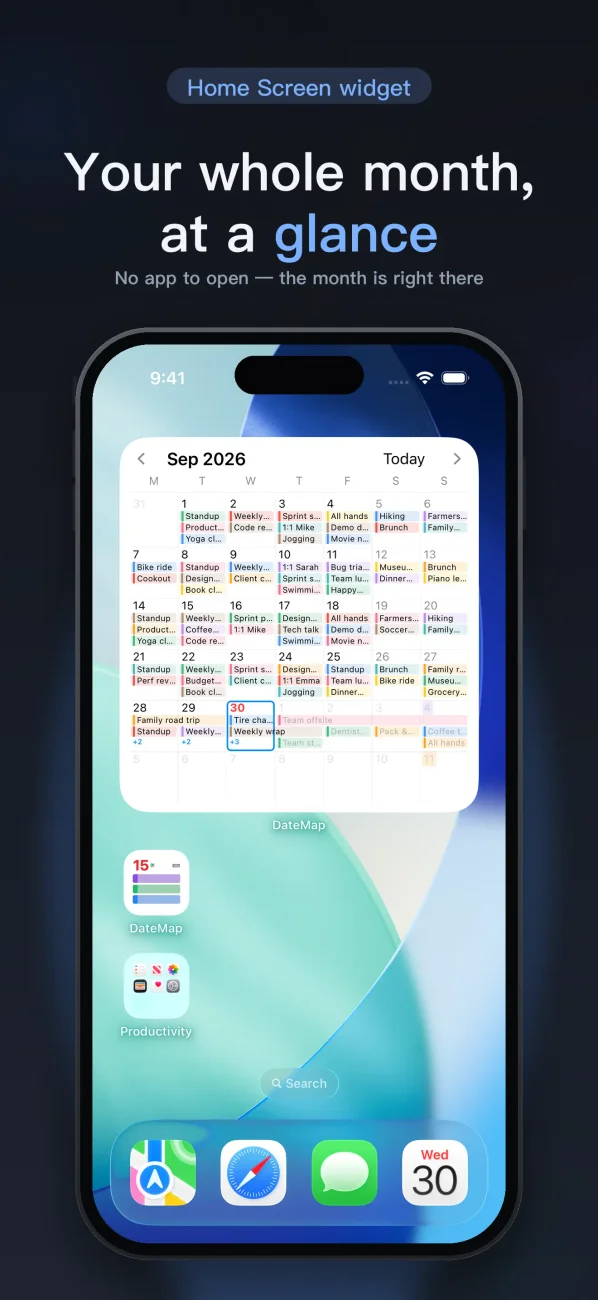
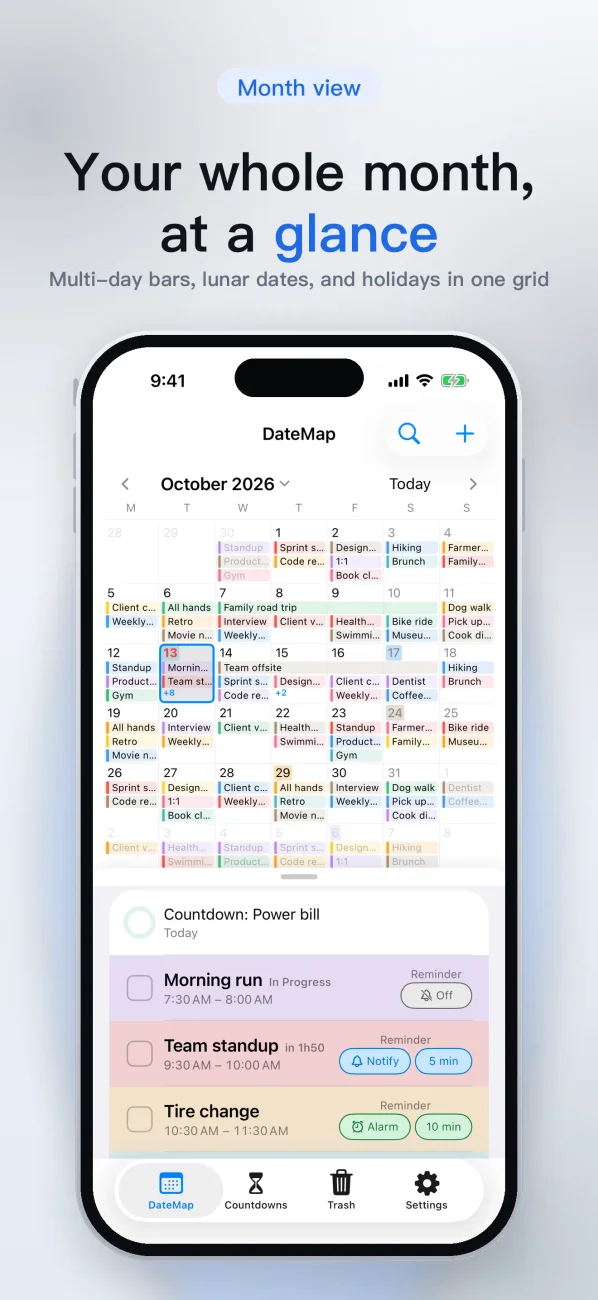
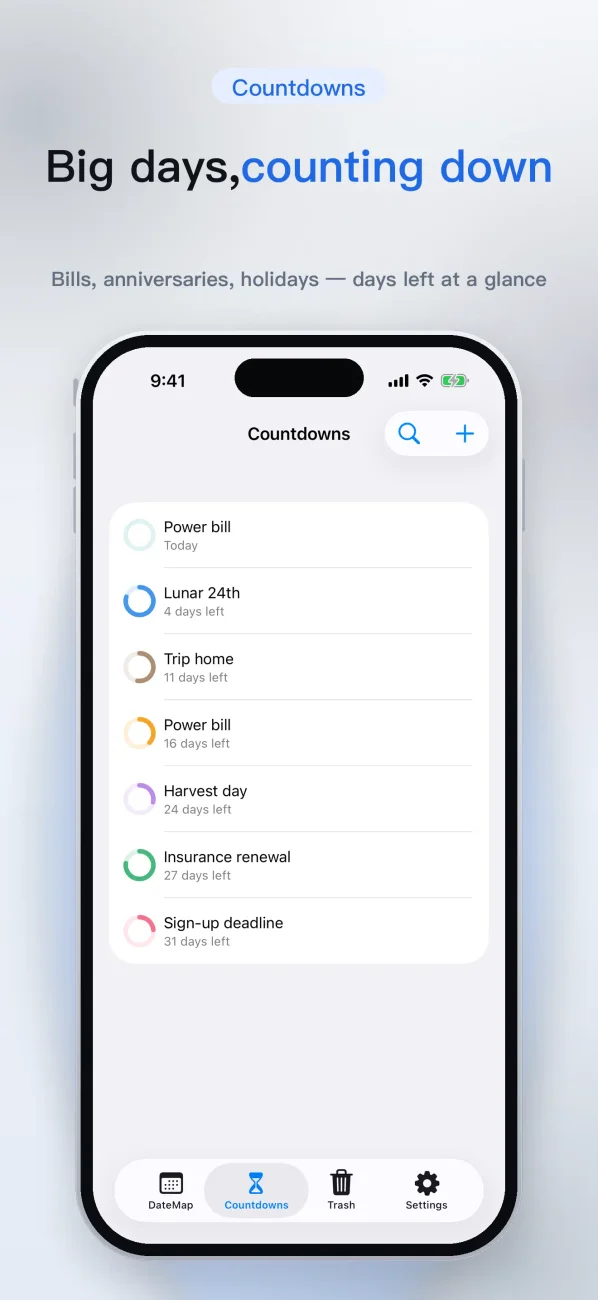
DateMap puts the whole month on your Home Screen — every day's events at a glance, with multi-day plans on one continuous bar, instead of only the next appointment. When the system language is Chinese, the Home Screen icon name is DateMap.
HOME SCREEN WIDGETS
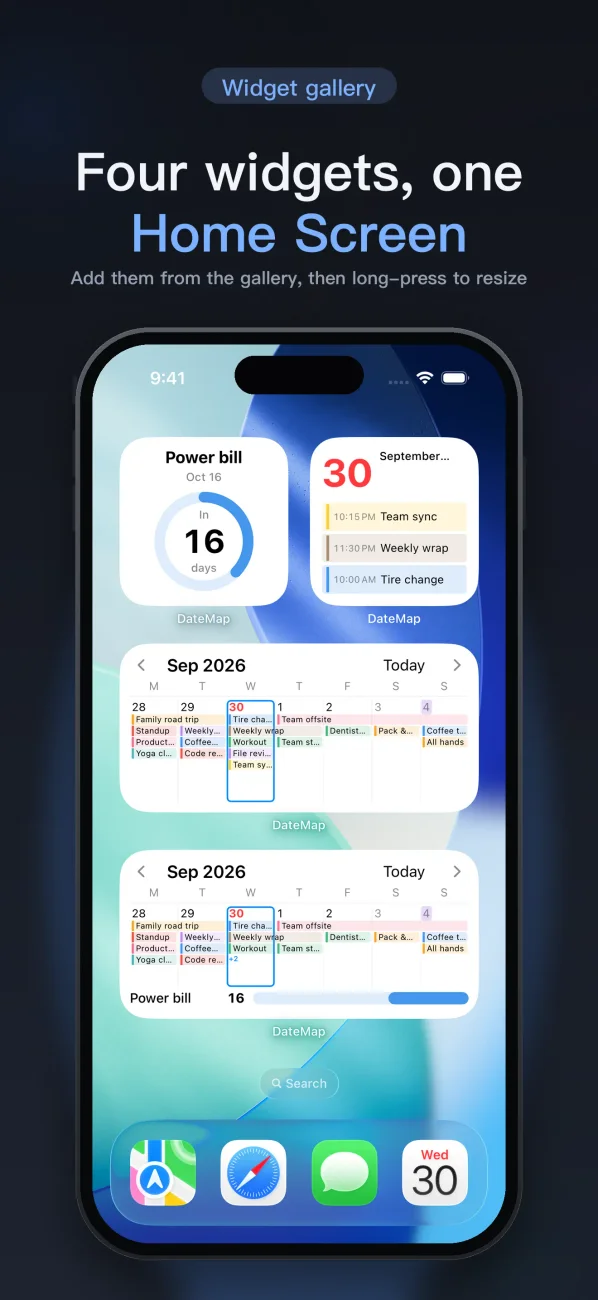
• DateMap(month calendar): small shows today, medium shows the week, large shows the whole month
• 倒数1 / 倒数2 / 倒数3: three countdown styles — ring, triple cells, and progress bars
• 组合1 (Combo 1): yesterday through the day after tomorrow, plus one countdown
• 组合2 (Combo 2): the week at a glance with a countdown progress bar
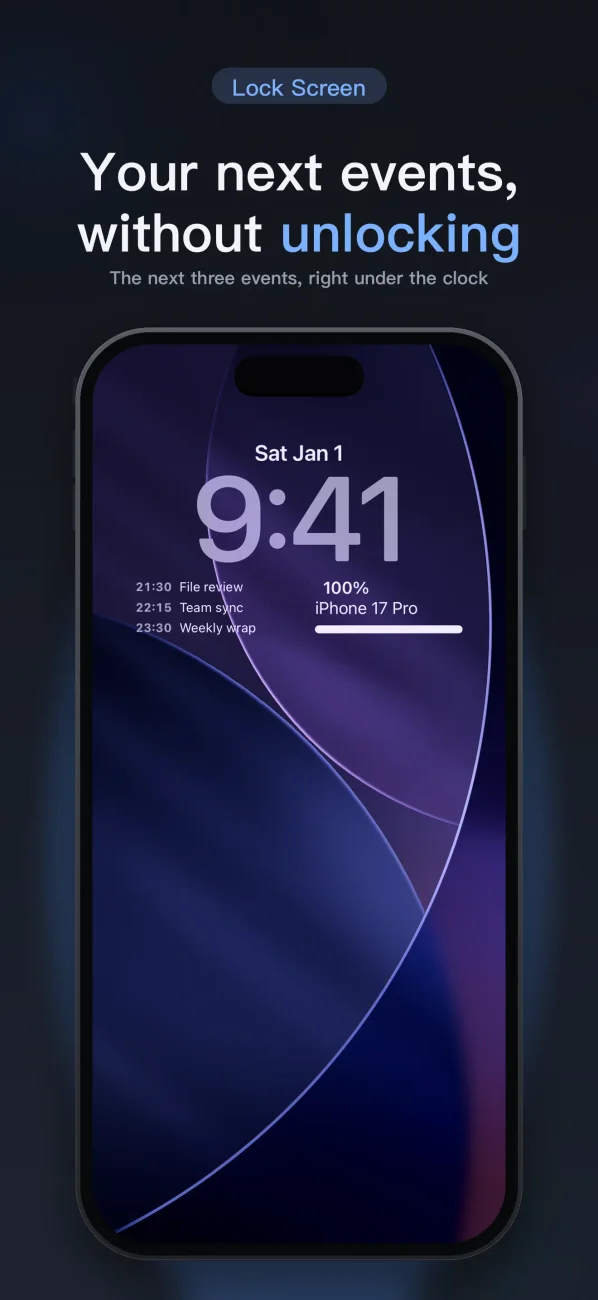
• Lock Screen 月历 (month): the current month on your Lock Screen with event dots
Widget text stays in Chinese by design; the app itself works fully in English.
DATEMAP PRO — ONE-TIME PURCHASE
Unlocks the Combo 1 & Combo 2 widgets and the Lock Screen month calendar, countdown photo backgrounds and custom colors, monthly and yearly lunar countdowns, and lunar event repeats. If you bought the old Combo widget, you already have Pro.
TWO-WAY CALENDAR SYNC
Read and edit your system Calendar events directly. Changes made here sync back to Calendar, and changes in Calendar show up here.
MADE FOR THE CHINESE CALENDAR
The month grid shows lunar dates, traditional festivals, solar terms, and public holiday rest/work days. Weeks can start on Sunday or Monday.
GET THINGS DONE
• Create events with natural language
• Repeats: daily, weekly, weekdays, and lunar (lunar monthly is Pro)
• Place search and current location
• Local reminders and countdown day-before reminders
• Countdown share cards: save or share as an image
• Color intensity: adjust event color depth in the app and widgets
• Search events, places, notes, and countdowns
• Undo and trash recovery after deleting
• Siri and Shortcuts
PRIVACY FIRST
No account, no ads. Calendar and countdown data never leaves your device — there is no developer server. Calendar, notification, and location permissions are used only for their features; location is requested only when you tap.
DateMap works on iPhone. The app interface supports 简体中文, 繁體中文, and English.
Neue Funktionen
Version 1.28 · 28.11.2026
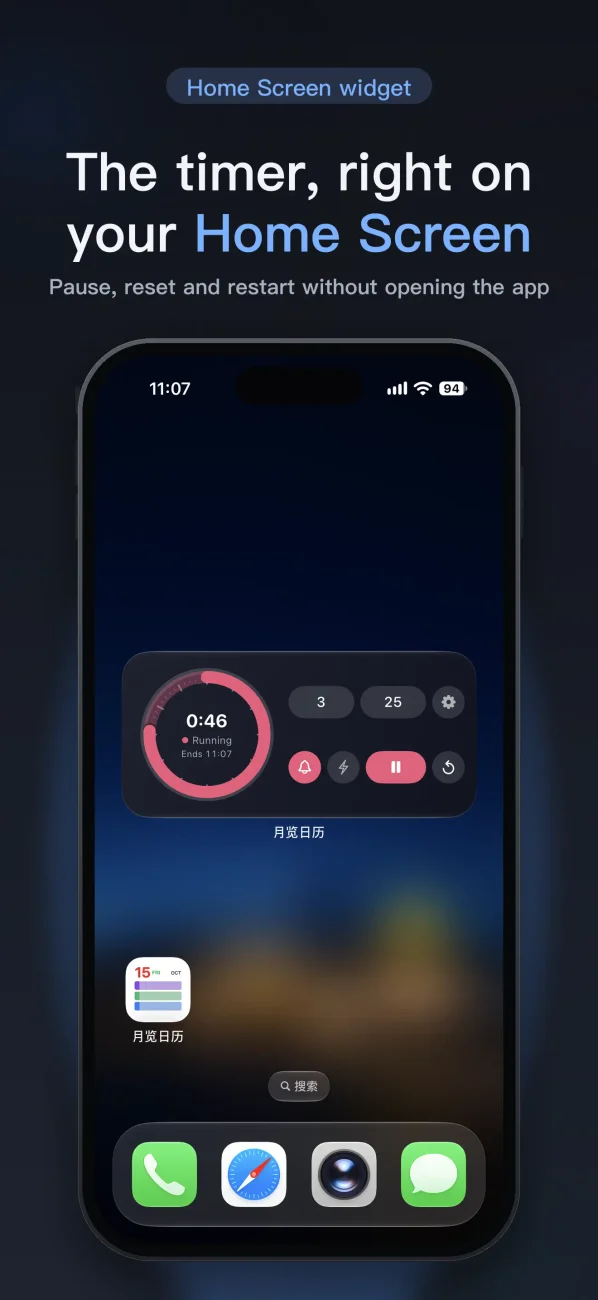
· UI polish: the Timer home-screen widget now supports light appearance, matching the month and countdown widgets
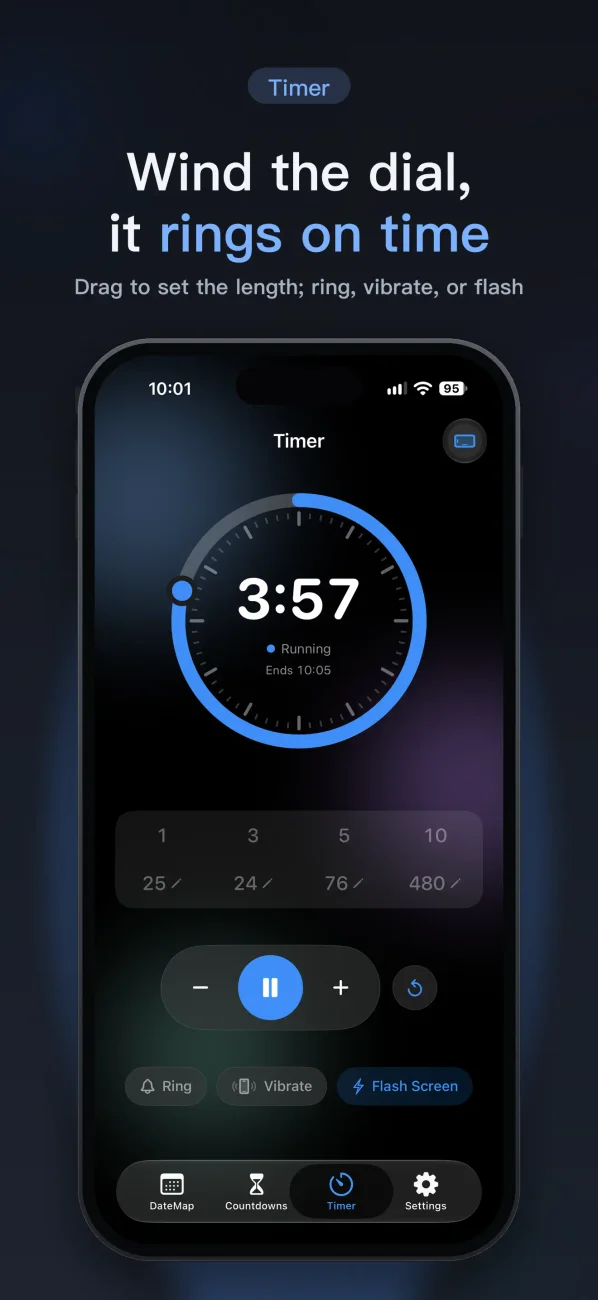
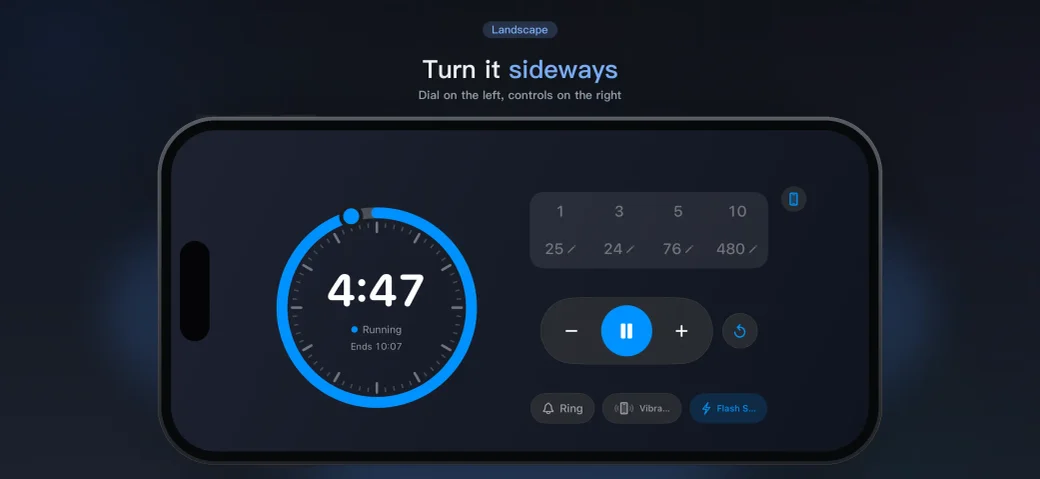
· Timer states (ready, running, paused) and the selected duration are easier to tell apart
· Countdown rows now show the target date, repeat rule, and reminder status
· Expanding the day card shows the selected date and the number of events
App-Datenschutz
Was 涛 王 im App Store zum Umgang dieser App mit Daten angibt.
-
Keine Daten erfasst
Der Entwickler erfasst keine Daten von dieser App.
Die Datenschutzpraktiken können variieren, zum Beispiel je nach den von Ihnen verwendeten Funktionen oder Ihrem Alter.
Informationen
- Anbieter
- 涛 王
- Kategorie
- Produktivität
- Version
- 1.28
- Aktualisiert
- 28.11.2026
- Veröffentlicht
- 27.09.2026
- Größe
- 7,1 MB
- Erfordert
- iOS 17.0 oder neuer
- Altersfreigabe
- 4+
- In-App-Käufe
- Ja
- Sprachen
- Englisch, Vereinf. Chinesisch, Tradit. Chinesisch
- Copyright
- © 2026 tao wang
Das könnte Ihnen auch gefallen
-
 Tymio - Time & Life PlannerProduktivität
-
 DayPlan: To Do List & CalendarProduktivität
-
 ReadTraceProduktivität
-
 MyDaily Life Tasks & RemindersProduktivität
-
 小连招Produktivität
-
 Liquid DeadlineProduktivität
-
 WeekPeek: Calendar WidgetProduktivität
-
 Lumipath 明路 - Knowledge NotesProduktivität
-
 Tempo: Calm To-Do & FocusProduktivität
-
 极简TodoProduktivität