- Altersfreigabe17+
- KategorieDienstprogramme
- EntwicklerDiego Lago Gomez
- SprachenEnglisch
- Größe11,3 MB
Verlinkt auf die offizielle App Store-Seite
Download.org hostet keine Datei von DeskView Browser. Die Schaltfläche öffnet die App-Seite bei App Store, wo Diego Lago Gomez die App veröffentlicht. Eintrag zuletzt geprüft am 17.11.2026.
Screenshots
Info
Der Entwickler hat diesen Text nicht in Ihrer Sprache bereitgestellt.
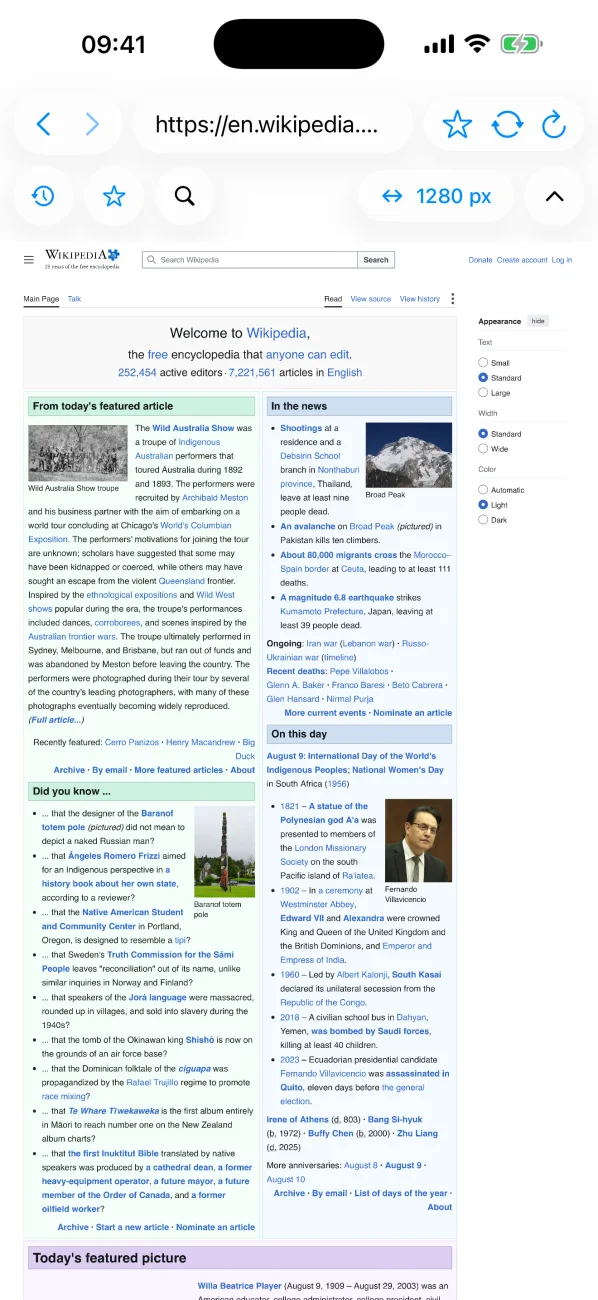
DeskView is a minimalist browser with one clear goal: view websites in their
desktop version from your phone — the ones that always serve you the reduced
mobile layout on iPhone whether you want it or not.
Safari's "Request Desktop Website" only changes how the browser identifies
itself, but leaves the viewport narrow, so many sites keep showing their mobile
design. DeskView forces the real width: the desktop layout actually kicks in.
NEW IN THIS VERSION
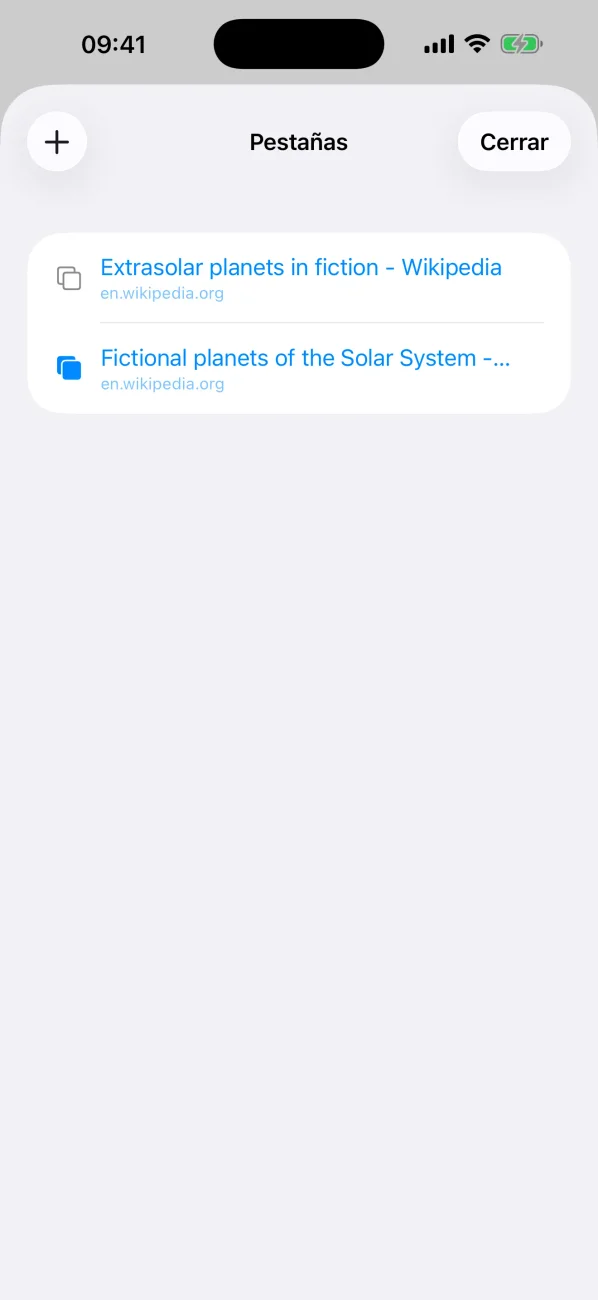
• TABS. Open as many as you like and switch without losing anything: each keeps
its page, its scroll position and your signed-in session. Press and hold a link
to open it in a new tab. And if you tap something in history that you already
have open, it jumps to that tab instead of loading it again. They're optional.
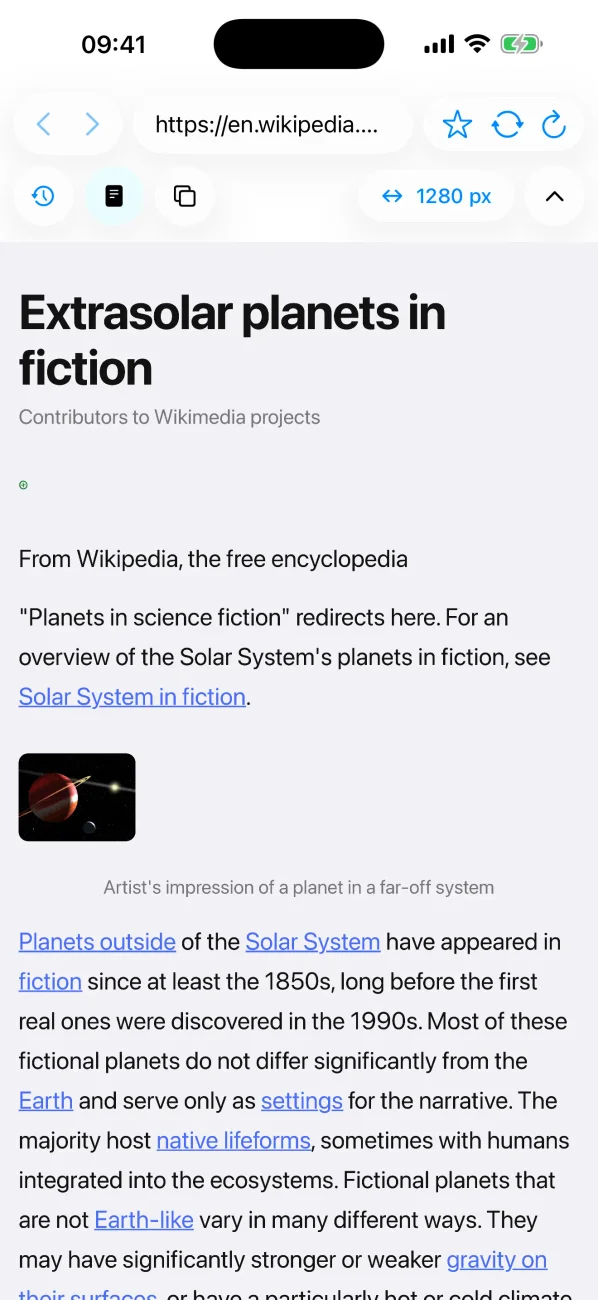
• READER MODE. One tap leaves the article with only what matters: no menus, no
sidebars, no banners. Large comfortable text, with dark mode. Tap again to go
back to the normal page.
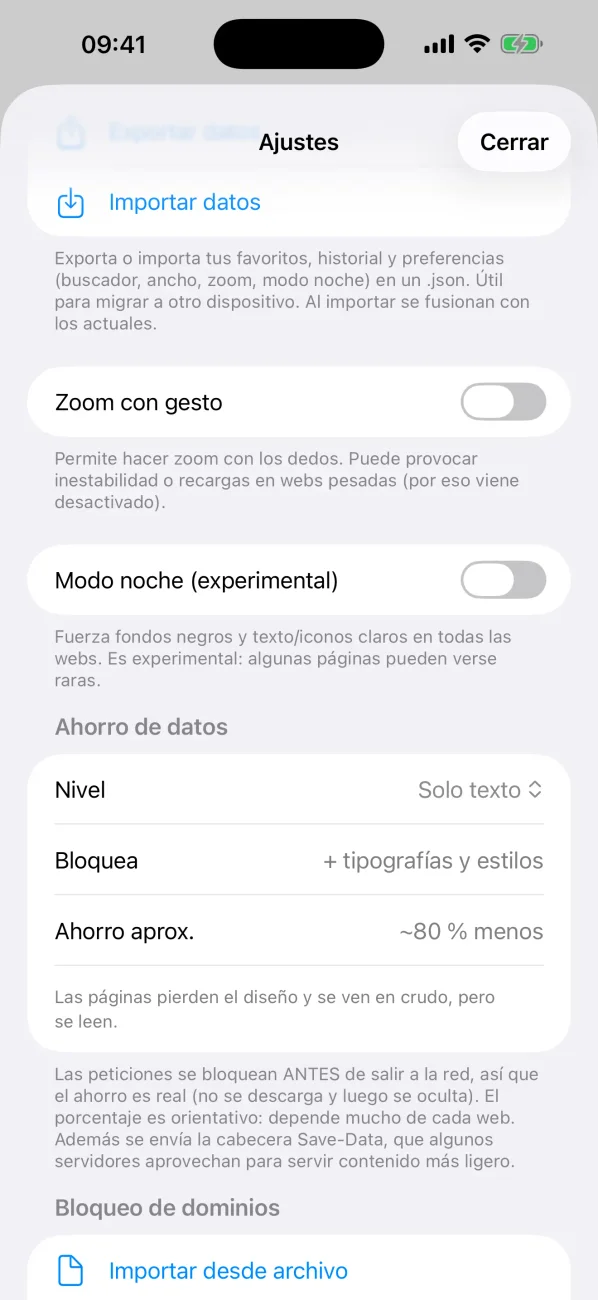
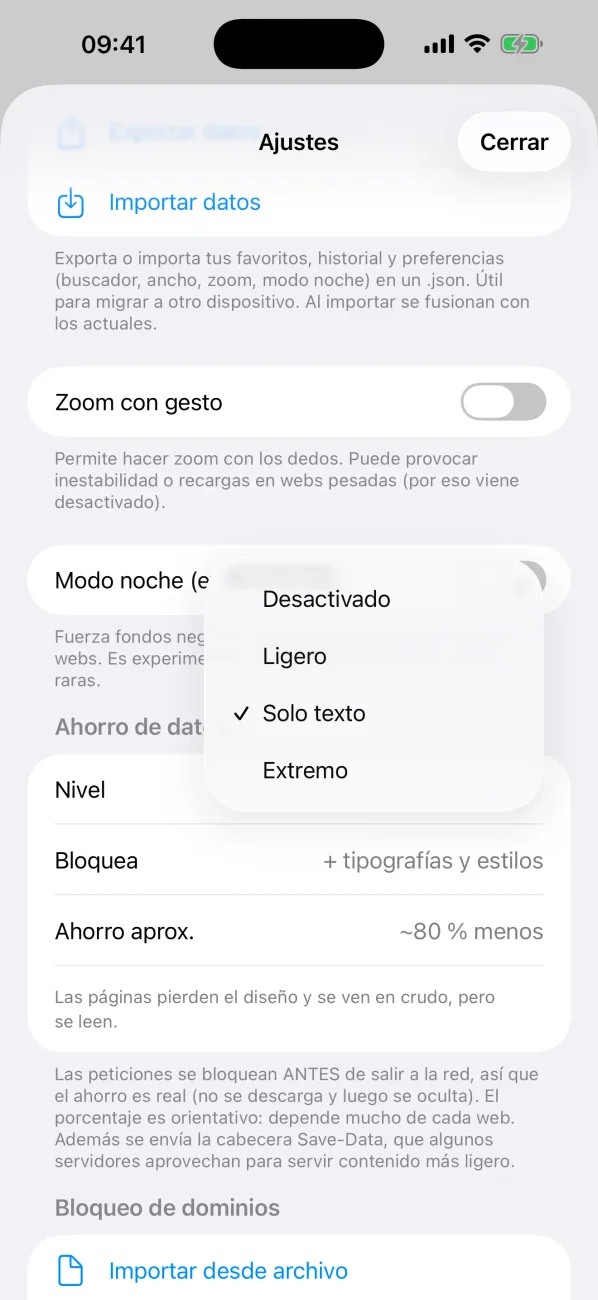
• DATA SAVER with three levels. Requests are blocked before they reach the
network, so the saving is real: nothing is downloaded and then hidden.
– Light: no images or video (~60-70% less). Most sites still work normally.
– Text only: also no fonts or stylesheets (~80% less).
– Extreme: also no JavaScript (~90% less).
Each level tells you what it blocks and what you'll notice.
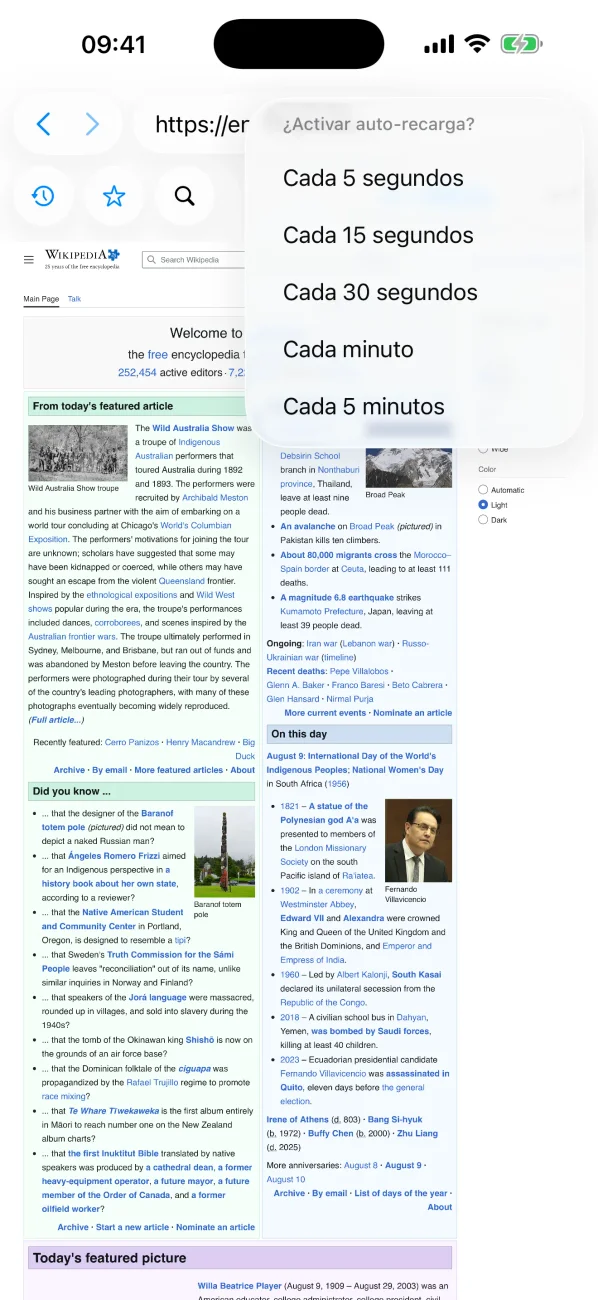
• AUTO-RELOAD. Press and hold either reload button and pick how often the page
refreshes, from 5 seconds to 5 minutes. Perfect for dashboards, live scores, or
waiting for something to change. It pauses when you leave the app and stops
after half an hour, so it can't quietly eat your data.
• MULTIPLE BLOCKLISTS. Each list is stored separately: enable, disable or delete
it without touching the others. The 50,000 domain cap is per list, so several
lists add up.
REAL DESKTOP MODE
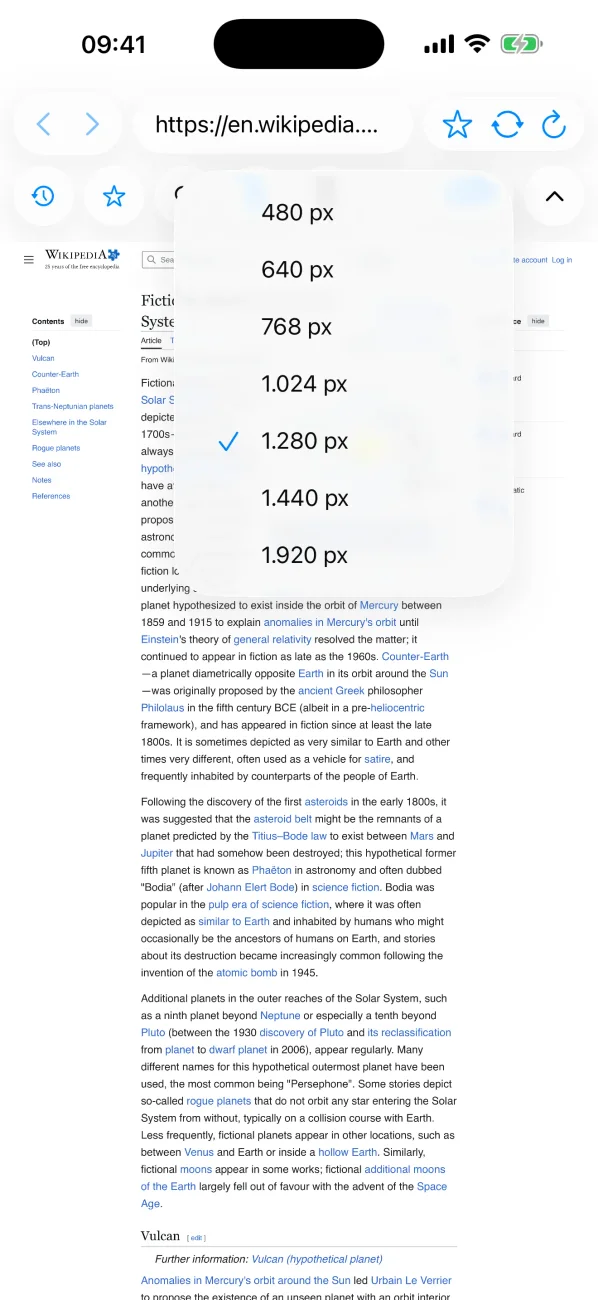
• 7 widths in one tap: 480, 640, 768, 1024, 1280, 1440 and 1920 px.
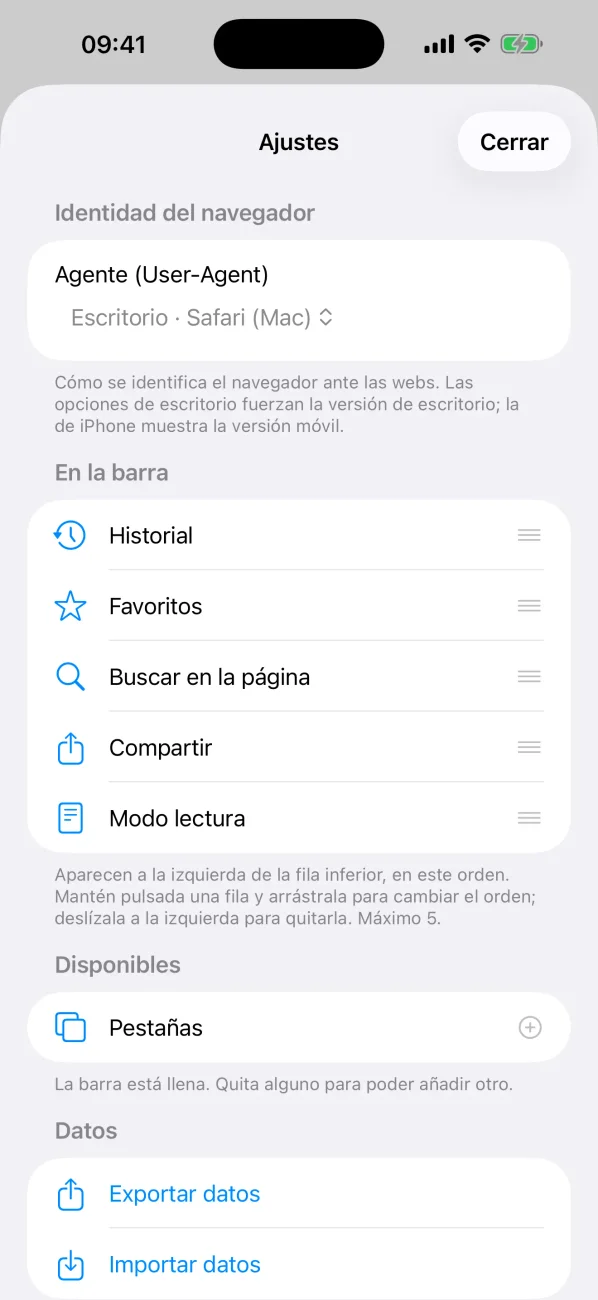
• Browser identity (user agent) picker: Safari (Mac), Chrome (Windows) or Safari
(iPhone), independent from the width.
AD AND TRACKER BLOCKING
• Import domain blocklists from a file or a URL.
• Native, efficient blocking that persists between sessions.
COMFORTABLE BROWSING
• Favorites (now removable from their own menu) and history.
• Your choice of search engine: DuckDuckGo, Google or Ecosia.
• Find text within the page.
• Normal reload and reload without cache.
• Share the current page.
• Persistent session: your logins survive closing the app.
• Reopens the last page when you come back.
MADE YOUR WAY
• Customizable toolbar: pick which buttons to show (up to 5) from history,
favorites, find, share, reader mode and tabs, and drag them into the order
you want.
• The bar hides as you scroll and returns when you scroll up.
• Experimental night mode for any website.
• Optional pinch-to-zoom.
• Export and import your data to move devices.
FOR THE CURIOUS
• JavaScript console, page source, and a built-in mini game that doubles as the
offline screen.
PRIVACY
No accounts, no ads, no tracking. Everything is stored on your device; the app
does not send your data to any server of ours.
WORTH KNOWING BEFORE YOU INSTALL
• Biometric verification for some services (for example, signing in to Google with
Face ID or passkeys) does not work inside the app: it is a limitation of iOS's
web engine for third-party apps. Use password plus a code; your session is still
saved.
• DeskView has not been tested with every website in the world. It works great on
most, but we cannot guarantee compatibility with every site.
• Pinch-to-zoom is disabled by default for stability on very heavy pages. You can
enable it in Settings.
• Data-saving percentages are a rough guide: they vary a lot per site.
• Reader mode needs the page to be an article. On home pages, search results or
dashboards there is nothing to simplify, and the app tells you so.
Interface in English or Spanish (also Catalan, Galician and Basque), matching your
iPhone's language.
Neue Funktionen
Version 1.3 · 27.08.2026
DOWNLOADS. Files can now be downloaded: tap a download link and DeskView fetches the file, then asks where you want to keep it — on your iPhone, in iCloud, or in any other app. You get the name and progress while it downloads, and your downloads also show up in the Files app.
App-Datenschutz
Was Diego Lago Gomez im App Store zum Umgang dieser App mit Daten angibt.
-
Keine Daten erfasst
Der Entwickler erfasst keine Daten von dieser App.
Die Datenschutzpraktiken können variieren, zum Beispiel je nach den von Ihnen verwendeten Funktionen oder Ihrem Alter.
Informationen
- Anbieter
- Diego Lago Gomez
- Kategorie
- Dienstprogramme
- Version
- 1.3
- Aktualisiert
- 27.08.2026
- Veröffentlicht
- 18.08.2026
- Größe
- 11,3 MB
- Erfordert
- iOS 26.5 oder neuer
- Altersfreigabe
- 17+
- Preis
- 1,99 €
- Sprachen
- Englisch
- Copyright
- © 2026 Diego Lago
Das könnte Ihnen auch gefallen
-
 Fullsite: Desktop BrowserDienstprogramme
-
 SealSkinDienstprogramme
-
 PC View Mode for SafariEchtes Desktop-Layout
-
 TubeOneDienstprogramme
-
 Palm: Tiny JavascriptDienstprogramme
-
 Cooly: Control Aire ACDienstprogramme
-
 avsonarDienstprogramme
-
 iHomepage BrowserTab-Browser · Meine Startseite
-
 Blur Face Editor toolDienstprogramme
-
 LocalMind: Ollama & LM StudioPrivate KI, lokal und vernetzt