- 対象年齢17+
- カテゴリユーティリティ
- 開発元Diego Lago Gomez
- 言語英語
- サイズ11.3 MB
App Storeの公式ページにリンクしています
Download.orgはDeskView Browserのファイルを一切ホストしていません。ボタンを押すと、Diego Lago Gomezが公開しているApp Storeのアプリページが開きます。ページの最終確認:2026/11/17。
スクリーンショット
概要
開発元はこのテキストをお使いの言語で提供していません。
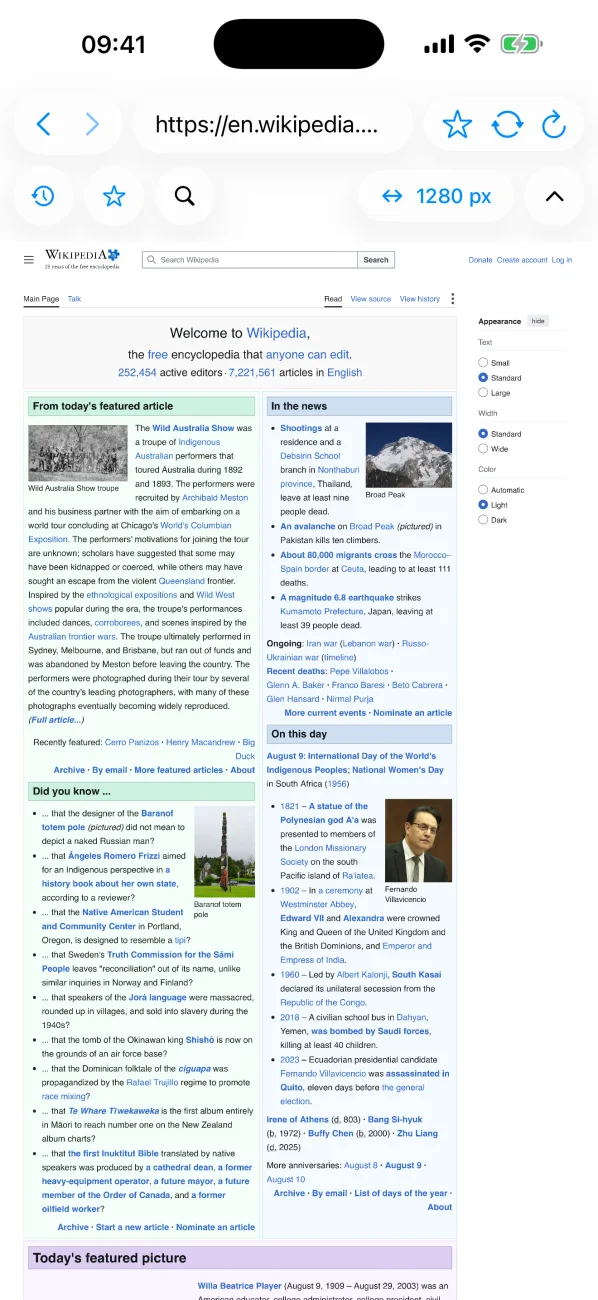
DeskView is a minimalist browser with one clear goal: view websites in their
desktop version from your phone — the ones that always serve you the reduced
mobile layout on iPhone whether you want it or not.
Safari's "Request Desktop Website" only changes how the browser identifies
itself, but leaves the viewport narrow, so many sites keep showing their mobile
design. DeskView forces the real width: the desktop layout actually kicks in.
NEW IN THIS VERSION
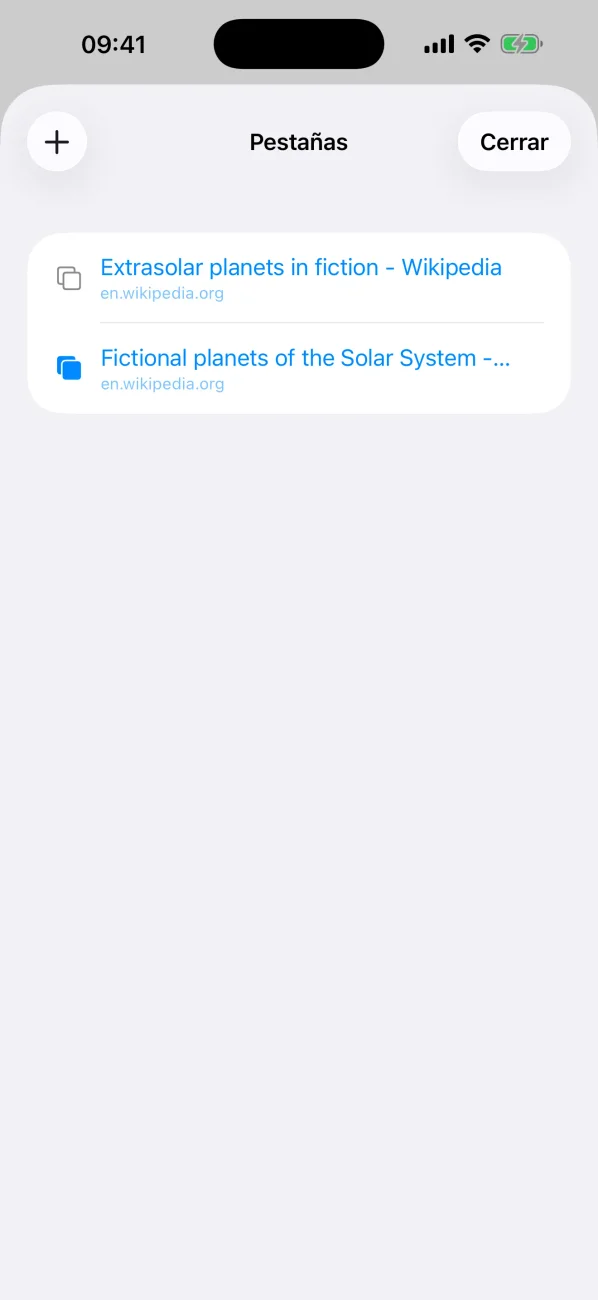
• TABS. Open as many as you like and switch without losing anything: each keeps
its page, its scroll position and your signed-in session. Press and hold a link
to open it in a new tab. And if you tap something in history that you already
have open, it jumps to that tab instead of loading it again. They're optional.
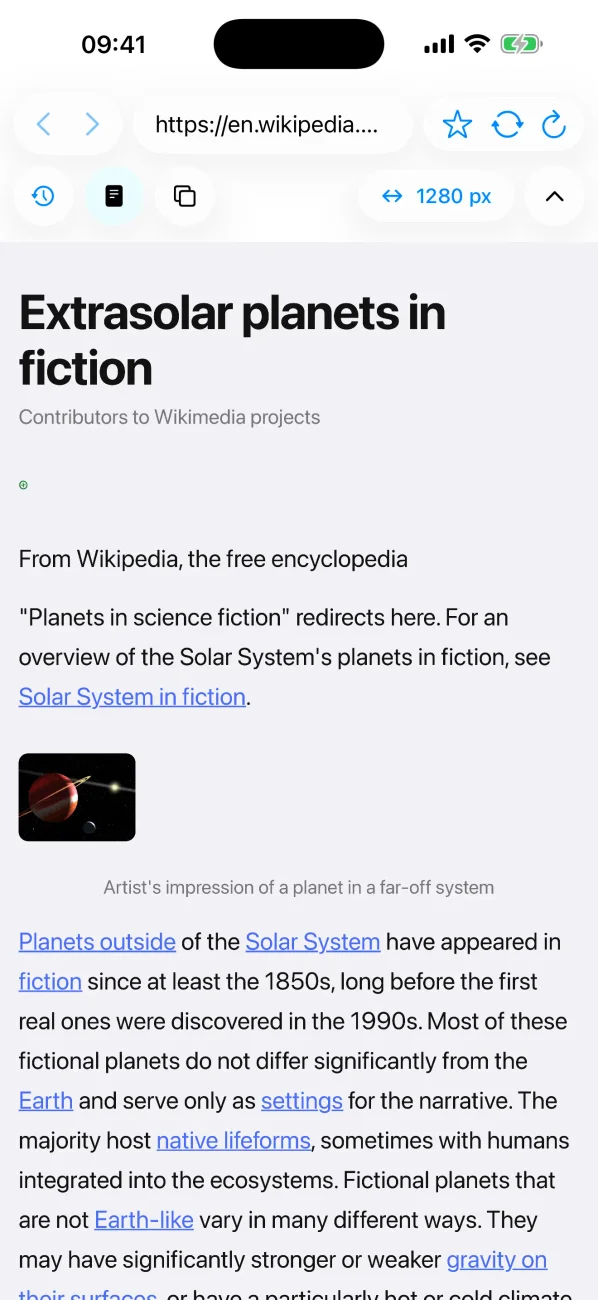
• READER MODE. One tap leaves the article with only what matters: no menus, no
sidebars, no banners. Large comfortable text, with dark mode. Tap again to go
back to the normal page.
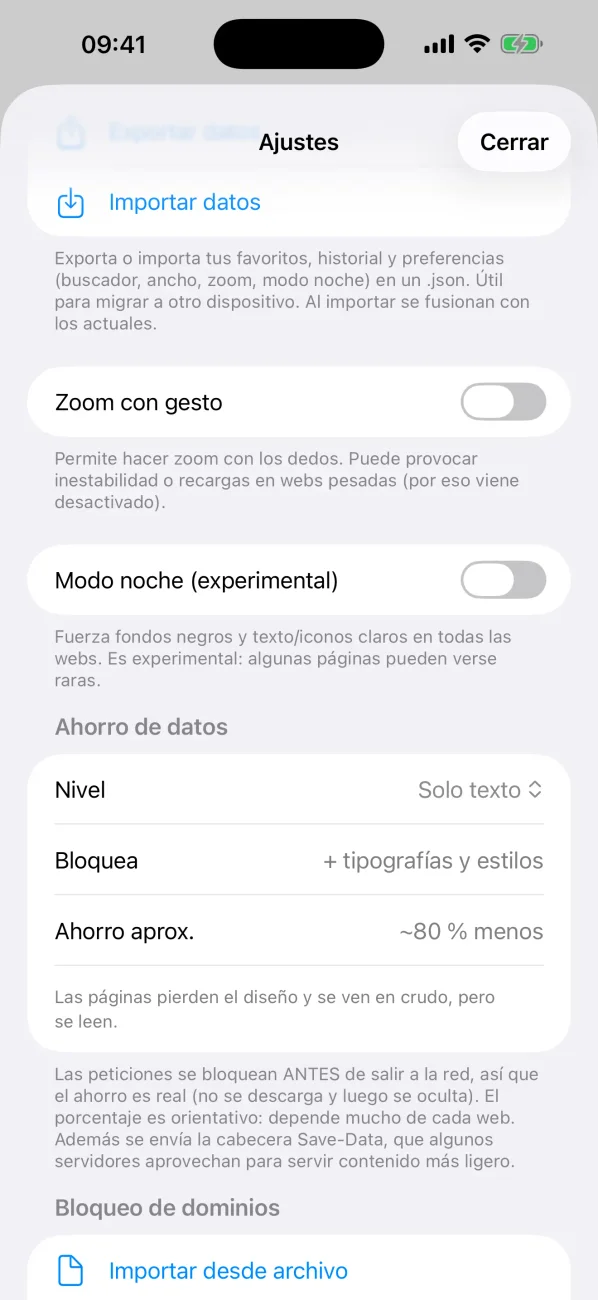
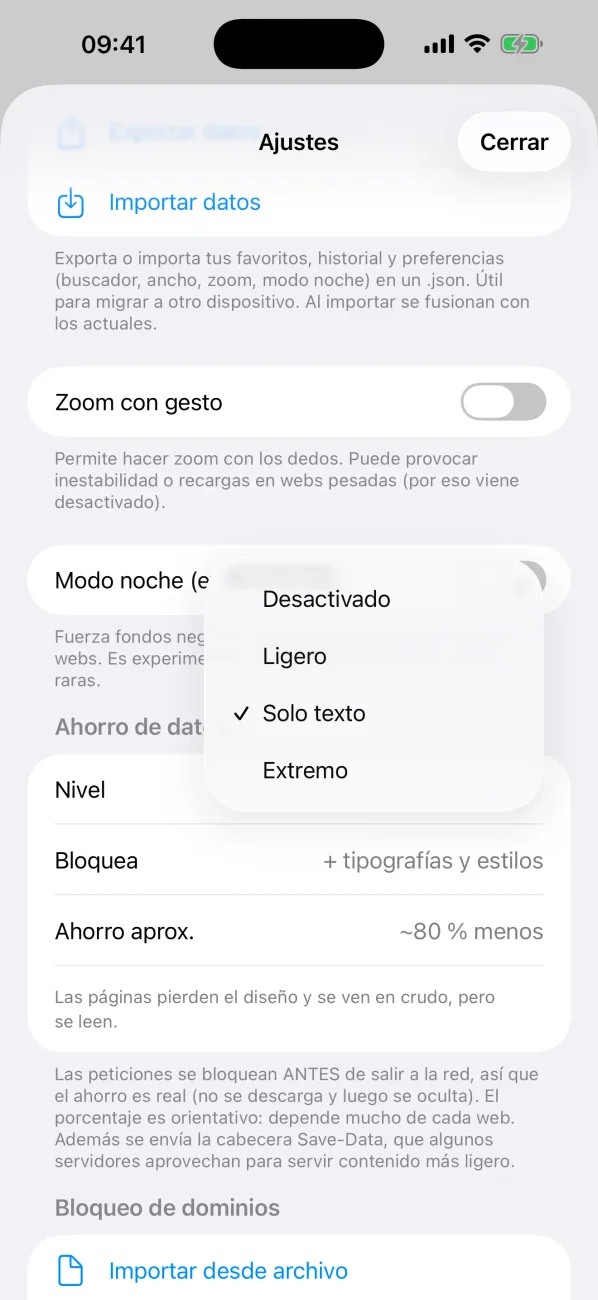
• DATA SAVER with three levels. Requests are blocked before they reach the
network, so the saving is real: nothing is downloaded and then hidden.
– Light: no images or video (~60-70% less). Most sites still work normally.
– Text only: also no fonts or stylesheets (~80% less).
– Extreme: also no JavaScript (~90% less).
Each level tells you what it blocks and what you'll notice.
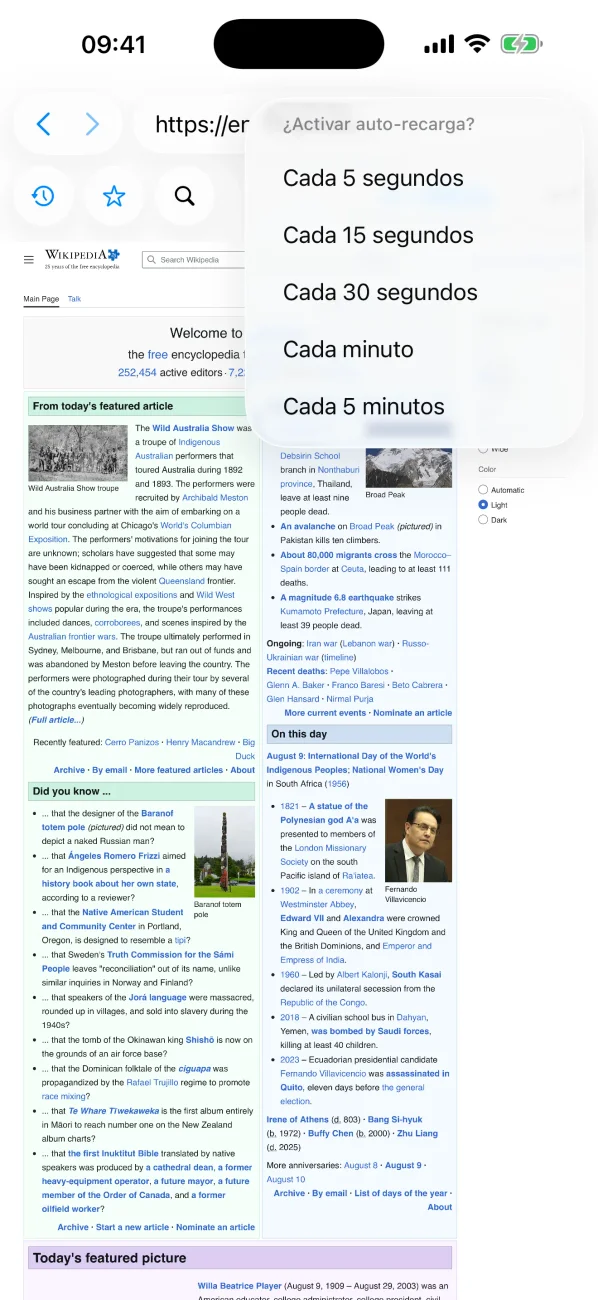
• AUTO-RELOAD. Press and hold either reload button and pick how often the page
refreshes, from 5 seconds to 5 minutes. Perfect for dashboards, live scores, or
waiting for something to change. It pauses when you leave the app and stops
after half an hour, so it can't quietly eat your data.
• MULTIPLE BLOCKLISTS. Each list is stored separately: enable, disable or delete
it without touching the others. The 50,000 domain cap is per list, so several
lists add up.
REAL DESKTOP MODE
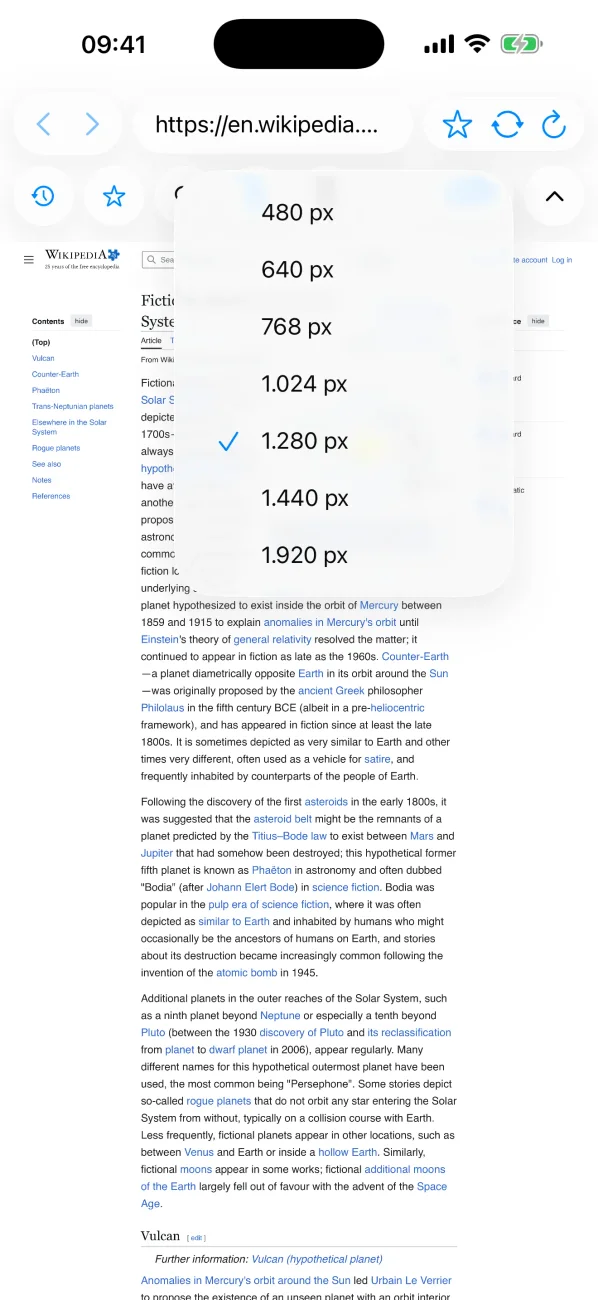
• 7 widths in one tap: 480, 640, 768, 1024, 1280, 1440 and 1920 px.
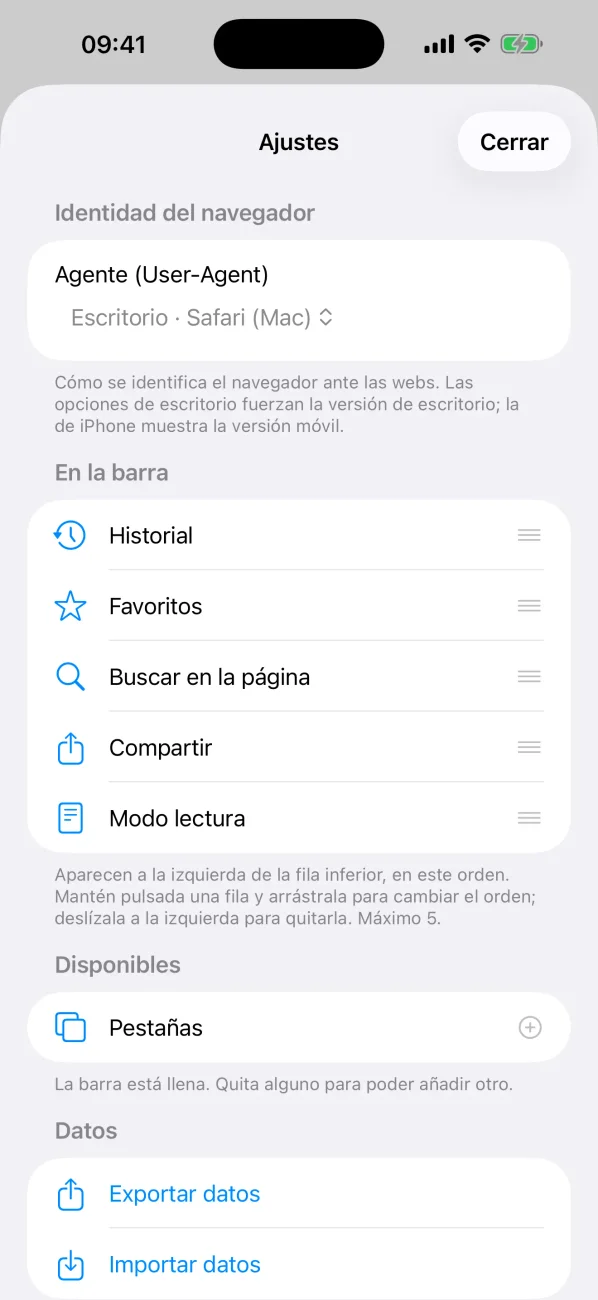
• Browser identity (user agent) picker: Safari (Mac), Chrome (Windows) or Safari
(iPhone), independent from the width.
AD AND TRACKER BLOCKING
• Import domain blocklists from a file or a URL.
• Native, efficient blocking that persists between sessions.
COMFORTABLE BROWSING
• Favorites (now removable from their own menu) and history.
• Your choice of search engine: DuckDuckGo, Google or Ecosia.
• Find text within the page.
• Normal reload and reload without cache.
• Share the current page.
• Persistent session: your logins survive closing the app.
• Reopens the last page when you come back.
MADE YOUR WAY
• Customizable toolbar: pick which buttons to show (up to 5) from history,
favorites, find, share, reader mode and tabs, and drag them into the order
you want.
• The bar hides as you scroll and returns when you scroll up.
• Experimental night mode for any website.
• Optional pinch-to-zoom.
• Export and import your data to move devices.
FOR THE CURIOUS
• JavaScript console, page source, and a built-in mini game that doubles as the
offline screen.
PRIVACY
No accounts, no ads, no tracking. Everything is stored on your device; the app
does not send your data to any server of ours.
WORTH KNOWING BEFORE YOU INSTALL
• Biometric verification for some services (for example, signing in to Google with
Face ID or passkeys) does not work inside the app: it is a limitation of iOS's
web engine for third-party apps. Use password plus a code; your session is still
saved.
• DeskView has not been tested with every website in the world. It works great on
most, but we cannot guarantee compatibility with every site.
• Pinch-to-zoom is disabled by default for stability on very heavy pages. You can
enable it in Settings.
• Data-saving percentages are a rough guide: they vary a lot per site.
• Reader mode needs the page to be an article. On home pages, search results or
dashboards there is nothing to simplify, and the app tells you so.
Interface in English or Spanish (also Catalan, Galician and Basque), matching your
iPhone's language.
新機能
バージョン 1.3 · 2026/8/27
DOWNLOADS. Files can now be downloaded: tap a download link and DeskView fetches the file, then asks where you want to keep it — on your iPhone, in iCloud, or in any other app. You get the name and progress while it downloads, and your downloads also show up in the Files app.
アプリのプライバシー
このアプリのデータの取り扱いについて、Diego Lago GomezがApp Storeで申告している内容です。
-
データの収集なし
開発元はこのアプリからデータを収集しません。
プライバシーの取り扱いは、ご利用の機能やお客様の年齢などに応じて異なる場合があります。
情報
- 販売元
- Diego Lago Gomez
- カテゴリ
- ユーティリティ
- バージョン
- 1.3
- 更新日
- 2026/8/27
- リリース
- 2026/8/18
- サイズ
- 11.3 MB
- 必要条件
- iOS 26.5以降
- 対象年齢
- 17+
- 価格
- ¥300
- 言語
- 英語
- 著作権
- © 2026 Diego Lago
こちらもおすすめ
-
 Fullsite: Desktop Browserユーティリティ
-
 SealSkinユーティリティ
-
 PC View Mode for SafariSafariの標準機能では出せないPC版レイアウトを表示
-
 TubeOneユーティリティ
-
 Palm: Tiny Javascriptユーティリティ
-
 Cooly: Control Aire ACユーティリティ
-
 avsonarユーティリティ
-
 iHomepage Browserタブ式ブラウザ · カスタムホームページ
-
 Blur Face Editor toolユーティリティ
-
 LocalMind: Ollama & LM StudioプライベートAI、オフラインもサーバーも