- Altersfreigabe4+
- KategorieProduktivität
- EntwicklerMatthew Adjemian
- SprachenEnglisch
- Größe1,9 MB
Verlinkt auf die offizielle App Store-Seite
Download.org hostet keine Datei von Digital Weekly Planner. Die Schaltfläche öffnet die App-Seite bei App Store, wo Matthew Adjemian die App veröffentlicht. Eintrag zuletzt geprüft am 12.11.2026.
Screenshots

Info
Der Entwickler hat diesen Text nicht in Ihrer Sprache bereitgestellt.
Weekly Planner - Digital Notes & Goals
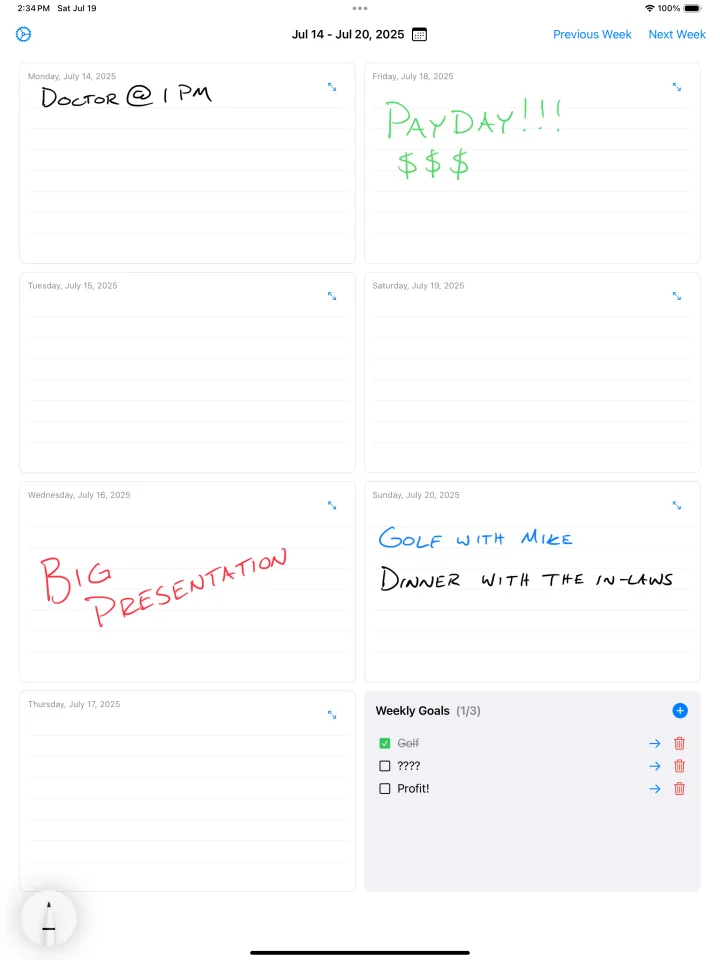
Transform your iPad into the perfect weekly planner with Apple Pencil! Replace your paper planner with a beautifully simple digital weekly view designed specifically for iPad and Apple Pencil. Plan your week, handwrite notes, and track your goals with the natural feel of pen and paper.
Natural Handwriting Experience
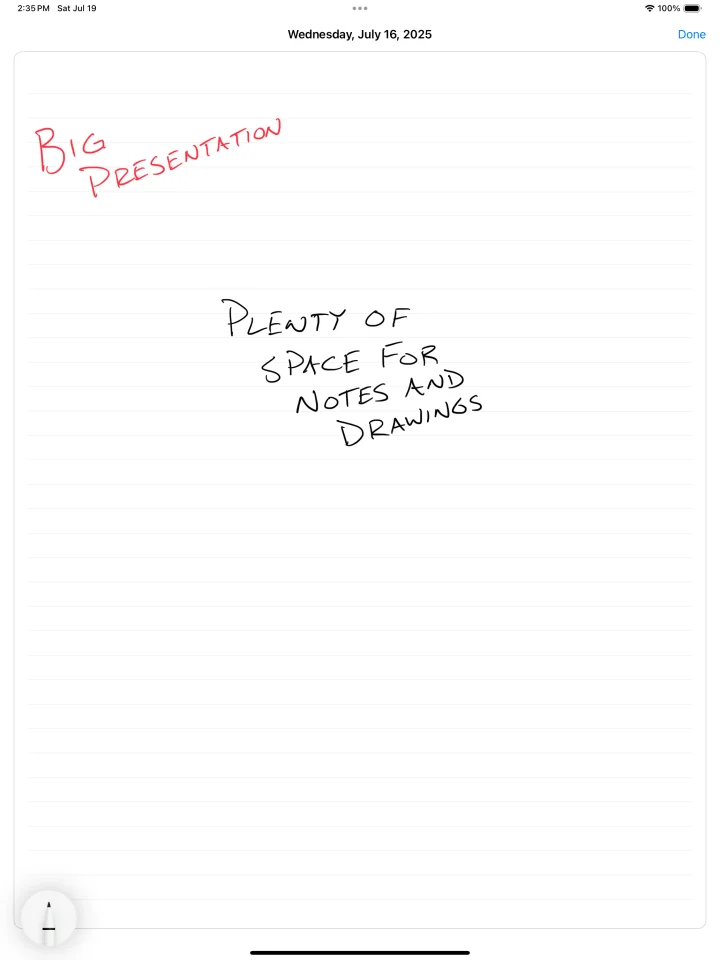
- Expandable drawing areas for detailed notes
- Lined paper backgrounds for neat handwriting
Weekly Planning Made Simple
- Clean Monday-to-Sunday weekly layout
- Easy week navigation with calendar date picker
- "Go to Today" button for quick navigation
Goal Tracking
- Add weekly goals and check them off as completed
- Copy goals to next week with one tap
- Progress tracking shows weekly goal completion
- Clean, distraction-free interface
Your Choice: Local or Cloud
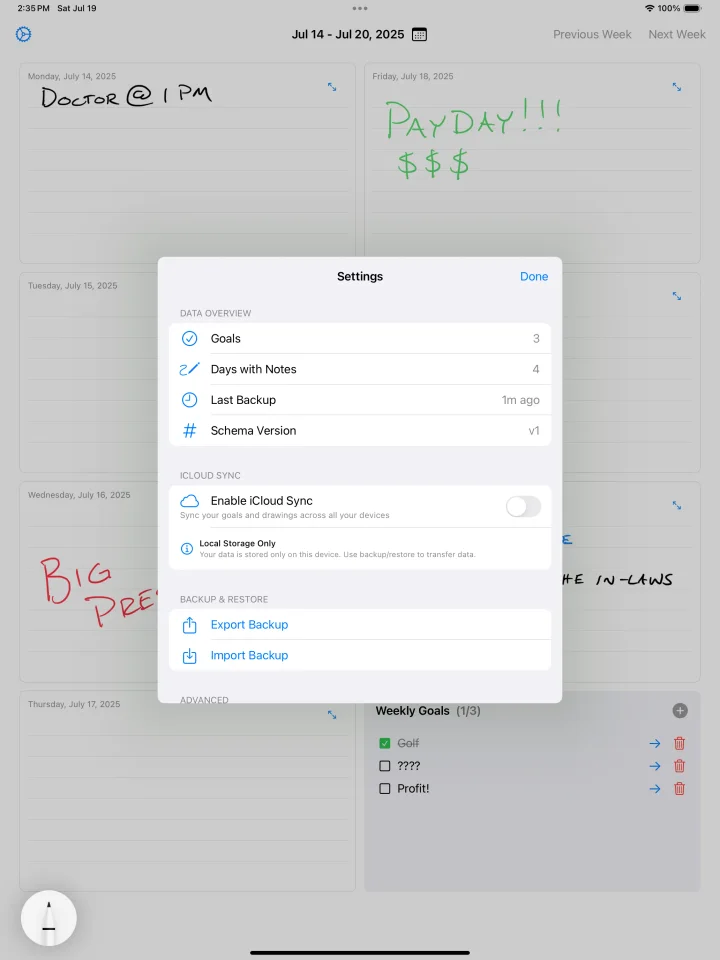
- Optional iCloud sync - completely opt-in
- Local-only storage option for privacy-focused users
- Sync across all your devices (when enabled)
- Manual backup and restore options
Privacy First
- CloudKit sync is optional, not required
- Local storage keeps your data on your device
- Export your data anytime with full backup system
- No tracking or analytics
Perfect For:
- Students planning their academic week
- Professionals organizing work projects
- Anyone who loves handwritten notes
Neue Funktionen
Version 1.6 · 14.06.2026
Keyboard Typing & Apple Pencil Drawing Combined - You can now type text notes and write directly on top of them with your Apple Pencil! Use the new toggle button to seamlessly switch between typing and drawing modes.
Smoother Apple Pencil Drawing - We've optimized drawing performance to eliminate delays, making writing with the Apple Pencil feel even more natural.
App-Datenschutz
Was Matthew Adjemian im App Store zum Umgang dieser App mit Daten angibt.
-
Keine Daten erfasst
Der Entwickler erfasst keine Daten von dieser App.
Die Datenschutzpraktiken können variieren, zum Beispiel je nach den von Ihnen verwendeten Funktionen oder Ihrem Alter.
Informationen
- Anbieter
- Matthew Adjemian
- Kategorie
- Produktivität
- Version
- 1.6
- Aktualisiert
- 14.06.2026
- Veröffentlicht
- 21.07.2025
- Größe
- 1,9 MB
- Erfordert
- iOS 17.0 oder neuer
- Altersfreigabe
- 4+
- Preis
- Kostenlos
- Sprachen
- Englisch
- Copyright
- © 2026 Matthew Adjemian
Das könnte Ihnen auch gefallen
-
 Pencil Planner: PencilTimeProduktivität
-
 52 Week Planner: To-Do ListProduktivität
-
 Someday - Weekly PlannerProduktivität
-
 Daily Planner DiaryProduktivität
-
 Busy B Planner: AufgabenTo-do-Liste & Erinnerungen
-
 iPlan Today - Pencil PlannerProduktivität
-
 Planote - Täglicher PlanerKalender. Zeitplan. Aufgaben
-
 InkThink - Handwritten PlannerProduktivität
-
 Flüssiger Handschrift PlanerKalender Notizen Tagebuch Memo