- Age rating4+
- CategoryProductivity
- DeveloperMatthew Adjemian
- LanguagesEnglish
- Size1.9 MB
Links to the official App Store page
Download.org hosts no file of Digital Weekly Planner. The button opens its official App Store page, published by Matthew Adjemian. Listing last checked on Nov 12, 2026.
Screenshots
About
Weekly Planner - Digital Notes & Goals
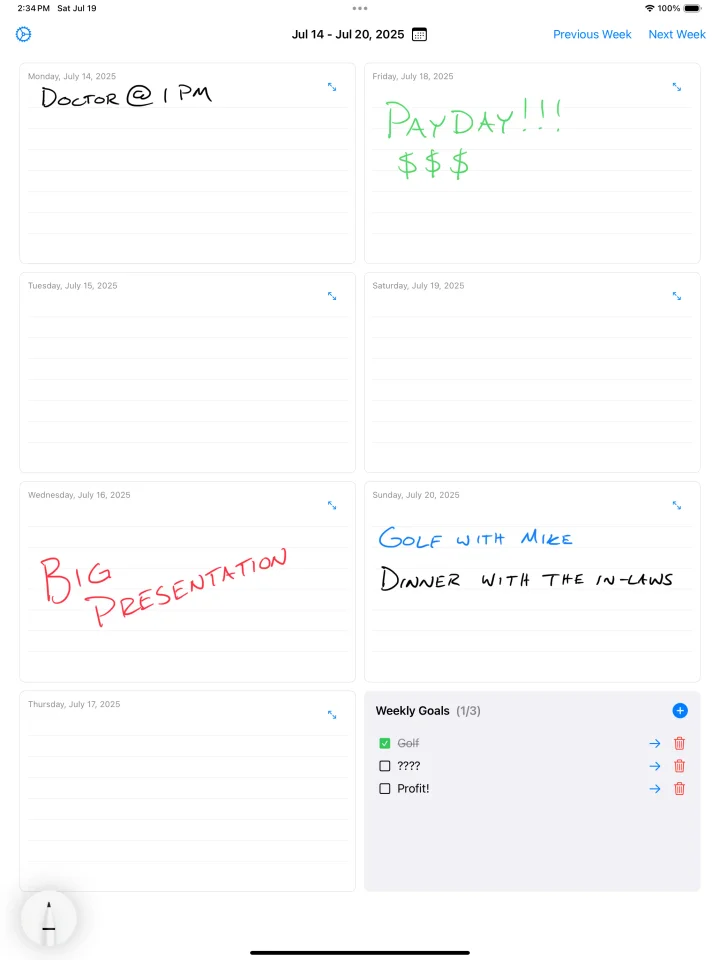
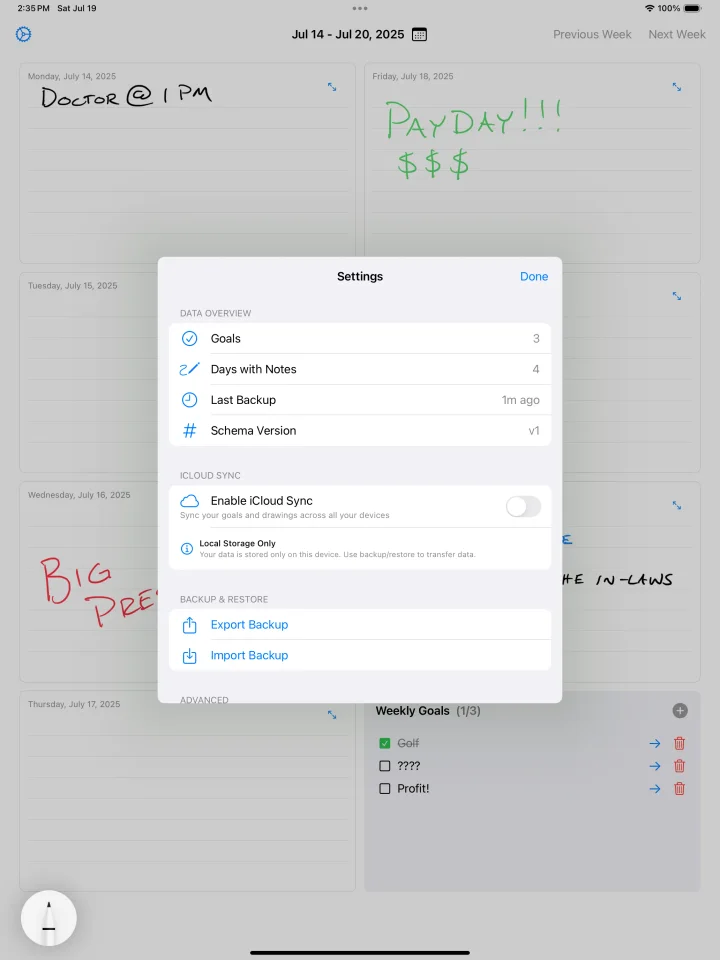
Transform your iPad into the perfect weekly planner with Apple Pencil! Replace your paper planner with a beautifully simple digital weekly view designed specifically for iPad and Apple Pencil. Plan your week, handwrite notes, and track your goals with the natural feel of pen and paper.
Natural Handwriting Experience
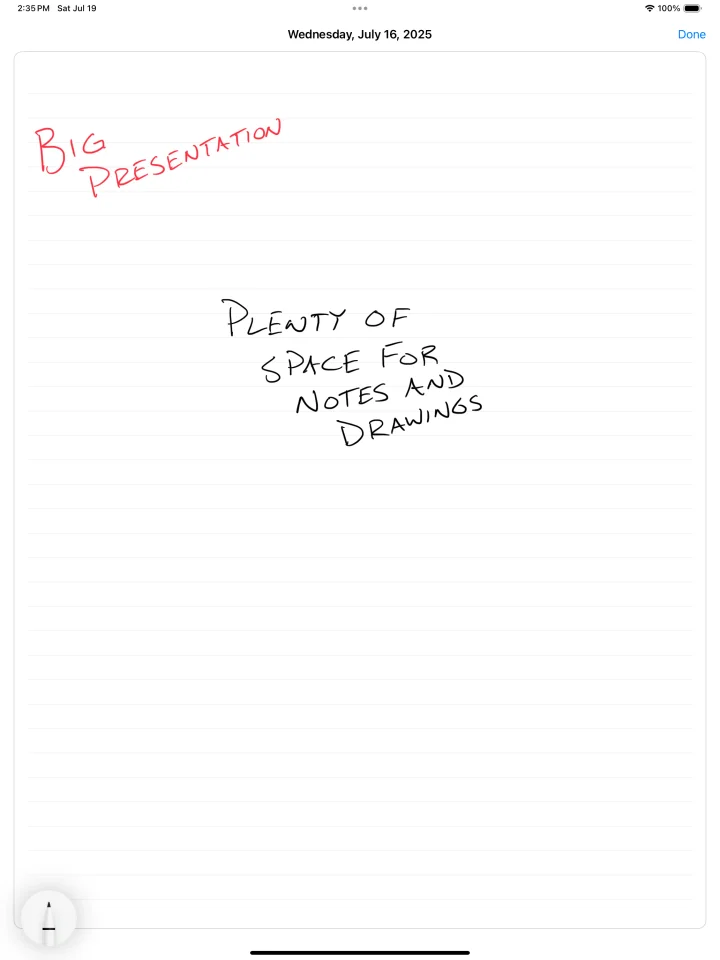
- Expandable drawing areas for detailed notes
- Lined paper backgrounds for neat handwriting
Weekly Planning Made Simple
- Clean Monday-to-Sunday weekly layout
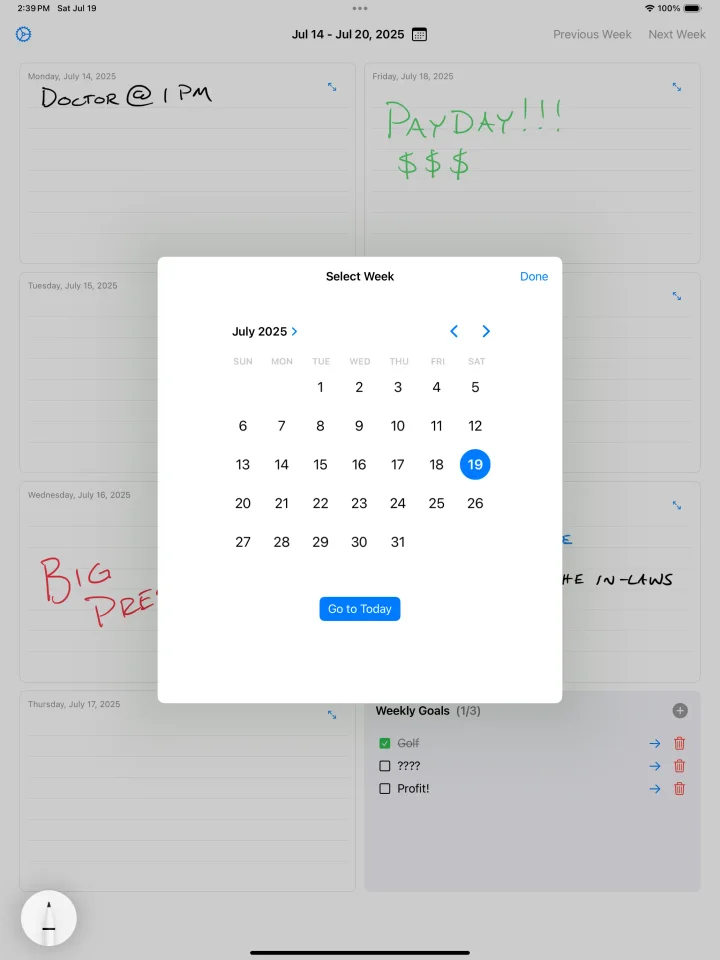
- Easy week navigation with calendar date picker
- "Go to Today" button for quick navigation
Goal Tracking
- Add weekly goals and check them off as completed
- Copy goals to next week with one tap
- Progress tracking shows weekly goal completion
- Clean, distraction-free interface
Your Choice: Local or Cloud
- Optional iCloud sync - completely opt-in
- Local-only storage option for privacy-focused users
- Sync across all your devices (when enabled)
- Manual backup and restore options
Privacy First
- CloudKit sync is optional, not required
- Local storage keeps your data on your device
- Export your data anytime with full backup system
- No tracking or analytics
Perfect For:
- Students planning their academic week
- Professionals organizing work projects
- Anyone who loves handwritten notes
What’s new
Version 1.6 · Jun 14, 2026
Keyboard Typing & Apple Pencil Drawing Combined - You can now type text notes and write directly on top of them with your Apple Pencil! Use the new toggle button to seamlessly switch between typing and drawing modes.
Smoother Apple Pencil Drawing - We've optimized drawing performance to eliminate delays, making writing with the Apple Pencil feel even more natural.
App privacy
What Matthew Adjemian declares on the App Store about how this app handles data.
-
Data not collected
The developer does not collect any data from this app.
Privacy practices may vary, for example with the features you use or your age.
Information
- Seller
- Matthew Adjemian
- Category
- Productivity
- Version
- 1.6
- Updated
- Jun 14, 2026
- Released
- Jul 21, 2025
- Size
- 1.9 MB
- Requires
- iOS 17.0 or later
- Age rating
- 4+
- Price
- Free
- Languages
- English
- Copyright
- © 2026 Matthew Adjemian
You might also like
-
 Pencil Planner: PencilTimeWrite, Type & Plan Your Way
-
 52 Week Planner: To-Do ListWeekly Calendar & Task Manager
-
 Someday - Weekly PlannerOne week at a time
-
 Daily Planner DiaryHabit Tracker & To-Do List
-
 Busy B PlannerTo-do lists for busy lives
-
 iPlan Today - Pencil PlannerDaily Journal & Habit Tracker
-
 Planote - Daily Planner TasksSchedule Organizer, To-do list
-
 InkThink - Handwritten PlannerDiary, To-Do List & Calendar
-
 Handwriting Journal PlannerCalendar, Journal & Daily Memo