Document Scanner PDF Editor
Scan doc,pdf,QR,OCR Editor
Entwickelt für iPhone, iPad, iPod touch
Kostenlos
- Altersfreigabe17+
- KategorieDienstprogramme
- EntwicklerJyotsnaben Varsani
- SprachenEnglisch+ 6 weitere
- Größe39,9 MB
Verlinkt auf die offizielle App Store-Seite
Download.org hostet keine Datei von Document Scanner PDF Editor. Die Schaltfläche öffnet die App-Seite bei App Store, wo Jyotsnaben Varsani die App veröffentlicht. Eintrag zuletzt geprüft am 18.11.2026.
Screenshots
Info
Der Entwickler hat diesen Text nicht in Ihrer Sprache bereitgestellt.
Introducing our comprehensive Document Scanner app, designed to revolutionize the way you manage and manipulate your documents. With an array of powerful features, this app is your go-to solution for all your document scanning and editing needs.
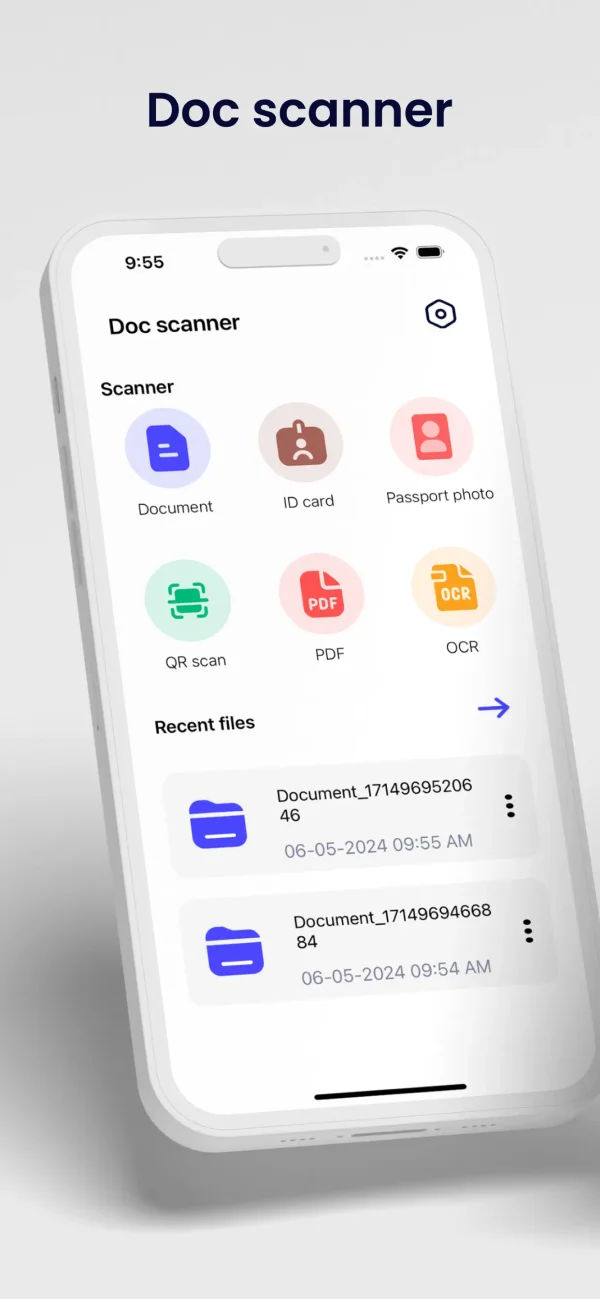
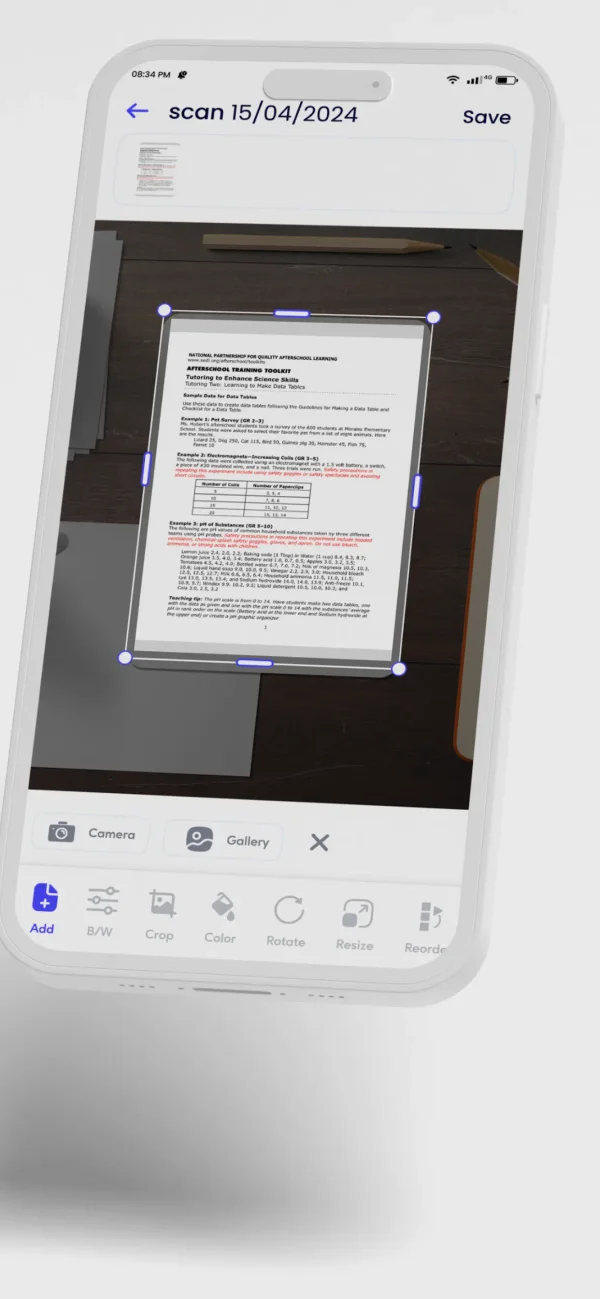
Scan with ease: Say goodbye to bulky scanners and complicated setups. Our app allows you to effortlessly capture documents of all types – from receipts and contracts to ID cards and passports – directly from your smartphone camera. With intuitive controls and real-time document edge detection, you can ensure that every scan is crisp, clear, and perfectly aligned.
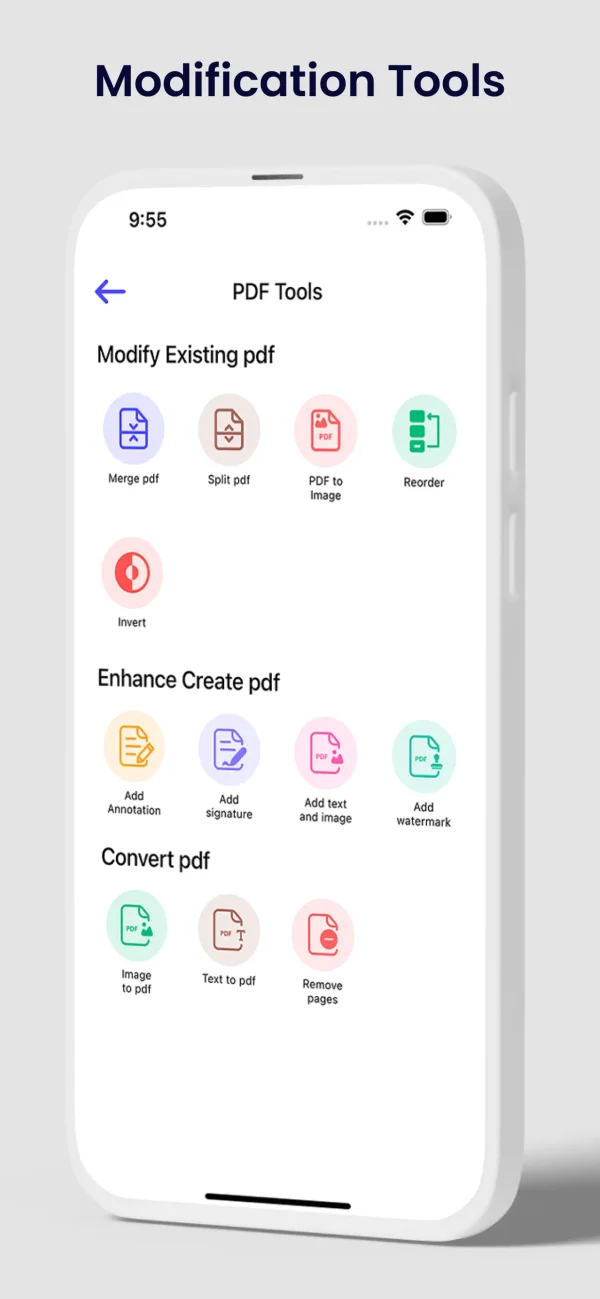
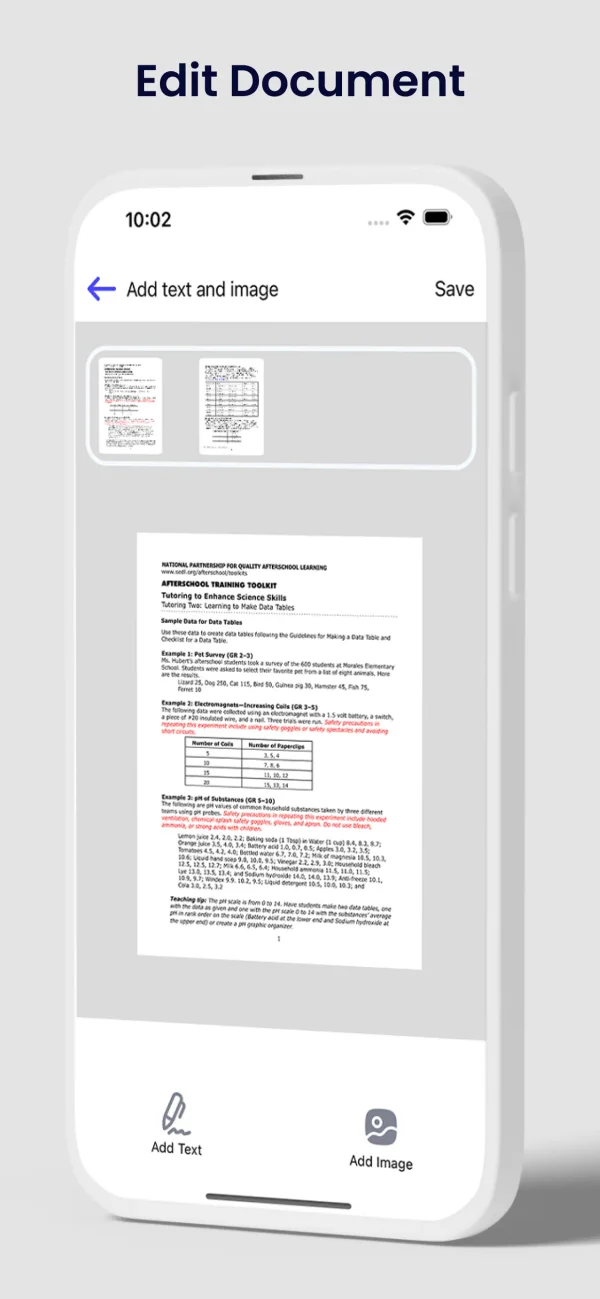
Edit like a pro: Once you've scanned your documents, our app offers a plethora of editing tools to enhance and customize them to your liking. Convert documents to black and white for optimal readability, reorder pages effortlessly, and add your signature directly within the app for a personal touch. Need to crop, rotate, or resize your document? No problem – our app makes it simple.
ID scanner made easy: Whether you're at the airport, bank, or office, our ID scanner feature lets you quickly capture and store important identification cards, including passports, driver's licenses, and more. Simply point, shoot, and let our app do the rest – ensuring that all your important documents are safely stored and readily accessible whenever you need them.
QR and OCR capabilities: With our built-in QR scanner and OCR (Optical Character Recognition) technology, extracting information from barcodes and text has never been easier. Whether you're scanning a product barcode or digitizing printed text, our app can quickly and accurately convert it into digital format, saving you time and effort.
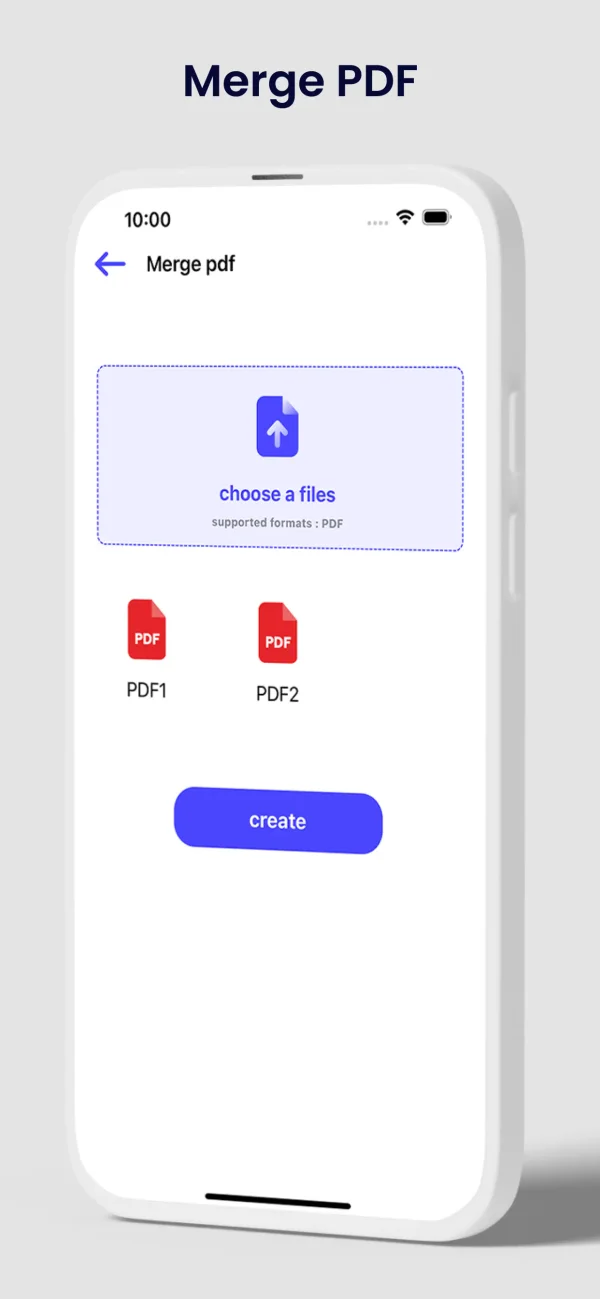
PDF editing at your fingertips: Our app offers a wide range of PDF editing tools to help you take control of your documents. Merge multiple documents into a single PDF, convert PDFs to images, add text and images to existing PDFs, and even add watermarks or annotations for added security and professionalism. With these tools, you can customize your documents exactly how you want them.
Streamlined workflow: Whether you're a busy professional, student, or entrepreneur, our Document Scanner app is designed to streamline your document management workflow. With its intuitive interface, powerful features, and seamless integration with other apps and services, it's the ultimate tool for keeping your documents organized, accessible, and secure.
Download now and experience the future of document scanning and editing – right at your fingertips.
Neue Funktionen
Version 1.1 · 17.05.2024
bug fixed
App-Datenschutz
Was Jyotsnaben Varsani im App Store zum Umgang dieser App mit Daten angibt.
-
Keine Daten erfasst
Der Entwickler erfasst keine Daten von dieser App.
Die Datenschutzpraktiken können variieren, zum Beispiel je nach den von Ihnen verwendeten Funktionen oder Ihrem Alter.
Informationen
- Anbieter
- Jyotsnaben Varsani
- Kategorie
- Dienstprogramme
- Version
- 1.1
- Aktualisiert
- 17.05.2024
- Veröffentlicht
- 14.05.2024
- Größe
- 39,9 MB
- Erfordert
- iOS 13.0 oder neuer
- Altersfreigabe
- 17+
- Preis
- Kostenlos
- Sprachen
- Englisch, Afrikaans, Arabisch, Deutsch, Hindi, Italienisch, Spanisch
- Copyright
- © DocumentScannerPDFEditor@2024
Das könnte Ihnen auch gefallen
-
 PDF Scanner App・Scan DocumentDienstprogramme
-
 Transease: Easy translationDienstprogramme
-
 Image to Text: Scan to ConvertDienstprogramme
-
 Lineal AR - Maßband AppMaßband & Bildschirmlineal
-
 DocScan App: PDF Scanner, EditDienstprogramme
-
 Globe TranslationDienstprogramme
-
 PDF Scanner - Foto KonverterDokument Scan & PDF Umwandeln
-
 VPN 9D- VPN Wlan ProxyPrivates und schnelles VPN
-
 Wallpaper Flow for PhoneDienstprogramme
-
 AI Photo Editor: BG RemoverDienstprogramme