Document Scanner PDF Editor
Scan doc,pdf,QR,OCR Editor
iPhone, iPad, iPod touch向けに設計
無料
- 対象年齢17+
- カテゴリユーティリティ
- 開発元Jyotsnaben Varsani
- 言語英語ほか6言語
- サイズ39.9 MB
App Storeの公式ページにリンクしています
Download.orgはDocument Scanner PDF Editorのファイルを一切ホストしていません。ボタンを押すと、Jyotsnaben Varsaniが公開しているApp Storeのアプリページが開きます。ページの最終確認:2026/11/18。
スクリーンショット
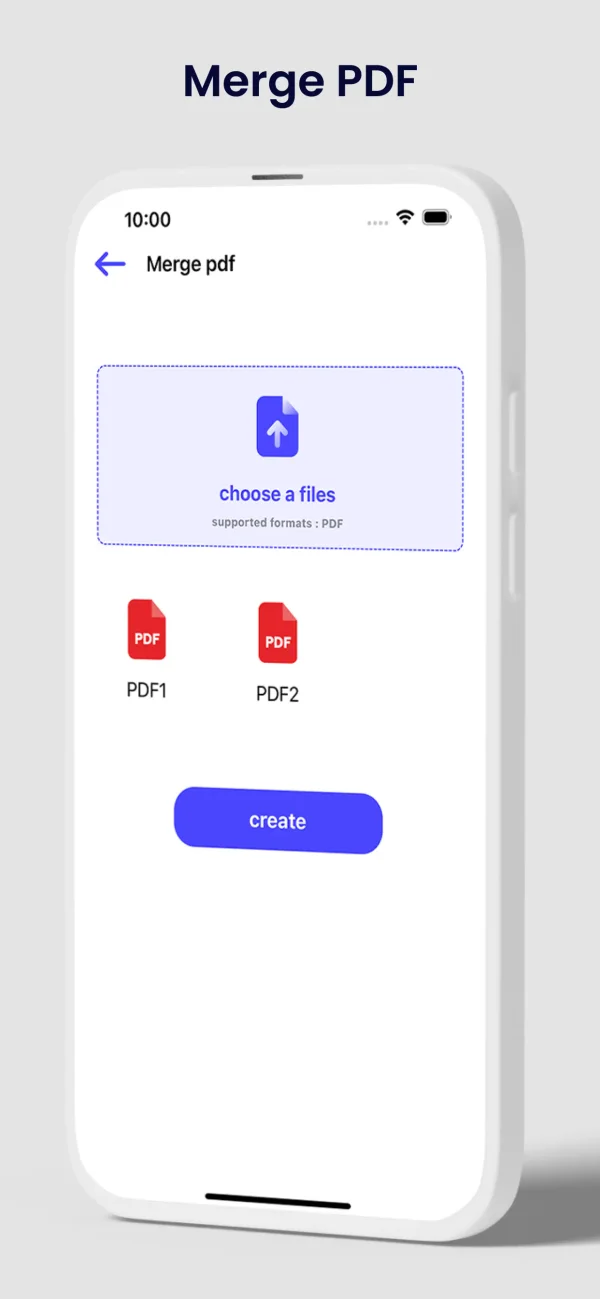
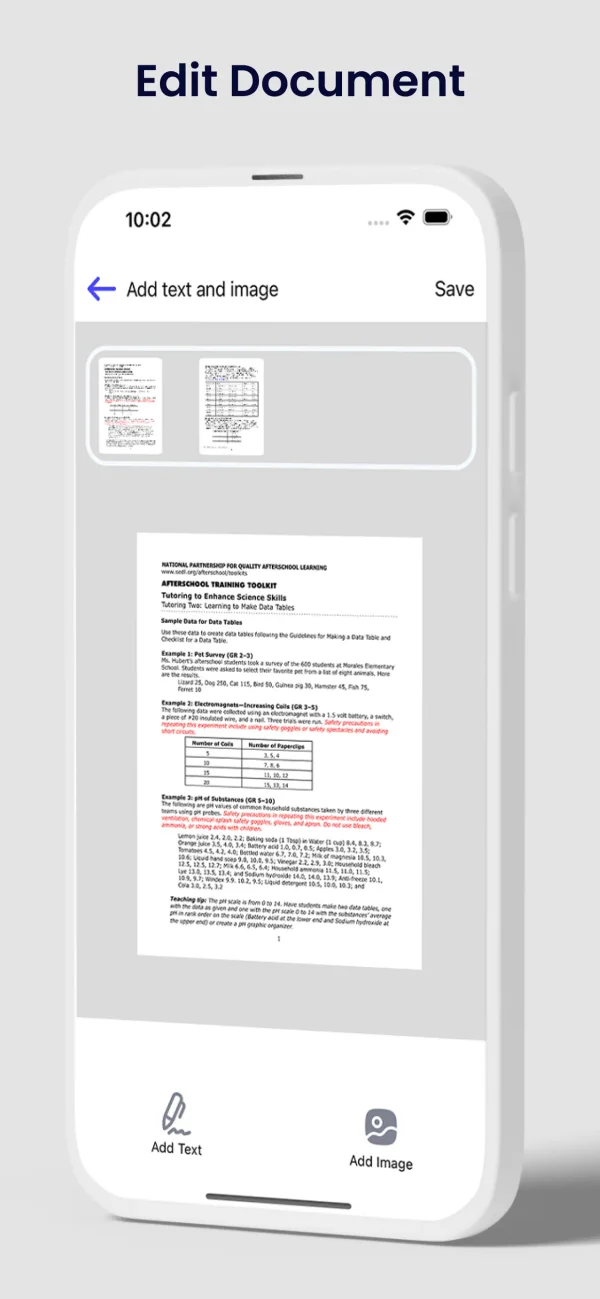
概要
開発元はこのテキストをお使いの言語で提供していません。
Introducing our comprehensive Document Scanner app, designed to revolutionize the way you manage and manipulate your documents. With an array of powerful features, this app is your go-to solution for all your document scanning and editing needs.
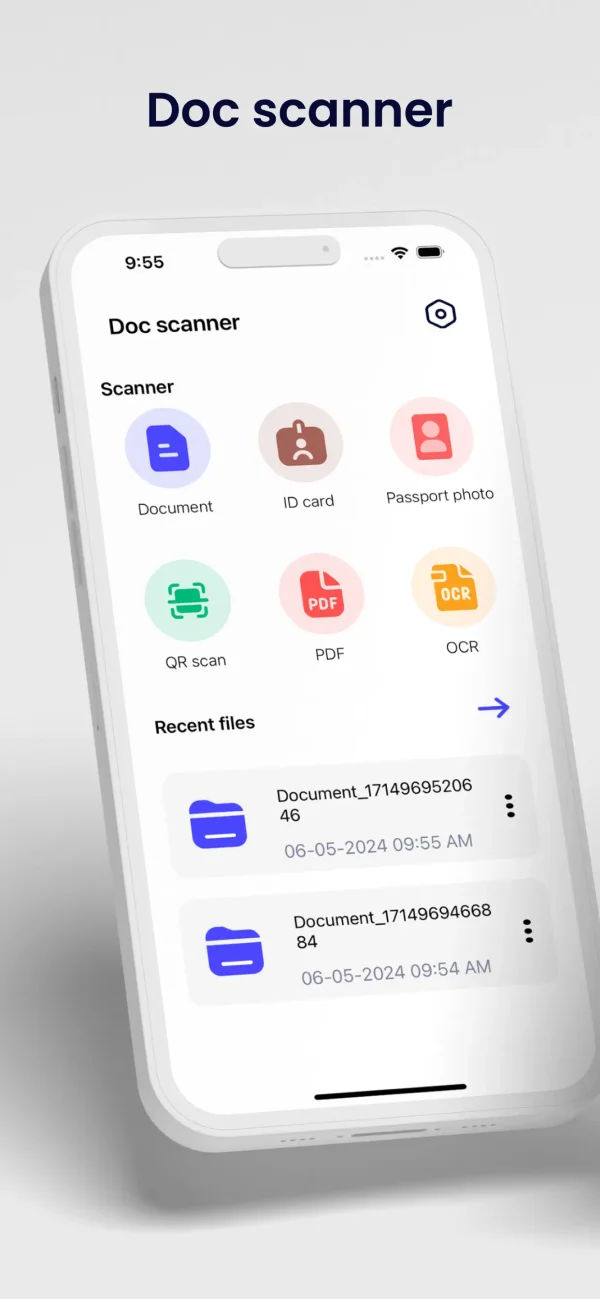
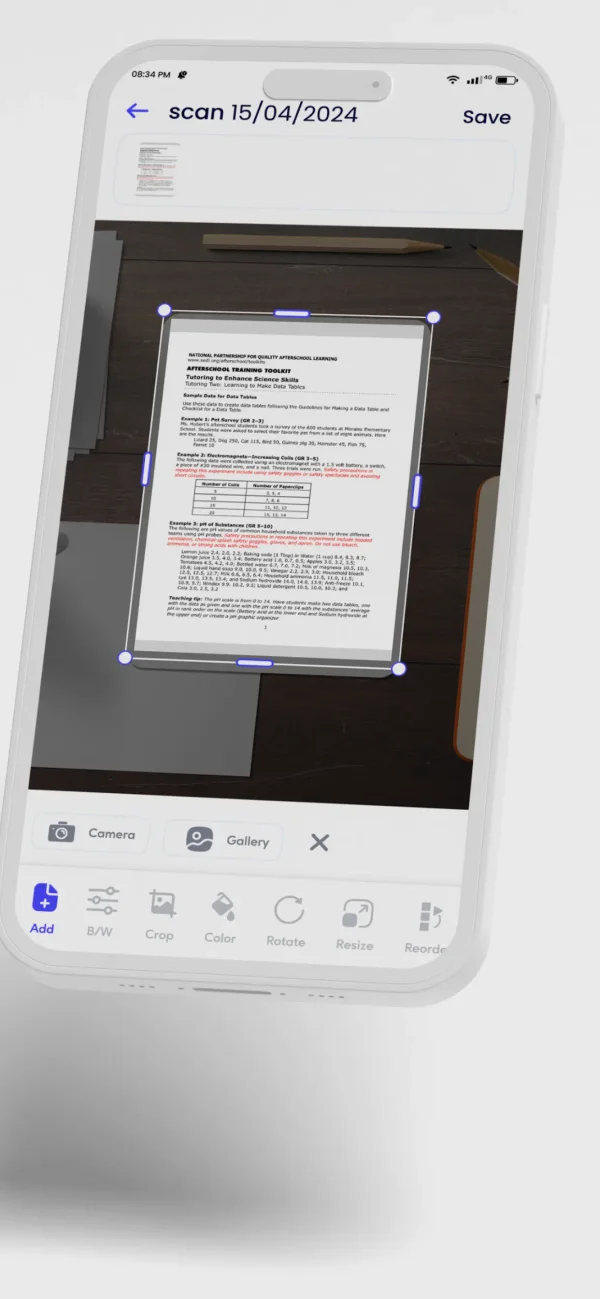
Scan with ease: Say goodbye to bulky scanners and complicated setups. Our app allows you to effortlessly capture documents of all types – from receipts and contracts to ID cards and passports – directly from your smartphone camera. With intuitive controls and real-time document edge detection, you can ensure that every scan is crisp, clear, and perfectly aligned.
Edit like a pro: Once you've scanned your documents, our app offers a plethora of editing tools to enhance and customize them to your liking. Convert documents to black and white for optimal readability, reorder pages effortlessly, and add your signature directly within the app for a personal touch. Need to crop, rotate, or resize your document? No problem – our app makes it simple.
ID scanner made easy: Whether you're at the airport, bank, or office, our ID scanner feature lets you quickly capture and store important identification cards, including passports, driver's licenses, and more. Simply point, shoot, and let our app do the rest – ensuring that all your important documents are safely stored and readily accessible whenever you need them.
QR and OCR capabilities: With our built-in QR scanner and OCR (Optical Character Recognition) technology, extracting information from barcodes and text has never been easier. Whether you're scanning a product barcode or digitizing printed text, our app can quickly and accurately convert it into digital format, saving you time and effort.
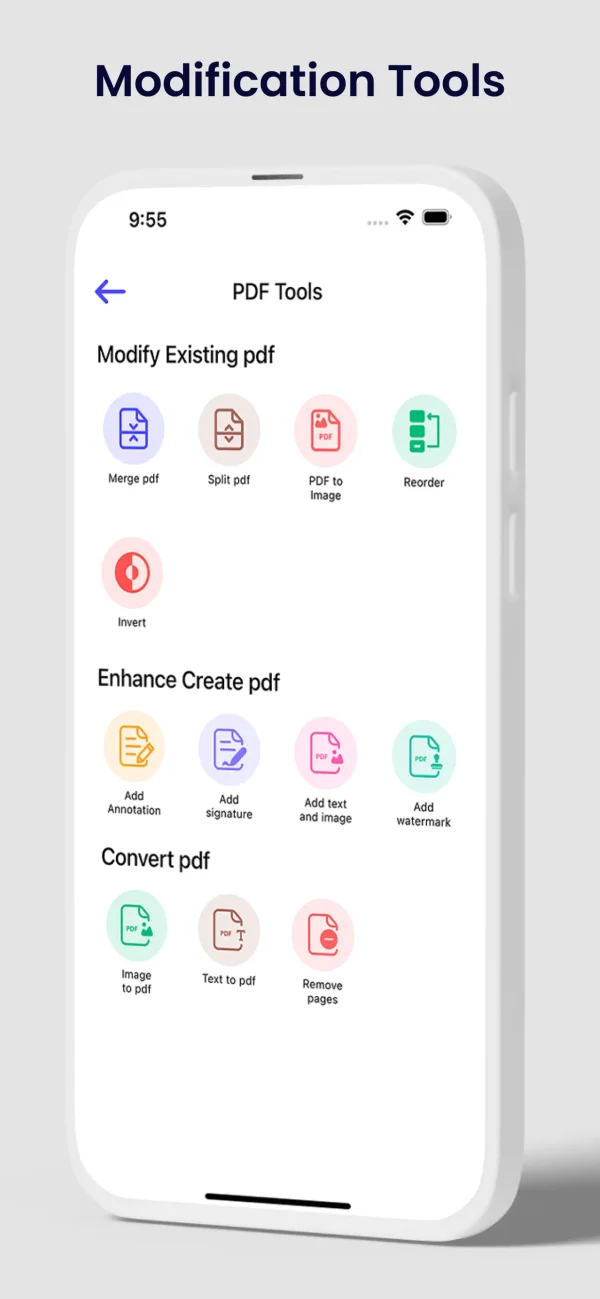
PDF editing at your fingertips: Our app offers a wide range of PDF editing tools to help you take control of your documents. Merge multiple documents into a single PDF, convert PDFs to images, add text and images to existing PDFs, and even add watermarks or annotations for added security and professionalism. With these tools, you can customize your documents exactly how you want them.
Streamlined workflow: Whether you're a busy professional, student, or entrepreneur, our Document Scanner app is designed to streamline your document management workflow. With its intuitive interface, powerful features, and seamless integration with other apps and services, it's the ultimate tool for keeping your documents organized, accessible, and secure.
Download now and experience the future of document scanning and editing – right at your fingertips.
新機能
バージョン 1.1 · 2024/5/17
bug fixed
アプリのプライバシー
このアプリのデータの取り扱いについて、Jyotsnaben VarsaniがApp Storeで申告している内容です。
-
データの収集なし
開発元はこのアプリからデータを収集しません。
プライバシーの取り扱いは、ご利用の機能やお客様の年齢などに応じて異なる場合があります。
情報
- 販売元
- Jyotsnaben Varsani
- カテゴリ
- ユーティリティ
- バージョン
- 1.1
- 更新日
- 2024/5/17
- リリース
- 2024/5/14
- サイズ
- 39.9 MB
- 必要条件
- iOS 13.0以降
- 対象年齢
- 17+
- 価格
- 無料
- 言語
- 英語, アフリカーンス語, アラビア語, ドイツ語, ヒンディー語, イタリア語, スペイン語
- 著作権
- © DocumentScannerPDFEditor@2024
こちらもおすすめ
-
 PDF Scanner App・Scan Documentユーティリティ
-
 Transease: Easy translationユーティリティ
-
 Image to Text: Scan to Convertユーティリティ
-
 ルーラーAR - テープメジャーアプリテープメジャー&画面上の定規
-
 DocScan App: PDF Scanner, Editユーティリティ
-
 Globe Translationユーティリティ
-
 PDFスキャナー - 写真変換書類スキャン・PDF変換
-
 9D VPN - 高速 VPN プロキシ マスターストリーミングとゲームのための高速 VPN
-
 Wallpaper Flow for Phoneユーティリティ
-
 AI Photo Editor: BG Removerユーティリティ