- Altersfreigabe4+
- KategorieProduktivität
- EntwicklerGabriel Jourdan
- SprachenEnglisch
- Größe7,8 MB
Verlinkt auf die offizielle App Store-Seite
Download.org hostet keine Datei von Dropla. Die Schaltfläche öffnet die App-Seite bei App Store, wo Gabriel Jourdan die App veröffentlicht. Eintrag zuletzt geprüft am 20.11.2026.
Screenshots
Info
Der Entwickler hat diesen Text nicht in Ihrer Sprache bereitgestellt.
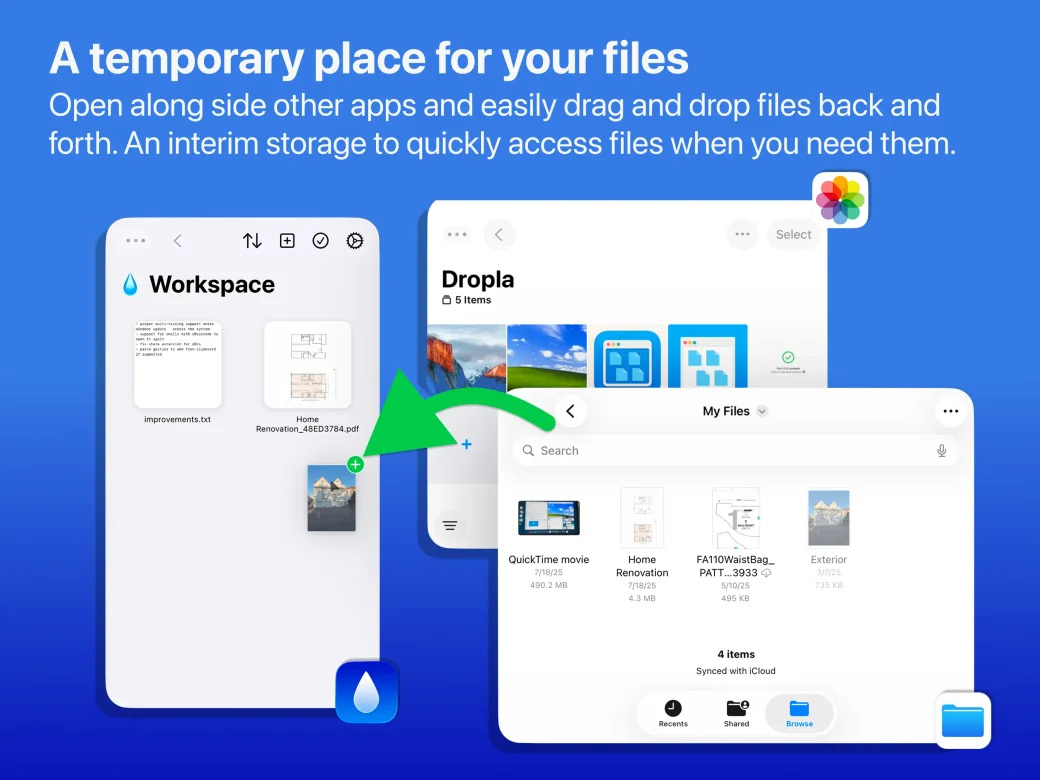
Dropla is your iPad’s missing shelf — a flexible, drag-and-drop space where you can collect files from anywhere, work on them quickly, and send them where they need to go.
Instead of digging through folders or switching endlessly between apps, just drop everything into Dropla. It’s your temporary holding space — a place to gather files from multiple sources, preview and edit them, convert formats, and share them forward when you’re ready.
Collect Files from Anywhere
- Drag files from Mail, Safari, Photos, or any other app straight into Dropla
- Combine items from different sources into one easy-to-access place
- Use Dropla as a staging area before uploading, sharing, or archiving files
Work on Files Without Leaving the Shelf
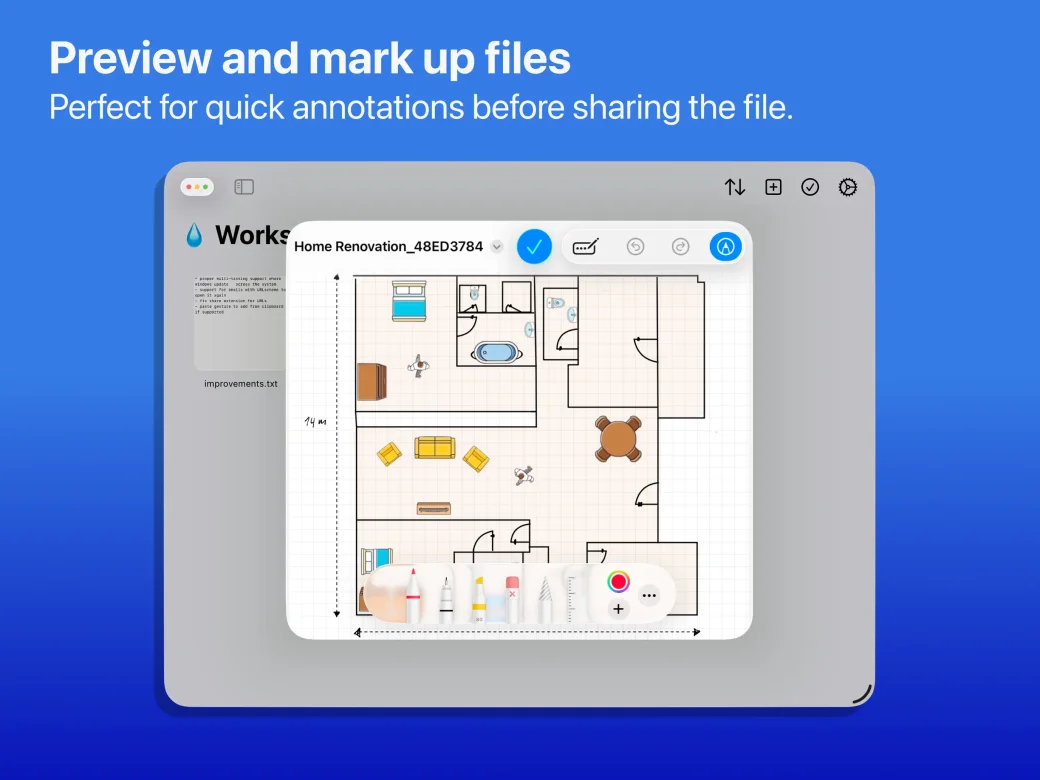
- Preview and annotate documents, images, and PDFs with QuickLook
- Edit .txt files directly to make last-minute changes before sharing
- Rename, copy, and prepare files without leaving the workspace
Convert, Compress, and Prepare
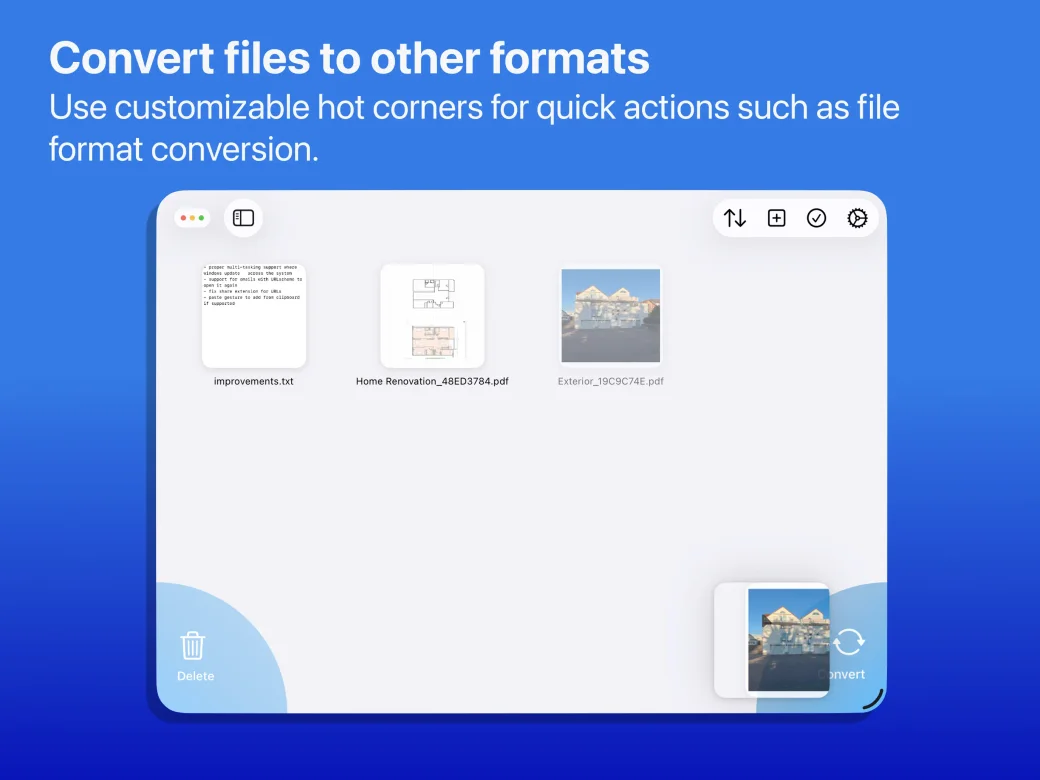
- Instantly convert files into many supported formats
- Compress files for faster sharing or uploading
- See available conversion options at a glance
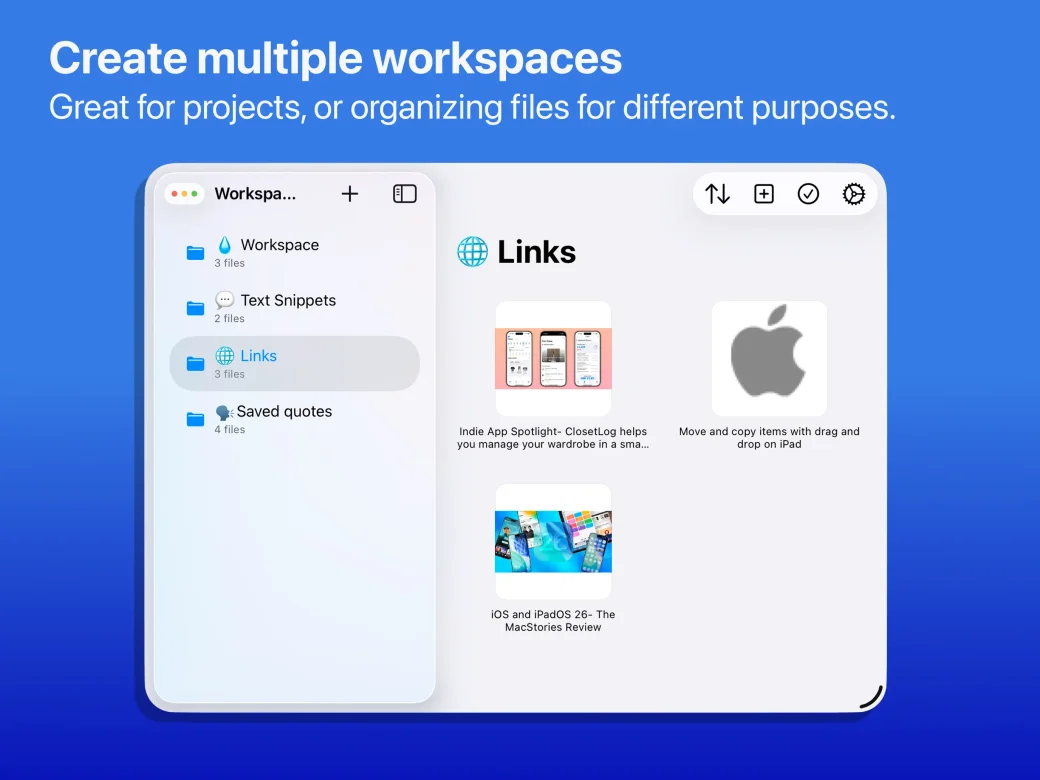
Multiple Workspaces for Different Projects
- Create dedicated shelves for each project or context
- Keep files separated and switch between workspaces in a tap
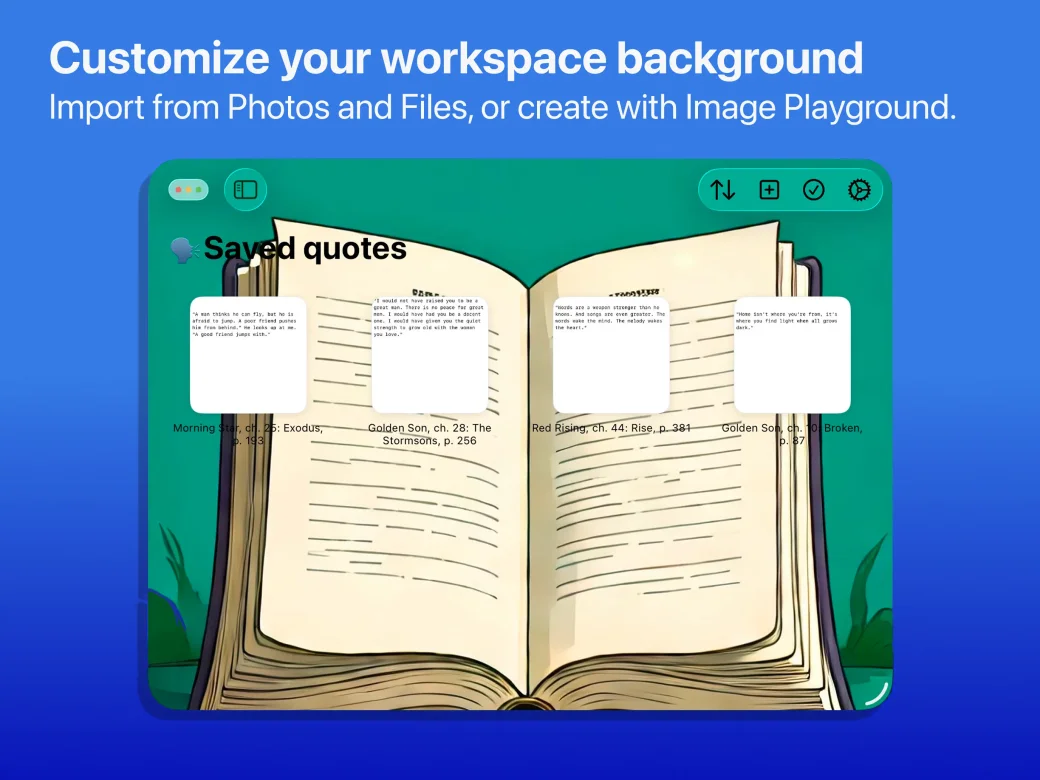
- Personalize each workspace with custom backgrounds from Photos, Files, or Image Playground
Quick Actions with Hot Corners
- Drag a file into a bottom corner to trigger custom actions
- Automate frequent tasks like conversion or compression with a single gesture
- Speed up your workflow without menus or taps
Dropla is not a file manager — it’s a temporary shelf that fits right into how you already use your iPad. Drop files in as you work, make quick edits or conversions, and send them on their way. Once you’ve shared or saved them, the shelf is clear and ready for whatever comes next.
Neue Funktionen
Version 1.4 · 19.07.2026
This is a big reliability release — we went through the whole app and fixed the things that got in your way.
Sharing that just works
- Sharing links, text, and images to Dropla no longer fails or loses content — everything lands in the project you picked, even if you don't open the app right away
- A redesigned share sheet shows exactly where your files are going
Dropla in the Files app
- Browse and edit your projects right in Files — adding, renaming, and deleting files now stays perfectly in sync in both directions
- Listings refresh automatically and show correct dates
iCloud sync you can trust
- Changes from your other devices now actually arrive
- Deleted files stay deleted — even if you were offline when you deleted them
- When the same item changed on two devices, the newest edit wins
Your files, handled with care
- Imported files keep their original names — no more random codes, and nothing gets silently overwritten
- Video compression now really compresses (720p/540p/480p), and ZIP archives open everywhere
- Voice recordings and text edits can no longer be accidentally lost
A smoother board
- Drop files anywhere on a kanban column — including onto cards — and move cards between columns naturally
- The Unsorted column is always available, and an empty board now offers to add your first column
And lots of polish
- The app now tells you when something couldn't be added, pasted, or copied — instead of doing nothing
- Faster and smoother with large projects
- Remove stickers with a touch and hold, clearer dialogs throughout, better dark mode, and improved VoiceOver support
App-Datenschutz
Was Gabriel Jourdan im App Store zum Umgang dieser App mit Daten angibt.
-
Keine Daten erfasst
Der Entwickler erfasst keine Daten von dieser App.
Die Datenschutzpraktiken können variieren, zum Beispiel je nach den von Ihnen verwendeten Funktionen oder Ihrem Alter.
Informationen
- Anbieter
- Gabriel Jourdan
- Kategorie
- Produktivität
- Version
- 1.4
- Aktualisiert
- 19.07.2026
- Veröffentlicht
- 18.10.2025
- Größe
- 7,8 MB
- Erfordert
- iOS 18.5 oder neuer
- Altersfreigabe
- 4+
- Preis
- 7,99 €
- Sprachen
- Englisch
- Copyright
- © 2025 Gabriel Jourdan
Das könnte Ihnen auch gefallen
-
 MarpUIProduktivität
-
 FlowPocket: ZwischenablageVerlauf, Drag & Drop, Markdown
-
 Super Easy TimerSchwebender Countdown & Uhr
-
 Xarra: Lesen, Hören, FokusDokumente, Artikel, Notizen
-
 Sortio: Post & Briefe scannenKI ordnet Rechnungen & Fristen
-
 Archi — Paperless ScannerDokumente, OCR & KI ohne Cloud
-
 Untold Novel - Story PlannerBuch planen und schreiben
-
 CharitySuite Check-InProduktivität
-
 Markdown Reader & Editor - MDMermaid Diagramme, PDF Export
-
 KeyAlarm: Kalender-WeckerTermin-Wecker auch auf lautlos