- 対象年齢4+
- カテゴリ仕事効率化
- 開発元Gabriel Jourdan
- 言語英語
- サイズ7.8 MB
App Storeの公式ページにリンクしています
Download.orgはDroplaのファイルを一切ホストしていません。ボタンを押すと、Gabriel Jourdanが公開しているApp Storeのアプリページが開きます。ページの最終確認:2026/11/20。
スクリーンショット
概要
開発元はこのテキストをお使いの言語で提供していません。
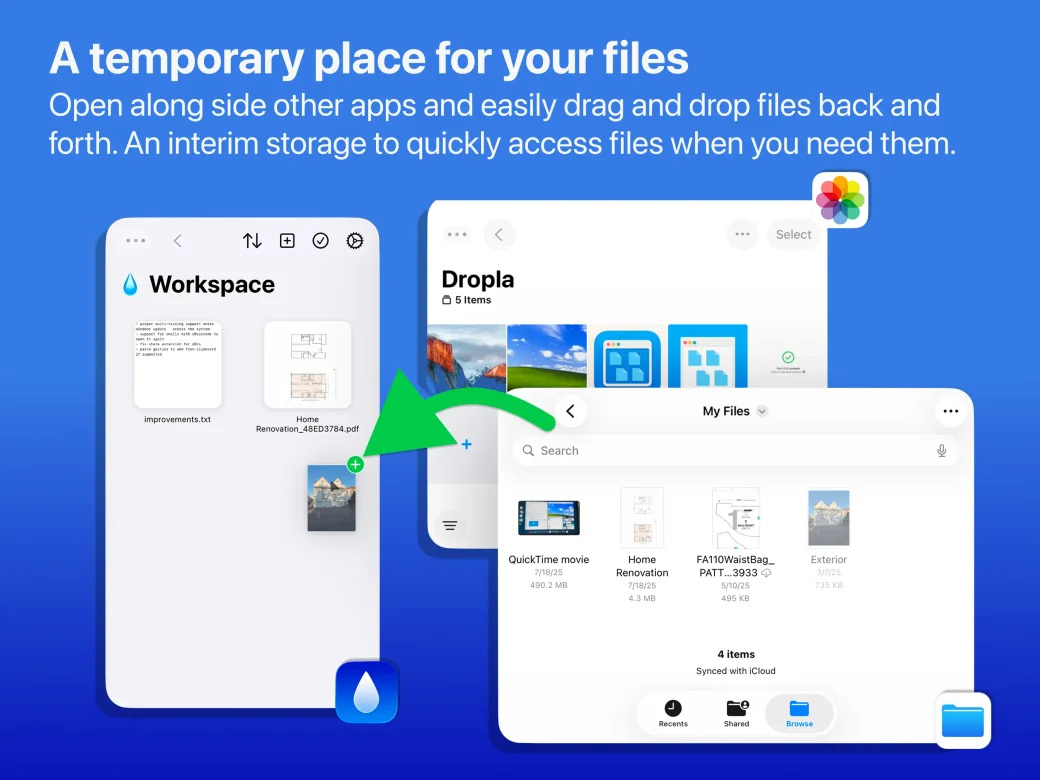
Dropla is your iPad’s missing shelf — a flexible, drag-and-drop space where you can collect files from anywhere, work on them quickly, and send them where they need to go.
Instead of digging through folders or switching endlessly between apps, just drop everything into Dropla. It’s your temporary holding space — a place to gather files from multiple sources, preview and edit them, convert formats, and share them forward when you’re ready.
Collect Files from Anywhere
- Drag files from Mail, Safari, Photos, or any other app straight into Dropla
- Combine items from different sources into one easy-to-access place
- Use Dropla as a staging area before uploading, sharing, or archiving files
Work on Files Without Leaving the Shelf
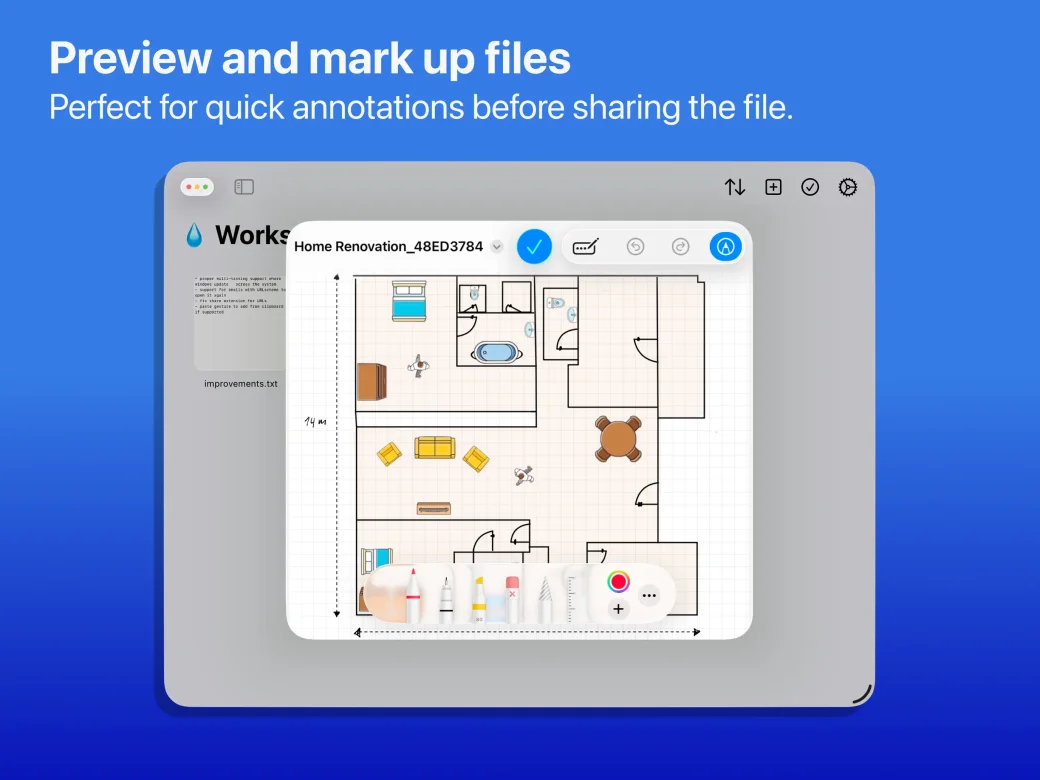
- Preview and annotate documents, images, and PDFs with QuickLook
- Edit .txt files directly to make last-minute changes before sharing
- Rename, copy, and prepare files without leaving the workspace
Convert, Compress, and Prepare
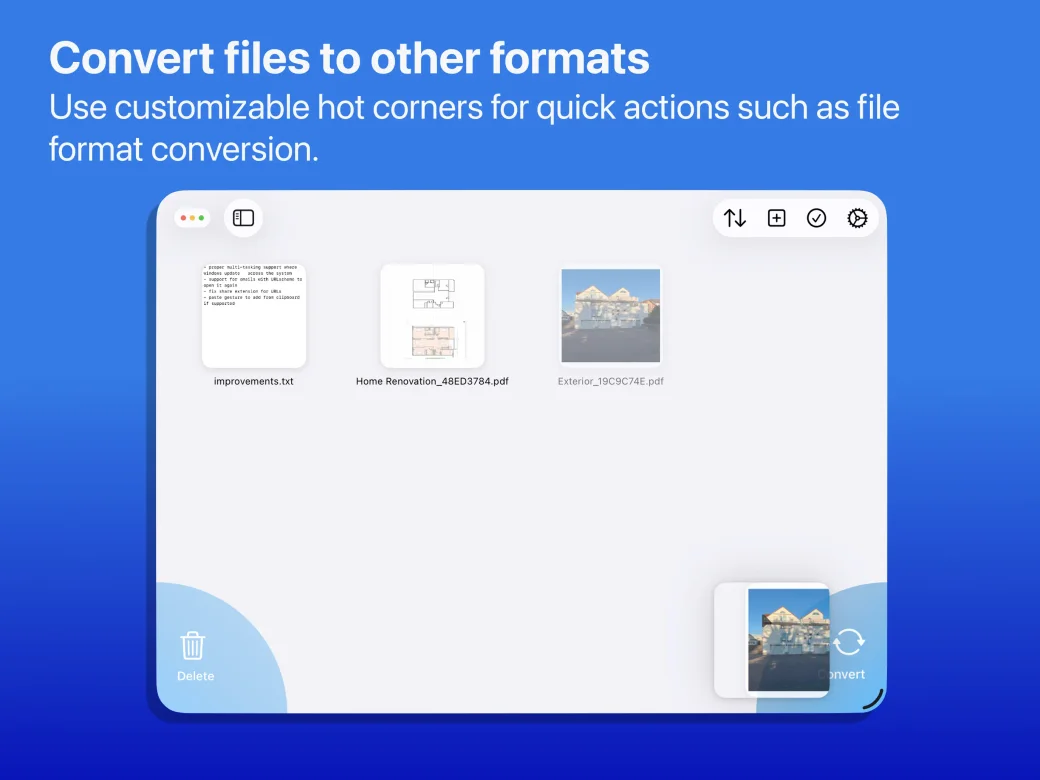
- Instantly convert files into many supported formats
- Compress files for faster sharing or uploading
- See available conversion options at a glance
Multiple Workspaces for Different Projects
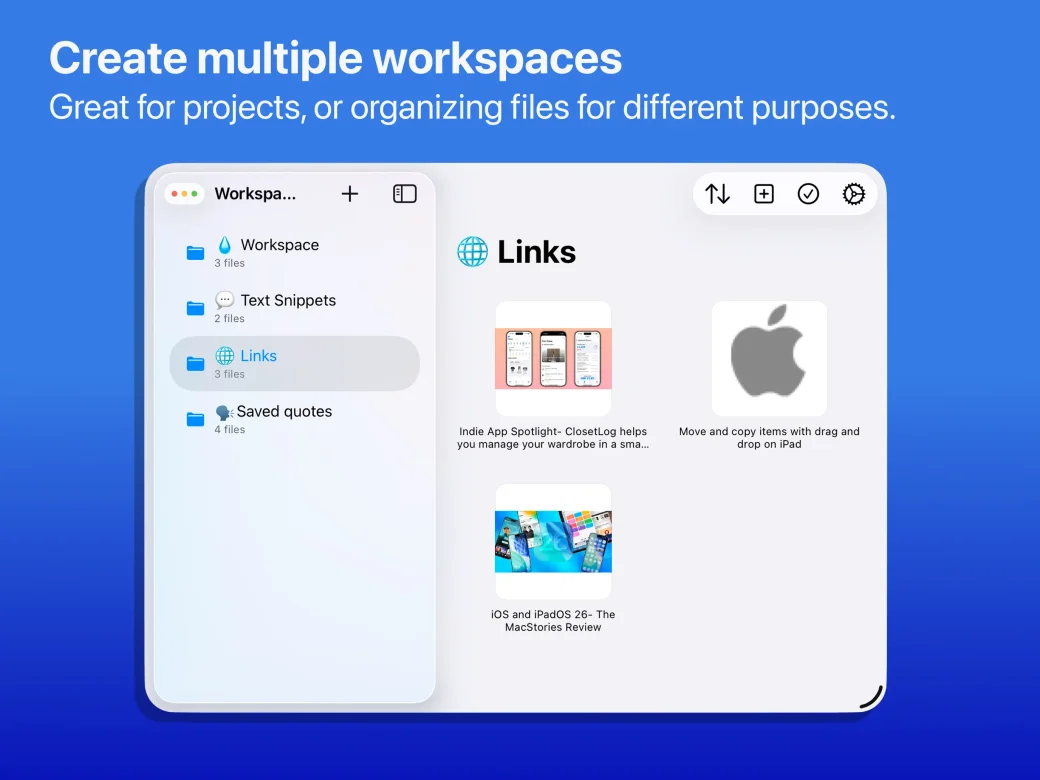
- Create dedicated shelves for each project or context
- Keep files separated and switch between workspaces in a tap
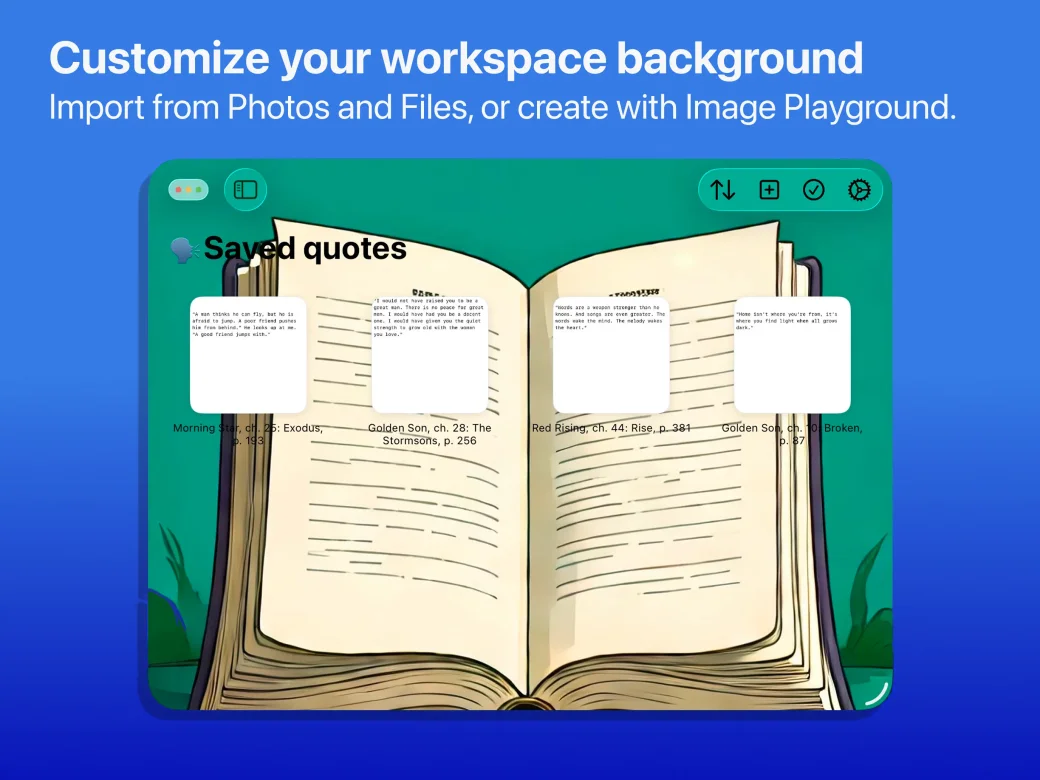
- Personalize each workspace with custom backgrounds from Photos, Files, or Image Playground
Quick Actions with Hot Corners
- Drag a file into a bottom corner to trigger custom actions
- Automate frequent tasks like conversion or compression with a single gesture
- Speed up your workflow without menus or taps
Dropla is not a file manager — it’s a temporary shelf that fits right into how you already use your iPad. Drop files in as you work, make quick edits or conversions, and send them on their way. Once you’ve shared or saved them, the shelf is clear and ready for whatever comes next.
新機能
バージョン 1.4 · 2026/7/19
This is a big reliability release — we went through the whole app and fixed the things that got in your way.
Sharing that just works
- Sharing links, text, and images to Dropla no longer fails or loses content — everything lands in the project you picked, even if you don't open the app right away
- A redesigned share sheet shows exactly where your files are going
Dropla in the Files app
- Browse and edit your projects right in Files — adding, renaming, and deleting files now stays perfectly in sync in both directions
- Listings refresh automatically and show correct dates
iCloud sync you can trust
- Changes from your other devices now actually arrive
- Deleted files stay deleted — even if you were offline when you deleted them
- When the same item changed on two devices, the newest edit wins
Your files, handled with care
- Imported files keep their original names — no more random codes, and nothing gets silently overwritten
- Video compression now really compresses (720p/540p/480p), and ZIP archives open everywhere
- Voice recordings and text edits can no longer be accidentally lost
A smoother board
- Drop files anywhere on a kanban column — including onto cards — and move cards between columns naturally
- The Unsorted column is always available, and an empty board now offers to add your first column
And lots of polish
- The app now tells you when something couldn't be added, pasted, or copied — instead of doing nothing
- Faster and smoother with large projects
- Remove stickers with a touch and hold, clearer dialogs throughout, better dark mode, and improved VoiceOver support
アプリのプライバシー
このアプリのデータの取り扱いについて、Gabriel JourdanがApp Storeで申告している内容です。
-
データの収集なし
開発元はこのアプリからデータを収集しません。
プライバシーの取り扱いは、ご利用の機能やお客様の年齢などに応じて異なる場合があります。
情報
- 販売元
- Gabriel Jourdan
- カテゴリ
- 仕事効率化
- バージョン
- 1.4
- 更新日
- 2026/7/19
- リリース
- 2025/10/18
- サイズ
- 7.8 MB
- 必要条件
- iOS 18.5以降
- 対象年齢
- 4+
- 価格
- ¥1,100
- 言語
- 英語
- 著作権
- © 2025 Gabriel Jourdan
こちらもおすすめ
-
 MarpUI仕事効率化
-
 FlowPocket - コピペ履歴・クリップボードコピー&ペースト保存、Markdown出力
-
 ストップウォッチ: Super Easy Timerフローティング・カウントダウンタイマーと時計
-
 Xarra: テキスト読み上げ・聴く読書PDFや記事、メモを自然な音声で
-
 Sortio: Scan Mail & Bills仕事効率化
-
 Archi — Paperless Scanner仕事効率化
-
 Untold Novel - Story PlannerBuch planen und schreiben
-
 CharitySuite Check-In仕事効率化
-
 Markdown Reader & Editor - MDマークダウン エディタ&ビューア
-
 カレンダー予定アラーム / KeyAlarmマナーモードでも鳴る。会議・習い事・通院に