
Effective Expenses
Expense & Income Tracker
Entwickelt für iPhone, iPad
Kostenlos · In-App-Käufe
- Altersfreigabe4+
- KategorieFinanzen
- EntwicklerFrancesco Papagno
- SprachenSpanisch+ 12 weitere
- Größe8,1 MB
Verlinkt auf die offizielle App Store-Seite
Download.org hostet keine Datei von Effective Expenses. Die Schaltfläche öffnet die App-Seite bei App Store, wo Francesco Papagno die App veröffentlicht. Eintrag zuletzt geprüft am 10.11.2026.
Screenshots



Info
Der Entwickler hat diesen Text nicht in Ihrer Sprache bereitgestellt.
# Expense & Income Tracking
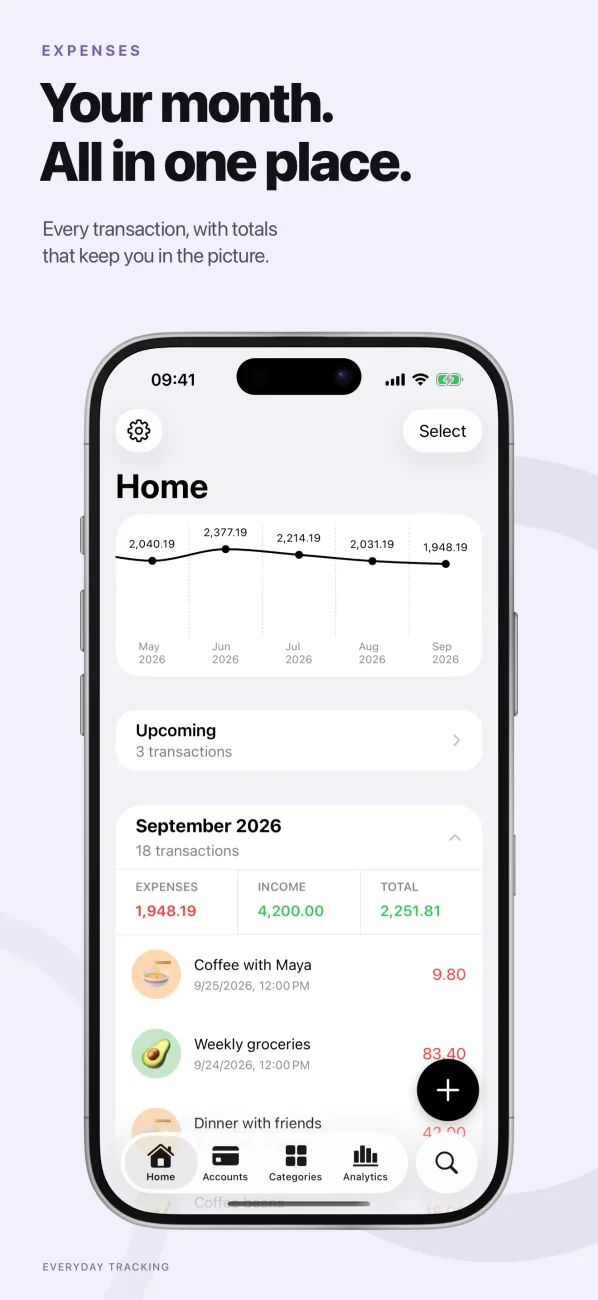
Keep expenses and income together, from your morning coffee to your monthly salary.
- Recurring transactions: Schedule rent, subscriptions, payday, and more, with repeats from daily to yearly, including every 2 weeks.
- Upcoming transactions: See scheduled transactions in a dedicated view.
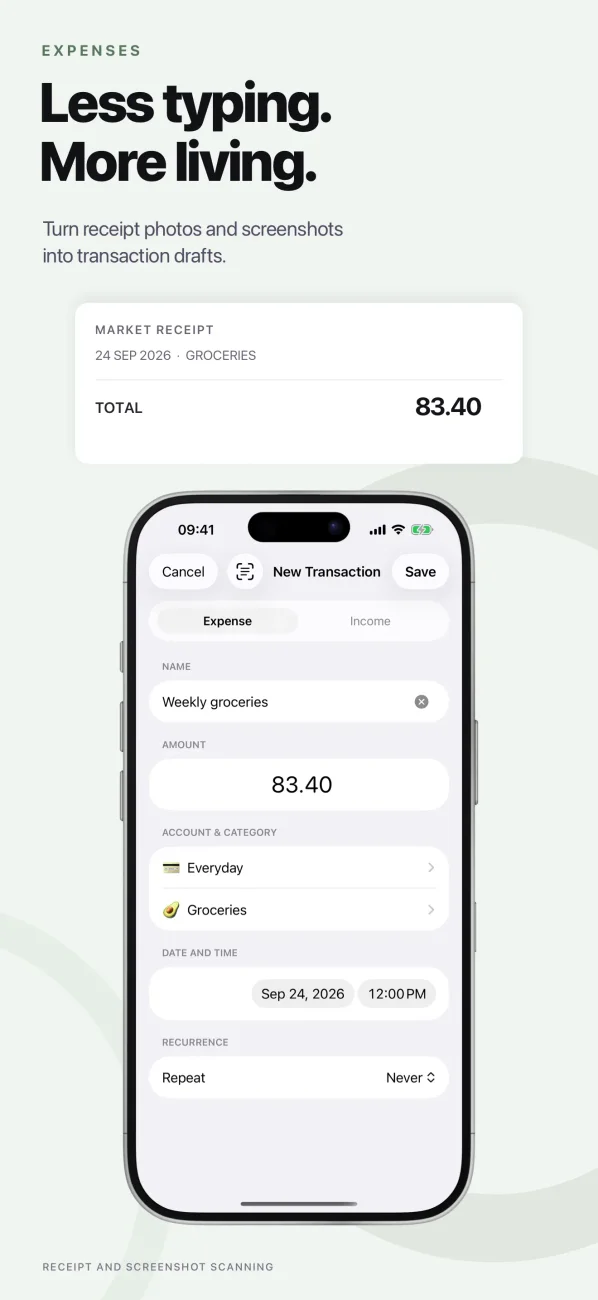
- Screenshot entry: Choose a screenshot or receipt photo to fill in a new transaction.
- Share to Expenses: Create a transaction from a screenshot shared from another app.
- Built-in calculator: Do quick math in the amount field.
- Smart pickers: Create accounts and categories while adding a transaction.
- Bulk actions: Select multiple transactions to delete or recategorize them together.
# Automatic Import with Shortcuts
Bring in transactions from Apple Wallet and payment notifications with Shortcuts automations.
- Apple Wallet: Set up an automation in Shortcuts to send Wallet transactions to Expenses.
- Payment notifications: Send notifications from your banking apps to Expenses, and the on-device model turns them into transactions. Card and account numbers are hidden before reading. (Requires iOS 27)
- You’re in control: Review, categorize, and confirm imported transactions. If a notification can’t be read, it’s kept for you to review or retry.
# Accounts & Categories
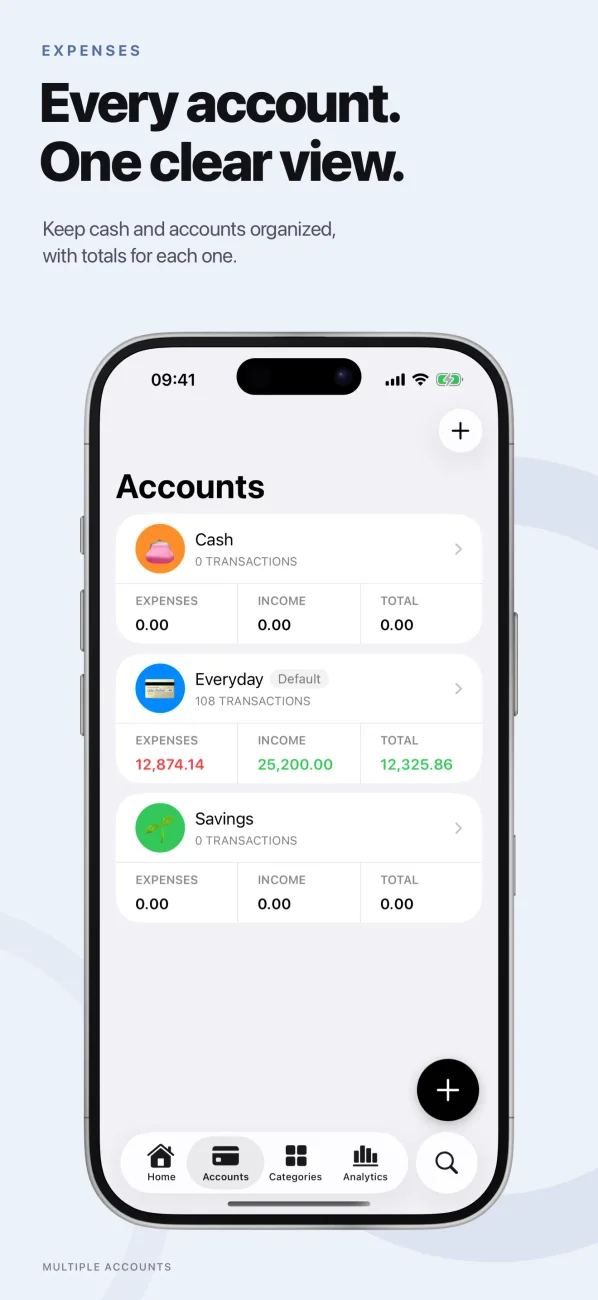
Organize your finances with accounts and categories that fit your needs.
- Transfers: Move money between accounts in one step. Transfers stay out of your income, expenses, and reports.
- Opening balances: Start an account from its current balance and see it grow from there.
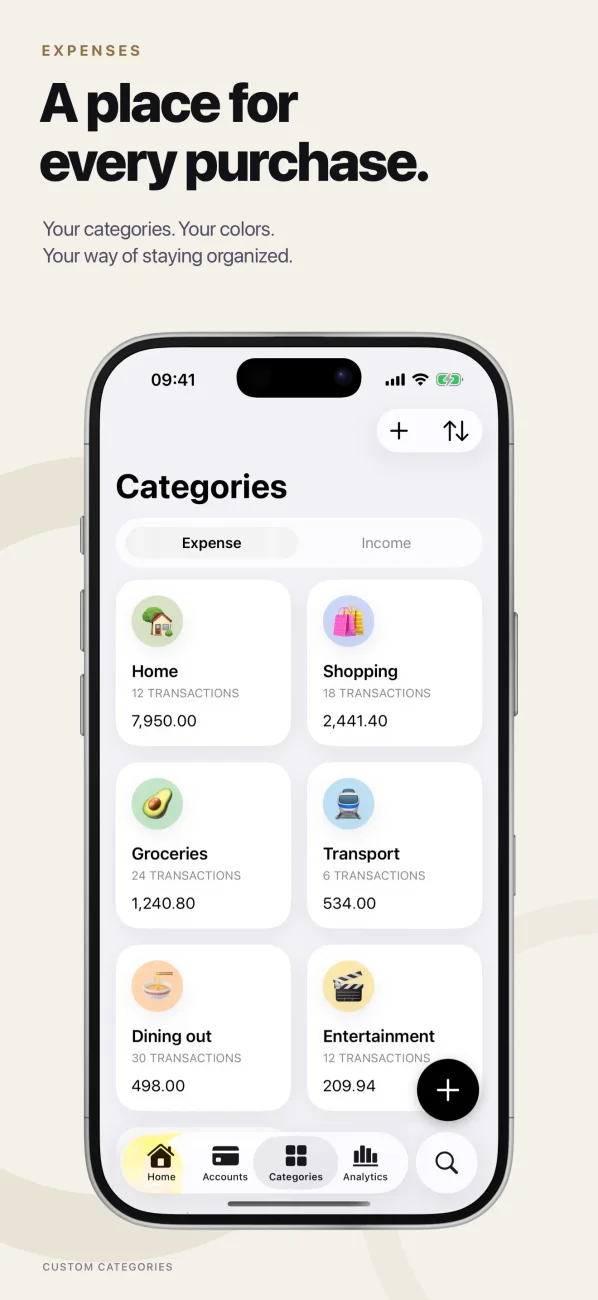
- Dedicated views: Browse accounts and categories, with income and expense categories kept separate.
- Category cards: See your categories at a glance in a grid.
- Sorting: Sort categories by name, total amount, or transaction count.
- Customization: Give accounts and categories their own colors and emojis.
- Category exclusion: Leave selected categories out of analytics.
# Analytics & Reports
See where your money goes and explore the trends that matter to you.
- Time periods: Choose a period and compare it with the previous one.
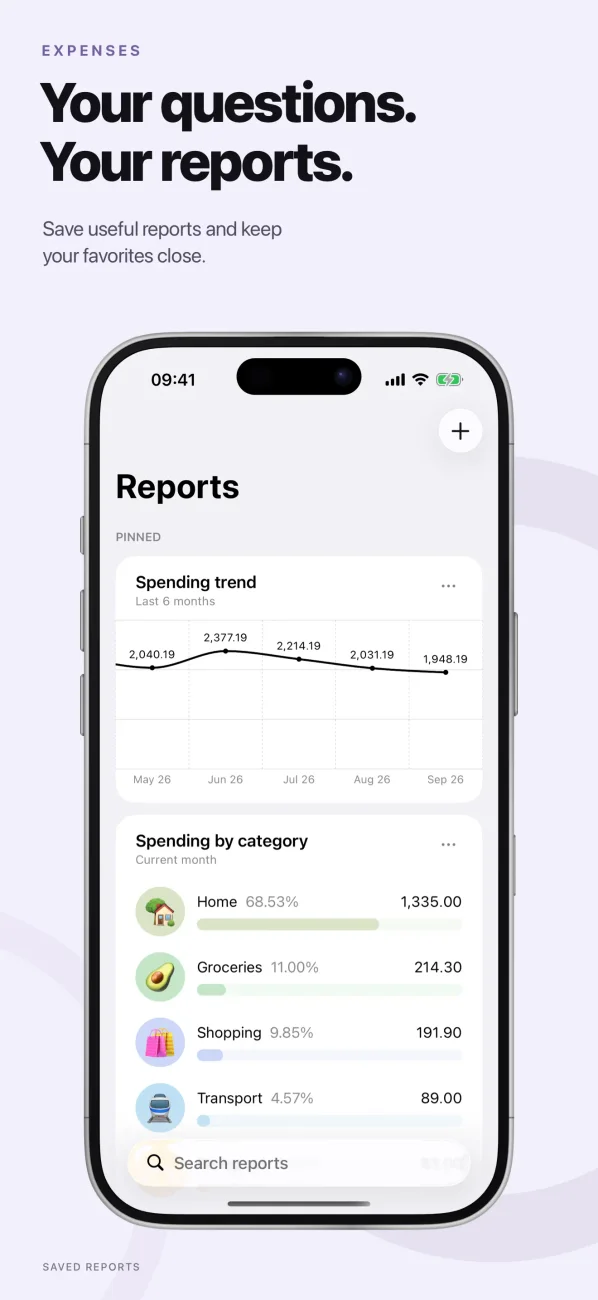
- Custom reports: Create reports for spending trends, top expenses, recurring costs, and more.
- Your favorites: Pin reports to Analytics and choose a compact or full-width view.
- Account and category insights: Explore charts and spending trends in each account or category.
- Monthly overview: See expense and income totals on the Home tab.
- Assistant: Ask questions about your finances on devices that support Apple Intelligence.
# Home Screen Widgets
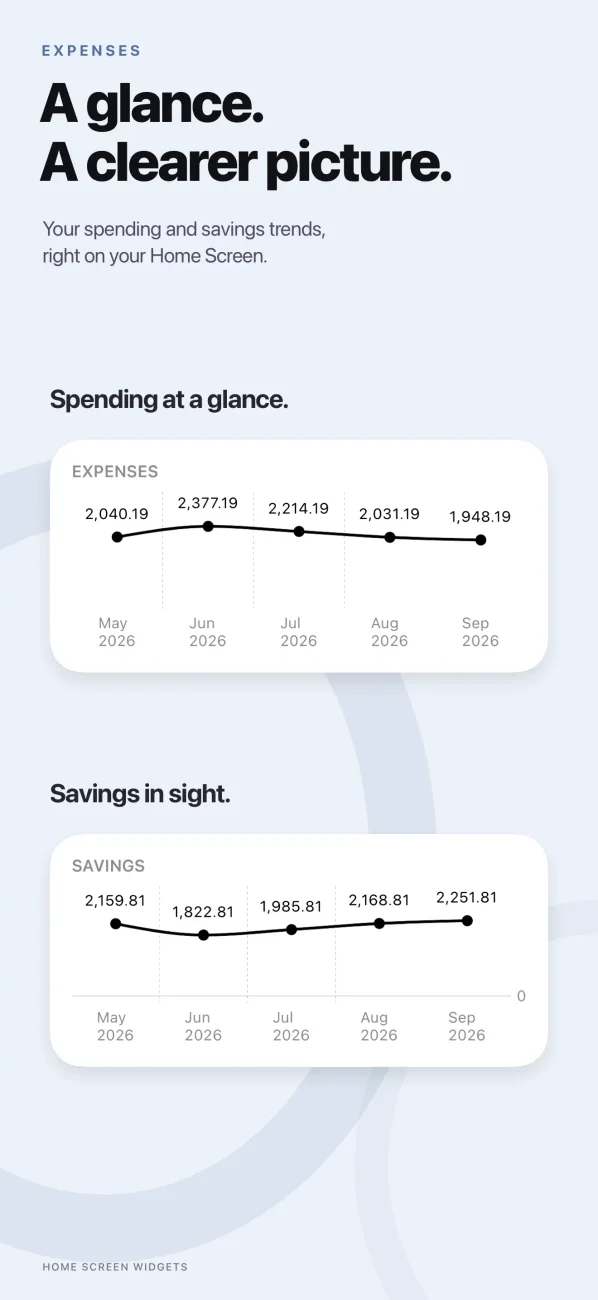
Check your spending or savings at a glance.
- Customizable totals: Choose yearly, monthly, or weekly views.
- Dark Mode: Widgets match your device’s appearance.
# Fast & Intuitive Interface
Use swipe actions and context menus to manage accounts, categories, and transactions.
- Unified search: Find transactions, accounts, and categories in one place.
- Search filters: Narrow transactions by account, category, or date.
# Settings
Tailor Expenses to the way you track your money.
- Flexible features: Turn off income tracking, accounts, or charts if you don’t need them.
- Daily reminders: Get a prompt to log your transactions.
- Backup and import: Save and restore your data, including custom reports.
# Your Language
Use Expenses in English, Italian, French, German, Spanish, Portuguese, Hungarian, Hindi, Japanese, Korean, Chinese (Simplified and Traditional), or Arabic.
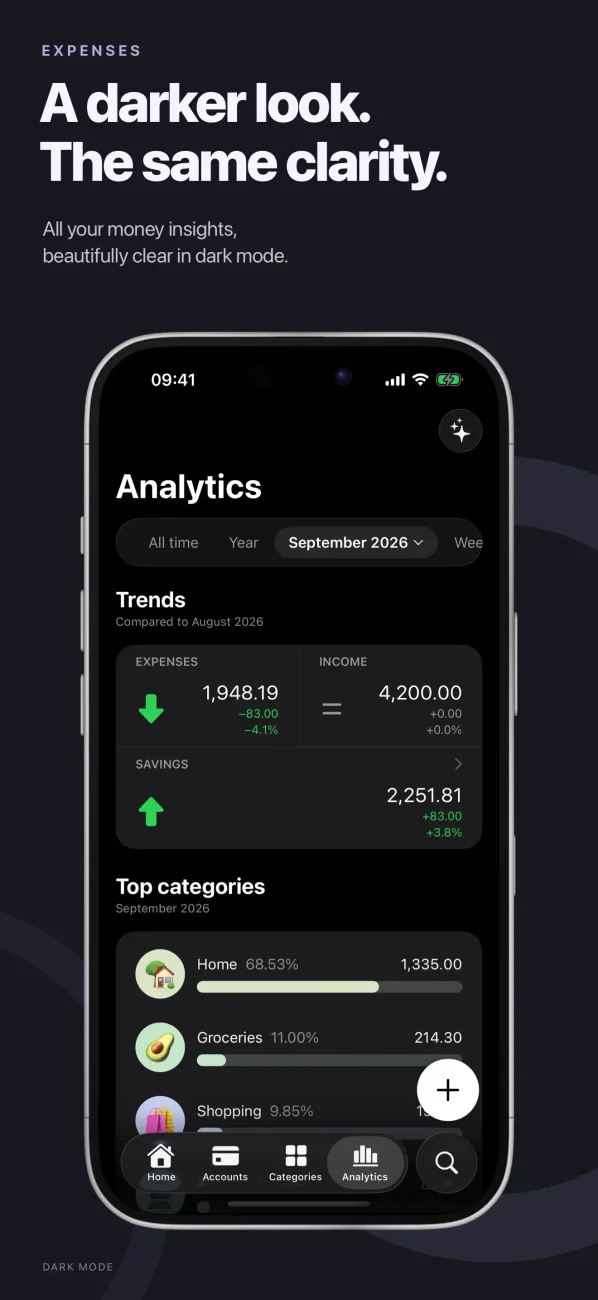
# Dark Mode
Enjoy a clear interface day or night with full Dark Mode support.
# iCloud Sync
Keep your data up to date across your Apple devices.
- Sync status: Check your iCloud setup and sync status in Settings.
# Terms of Use (EULA)
https://www.apple.com/legal/internet-services/itunes/dev/stdeula/
Neue Funktionen
Version 2026.10.1 · 21.10.2026
- Added new analytics card in the accounts section
- Fixed amounts shown on account rows to take transfers into account
App-Datenschutz
Was Francesco Papagno im App Store zum Umgang dieser App mit Daten angibt.
-
Keine Daten erfasst
Der Entwickler erfasst keine Daten von dieser App.
Die Datenschutzpraktiken können variieren, zum Beispiel je nach den von Ihnen verwendeten Funktionen oder Ihrem Alter.
Informationen
- Anbieter
- Francesco Papagno
- Kategorie
- Finanzen
- Version
- 2026.10.1
- Aktualisiert
- 21.10.2026
- Veröffentlicht
- 28.07.2025
- Größe
- 8,1 MB
- Erfordert
- iOS 26.0 oder neuer
- Altersfreigabe
- 4+
- Preis
- Kostenlos
- In-App-Käufe
- Ja
- Sprachen
- Spanisch, Deutsch, Vereinf. Chinesisch, Tradit. Chinesisch, Koreanisch, Französisch, Hindi, Ungarisch, Englisch, Italienisch, Japanisch, Portugiesisch + 1 weitere
- Copyright
- © 2026 Francesco Papagno
Das könnte Ihnen auch gefallen
-
 Expeny: HaushaltsbuchBudget, Ausgaben & Finanzen
-
 Bill View - Bill TrackerFinanzen
-
 SafeSpend Daily Budget TrackerFinanzen
-
 Penny Pilot: Expense TrackerFinanzen
-
 FinFRDMFinanzen
-
 Future BalanceFinanzen
-
 Easy Budget 2Überblick über deine Finanzen
-
 MonevisFinanzen
-
 Vesta: AI Budget PlannerFinanzen
-
 Gravity: Expense TrackerFinanzen