
Effective Expenses
Expense & Income Tracker
Designed for iPhone, iPad
In-app purchases
- Age rating4+
- CategoryFinance
- DeveloperFrancesco Papagno
- LanguagesSpanish+ 12 more
- Size8.1 MB
Links to the official App Store page
Download.org hosts no file of Effective Expenses. The button opens its official App Store page, published by Francesco Papagno. Listing last checked on Nov 10, 2026.
Screenshots



About
# Expense & Income Tracking
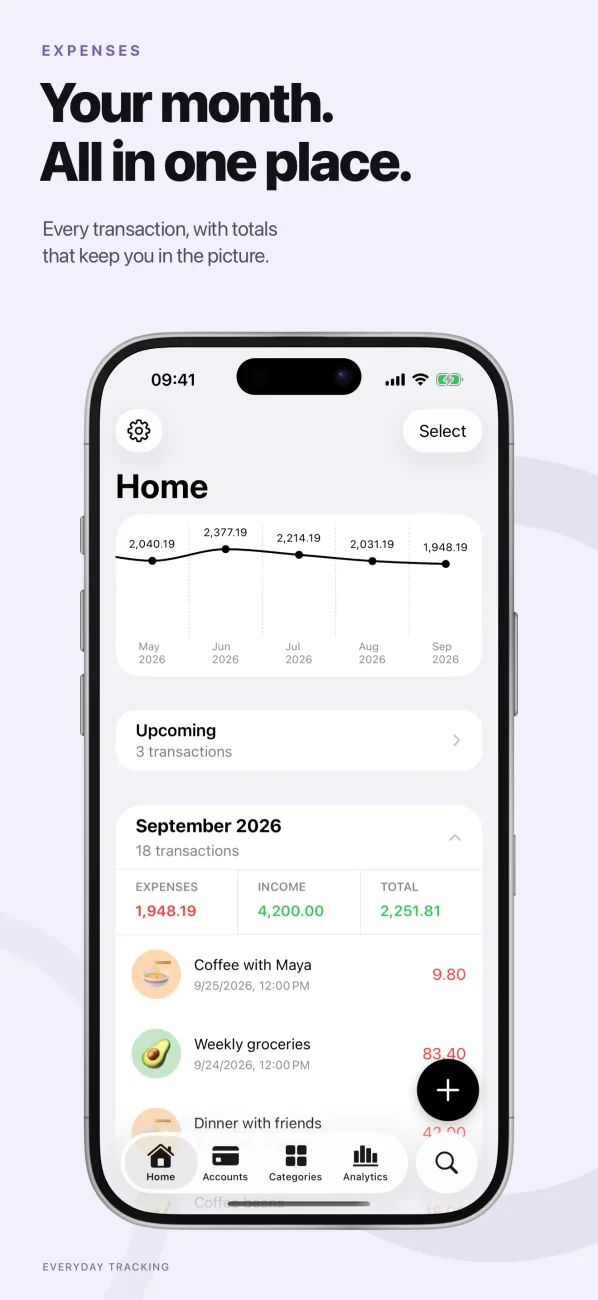
Keep expenses and income together, from your morning coffee to your monthly salary.
- Recurring transactions: Schedule rent, subscriptions, payday, and more, with repeats from daily to yearly, including every 2 weeks.
- Upcoming transactions: See scheduled transactions in a dedicated view.
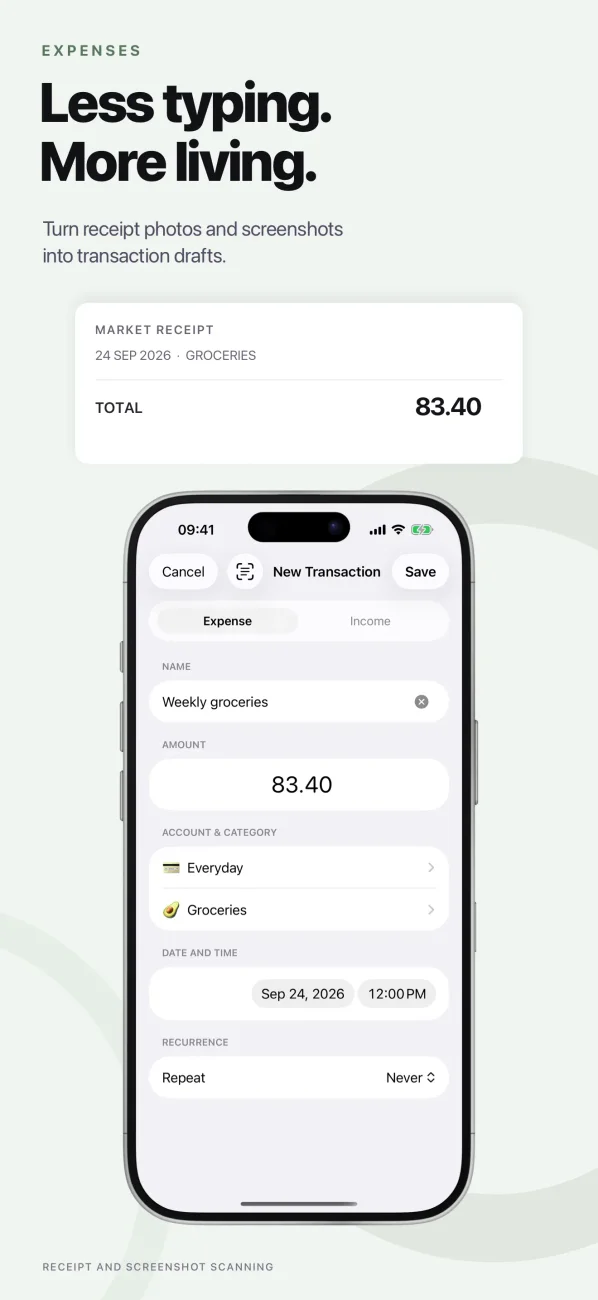
- Screenshot entry: Choose a screenshot or receipt photo to fill in a new transaction.
- Share to Expenses: Create a transaction from a screenshot shared from another app.
- Built-in calculator: Do quick math in the amount field.
- Smart pickers: Create accounts and categories while adding a transaction.
- Bulk actions: Select multiple transactions to delete or recategorize them together.
# Automatic Import with Shortcuts
Bring in transactions from Apple Wallet and payment notifications with Shortcuts automations.
- Apple Wallet: Set up an automation in Shortcuts to send Wallet transactions to Expenses.
- Payment notifications: Send notifications from your banking apps to Expenses, and the on-device model turns them into transactions. Card and account numbers are hidden before reading. (Requires iOS 27)
- You’re in control: Review, categorize, and confirm imported transactions. If a notification can’t be read, it’s kept for you to review or retry.
# Accounts & Categories
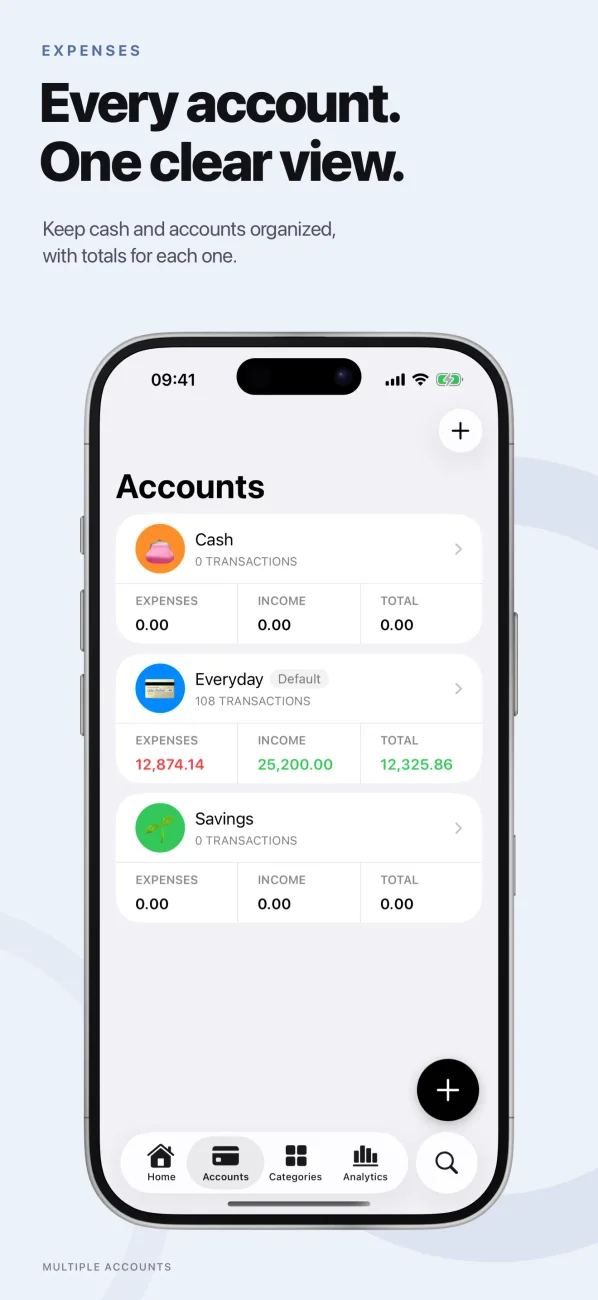
Organize your finances with accounts and categories that fit your needs.
- Transfers: Move money between accounts in one step. Transfers stay out of your income, expenses, and reports.
- Opening balances: Start an account from its current balance and see it grow from there.
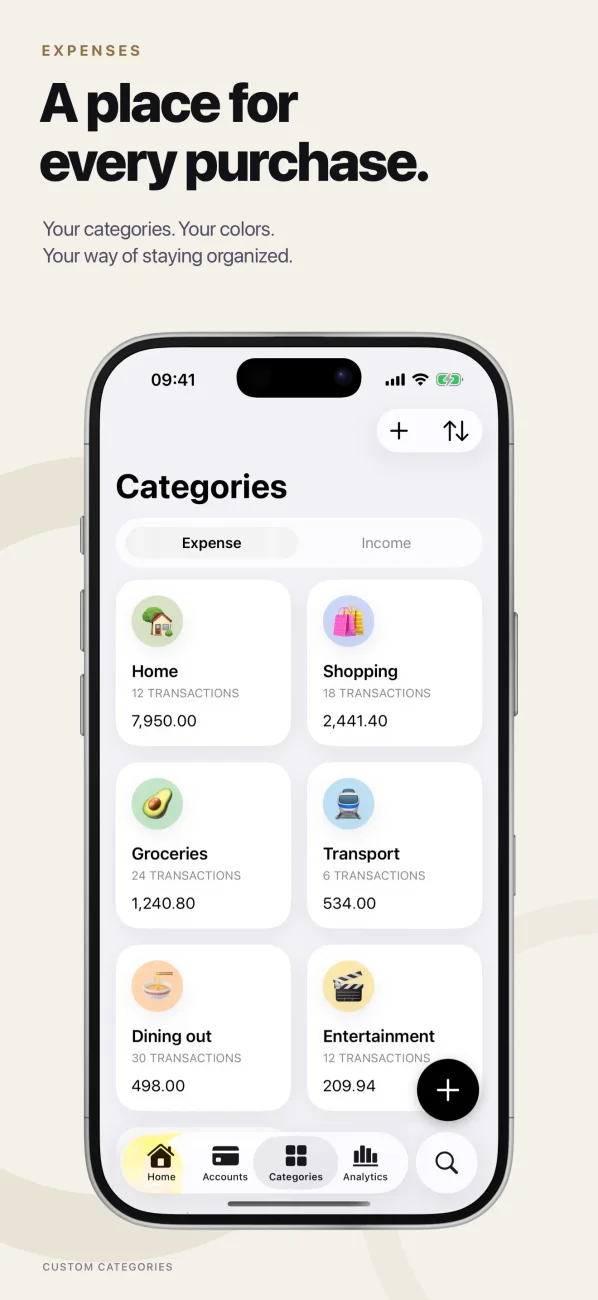
- Dedicated views: Browse accounts and categories, with income and expense categories kept separate.
- Category cards: See your categories at a glance in a grid.
- Sorting: Sort categories by name, total amount, or transaction count.
- Customization: Give accounts and categories their own colors and emojis.
- Category exclusion: Leave selected categories out of analytics.
# Analytics & Reports
See where your money goes and explore the trends that matter to you.
- Time periods: Choose a period and compare it with the previous one.
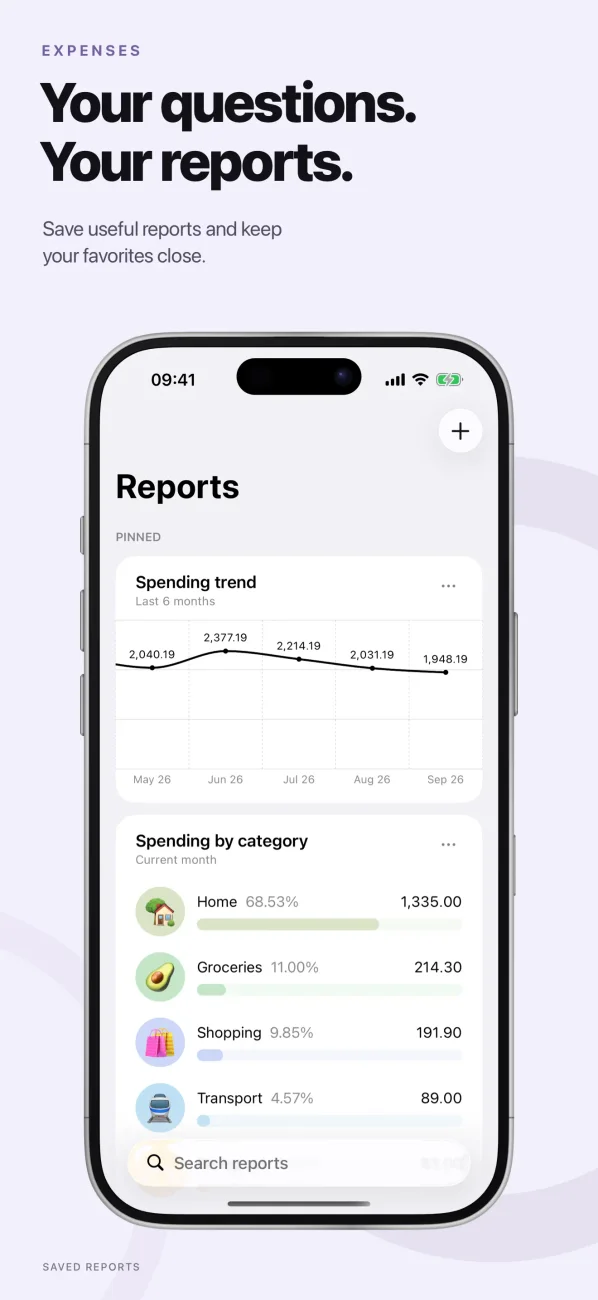
- Custom reports: Create reports for spending trends, top expenses, recurring costs, and more.
- Your favorites: Pin reports to Analytics and choose a compact or full-width view.
- Account and category insights: Explore charts and spending trends in each account or category.
- Monthly overview: See expense and income totals on the Home tab.
- Assistant: Ask questions about your finances on devices that support Apple Intelligence.
# Home Screen Widgets
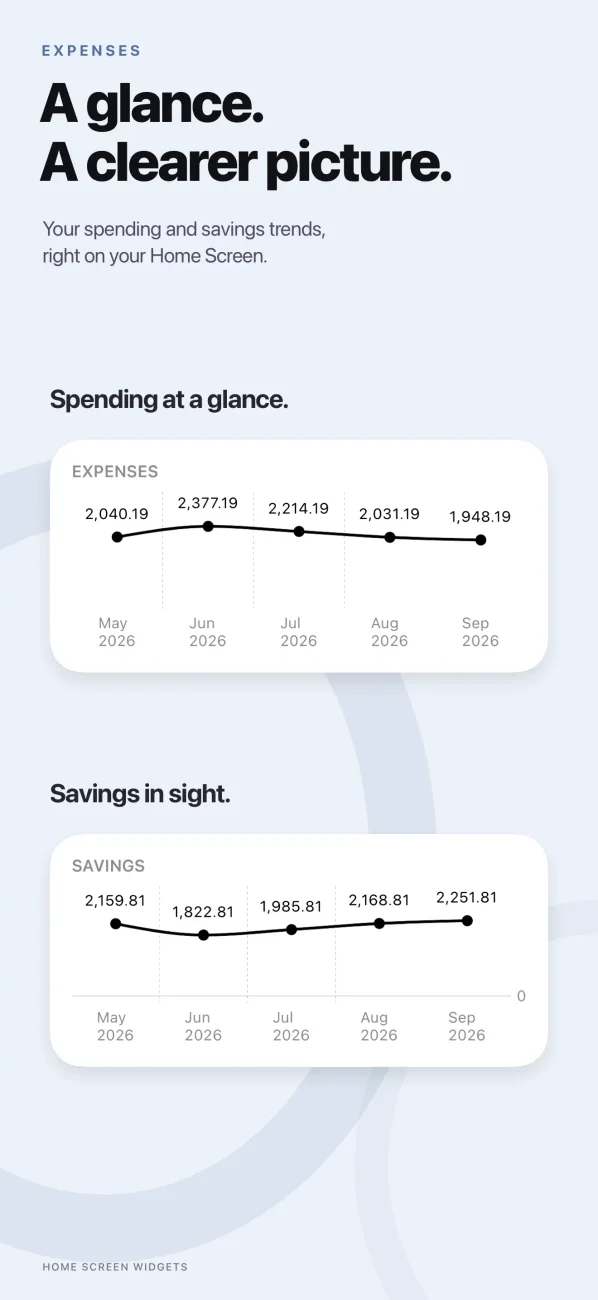
Check your spending or savings at a glance.
- Customizable totals: Choose yearly, monthly, or weekly views.
- Dark Mode: Widgets match your device’s appearance.
# Fast & Intuitive Interface
Use swipe actions and context menus to manage accounts, categories, and transactions.
- Unified search: Find transactions, accounts, and categories in one place.
- Search filters: Narrow transactions by account, category, or date.
# Settings
Tailor Expenses to the way you track your money.
- Flexible features: Turn off income tracking, accounts, or charts if you don’t need them.
- Daily reminders: Get a prompt to log your transactions.
- Backup and import: Save and restore your data, including custom reports.
# Your Language
Use Expenses in English, Italian, French, German, Spanish, Portuguese, Hungarian, Hindi, Japanese, Korean, Chinese (Simplified and Traditional), or Arabic.
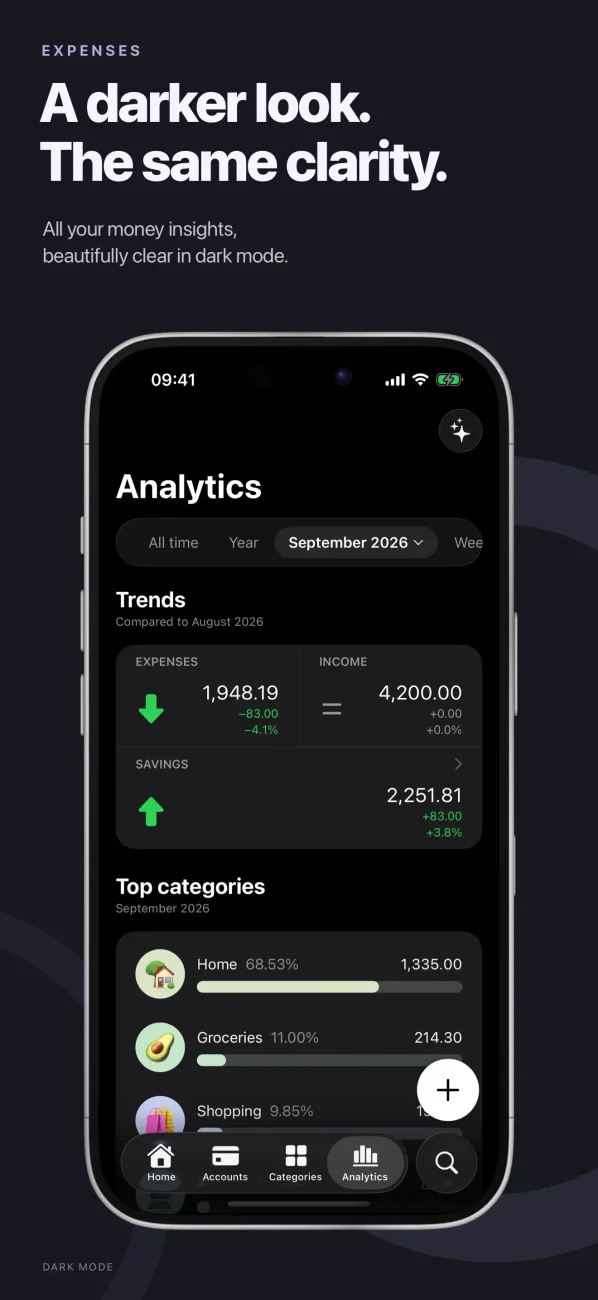
# Dark Mode
Enjoy a clear interface day or night with full Dark Mode support.
# iCloud Sync
Keep your data up to date across your Apple devices.
- Sync status: Check your iCloud setup and sync status in Settings.
# Terms of Use (EULA)
https://www.apple.com/legal/internet-services/itunes/dev/stdeula/
What’s new
Version 2026.10.1 · Oct 21, 2026
- Added new analytics card in the accounts section
- Fixed amounts shown on account rows to take transfers into account
App privacy
What Francesco Papagno declares on the App Store about how this app handles data.
-
Data not collected
The developer does not collect any data from this app.
Privacy practices may vary, for example with the features you use or your age.
Information
- Seller
- Francesco Papagno
- Category
- Finance
- Version
- 2026.10.1
- Updated
- Oct 21, 2026
- Released
- Jul 28, 2025
- Size
- 8.1 MB
- Requires
- iOS 26.0 or later
- Age rating
- 4+
- In-app purchases
- Yes
- Languages
- Spanish, German, Simplified Chinese, Traditional Chinese, Korean, French, Hindi, Hungarian, English, Italian, Japanese, Portuguese + 1 more
- Copyright
- © 2026 Francesco Papagno
You might also like
-
 Expeny: Budget & ExpenseBill Tracker & Money Manager
-
 Bill View - Bill TrackerRecurring Expense Tracker
-
 SafeSpend Daily Budget TrackerSafe to Spend Until Payday
-
 Penny Pilot: Expense TrackerPrivate, Offline Money Manager
-
 FinFRDMFinance
-
 Future BalanceSee Your Financial Future
-
 Easy Budget 2Finance
-
 MonevisBudget tracking & simulation
-
 Vesta: AI Budget PlannerSee your money 12 months ahead
-
 Gravity: Expense TrackerTrack, budget & safe-to-spend