
- Altersfreigabe4+
- KategorieFoto und Video
- EntwicklerTomas Ourednik
- SprachenEnglisch
- Größe64,3 MB
Verlinkt auf die offizielle App Store-Seite
Download.org hostet keine Datei von EMST Camera. Die Schaltfläche öffnet die App-Seite bei App Store, wo Tomas Ourednik die App veröffentlicht. Eintrag zuletzt geprüft am 12.11.2026.
Screenshots
Info
Der Entwickler hat diesen Text nicht in Ihrer Sprache bereitgestellt.
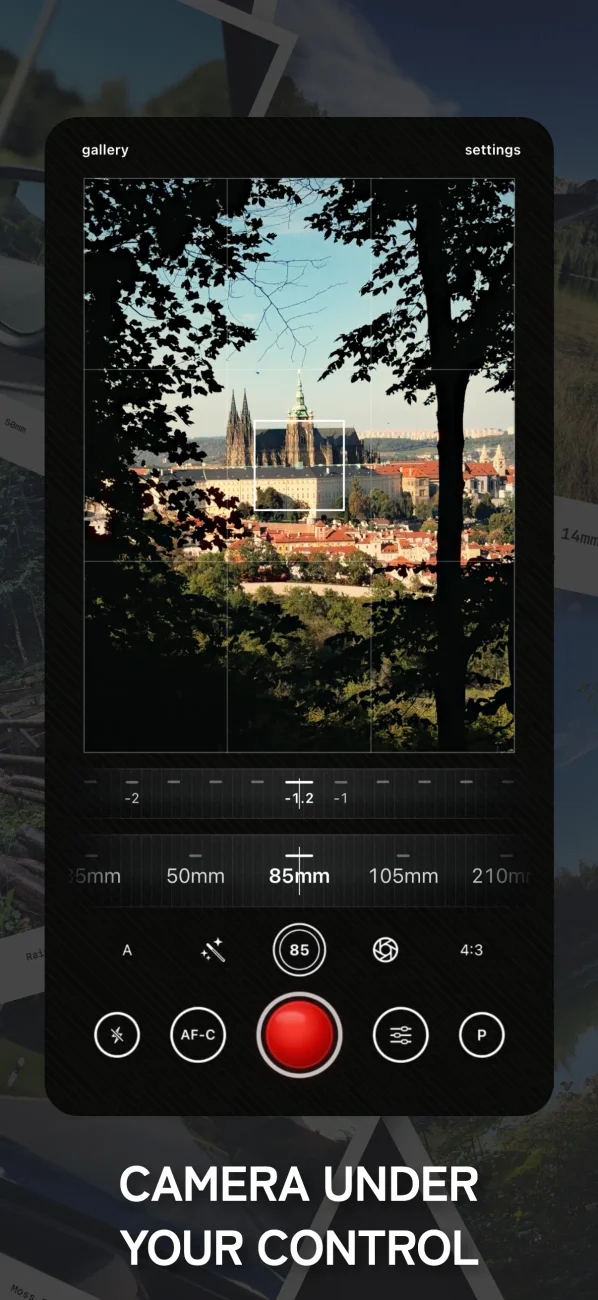
EMST Camera is a film-inspired camera app you operate like a camera.
Not a filter you drop on afterwards.
Pick a look, set your exposure, aperture and focal length, and shoot.
Live preview of the settings directly in viewfinder.
YOUR CONTROL
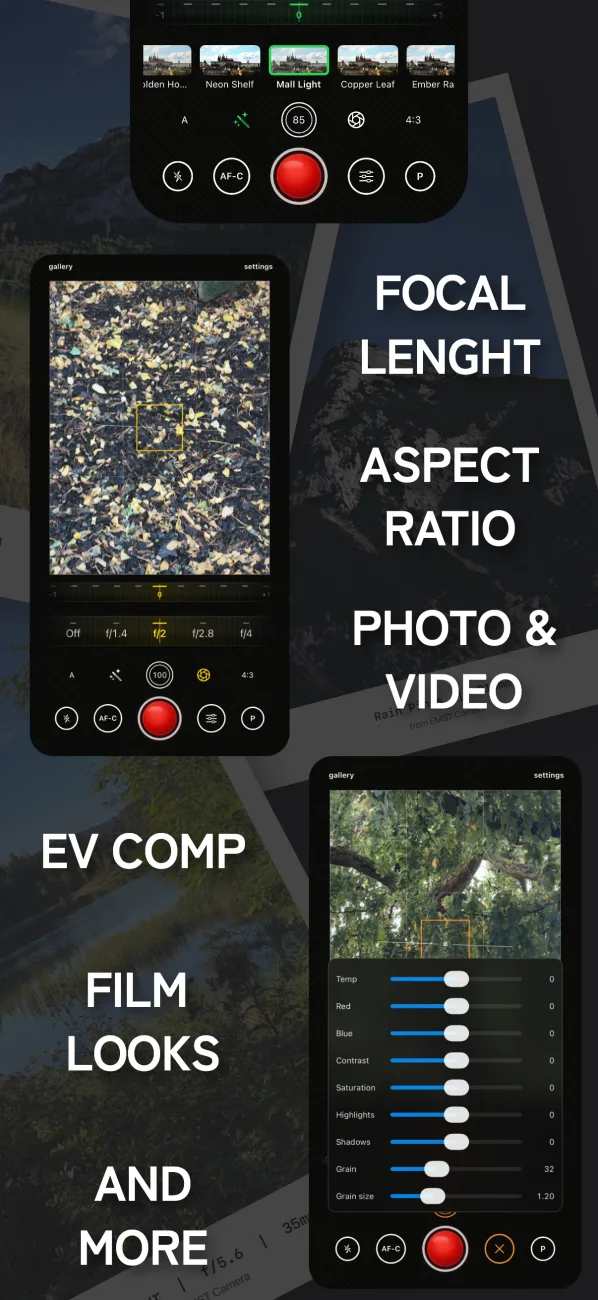
• A dial-based shooting interface: one scroll wheel drives exposure, aperture, focal length and aspect ratio.
• Aperture dial with depth-of-field rendering.
• Focal length presets pinned to your iPhone's real lenses.
• Mirrorless-style autofocus: a persistent AF box, tap to move it, AF lock to recompose.
• Grid and level overlays when you want them, nothing when you don't.
YOUR LOOK
• Built-in film-inspired looks, from warm evening color to cool dusk tones and true monochrome + Natural for a clean, untouched capture.
• Every look is tunable: grain, halation, vignette, clarity and color temperature.
PRIVATE BY DESIGN
• No account, no ads, everything happens on your device.
Open the camera straight from control center or lock screen with shortcut extension.
EMST Camera iOS app from Emaki Studio, a small independent photo toolkit.
Neue Funktionen
Version 1.2 · 11.10.2026
Video has arrived, with your looks baked in.
• Video mode: switch the mode button to V and the shutter records a clip with the selected look, grain, halation and vignette in the file, exactly as the viewfinder shows it. 1080p or 4K, with sound.
• Zoom across all lenses while recording. The lens dial runs continuously in Video mode, ultra-wide to telephoto in one clip, and you can turn continuous zoom on for photos too.
• Frame-rate dial in the shutter's slot: 24, 25, 30, 60 and 120 fps. Below 24 is a time-lapse, above 60 is slow motion.
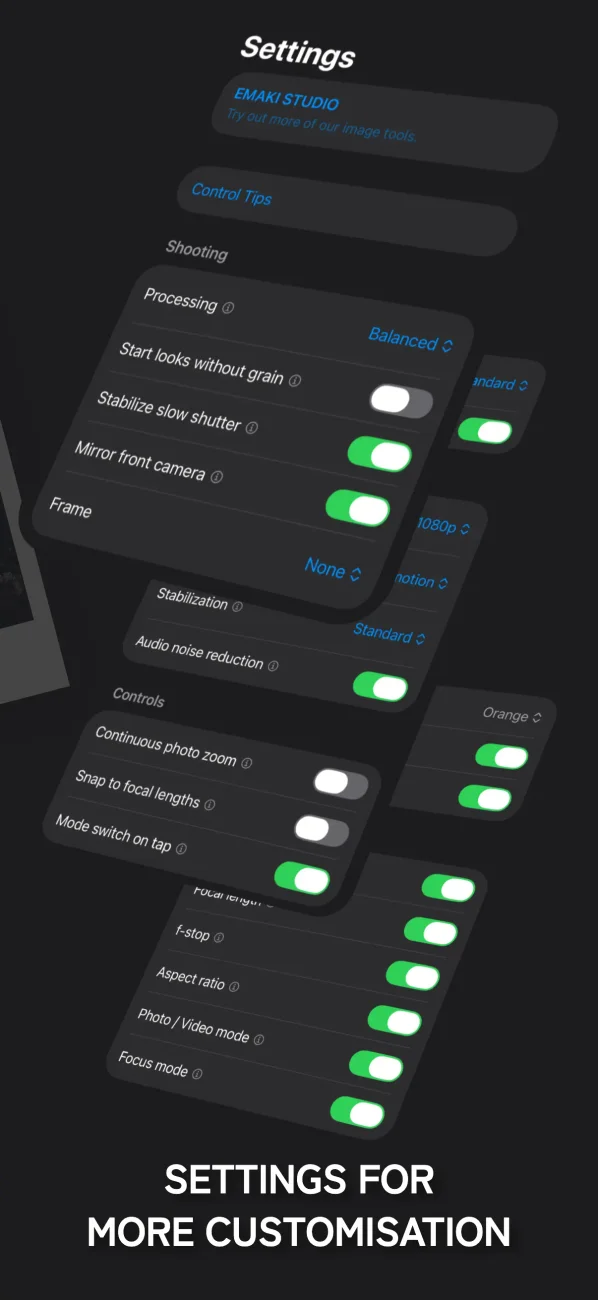
• Video stabilization in three steps and audio noise reduction, both in Settings.
• Pinch the viewfinder to zoom and swipe for exposure. Bluetooth camera grips made for the built-in Camera work here too.
• The front camera zooms, and the camera flip is now a button at the wide end of the lens dial.
• Save into an EMST Camera album in Photos, switch it on in Settings.
• Settings regrouped, with tap-for-help on any setting instead of notes.
App-Datenschutz
Was Tomas Ourednik im App Store zum Umgang dieser App mit Daten angibt.
-
Keine Daten erfasst
Der Entwickler erfasst keine Daten von dieser App.
Die Datenschutzpraktiken können variieren, zum Beispiel je nach den von Ihnen verwendeten Funktionen oder Ihrem Alter.
Informationen
- Anbieter
- Tomas Ourednik
- Kategorie
- Foto und Video
- Version
- 1.2
- Aktualisiert
- 11.10.2026
- Veröffentlicht
- 09.09.2026
- Größe
- 64,3 MB
- Erfordert
- iOS 26.0 oder neuer
- Altersfreigabe
- 4+
- Preis
- Kostenlos
- Sprachen
- Englisch
- Copyright
- © 2026 Tomáš Ouředník
Das könnte Ihnen auch gefallen
-
 ProCam InstrumentFoto und Video
-
 Knurl CameraFoto und Video
-
 Fexer - Pro CameraFoto und Video
-
 NoCam FilmFoto und Video
-
 frmrrFoto und Video
-
 Warm CameraFoto und Video
-
 CMRA - A Camera, Kept SimpleFoto und Video
-
 Aperto: Manuelle RAW-KameraNachtmodus, RAW & Film-Looks
-
 xMosaique - Preset+LUT CameraFoto und Video
-
 Luxa RAW CameraFoto und Video