
- Age rating4+
- CategoryPhoto & Video
- DeveloperTomas Ourednik
- LanguagesEnglish
- Size64.3 MB
Links to the official App Store page
Download.org hosts no file of EMST Camera. The button opens its official App Store page, published by Tomas Ourednik. Listing last checked on Nov 12, 2026.
Screenshots
About
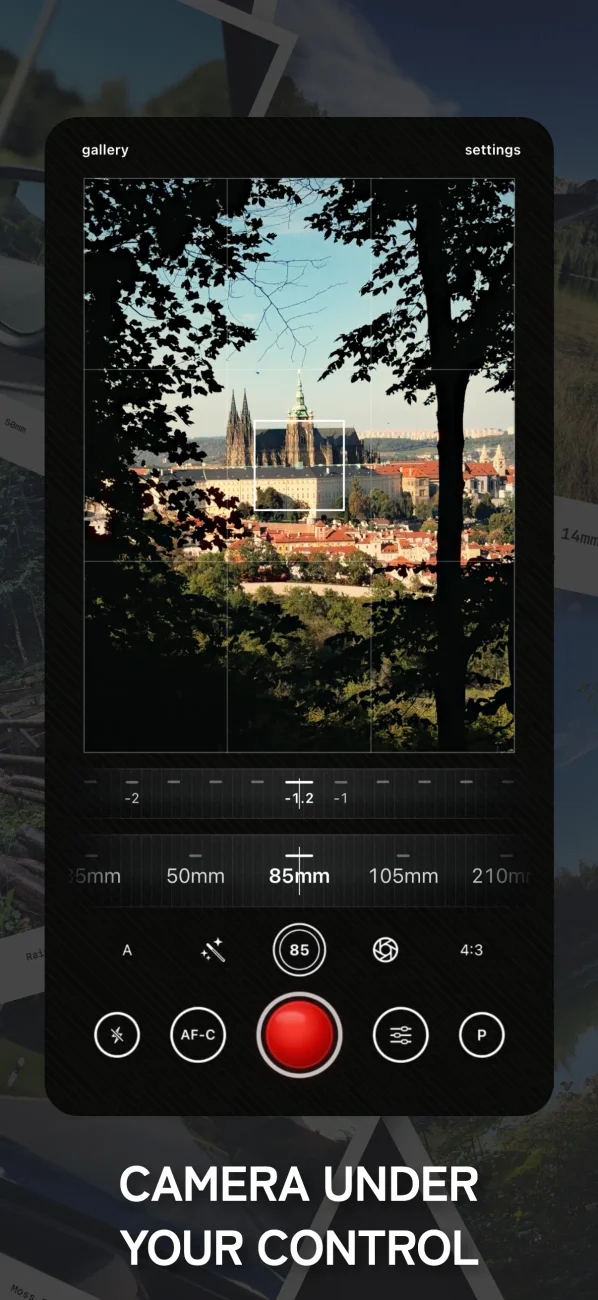
EMST Camera is a film-inspired camera app you operate like a camera.
Not a filter you drop on afterwards.
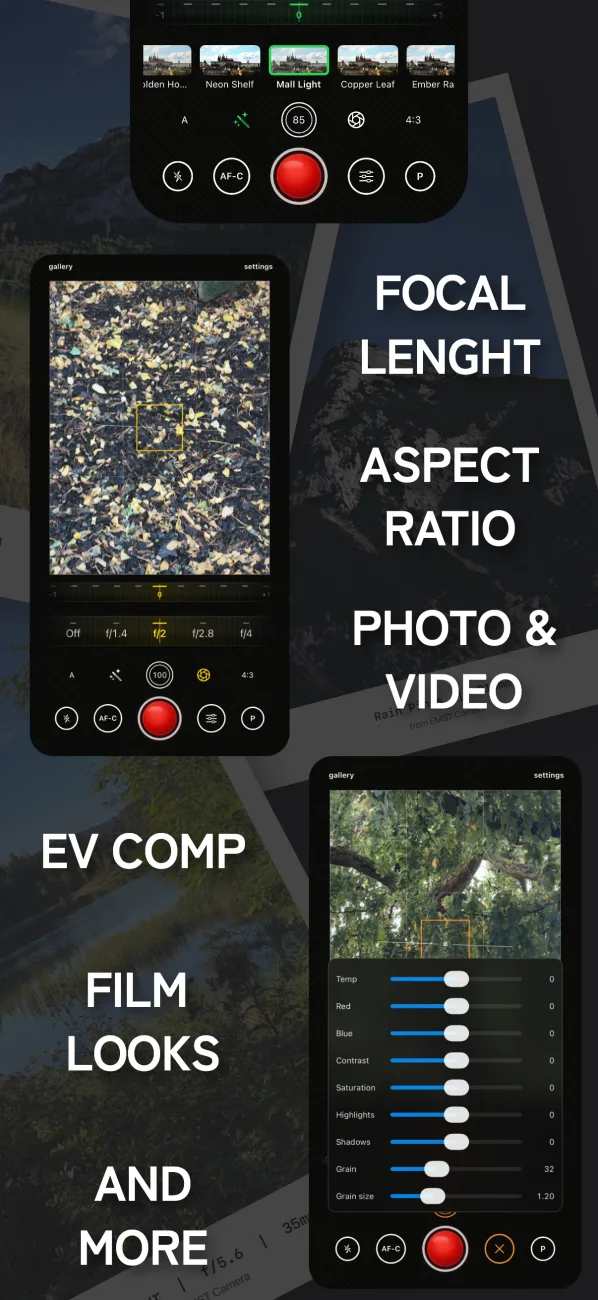
Pick a look, set your exposure, aperture and focal length, and shoot.
Live preview of the settings directly in viewfinder.
YOUR CONTROL
• A dial-based shooting interface: one scroll wheel drives exposure, aperture, focal length and aspect ratio.
• Aperture dial with depth-of-field rendering.
• Focal length presets pinned to your iPhone's real lenses.
• Mirrorless-style autofocus: a persistent AF box, tap to move it, AF lock to recompose.
• Grid and level overlays when you want them, nothing when you don't.
YOUR LOOK
• Built-in film-inspired looks, from warm evening color to cool dusk tones and true monochrome + Natural for a clean, untouched capture.
• Every look is tunable: grain, halation, vignette, clarity and color temperature.
PRIVATE BY DESIGN
• No account, no ads, everything happens on your device.
Open the camera straight from control center or lock screen with shortcut extension.
EMST Camera iOS app from Emaki Studio, a small independent photo toolkit.
What’s new
Version 1.2 · Oct 11, 2026
Video has arrived, with your looks baked in.
• Video mode: switch the mode button to V and the shutter records a clip with the selected look, grain, halation and vignette in the file, exactly as the viewfinder shows it. 1080p or 4K, with sound.
• Zoom across all lenses while recording. The lens dial runs continuously in Video mode, ultra-wide to telephoto in one clip, and you can turn continuous zoom on for photos too.
• Frame-rate dial in the shutter's slot: 24, 25, 30, 60 and 120 fps. Below 24 is a time-lapse, above 60 is slow motion.
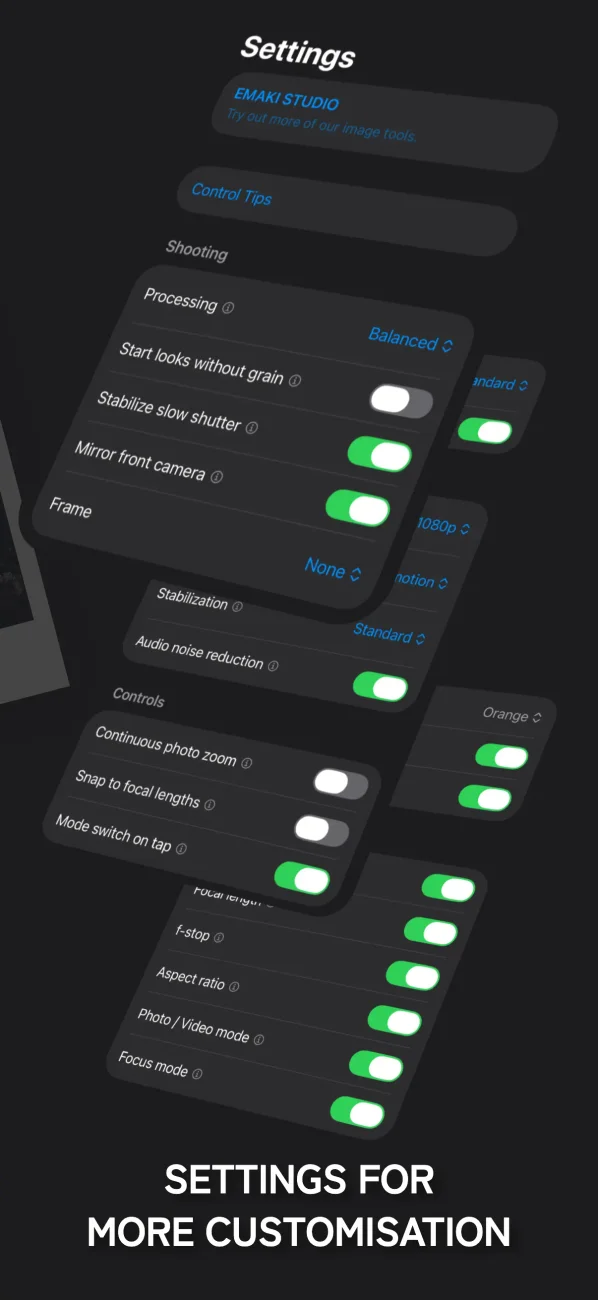
• Video stabilization in three steps and audio noise reduction, both in Settings.
• Pinch the viewfinder to zoom and swipe for exposure. Bluetooth camera grips made for the built-in Camera work here too.
• The front camera zooms, and the camera flip is now a button at the wide end of the lens dial.
• Save into an EMST Camera album in Photos, switch it on in Settings.
• Settings regrouped, with tap-for-help on any setting instead of notes.
App privacy
What Tomas Ourednik declares on the App Store about how this app handles data.
-
Data not collected
The developer does not collect any data from this app.
Privacy practices may vary, for example with the features you use or your age.
Information
- Seller
- Tomas Ourednik
- Category
- Photo & Video
- Version
- 1.2
- Updated
- Oct 11, 2026
- Released
- Sep 9, 2026
- Size
- 64.3 MB
- Requires
- iOS 26.0 or later
- Age rating
- 4+
- Price
- Free
- Languages
- English
- Copyright
- © 2026 Tomáš Ouředník
You might also like
-
 ProCam InstrumentManual capture, measured
-
 Knurl CameraPure RAW, manual controls
-
 Fexer - Pro CameraManual camera & film LUTs
-
 NoCam FilmAnalog film & VHS camcorder
-
 frmrrFilm camera & photo diary
-
 Warm CameraSoft Film Look, No Editing
-
 CMRA - A Camera, Kept SimpleZero Process Simple Camera
-
 Aperto - Pro CameraNight mode, RAW & film looks
-
 xMosaique - Preset+LUT CameraLive Film Looks, Manual + RAW
-
 Luxa RAW CameraPro Manual Film Simulation LUT