EqualMath
Geometry、Math Notes、Homework
Entwickelt für iPhone, iPad
Kostenlos · In-App-Käufe
- Altersfreigabe4+
- KategorieBildung
- Entwickler洪涛 刘
- SprachenEnglisch+ 17 weitere
- Größe325,2 MB
Verlinkt auf die offizielle App Store-Seite
Download.org hostet keine Datei von EqualMath. Die Schaltfläche öffnet die App-Seite bei App Store, wo 洪涛 刘 die App veröffentlicht. Eintrag zuletzt geprüft am 17.11.2026.
Screenshots



Info
Der Entwickler hat diesen Text nicht in Ihrer Sprache bereitgestellt.
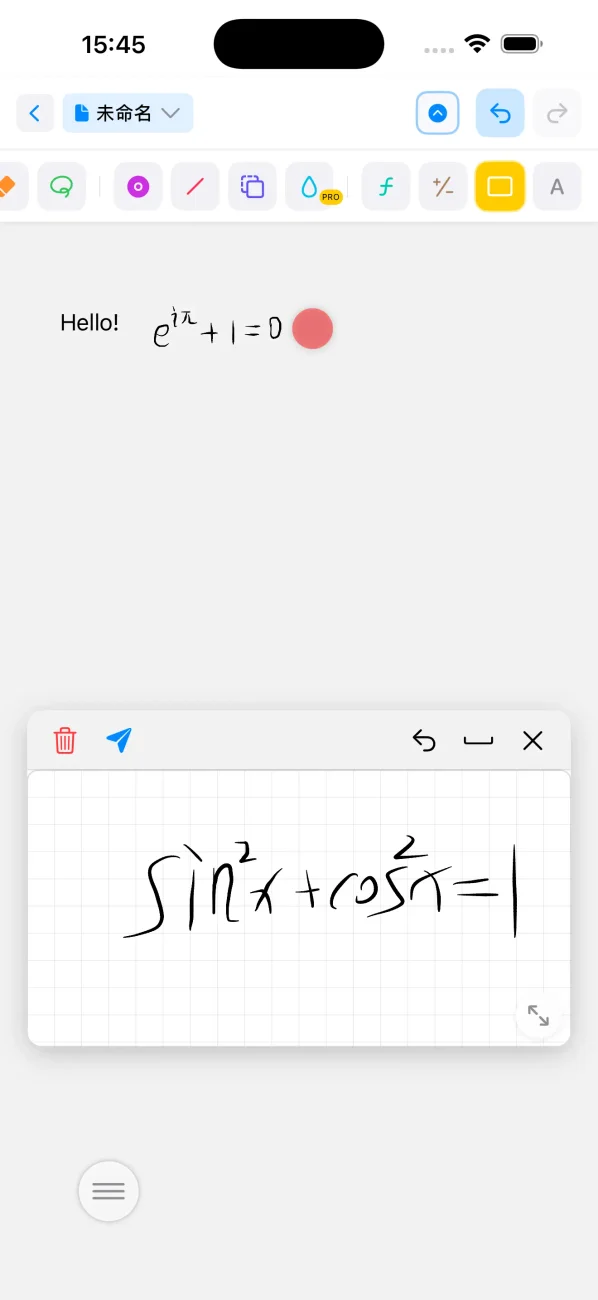
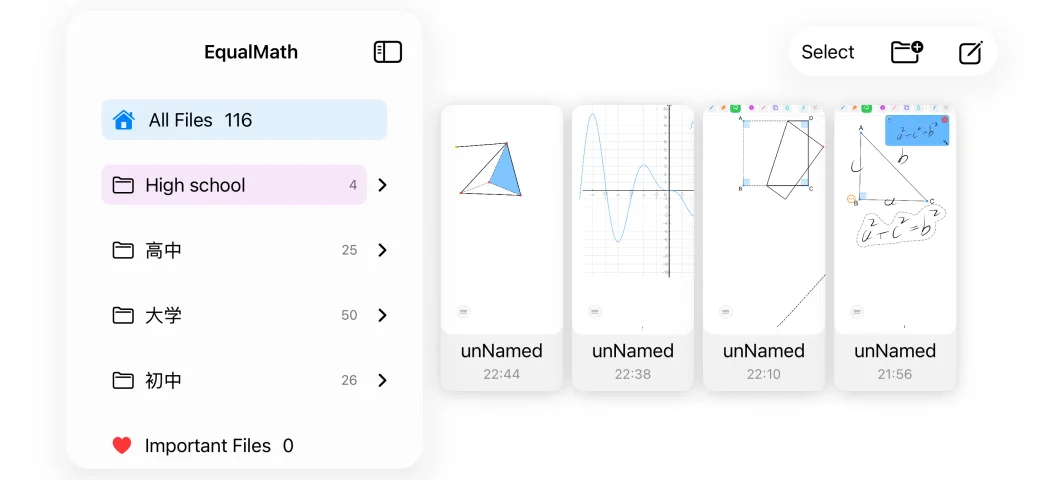
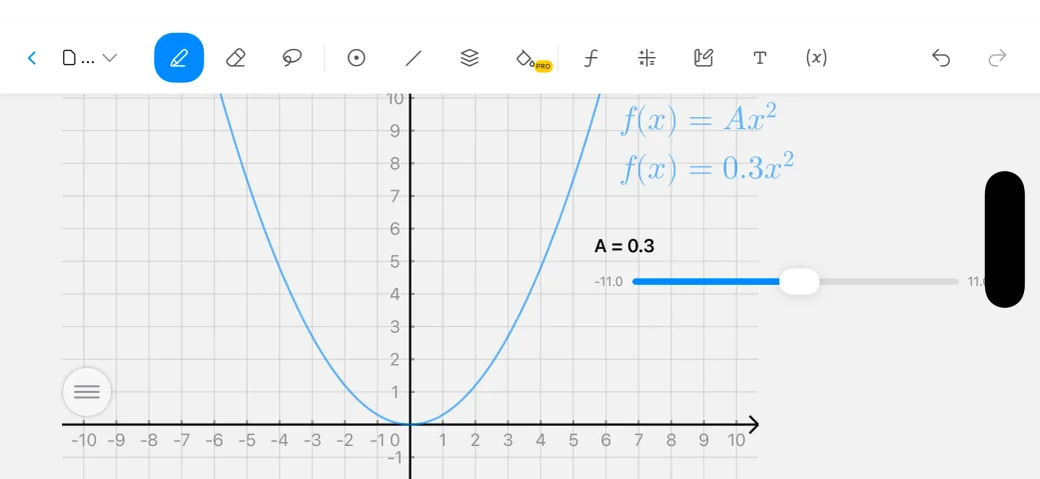
Designed for Apple Pencil and iPad, version 3.1.9 now lets you quickly sketch with basic elements — points, lines, and shapes — to support theoretical exploration. Function graphs are included.
Core features are free.But includes some paid features: linked point function, hidden circle and color block function, creating more than 5 folders, radian display in the plane coordinate system, 3D coordinate system, vector arrow, parametric equation, water drop coloring, etc.
Beyond geometry, sticky notes are central: pin them to the canvas to highlight key steps, while unwanted ink can be erased to keep your workspace clean.
### Additional Features
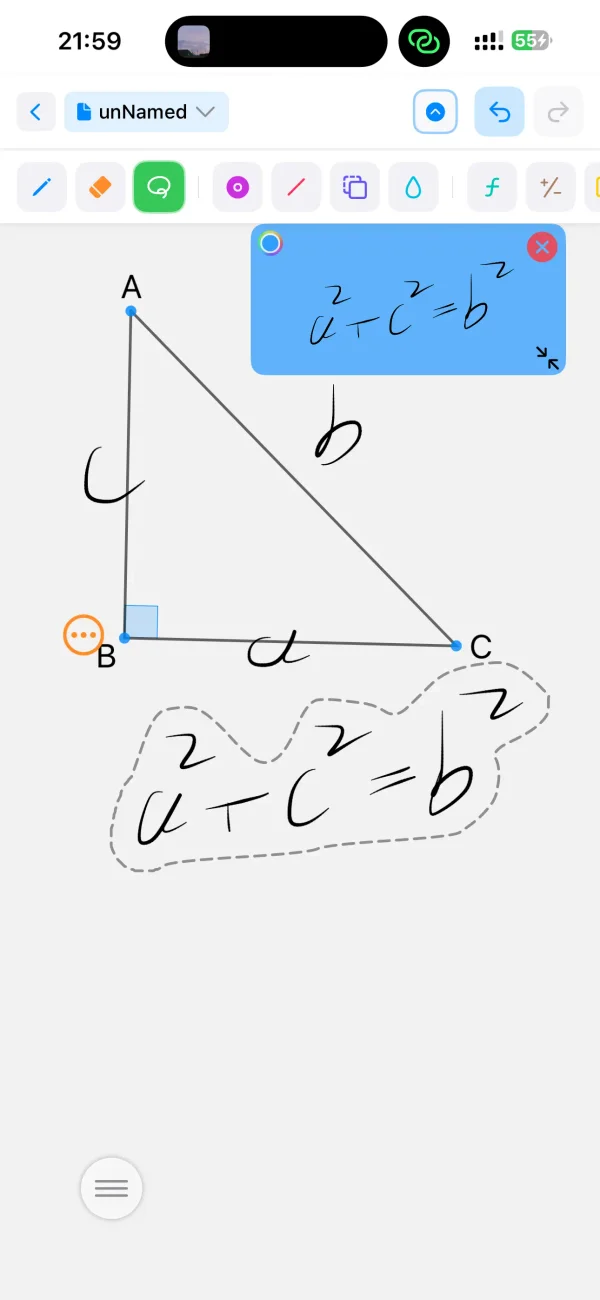
1. **Handwritten uppercase letter recognition** – instantly names vertices as you draw geometric figures. Turn it off to use freeform handwriting for names.
2. **Export to Photos** – one-tap export with no watermark.
3. **Import from Photos** – insert an image directly onto the canvas (display only, no recognition). Supports importing PDF files.
4. **Points, lines, and shapes** – select what you need. A key highlight: drag from a vertex of any shape to create a new point – no need to open the menu.
5. **Lasso tool** – select content or activate locked geometry elements. For points, three selection methods are supported: draw a line near the point, draw a line that passes through the point, or draw a small circle around it.
6. **Paint bucket** – fills enclosed geometric figures and regions, dynamically sensing surrounding areas to some extent.
7. **Infinite canvas** – the canvas automatically expands in all directions as you add more ink.
8. **Function graphs** – plot single-variable expressions and parametric equations.
9. **Multi-point linkage** – explore geometric problems involving multiple moving points.
10. **3D coordinate system** – the current release introduces a 3D coordinate space where you can place points and set spatial coordinates.
11. **3D Geometric Shapes: triangular prism, quadrangular prism, cylinder, cone, triangular pyramid, quadrangular pyramid
Terms of Use: https://www.apple.com/legal/internet-services/itunes/dev/stdeula/
Neue Funktionen
Version 3.1.9 · 05.11.2026
Added the ability to set relationships between line segments.
App-Datenschutz
Was 洪涛 刘 im App Store zum Umgang dieser App mit Daten angibt.
-
Keine Daten erfasst
Der Entwickler erfasst keine Daten von dieser App.
Die Datenschutzpraktiken können variieren, zum Beispiel je nach den von Ihnen verwendeten Funktionen oder Ihrem Alter.
Informationen
- Anbieter
- 洪涛 刘
- Kategorie
- Bildung
- Version
- 3.1.9
- Aktualisiert
- 05.11.2026
- Veröffentlicht
- 22.08.2025
- Größe
- 325,2 MB
- Erfordert
- iOS 16.5 oder neuer
- Altersfreigabe
- 4+
- Preis
- Kostenlos
- In-App-Käufe
- Ja
- Sprachen
- Englisch, Arabisch, Niederländisch, Französisch, Deutsch, Hindi, Italienisch, Japanisch, Koreanisch, Polnisch, Portugiesisch, Russisch + 6 weitere
- Copyright
- © 2025 刘洪涛