
Escalator Field Command
Maintenance, CAT1 & Route Tool
Entwickelt für iPhone, iPad, iPod touch
Kostenlos · In-App-Käufe
- Altersfreigabe4+
- KategorieProduktivität
- EntwicklerMike Dangerfield
- SprachenEnglisch
- Größe56,8 MB
Verlinkt auf die offizielle App Store-Seite
Download.org hostet keine Datei von Escalator Field Command. Die Schaltfläche öffnet die App-Seite bei App Store, wo Mike Dangerfield die App veröffentlicht. Eintrag zuletzt geprüft am 23.11.2026.
Screenshots


Info
Der Entwickler hat diesen Text nicht in Ihrer Sprache bereitgestellt.
Built for Escalator Mechanics. Everything You Need in the Field.
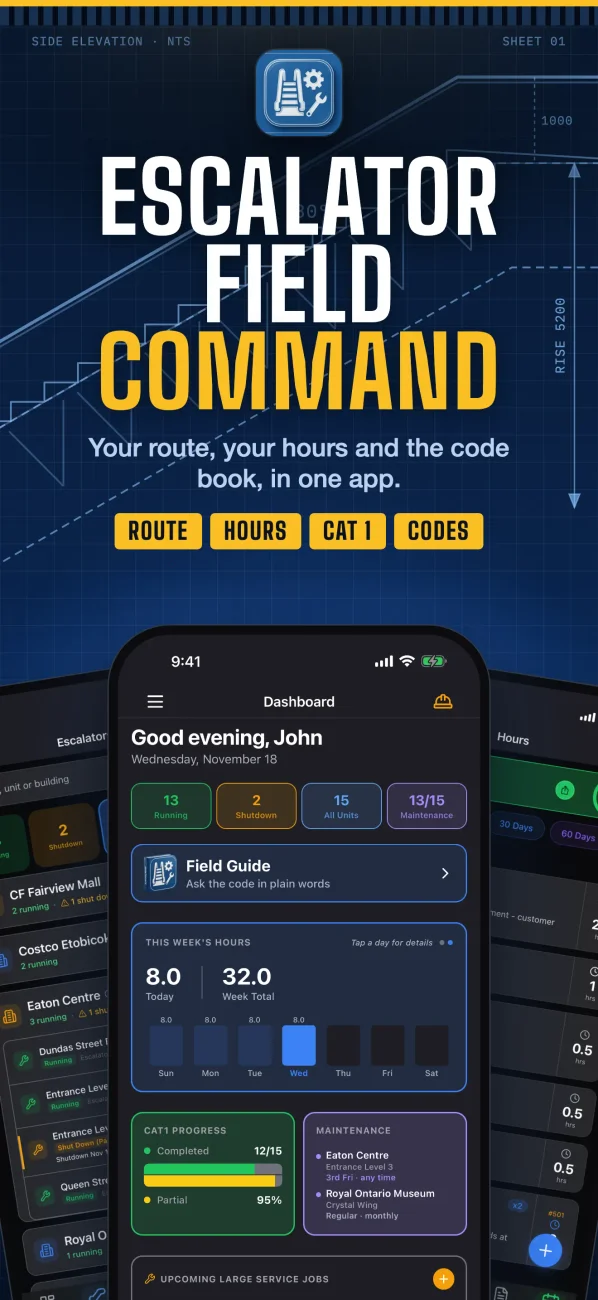
Escalator Field Command is the professional-grade tool for escalator mechanics who want to work faster, stay organized, and ensure compliance with 100% on-device data and no sign-up required.
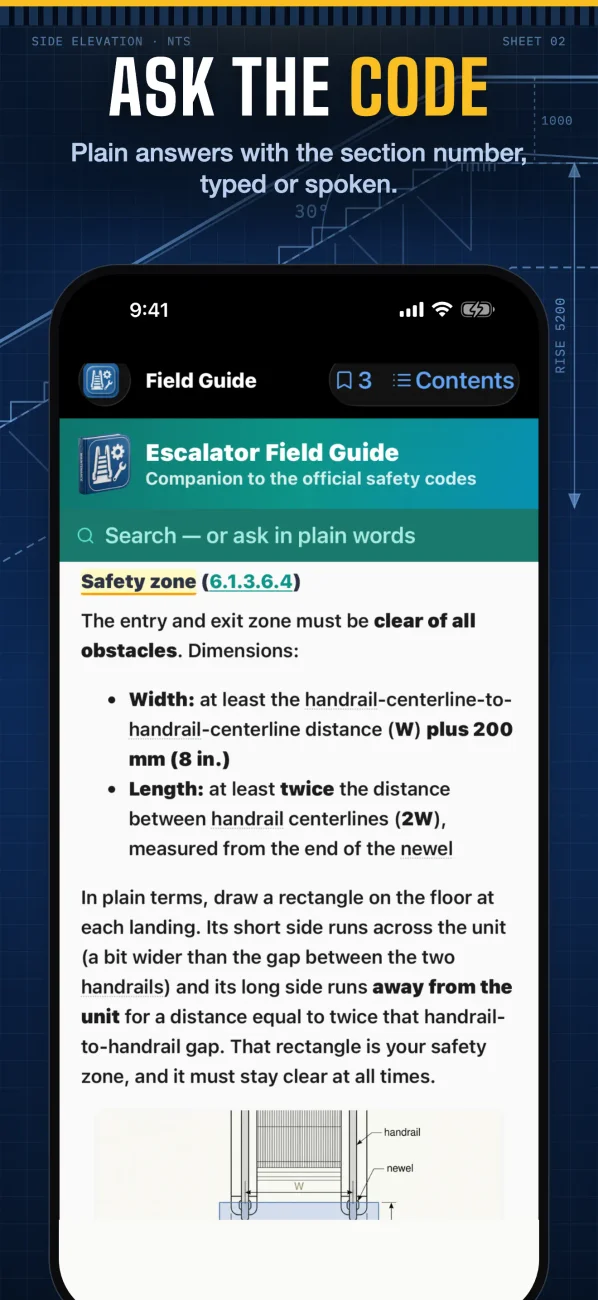
THE FIELD GUIDE: THE CODE, ANSWERED IN PLAIN ENGLISH.
Your subscriber Field Guide puts escalator and moving walk requirements, drawn from ASME A17.1/CSA B44 and MCP, right in your pocket. Ask a question the way you’d ask a senior mechanic, typed or spoken, and get a clear, sourced answer in seconds. Jump straight to any section by its code number, bookmark and highlight the rules you lean on most, and open linked references without ever leaving the app. The code, finally searchable.
YOUR ROUTE. YOUR RECORDS. YOUR WAY.
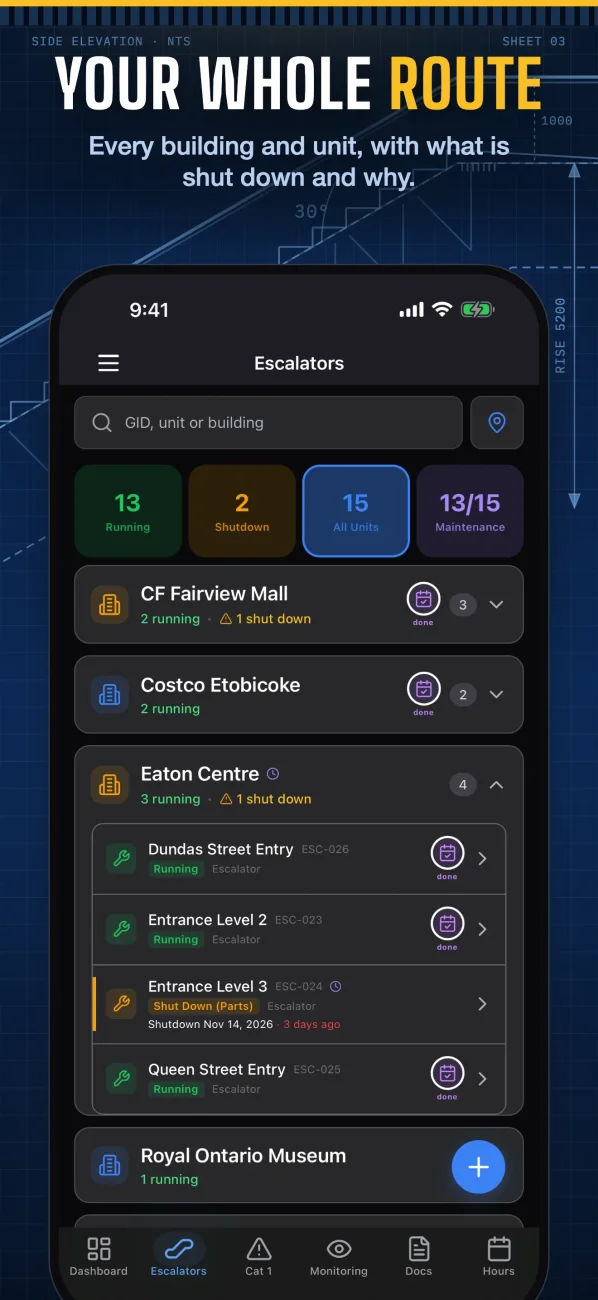
Add every escalator on your maintenance route with detailed unit information, service history, and key notes. Instantly accessible, always offline. No more flipping through notes or searching multiple systems.
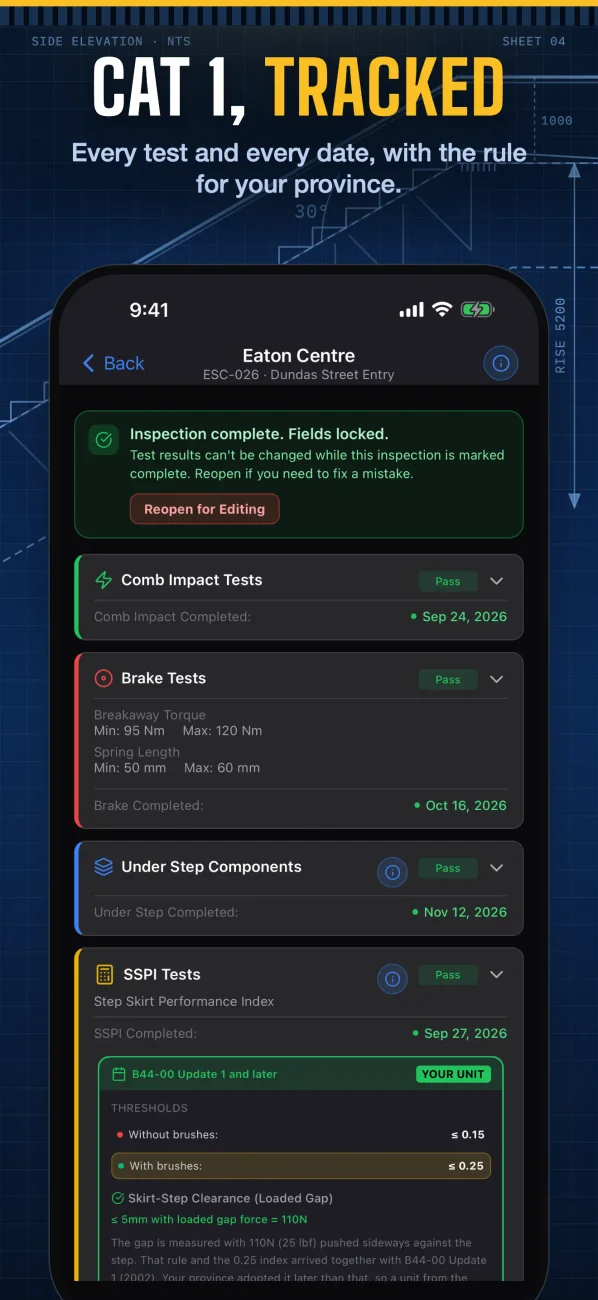
CAT1 TESTING, SIMPLIFIED.
Category 1 testing is broken into four colour-coded sections for at-a-glance progress tracking. Always know what’s complete and what’s outstanding. Put a unit on hold when it’s out for the year, and share a completion report showing every unit’s pass or fail.
ALL YOUR DOCUMENTS, ALWAYS OFFLINE.
Upload manuals, test reports, photos, and any supporting documents so everything related to the job lives in one place, organized and available without an internet connection. Search inside a PDF for a word or a part number and jump straight to the page it is on.
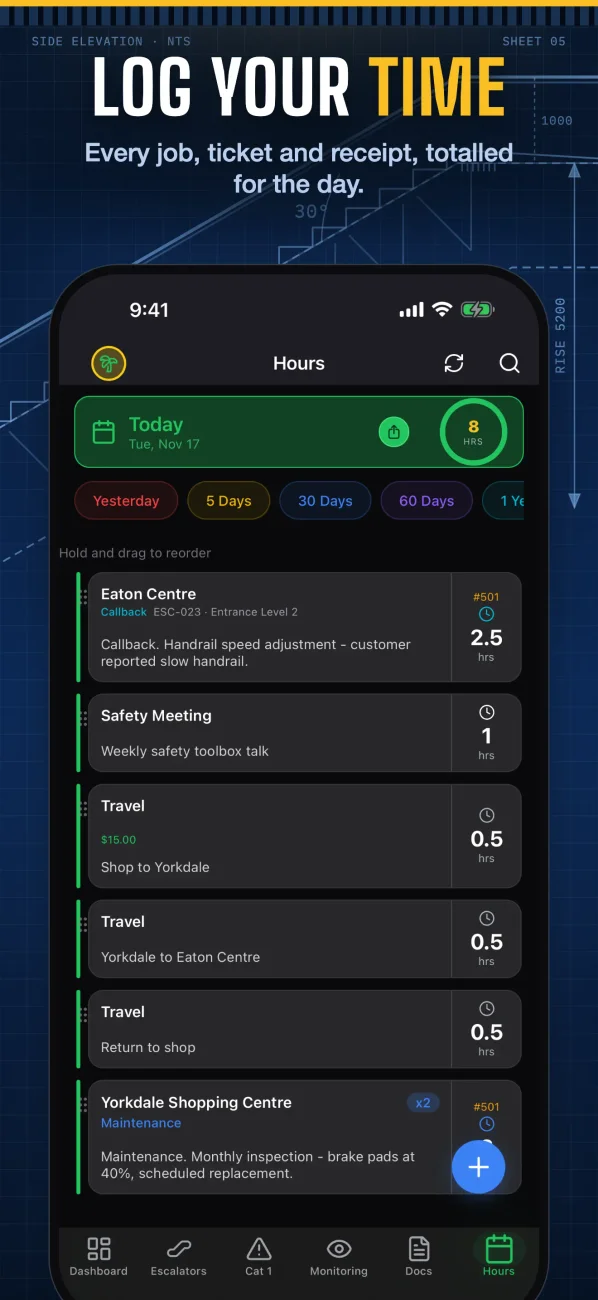
LOG HOURS & TRACK TIME.
Log time tickets for maintenance, repairs, travel, and training. Weekly timesheets auto-fill from your records. Copy a whole day as one block of text to paste into your company’s system, or send it as a PDF with your parking and expenses and a photo of each receipt. A morning notice tells you what is due before you set off.
PLAN AHEAD. REPORT WITH CONFIDENCE.
See your upcoming service jobs right on the dashboard so bigger work never sneaks up on you, and check them off once they're done. Then generate polished PDF reports, including the State of the Union, a route-wide snapshot of where every unit stands. Need something else? Write your own report for a building, pick the units, attach photos, and share it in seconds.
Set up the things that come round again, a safety meeting, a monthly report, an annual recertification, and whatever falls on today is waiting across the top of your dashboard when you open the app. Units already on a maintenance schedule are added for you.
In British Columbia, fill in the Technical Safety BC Escalator Data Sheet Checklist on site and send it as a PDF instead of carrying paper.
FLAG ISSUES BEFORE THEY ESCALATE.
Rate each unit’s priority and tick off its open items one at a time. Never lose a follow-up.
ONBOARD NEW MECHANICS INSTANTLY.
Incoming mechanics gain immediate access to historical test data and unit notes. Institutional knowledge is preserved. Transition time is minimized.
PRIVACY FIRST. ALWAYS.
All data lives on your device. No cloud account. No internet required. No sign-up. Daily backups, and one export file carries records, photos and manuals to a new phone or a coworker. Want a copy off the phone? Optional iCloud Backup saves one a day to your own iCloud Drive. It stays off unless you turn it on. iPhone and iPad.
PRO SUBSCRIPTION
The app is free to download, and the free version keeps up to three of your own escalators. A Pro subscription unlocks unlimited escalators and all features, and new subscribers get the first month free.
Payment is charged to your Apple ID account at confirmation of purchase. Subscriptions automatically renew unless auto-renew is turned off at least 24 hours before the end of the current period.
Privacy Policy:
https://counterweightdispatch.com/apps/escalator-field-command/privacy/
Terms of Use (EULA):
https://www.apple.com/legal/internet-services/itunes/dev/stdeula/
Neue Funktionen
Version 3.9.4 · 19.11.2026
When you open a PDF in the app, its full name now shows at the top of the screen instead of being cut off partway through.
App-Datenschutz
Was Mike Dangerfield im App Store zum Umgang dieser App mit Daten angibt.
-
Nicht mit Ihnen verknüpfte Daten
Können erfasst werden, sind aber nicht mit Ihrer Identität verknüpft.
- Nutzungsdaten
Die Datenschutzpraktiken können variieren, zum Beispiel je nach den von Ihnen verwendeten Funktionen oder Ihrem Alter.
Informationen
- Anbieter
- Mike Dangerfield
- Kategorie
- Produktivität
- Version
- 3.9.4
- Aktualisiert
- 19.11.2026
- Veröffentlicht
- 02.01.2026
- Größe
- 56,8 MB
- Erfordert
- iOS 15.1 oder neuer
- Altersfreigabe
- 4+
- Preis
- Kostenlos
- In-App-Käufe
- Ja
- Sprachen
- Englisch
- Copyright
- © 2025 Artificial.Igknorance
Das könnte Ihnen auch gefallen
-
 PullsheetProduktivität
-
 PartsNMoreProduktivität
-
 Elevator Rescue AppProduktivität
-
 Smartrise AirProduktivität
-
 Bell MeditationProduktivität
-
 Good Decision - Decision MakerProduktivität
-
 Machine DefenderProduktivität
-
 Raycon NotesProduktivität
-
 Quick Notes (easy voice notes)Produktivität
-
 Brio TechProduktivität