
Escalator Field Command
Maintenance, CAT1 & Route Tool
iPhone, iPad, iPod touch向けに設計
無料 · アプリ内課金
- 対象年齢4+
- カテゴリ仕事効率化
- 開発元Mike Dangerfield
- 言語英語
- サイズ56.8 MB
App Storeの公式ページにリンクしています
Download.orgはEscalator Field Commandのファイルを一切ホストしていません。ボタンを押すと、Mike Dangerfieldが公開しているApp Storeのアプリページが開きます。ページの最終確認:2026/11/24。
スクリーンショット


概要
開発元はこのテキストをお使いの言語で提供していません。
Built for Escalator Mechanics. Everything You Need in the Field.
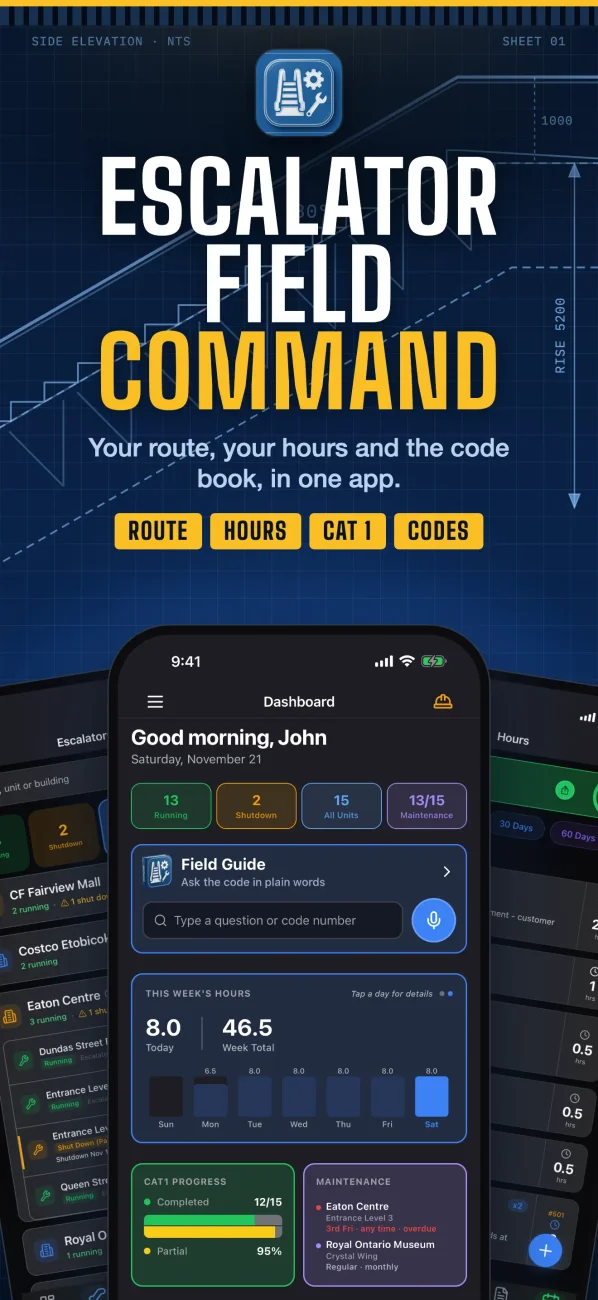
Escalator Field Command is the professional-grade tool for escalator mechanics who want to work faster, stay organized, and ensure compliance with 100% on-device data and no sign-up required.
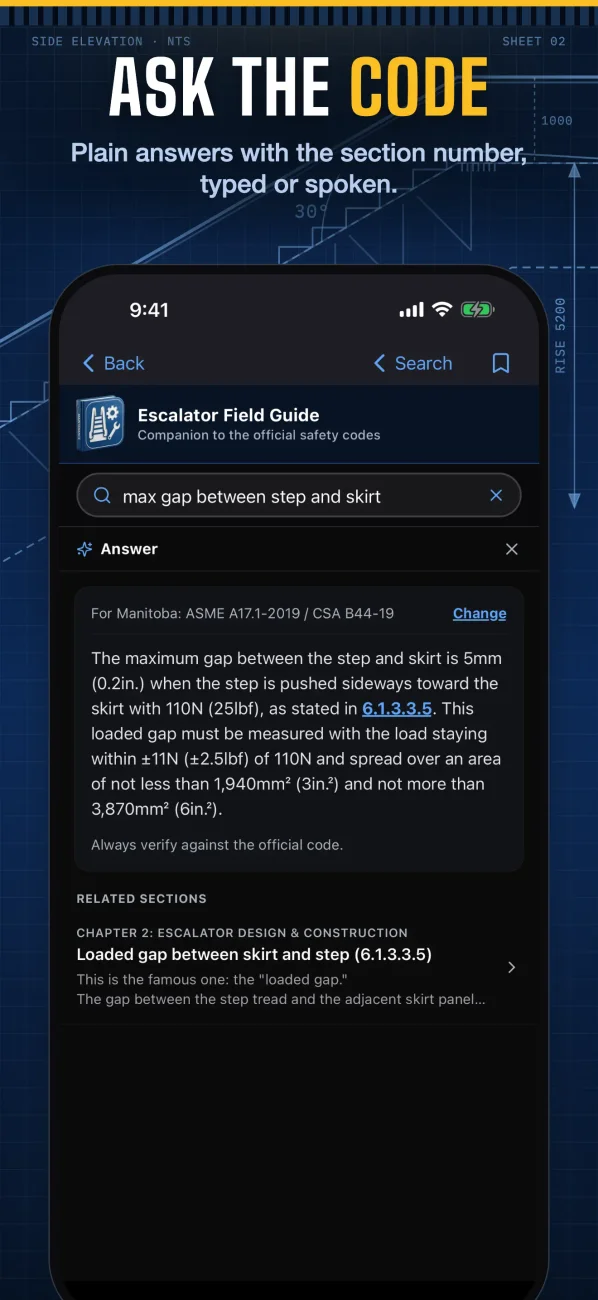
THE FIELD GUIDE: THE CODE, ANSWERED IN PLAIN ENGLISH.
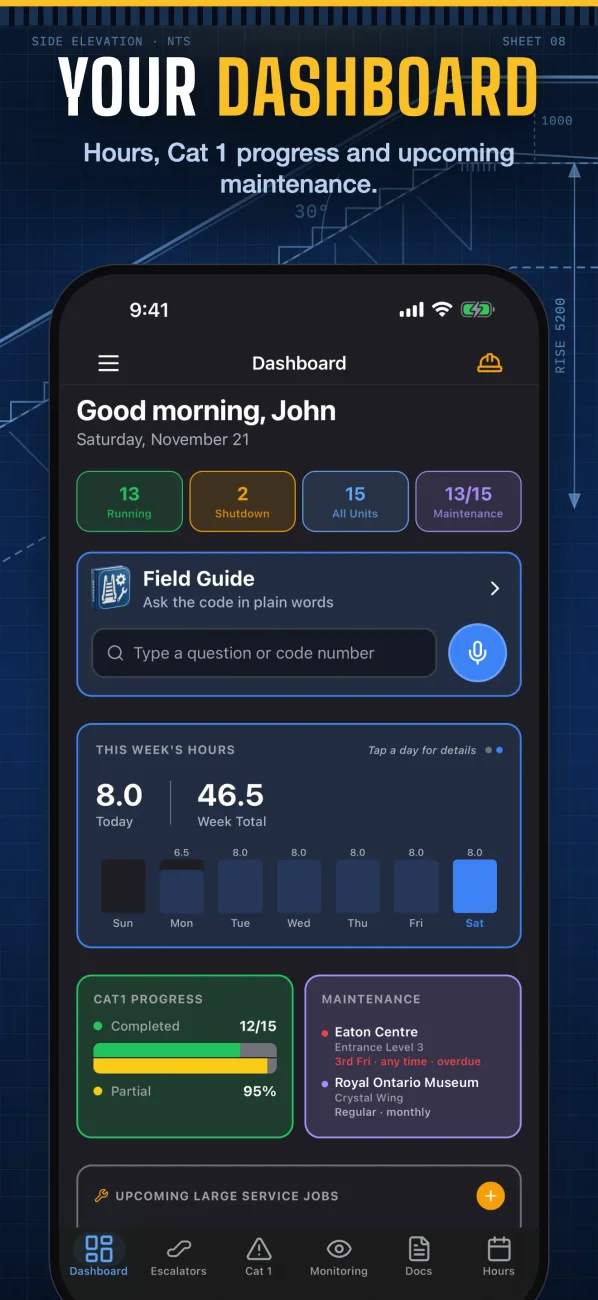
Your subscriber Field Guide puts escalator and moving walk requirements, drawn from ASME A17.1/CSA B44 and MCP, right in your pocket. Ask a question the way you’d ask a senior mechanic, typed or spoken, and get a clear, sourced answer in seconds. Jump straight to any section by its code number, bookmark and highlight the rules you lean on most, and open linked references without ever leaving the app. The code, finally searchable.
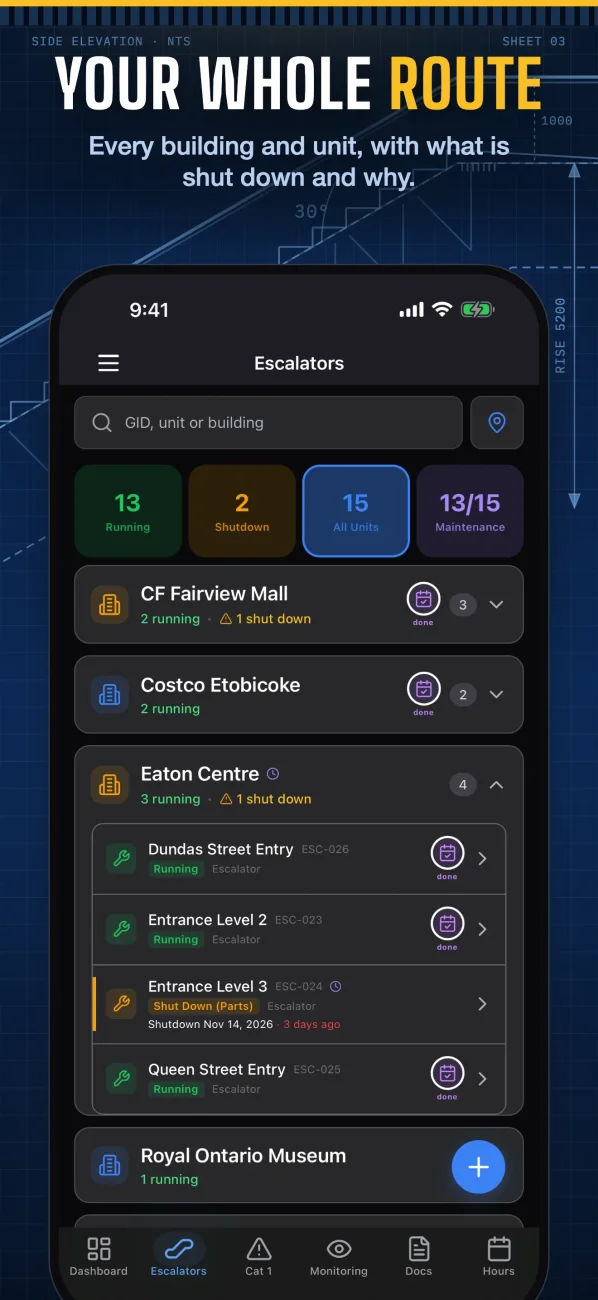
YOUR ROUTE. YOUR RECORDS. YOUR WAY.
Add every escalator on your maintenance route with detailed unit information, service history, and key notes. Instantly accessible, always offline. No more flipping through notes or searching multiple systems.
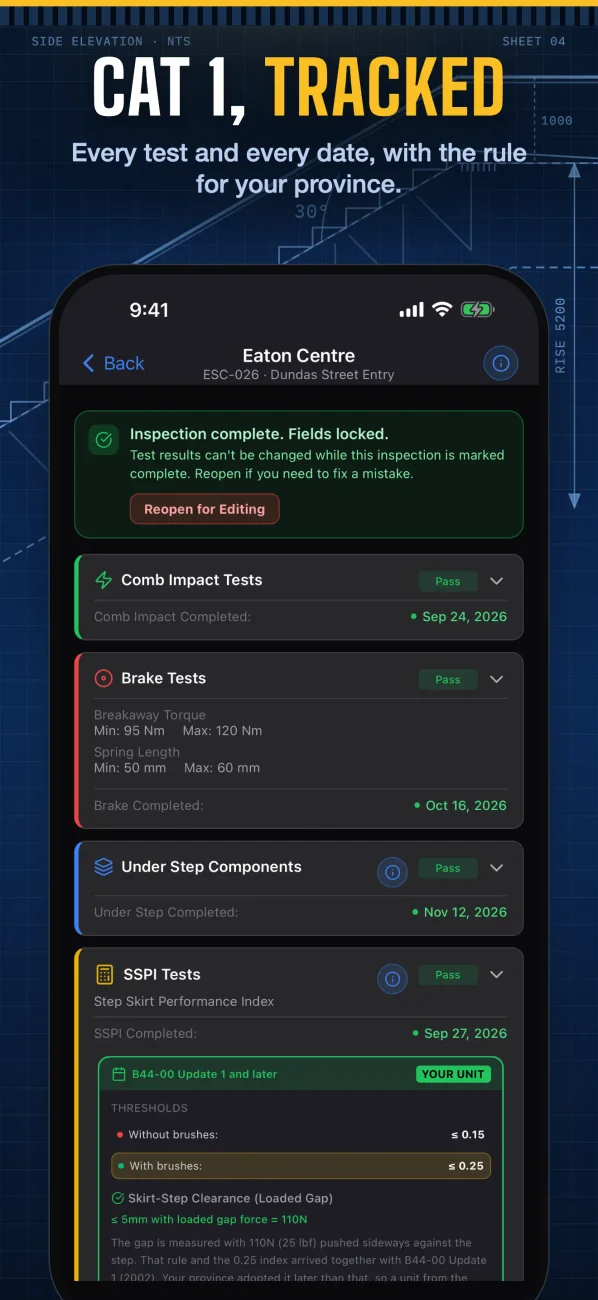
CAT1 TESTING, SIMPLIFIED.
Category 1 testing is broken into four colour-coded sections for at-a-glance progress tracking. Always know what’s complete and what’s outstanding. Put a unit on hold when it’s out for the year, and share a completion report showing every unit’s pass or fail.
ALL YOUR DOCUMENTS, ALWAYS OFFLINE.
Upload manuals, test reports, photos, and any supporting documents so everything related to the job lives in one place, organized and available without an internet connection. Search inside a PDF for a word or a part number and jump straight to the page it is on.
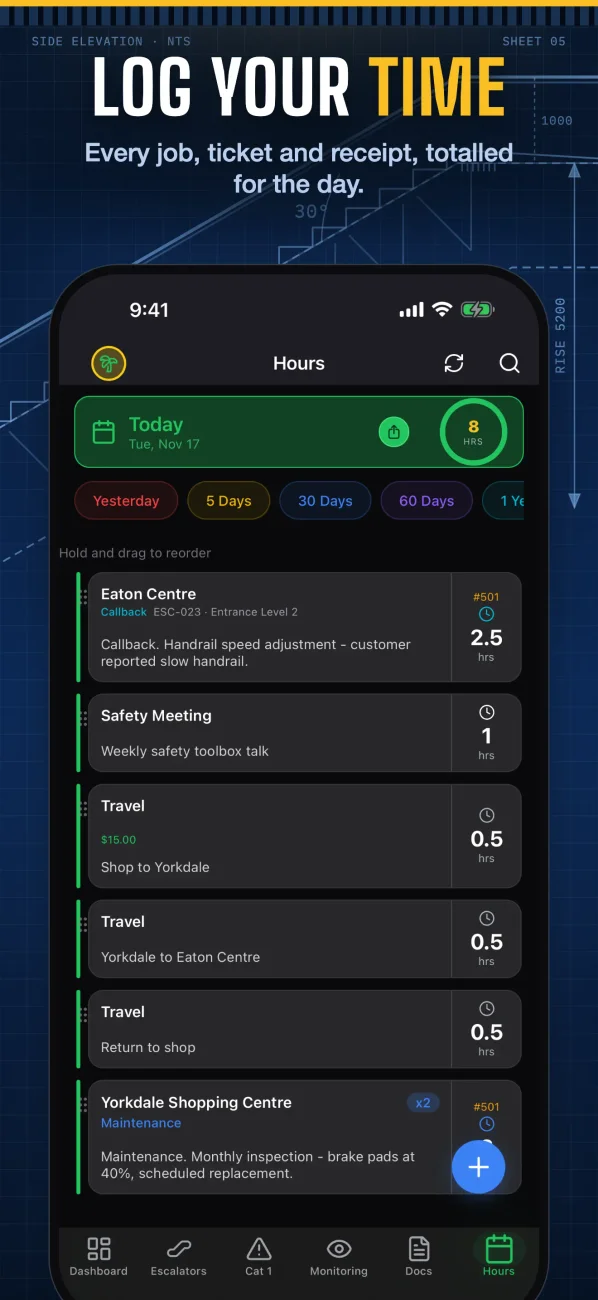
LOG HOURS & TRACK TIME.
Log time tickets for maintenance, repairs, travel, and training. Weekly timesheets auto-fill from your records. Copy a whole day as one block of text to paste into your company’s system, or send it as a PDF with your parking and expenses and a photo of each receipt. A morning notice tells you what is due before you set off.
PLAN AHEAD. REPORT WITH CONFIDENCE.
See your upcoming service jobs right on the dashboard so bigger work never sneaks up on you, and check them off once they're done. Then generate polished PDF reports, including the State of the Union, a route-wide snapshot of where every unit stands. Need something else? Write your own report for a building, pick the units, attach photos, and share it in seconds.
Set up the things that come round again, a safety meeting, a monthly report, an annual recertification, and whatever falls on today is waiting across the top of your dashboard when you open the app. Units already on a maintenance schedule are added for you.
In British Columbia, fill in the Technical Safety BC Escalator Data Sheet Checklist on site and send it as a PDF instead of carrying paper.
FLAG ISSUES BEFORE THEY ESCALATE.
Rate each unit’s priority and tick off its open items one at a time. Never lose a follow-up.
ONBOARD NEW MECHANICS INSTANTLY.
Incoming mechanics gain immediate access to historical test data and unit notes. Institutional knowledge is preserved. Transition time is minimized.
PRIVACY FIRST. ALWAYS.
All data lives on your device. No cloud account. No internet required. No sign-up. Daily backups, and one export file carries records, photos and manuals to a new phone or a coworker. Want a copy off the phone? Optional iCloud Backup saves one a day to your own iCloud Drive. It stays off unless you turn it on. iPhone and iPad.
PRO SUBSCRIPTION
The app is free to download, and the free version keeps up to three of your own escalators. A Pro subscription unlocks unlimited escalators and all features, and new subscribers get the first month free.
Payment is charged to your Apple ID account at confirmation of purchase. Subscriptions automatically renew unless auto-renew is turned off at least 24 hours before the end of the current period.
Privacy Policy:
https://counterweightdispatch.com/apps/escalator-field-command/privacy/
Terms of Use (EULA):
https://www.apple.com/legal/internet-services/itunes/dev/stdeula/
新機能
バージョン 3.9.7 · 2026/11/23
The Field Guide card on the dashboard now has its own question box and microphone. Hold the mic, ask your question, and let go: the guide opens straight to the answer. Tap the box to type instead.
The Field Guide now matches the rest of the app, with the same dark look and colours and the usual Back button.
Answers feel quicker too. While the guide writes your answer, the sections it found show up right away, so you can open the rule without waiting. Longer answers no longer give up early with a no-signal message.
アプリのプライバシー
このアプリのデータの取り扱いについて、Mike DangerfieldがApp Storeで申告している内容です。
-
ユーザーに関連付けられないデータ
収集される場合がありますが、ユーザーの識別情報には関連付けられません。
- 使用状況データ
プライバシーの取り扱いは、ご利用の機能やお客様の年齢などに応じて異なる場合があります。
情報
- 販売元
- Mike Dangerfield
- カテゴリ
- 仕事効率化
- バージョン
- 3.9.7
- 更新日
- 2026/11/23
- リリース
- 2026/1/2
- サイズ
- 56.8 MB
- 必要条件
- iOS 15.1以降
- 対象年齢
- 4+
- 価格
- 無料
- アプリ内課金
- あり
- 言語
- 英語
- 著作権
- © 2025 Artificial.Igknorance