
EvernightBoard
A display-assistive tool
Entwickelt für iPhone, iPad, Mac, iPod touch
Kostenlos
- Altersfreigabe4+
- KategorieDienstprogramme
- EntwicklerXIAOCHI CHEN
- SprachenEnglisch+ 3 weitere
- Größe31,3 MB
Verlinkt auf die offizielle App Store-Seite
Download.org hostet keine Datei von EvernightBoard. Die Schaltfläche öffnet die App-Seite bei App Store, wo XIAOCHI CHEN die App veröffentlicht. Eintrag zuletzt geprüft am 19.11.2026.
Screenshots


Info
Der Entwickler hat diesen Text nicht in Ihrer Sprache bereitgestellt.
Gathering the brocaded words of the long night, transforming ten thousand thoughts into this space.
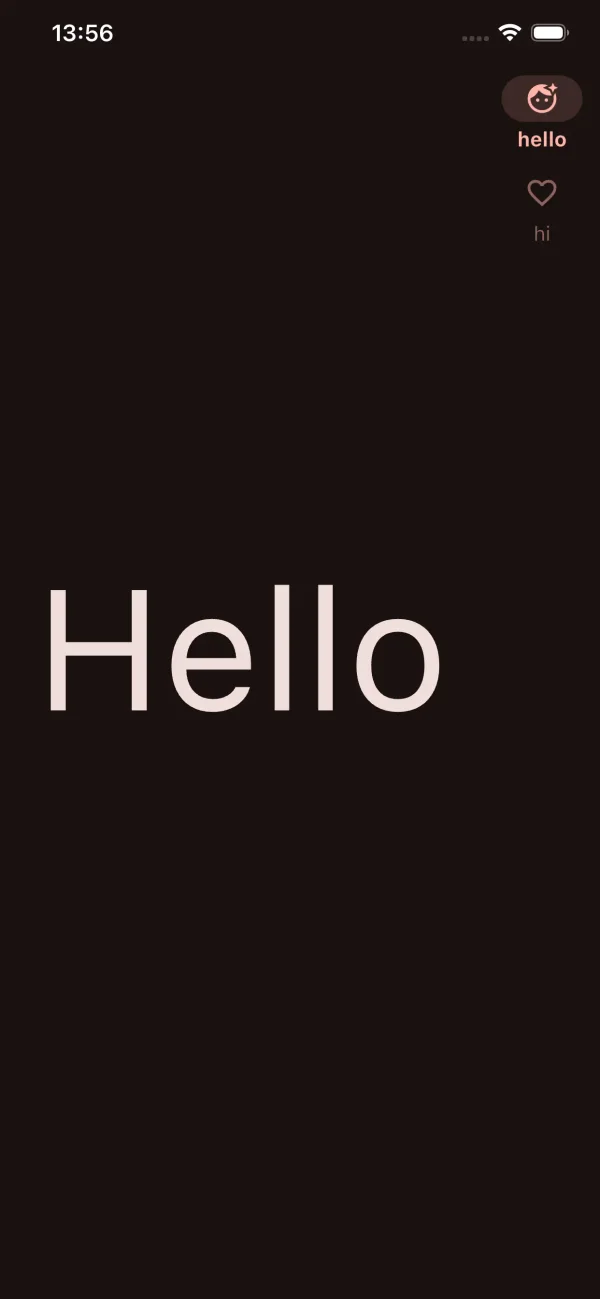
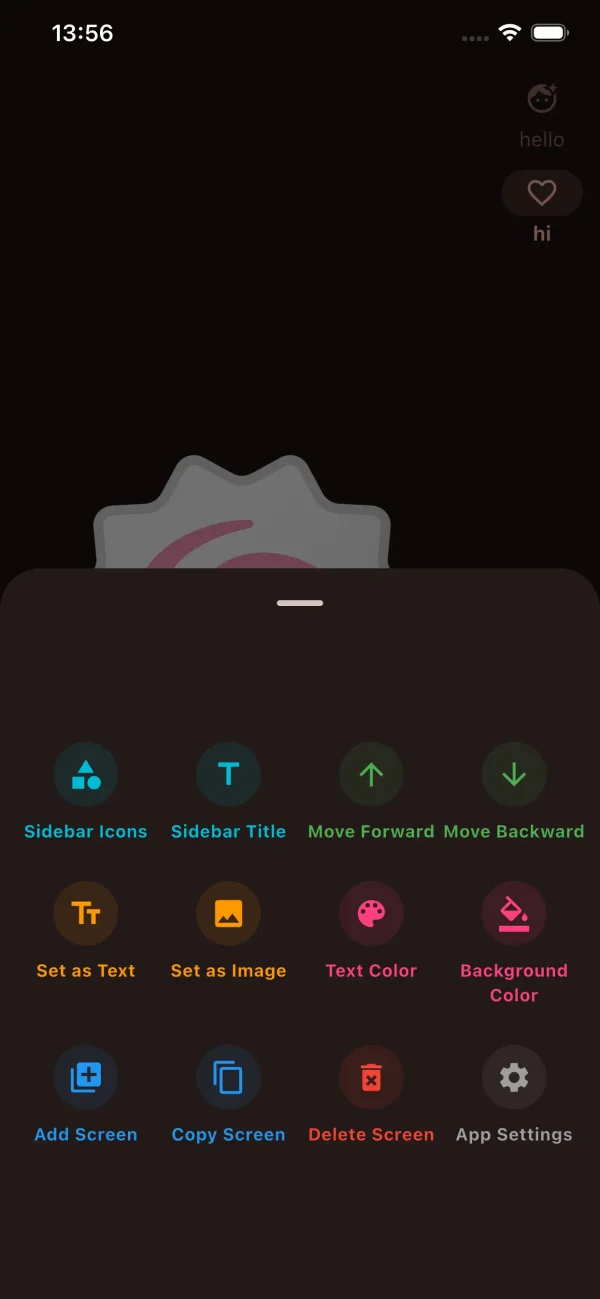
EvernightBoard is a display-assistive tool that prolongs your communication through preset images and text when both touchscreen access and verbal communication are limited.
* Use Cases:
- When verbal communication is limited and touchscreen precision is extremely low (e.g., wearing gloves) or the touchscreen is unusable, use preset large text or images to quickly convey information to others.
- Presenting prompts to the stage from offstage.
- Scenarios where you simply need to display text messages or images in large sizes on the screen and be able to turn pages.
* Supported Page-Turning Methods:
- Switch screens using icon buttons in the navigation bar: The most standard method for page navigation.
- In portrait mode, the navigation bar automatically shifts to the slightly tilted side of the phone, ensuring the thumb of either hand can easily reach it.
- In landscape mode, the navigation bar always remains at the bottom.
- Touch half of the screen to switch screens: Enables accurate page turning even with low touch precision.
- Portrait mode: Top and bottom halves.
- Landscape mode: Left and right halves.
- Use volume buttons to turn pages: Physical buttons serve as your most reliable backup. This feature must be enabled separately in the software settings.
Neue Funktionen
Version 1.1.0 · 20.04.2026
- Fixed an issue where the language settings reverted to "Auto" upon restarting the application after being manually specified.
- Adapted to the operating system's accessibility features.
- Suspends the navigation bar's auto-positioning feature when "VoiceOver" is enabled.
- Displays a prompt message and explains the reason when certain features are disabled.
App-Datenschutz
Was XIAOCHI CHEN im App Store zum Umgang dieser App mit Daten angibt.
-
Keine Daten erfasst
Der Entwickler erfasst keine Daten von dieser App.
Die Datenschutzpraktiken können variieren, zum Beispiel je nach den von Ihnen verwendeten Funktionen oder Ihrem Alter.
Informationen
- Anbieter
- XIAOCHI CHEN
- Kategorie
- Dienstprogramme
- Version
- 1.1.0
- Aktualisiert
- 20.04.2026
- Veröffentlicht
- 07.04.2026
- Größe
- 31,3 MB
- Erfordert
- iOS 13.0 oder neuer
- Altersfreigabe
- 4+
- Preis
- Kostenlos
- Sprachen
- Englisch, Japanisch, Vereinf. Chinesisch, Tradit. Chinesisch
- Copyright
- © Copyright (c) 2026 KagurazakaYashi(KagurazakaMiyabi)
Das könnte Ihnen auch gefallen
-
 MyOmniSightDienstprogramme
-
 EchoSenseDienstprogramme
-
 Vision Assistant AIDienstprogramme
-
 EyeSearchDienstprogramme
-
 InnoEbenDienstprogramme
-
 FocusWindow-DeepFlowTimerDienstprogramme
-
 Illuminance Pulsation MeterFinde das Flackern des Lichts
-
 Klingeltöne: Ton ErstellerAudio Editor & Alarme
-
 LED Sign SmartDienstprogramme
-
 AI Guide DogDienstprogramme