
- Altersfreigabe4+
- KategorieDienstprogramme
- EntwicklerFAIRLAND HOLDINGS CO.,LTD
- SprachenEnglisch+ 19 weitere
- Größe208,8 MB
Verlinkt auf die offizielle App Store-Seite
Download.org hostet keine Datei von Fairland Smart Pool. Die Schaltfläche öffnet die App-Seite bei App Store, wo FAIRLAND HOLDINGS CO.,LTD die App veröffentlicht. Eintrag zuletzt geprüft am 20.11.2026.
Screenshots

Info
Der Entwickler hat diesen Text nicht in Ihrer Sprache bereitgestellt.
Fairland Smart Pool is a platform for your heat pump and dehumidifier management, you can remote control your heat pump and dehumidifier anytime anywhere with this APP and share the pleasure with your family. Fairland Smart Pool brings you easy and relaxed life style.
Function
1. Smart connection, bring your heat pump and dehumidifier in the pocket
2. Control you heat pump and dehumidifier anytime anywhere
3. Share with you family, easier and relaxed life style
4. Multi-language support, 12 languages available for different countries
Software operation
When first time to access App, please register following below steps: Click desktop icon ->Register-> Entering a phone number or email-> Send verification code -> Enter the verification code ->Enter password->Register success:
User loading
After register success, please follow below steps to load:
1. Click desktop icon ->Enter phone number and password->Load:
2. Click “add device” ->I need match new device ->Enter Wi-Fi password(please make sure the phone connects the Wi-Fi network)->Match success (Remarks: if match failed, please follow the tips to repeat the match operation.)
Main Interface
After logging into the main interface, you can do the following operation:
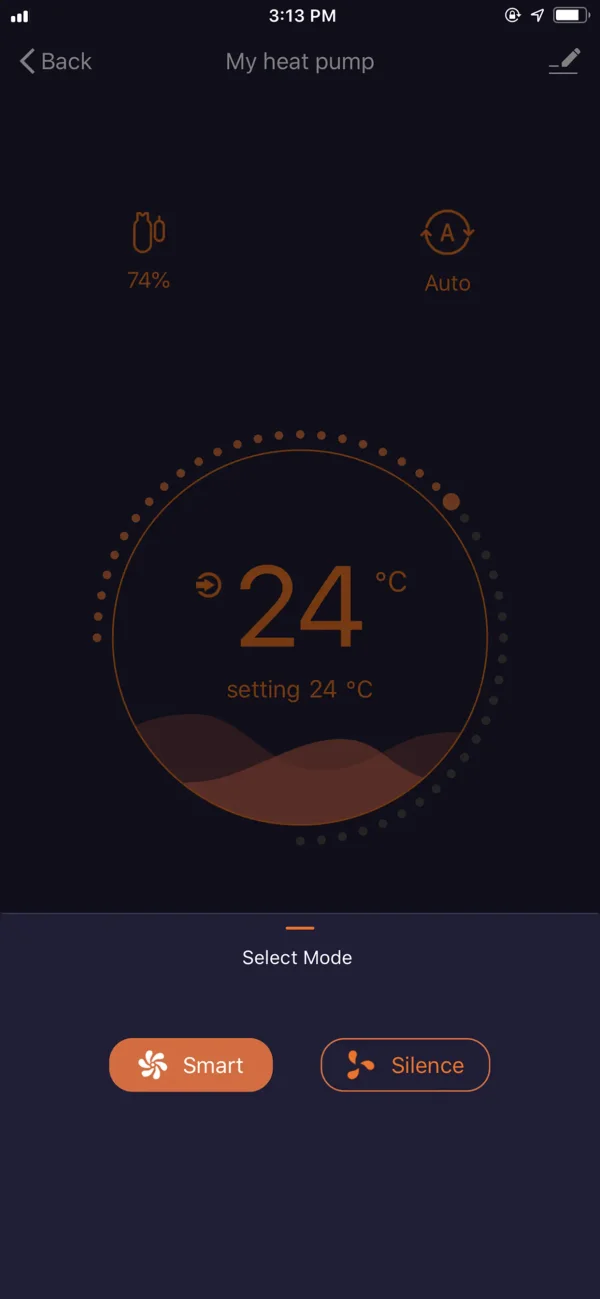
1. Temperature setting
The temperature can be set by sliding the dash board in the middle of the main interface
2. Switching mode --Smart/Silence
Click bottom “Smart/Silence” to switch mode
3. Switching mode--Heat/Cool
Click bottom “Heat/Cool” to switch mode
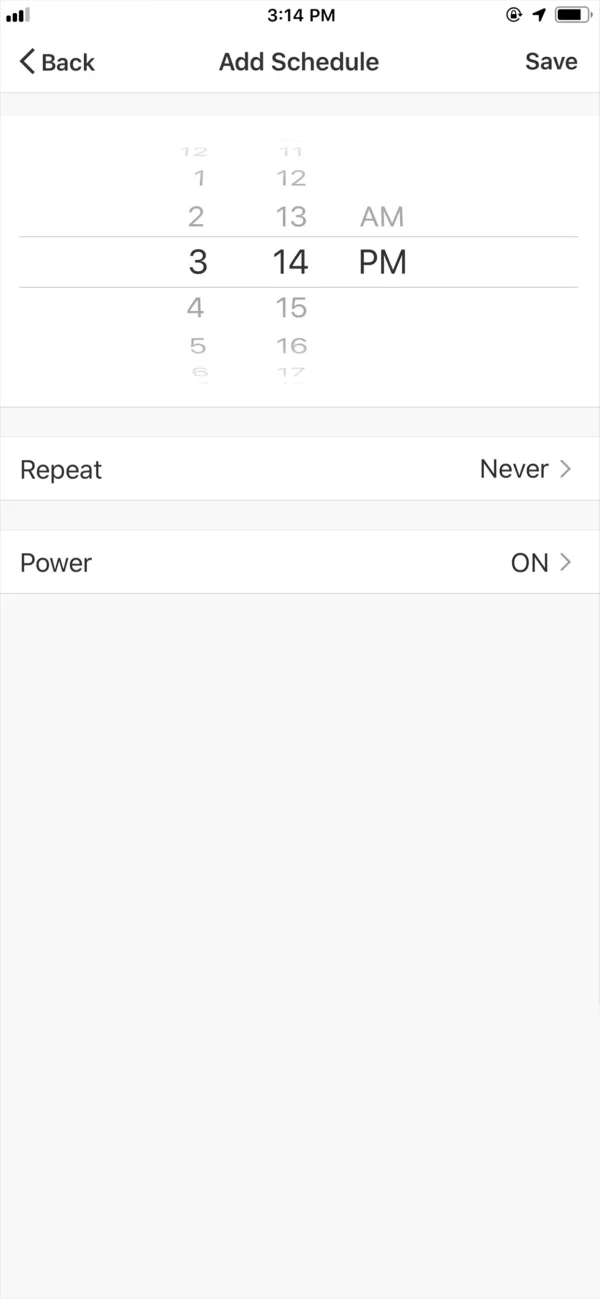
4. Timer
Click the bottom “Timer” to set the switch time
Manual
End user can enter “Manual”to operate “Switch Device””Device Management””User Center””General”as below:
1. Switch Device
If app bind several devices, “Switch Device”can select different devices to operate.
2. Device Management
“Device Management” ->Add new device as picture 1 ->Edit device as picture 2
3. User Center
“User Center”set User Name and Password as below:
4. General
Set language and temperature unit.
Neue Funktionen
Version 1.1.5 · 27.10.2026
1. Optimize certain features
2. Fix known issues
App-Datenschutz
Was FAIRLAND HOLDINGS CO.,LTD im App Store zum Umgang dieser App mit Daten angibt.
-
Mit Ihnen verknüpfte Daten
Können erfasst und mit Ihrer Identität verknüpft werden.
- Standort
- Kontaktinformationen
- Benutzerinhalte
- Kennungen
- Nutzungsdaten
- Diagnose
-
Nicht mit Ihnen verknüpfte Daten
Können erfasst werden, sind aber nicht mit Ihrer Identität verknüpft.
- Benutzerinhalte
- Diagnose
Die Datenschutzpraktiken können variieren, zum Beispiel je nach den von Ihnen verwendeten Funktionen oder Ihrem Alter.
Informationen
- Anbieter
- FAIRLAND HOLDINGS CO.,LTD
- Kategorie
- Dienstprogramme
- Version
- 1.1.5
- Aktualisiert
- 27.10.2026
- Veröffentlicht
- 13.12.2018
- Größe
- 208,8 MB
- Erfordert
- iOS 14.0 oder neuer
- Altersfreigabe
- 4+
- Preis
- Kostenlos
- Sprachen
- Englisch, Arabisch, Tschechisch, Niederländisch, Französisch, Deutsch, Ungarisch, Italienisch, Japanisch, Koreanisch, Polnisch, Portugiesisch + 8 weitere
- Copyright
- © 1999 - 2030 Fairland Electric (China) Limited