
FamPad: Family Wall Calendar
Chore Chart & Meal Plan Hub
Entwickelt für iPhone, iPad
Kostenlos
- Altersfreigabe4+
- KategorieProduktivität
- EntwicklerMartin Griffin
- SprachenEnglisch
- Größe17,6 MB
Verlinkt auf die offizielle App Store-Seite
Download.org hostet keine Datei von FamPad: Family Wall Calendar. Die Schaltfläche öffnet die App-Seite bei App Store, wo Martin Griffin die App veröffentlicht. Eintrag zuletzt geprüft am 28.11.2026.
Screenshots


Info
Der Entwickler hat diesen Text nicht in Ihrer Sprache bereitgestellt.
Turn the iPad you already own, or an Apple TV, into a family wall calendar, chore chart and meal planner. Everyone sees the week, kids tick off chores and earn rewards, and the paper calendar goes away.
Free to use, no ads. Runs on the iPad, Apple TV or tablet you already own, with an iPhone app for the parents.
On the wall
The week at a glance, always on, with today's weather from Apple Weather. You can switch the weather off.
Shared grocery and to-do lists update live, with a weekly meal plan beside the calendar.
When it's quiet, the wall turns into a photo frame with up to 200 family photos. Hide, filter and reorder them. Swipe to browse. It dims at night, and on iPad it can open straight to the photos.
Kitchen: plan the week's meals
Paste a recipe link and FamPad reads it into ingredients and steps. Add several links at once, and check each recipe before it is saved.
Plan breakfast, lunch, dinner and snacks. Scale a recipe up or down and the meal plan and grocery list follow. Send one recipe's ingredients, or the whole week's, to your shopping list.
Chores and rewards
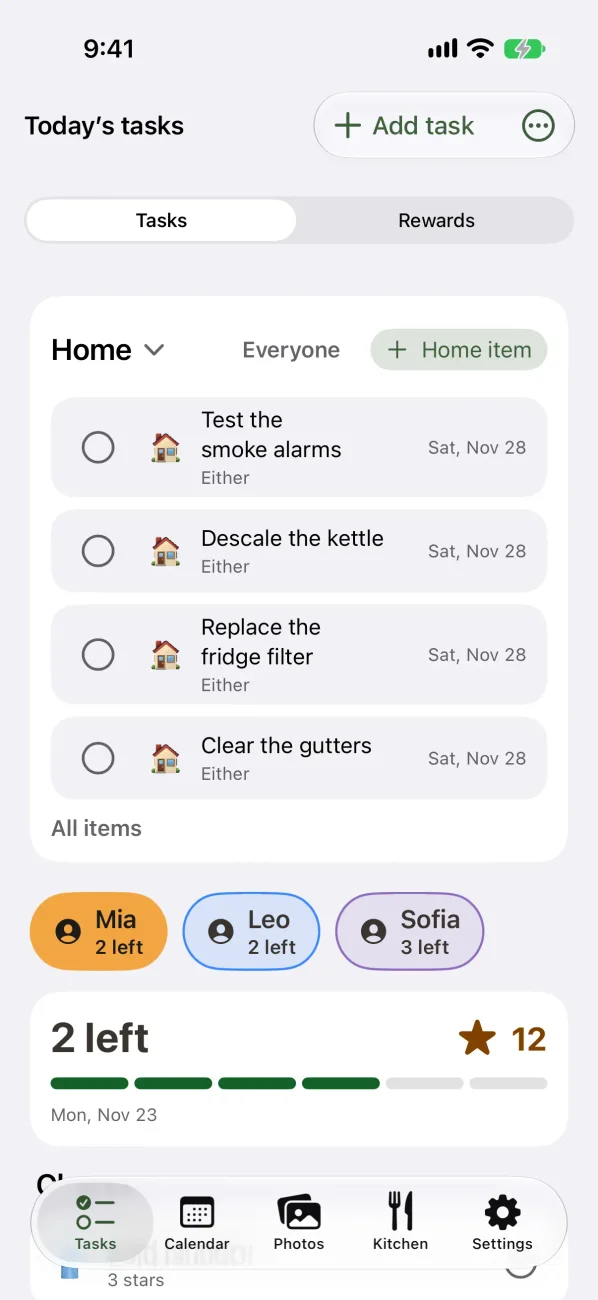
Kids tick off their own chores and earn stars, or cash if that's how your house works.
Stars add up to rewards you set. Kids ask on the wall, you approve from your phone, and finishing everything gets a celebration. Chores can repeat, and you can approve them with a note.
Parents can add or take away stars, and mark cash payouts as paid.
Party mode
When friends come over, one tap turns the wall into a calm photo screen for a set time, then the calendar comes back by itself. Start it from your phone, the web companion or the iPad. Schedule it weekly, add a holiday theme, and choose which displays join. It hides family details on the wall but does not lock them.
Right Now routines
Each morning, afternoon or evening, every kid gets a card with big picture tiles and a ring that fills as they tap. Kids who can't read yet can follow along.
On your iPhone
Add events, chores, rewards and list items from anywhere. See who finished what.
A Home Screen widget (Small or Medium) shows today's to-dos, what's next on the calendar with who is picking up, and each kid's progress.
Invite your partner. Pair a wall tablet in a minute with a one-time code.
Calendars
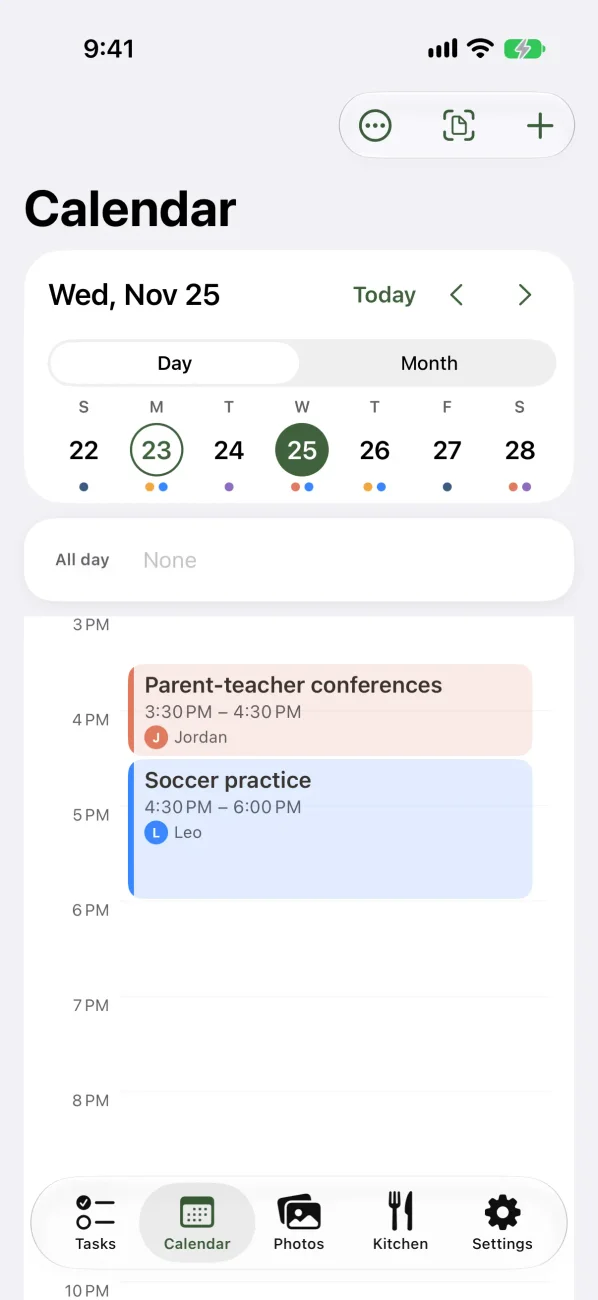
Google Calendar syncs both ways, so an event added on the wall lands in that person's Google Calendar.
On iPhone, pick the calendars already on your phone (iCloud, Google, Outlook, school) and they show on the wall with one tap and no password. They are view-only.
You can also paste a calendar link. For a team's calendar, turn on Sports team schedule. Games show the opponent, today's game gets a Game day card, and the photo screen counts down to it.
Choose which people each display's calendar shows. iPad and Apple TV follow your choice. Pick whether your week starts on Sunday or Monday.
Home care (Beta)
A gentle list for the jobs that come due every so often, like descaling the kettle or testing the smoke alarms. Skip a job when it can wait, or export the list as a CSV. It is off until a parent turns it on in Settings. Home care works fully without AI.
Good to know
The photo frame and Right Now need the iPad app. An old tablet with a web browser can still show the calendar, chores and lists.
The Apple TV app, also free, shows the calendar, photo frame and tonight's dinner on the big screen. Chores and lists are on the iPad, in a tablet browser and on your iPhone.
Private
Your household's data and photos are visible only to your household. No ads and no advertising trackers. Export or delete your data any time in Settings.
Made by one dad. Questions or ideas: hello@fampadapp.com
Neue Funktionen
Version 1.3.0 · 27.11.2026
FamPad 1.3.0 brings your wall display a little more warmth.
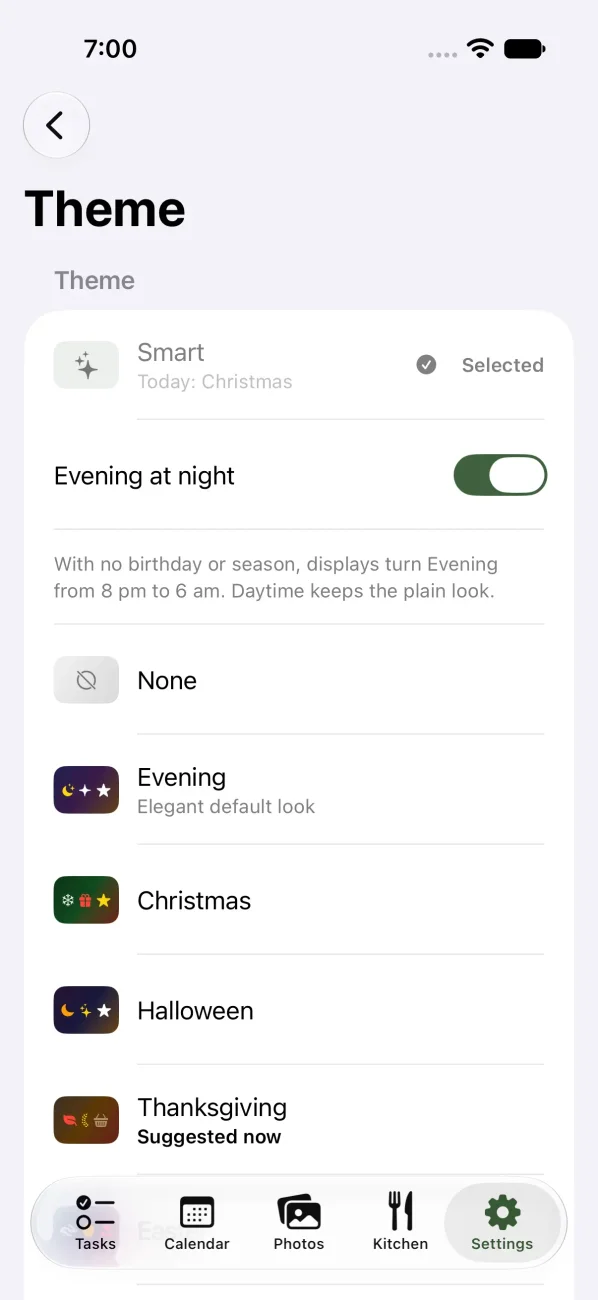
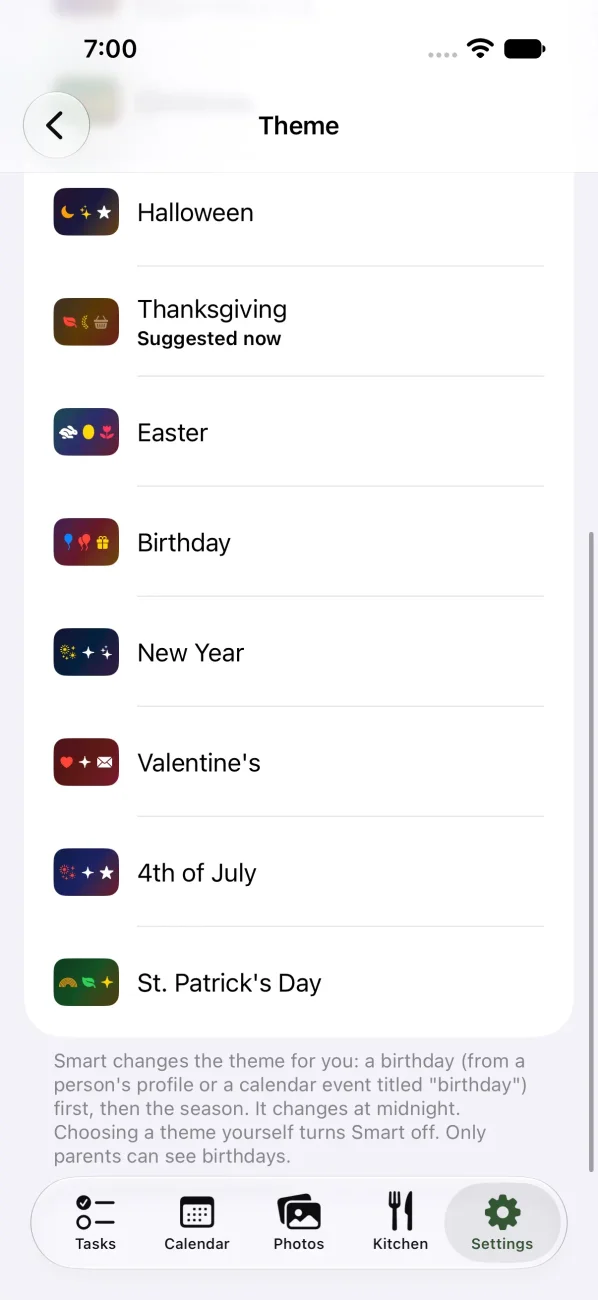
- Smart apply: FamPad picks the theme from the date and season, with a calm Evening look at night. Choose one yourself any time.
- New 4th of July and St. Patrick's Day looks, with a preview of each theme in the picker.
- Theme effects: turn the holiday tint over your photos down to Light, or Off.
- Bigger forecast in the week calendar, and a faster week with lots of events.
- Approve a reward on your phone and the wall iPad updates within seconds.
- Quieter when the Wi-Fi drops: no error banners.
- No Sign in flash on launch if the connection blips.
- Photo frame button on iPad, Play/Pause on Apple TV.
- Party mode: End now just ends it.
- New parents are asked about notifications after signing in; the morning briefing is on by default.
- Sign-up optionally asks how you heard about FamPad.
App-Datenschutz
Was Martin Griffin im App Store zum Umgang dieser App mit Daten angibt.
-
Mit Ihnen verknüpfte Daten
Können erfasst und mit Ihrer Identität verknüpft werden.
- Kontaktinformationen
- Benutzerinhalte
- Kennungen
-
Nicht mit Ihnen verknüpfte Daten
Können erfasst werden, sind aber nicht mit Ihrer Identität verknüpft.
- Diagnose
Die Datenschutzpraktiken können variieren, zum Beispiel je nach den von Ihnen verwendeten Funktionen oder Ihrem Alter.
Informationen
- Anbieter
- Martin Griffin
- Kategorie
- Produktivität
- Version
- 1.3.0
- Aktualisiert
- 27.11.2026
- Veröffentlicht
- 14.10.2026
- Größe
- 17,6 MB
- Erfordert
- iOS 18.0 oder neuer
- Altersfreigabe
- 4+
- Preis
- Kostenlos
- Sprachen
- Englisch
- Copyright
- © 2026
Das könnte Ihnen auch gefallen
-
 ToachProduktivität
-
 Before You ScrollProduktivität
-
 LighterMind Planner & JournalProduktivität
-
 Orbit DashboardProduktivität
-
 LivingLedger - Home InventoryProduktivität
-
 Verdin CloudProduktivität
-
 ColorCalendarMehr als dein Kalender
-
 SyncBridge TasksProduktivität
-
 bighelpProduktivität
-
 Pomodoro Buddy: Focus TimerProduktivität