
FamPad: Family Wall Calendar
Chore Chart & Meal Plan Hub
Designed for iPhone, iPad
Free
- Age rating4+
- CategoryProductivity
- DeveloperMartin Griffin
- LanguagesEnglish
- Size17.3 MB
Links to the official App Store page
Download.org hosts no file of FamPad: Family Wall Calendar. The button opens its official App Store page, published by Martin Griffin. Listing last checked on Nov 26, 2026.
Screenshots



About
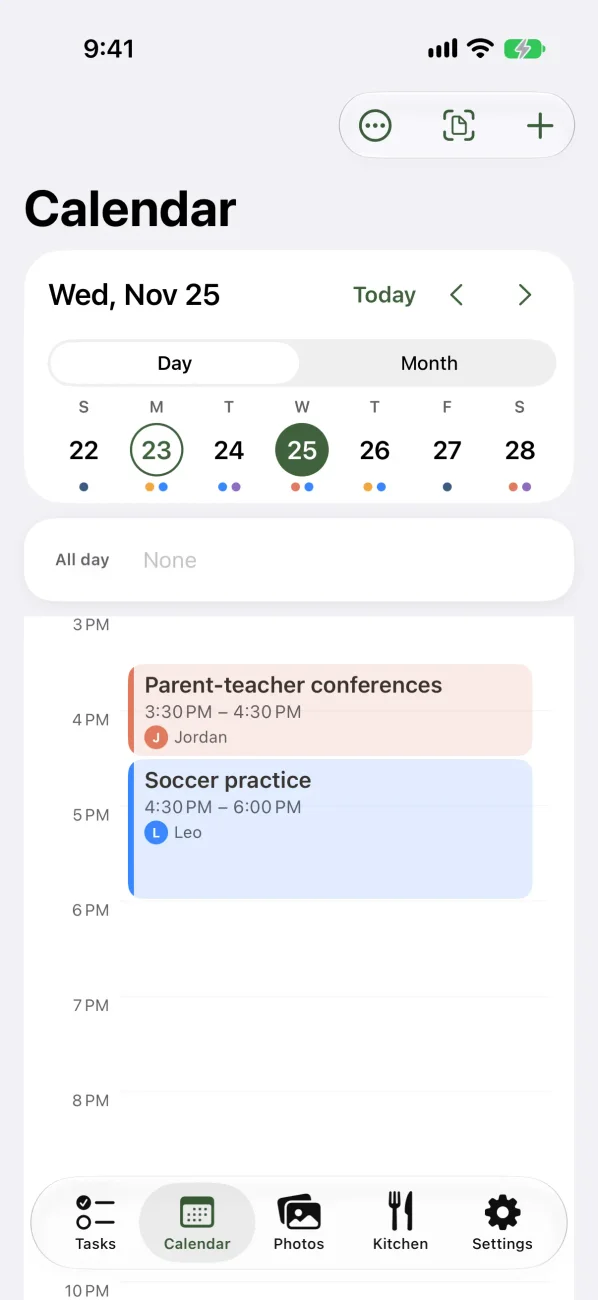
Turn the iPad you already own, or an Apple TV, into a family wall calendar, chore chart and meal planner. Everyone sees the week, kids tick off chores and earn rewards, and the paper calendar goes away.
Free to use, no ads. Runs on the iPad, Apple TV or tablet you already own, with an iPhone app for the parents.
On the wall
The week at a glance, always on, with today's weather from Apple Weather. You can switch the weather off.
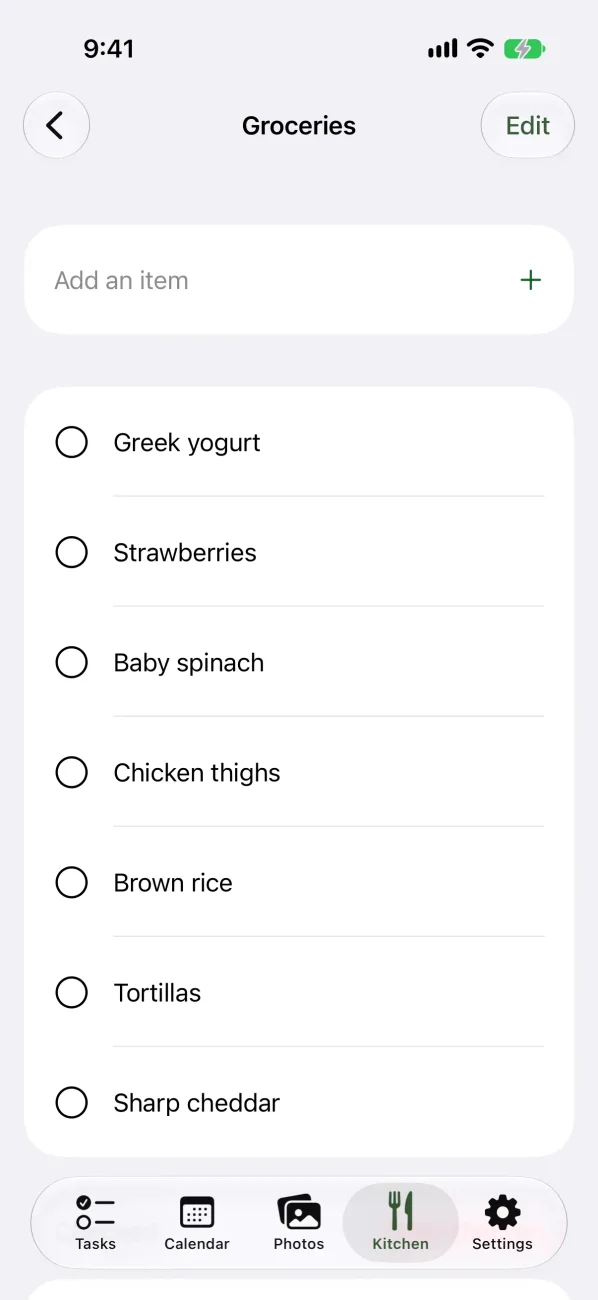
Shared grocery and to-do lists update live, with a weekly meal plan beside the calendar.
When it's quiet, the wall turns into a photo frame with up to 200 family photos. Hide, filter and reorder them. Swipe to browse. It dims at night, and on iPad it can open straight to the photos.
Kitchen: plan the week's meals
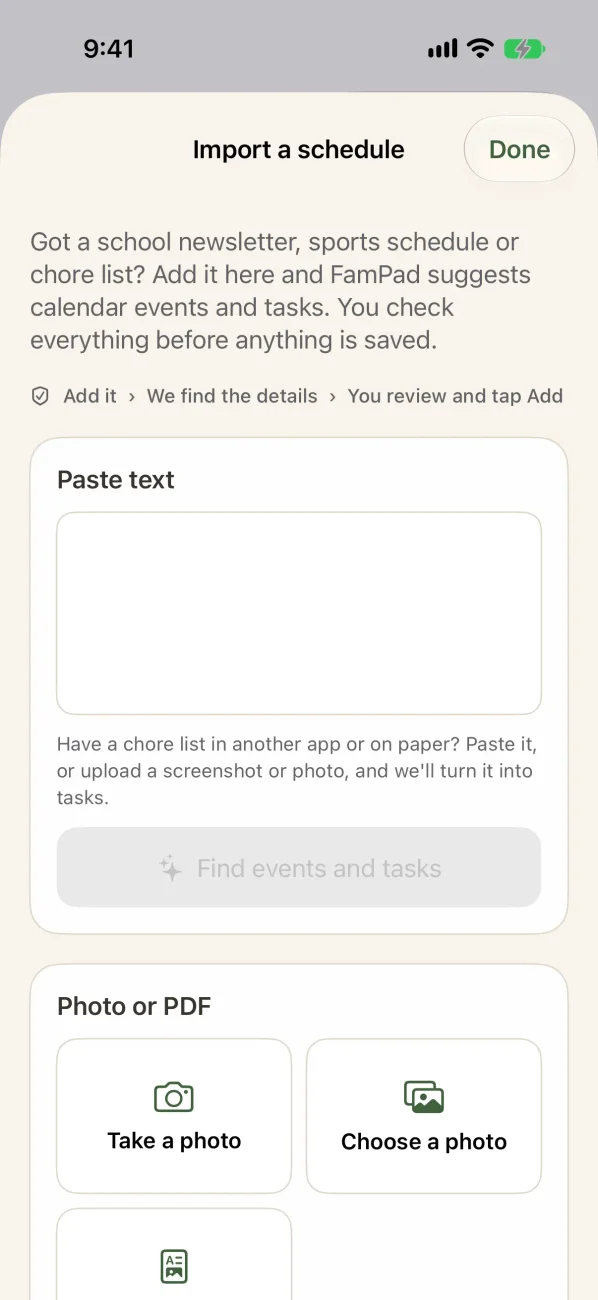
Paste a recipe link and FamPad reads it into ingredients and steps. Add several links at once, and check each recipe before it is saved.
Plan breakfast, lunch, dinner and snacks. Scale a recipe up or down and the meal plan and grocery list follow. Send one recipe's ingredients, or the whole week's, to your shopping list.
Chores and rewards
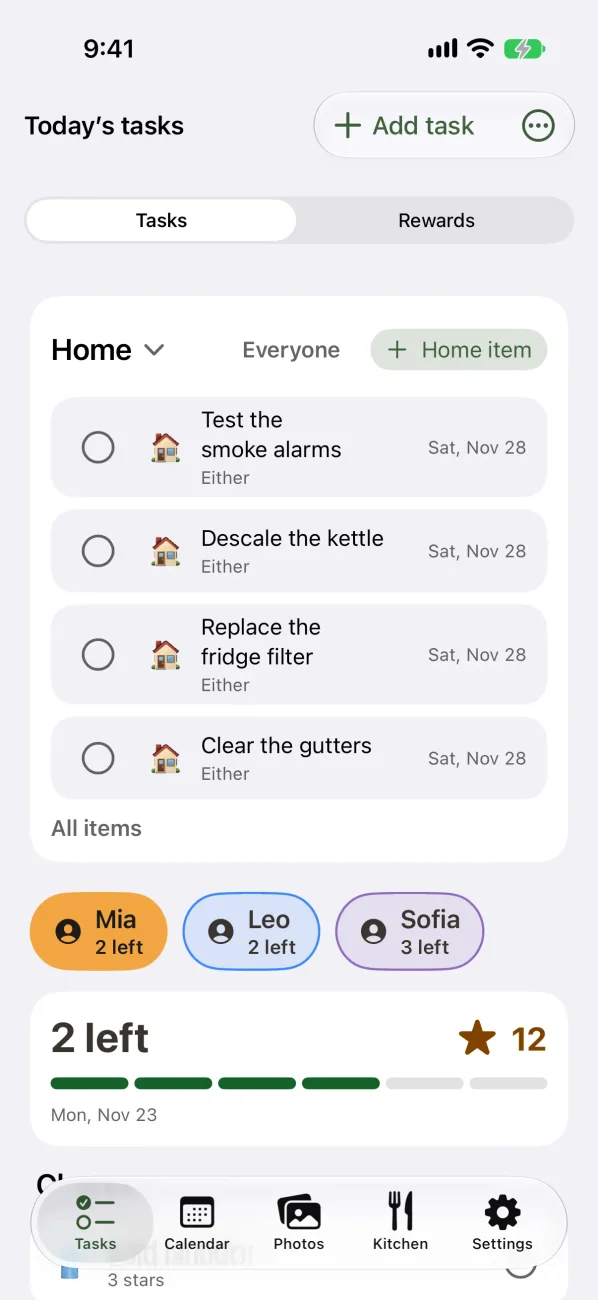
Kids tick off their own chores and earn stars, or cash if that's how your house works.
Stars add up to rewards you set. Kids ask on the wall, you approve from your phone, and finishing everything gets a celebration. Chores can repeat, and you can approve them with a note.
Parents can add or take away stars, and mark cash payouts as paid.
Party mode
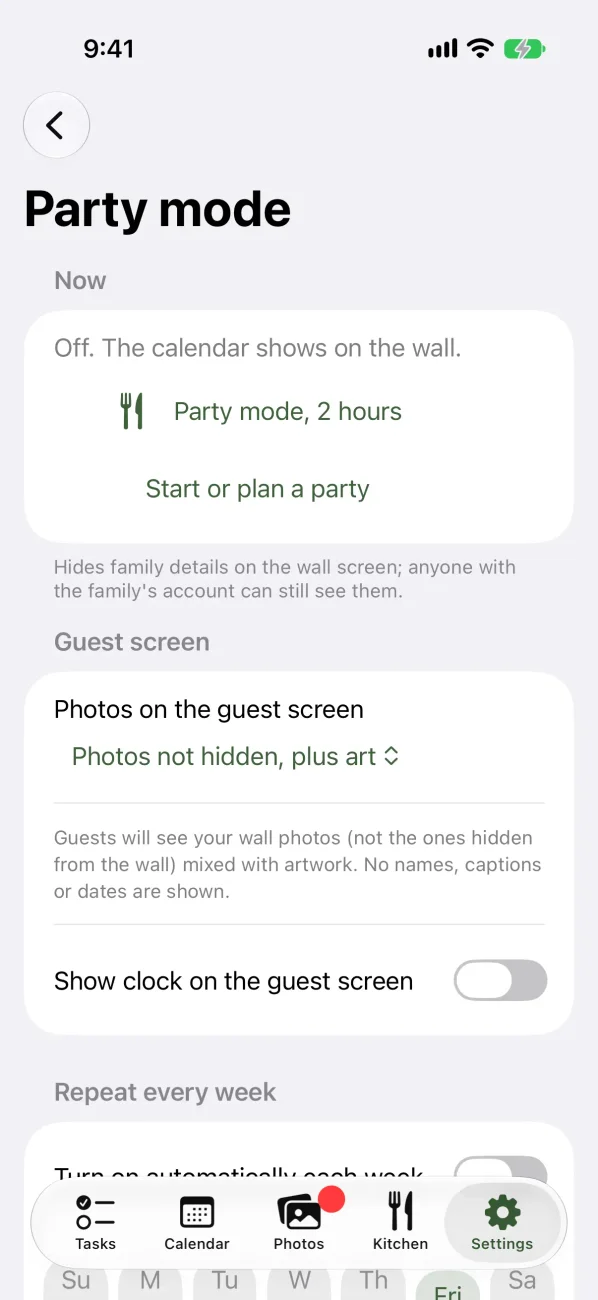
When friends come over, one tap turns the wall into a calm photo screen for a set time, then the calendar comes back by itself. Start it from your phone, the web companion or the iPad. Schedule it weekly, add a holiday theme, and choose which displays join. It hides family details on the wall but does not lock them.
Right Now routines
Each morning, afternoon or evening, every kid gets a card with big picture tiles and a ring that fills as they tap. Kids who can't read yet can follow along.
On your iPhone
Add events, chores, rewards and list items from anywhere. See who finished what.
A Home Screen widget (Small or Medium) shows today's to-dos, what's next on the calendar with who is picking up, and each kid's progress.
Invite your partner. Pair a wall tablet in a minute with a one-time code.
Calendars
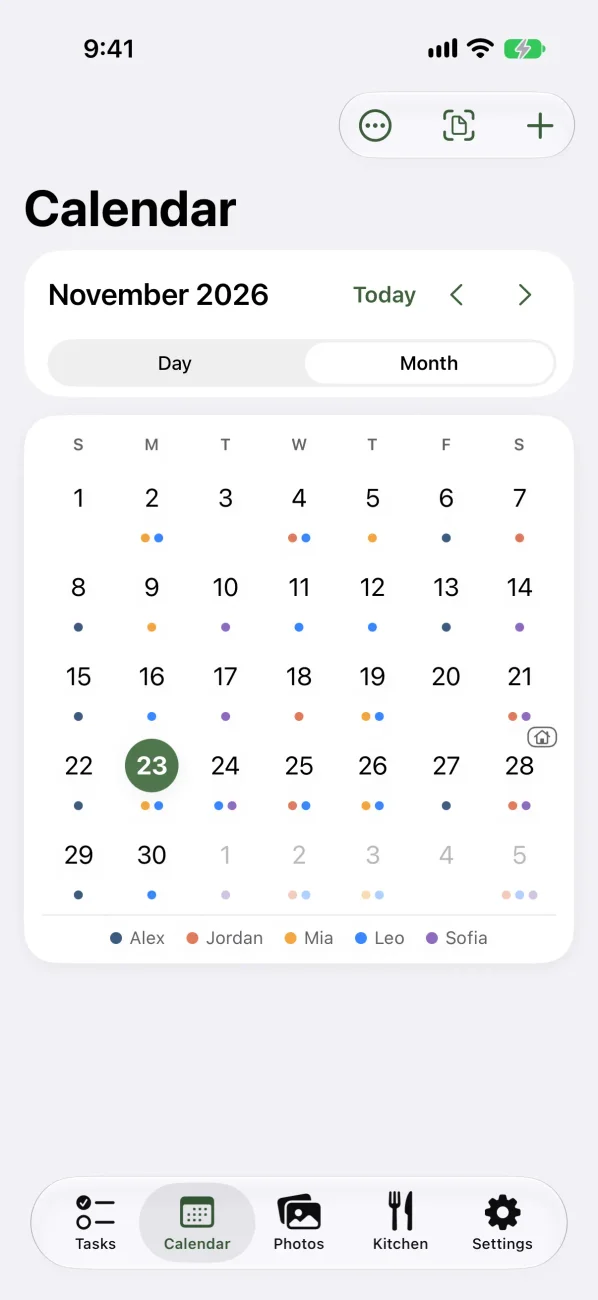
Google Calendar syncs both ways, so an event added on the wall lands in that person's Google Calendar.
On iPhone, pick the calendars already on your phone (iCloud, Google, Outlook, school) and they show on the wall with one tap and no password. They are view-only.
You can also paste a calendar link. For a team's calendar, turn on Sports team schedule. Games show the opponent, today's game gets a Game day card, and the photo screen counts down to it.
Choose which people each display's calendar shows. iPad and Apple TV follow your choice. Pick whether your week starts on Sunday or Monday.
Home care (Beta)
A gentle list for the jobs that come due every so often, like descaling the kettle or testing the smoke alarms. Skip a job when it can wait, or export the list as a CSV. It is off until a parent turns it on in Settings. Home care works fully without AI.
Good to know
The photo frame and Right Now need the iPad app. An old tablet with a web browser can still show the calendar, chores and lists.
The Apple TV app, also free, shows the calendar, photo frame and tonight's dinner on the big screen. Chores and lists are on the iPad, in a tablet browser and on your iPhone.
Private
Your household's data and photos are visible only to your household. No ads and no advertising trackers. Export or delete your data any time in Settings.
Made by one dad. Questions or ideas: hello@fampadapp.com
What’s new
Version 1.2.0 · Nov 25, 2026
FamPad 1.2.0 rebuilds Kitchen, adds celebrations for the kids, and gives parents more control.
Kitchen: meal planning, rebuilt
• Paste a recipe link and FamPad reads it into ingredients and steps. You check it before it is saved.
• Add several recipes at once. Paste a batch of links, or titles paired with links.
• Scale a recipe to ½, ×1, ×2 or your own number. The meal plan and grocery list follow.
• Send a recipe's ingredients, or the whole week's, to your shopping list. Matching items are added up.
• A Snack slot next to breakfast, lunch and dinner, and long meal names fit neatly in the grid.
• Remove moves a recipe to Removed and keeps its planned meals. Delete forever, under Removed, takes one recipe out for good, and Empty Removed clears the list. Meals planned with those recipes go too.
Celebrations
• Ten all-done bursts when a kid finishes everything.
• Stars that trail across the screen as they are earned.
• A little flourish when a kid asks for a reward, and a big moment when you approve it.
Tasks and Rewards
• Repeating chores, now on iPhone and iPad.
• Add or take away stars from a kid, with a confirmation and an optional reason.
• For kids paid in cash: adjust the balance and tap Mark paid.
• Approve chores with a note.
• Request a reward with a clear reason.
• A Manage screen with Restore, so nothing is deleted by accident.
Party mode
• When friends come over, one tap turns the wall into a calm photo screen for a set time, then the calendar comes back by itself. Start it from your phone, the web companion, or the iPad with the Edit mode PIN.
• Schedule it for a weekly window, like Friday and Saturday evenings.
• Choose what shows: photos, art only, or all wall photos. The clock is off unless you turn it on.
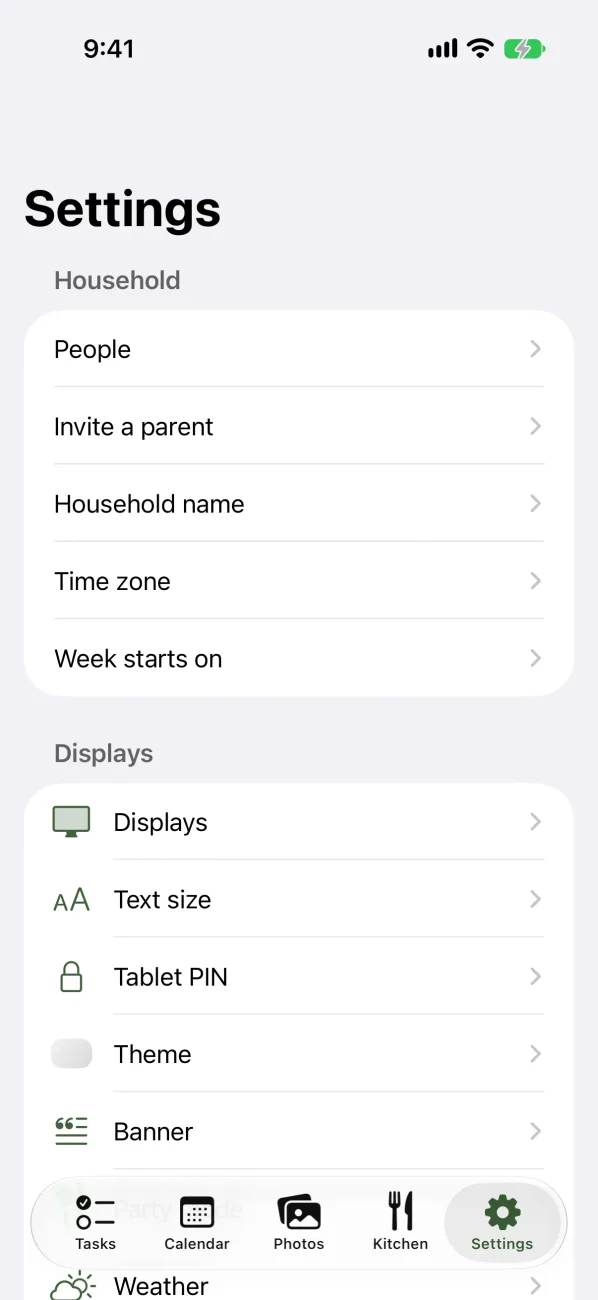
• Themes are Christmas, Halloween, Thanksgiving and Evening, in Settings > Displays > Theme. They also work on the normal wall screen.
• Choose which displays join. A kitchen iPad used for routines can stay as it is.
• It hides family details on the wall screen but does not lock them. Anyone with the family's account can still see them.
Home care (Beta) and the wall display
• Home care is a calm list for jobs that come due now and then. Skip a job when it can wait, and export the list as a CSV. Turn it on in Settings.
• Home today adds an optional quiet line to the iPad calendar, with no names.
• Game day cards put your team first.
• Pick who each display shows. iPad and Apple TV follow it.
• Photo darkness has three settings, Off, Medium and Strong, for photo screens on iPad and Apple TV. Medium is how they look today.
Also new
• Rename anyone in Settings > People.
• Apple Calendar (iCloud) is offered in setup, next to Google Calendar.
• A larger circle for today on the calendar.
• Choose whether your week starts on Sunday or Monday in Settings > Week starts on.
• Theme and Banner each have their own screen under Settings > Displays, and Theme shows a color swatch.
• Text size has its own row in Settings.
• Weather: choose Fahrenheit or Celsius in Settings.
• Tasks and Rewards share one heading, and Help is tidier.
• Better support for large text and VoiceOver.
App privacy
What Martin Griffin declares on the App Store about how this app handles data.
-
Data linked to you
May be collected and linked to your identity.
- Contact info
- User content
- Identifiers
-
Data not linked to you
May be collected but is not linked to your identity.
- Diagnostics
Privacy practices may vary, for example with the features you use or your age.
Information
- Seller
- Martin Griffin
- Category
- Productivity
- Version
- 1.2.0
- Updated
- Nov 25, 2026
- Released
- Oct 14, 2026
- Size
- 17.3 MB
- Requires
- iOS 18.0 or later
- Age rating
- 4+
- Price
- Free
- Languages
- English
- Copyright
- © 2026
You might also like
-
 ToachFamily calendar, chores & AI
-
 Before You ScrollPause. Reflect. Then unlock
-
 LighterMind Planner & JournalYour life, organized
-
 Orbit DashboardYour life on one dashboard
-
 LivingLedger - Home InventoryHousehold Organizer
-
 Verdin CloudProductivity
-
 ColorCalendar - Color PlannerMore than your Calendar
-
 SyncBridge TasksProductivity
-
 bighelpHermes agents. Simplified.
-
 Pomodoro Buddy: Focus TimerFocus Timer & Session Tracker