Floathing: PiP for everything
Timer, notes, images n more
Entwickelt für iPhone, iPad
Kostenlos · In-App-Käufe
- Altersfreigabe4+
- KategorieProduktivität
- EntwicklerLuu Thi Tuyet Minh
- SprachenEnglisch+ 4 weitere
- Größe17,0 MB
Verlinkt auf die offizielle App Store-Seite
Download.org hostet keine Datei von Floathing: PiP for everything. Die Schaltfläche öffnet die App-Seite bei App Store, wo Luu Thi Tuyet Minh die App veröffentlicht. Eintrag zuletzt geprüft am 12.11.2026.
Screenshots

Info
Der Entwickler hat diesen Text nicht in Ihrer Sprache bereitgestellt.
Floathing – Floating Everything on iPhone
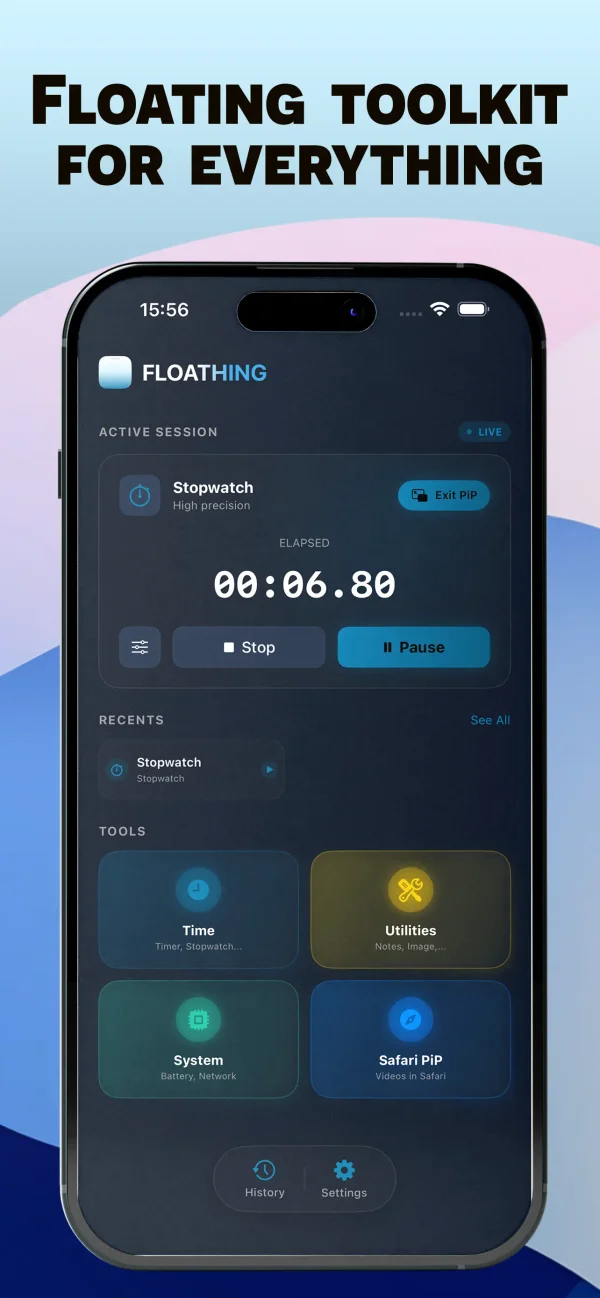
Floathing turns your iPhone into a powerful floating toolkit: teleprompter, timer, stopwatch, countdown, world clock, sticky notes, reference images, system monitors, and even web videos — all running in a Picture-in-Picture window that stays on top of any app.
Stop switching apps just to check your teleprompter, timer, notes, or videos while recording, studying, or presenting. Keep everything visible in one small floating window.
Always-On-Top Floating Window
-Picture-in-Picture keeps your tools floating over Camera, Safari, Notes, and social apps.
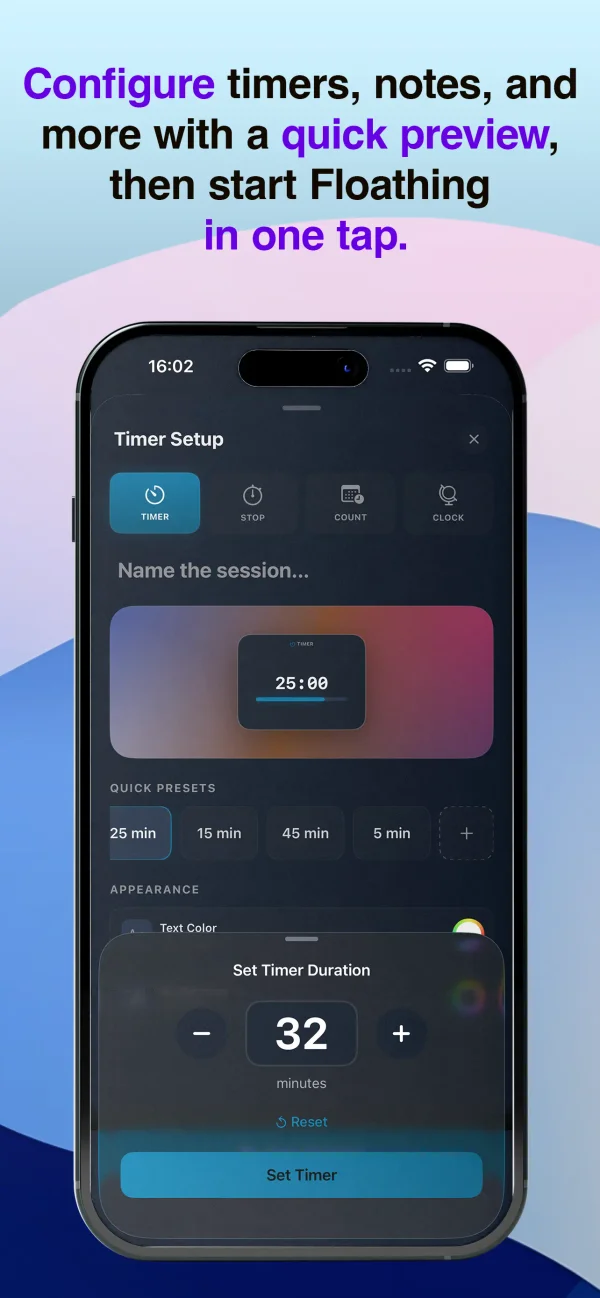
-Start from the dashboard: pick a tool, configure it, preview it live, then tap to float.
-Floating Teleprompter & Time Tools
Floating teleprompter with auto-scroll, perfect for TikTok, Reels, vlogs, and speaking to camera.
Floating timer, stopwatch, and countdown for study sessions, workouts, presentations, and focus time.
Sticky Notes & Reference Images
-Floating sticky notes for key points, to-dos, or reminders during meetings and online classes.
-Pin reference images, slides, mockups, or formulas as an overlay while you draw, code, or write.
Safari Web Videos
-Watch almost any web video in Picture-in-Picture mode using our Safari Extension.
-Keep videos floating while browsing, chatting, taking notes, or multitasking.
-Tested on popular sites such as YouTube, Vimeo, Dailymotion, Twitch, and more.
System Monitors
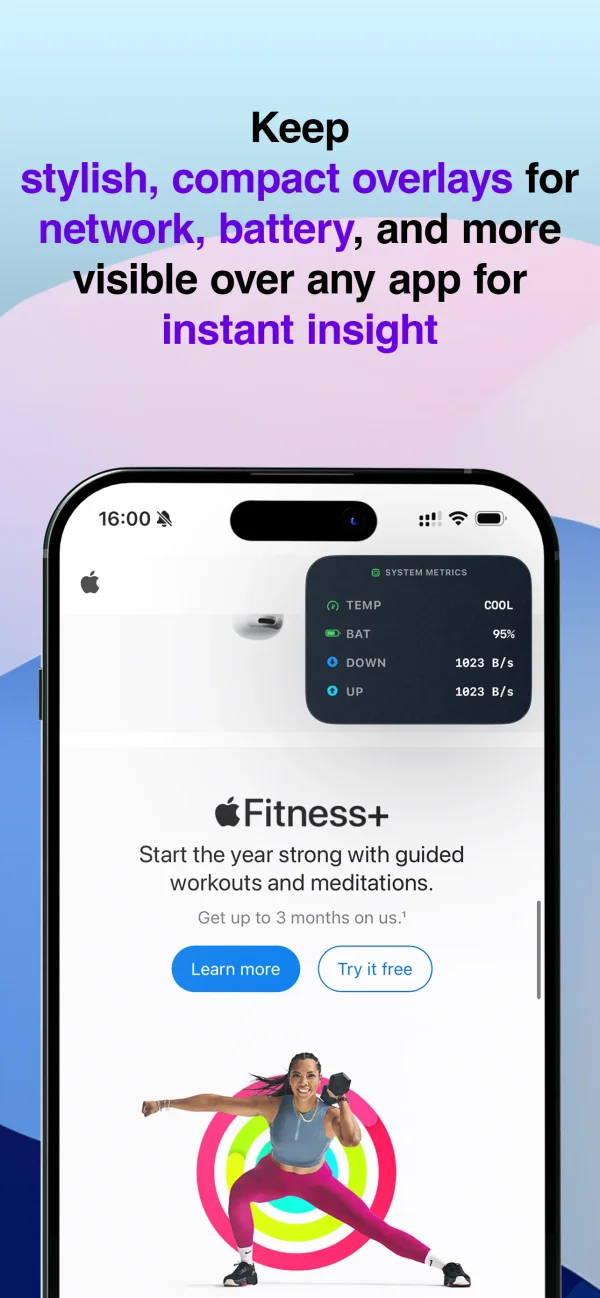
-Floating widgets for network status, battery & thermal info, and speedometer, always visible at a glance.
Fast & Simple
-Save presets for videoprompters, floating study timers, or your favorite setups.
-Live preview before floating anything on screen.
Unlimited access to all features
- You can subscribe to enjoy all the app's features without limit.
- Subscription fees are charged monthly or annually, depending on your chosen subscription plan. Or lifetime pro, purchase once, own forever.
- Subscriptions automatically renew unless auto-renewal is turned off at least 24 hours before the end of the current subscription period.
By using Floathing, you agree to our Privacy Policy and Terms of Use:
* Privacy Policy: https://mecapps.fun/floathing/privacy
* Terms of Use: https://mecapps.fun/floathing/terms
Neue Funktionen
Version 1.6 · 19.10.2026
- Now you can import multi images.
- Optimize and fix bugs.
App-Datenschutz
Was Luu Thi Tuyet Minh im App Store zum Umgang dieser App mit Daten angibt.
-
Keine Daten erfasst
Der Entwickler erfasst keine Daten von dieser App.
Die Datenschutzpraktiken können variieren, zum Beispiel je nach den von Ihnen verwendeten Funktionen oder Ihrem Alter.
Informationen
- Anbieter
- Luu Thi Tuyet Minh
- Kategorie
- Produktivität
- Version
- 1.6
- Aktualisiert
- 19.10.2026
- Veröffentlicht
- 20.01.2026
- Größe
- 17,0 MB
- Erfordert
- iOS 18.6 oder neuer
- Altersfreigabe
- 4+
- Preis
- Kostenlos
- In-App-Käufe
- Ja
- Sprachen
- Englisch, Japanisch, Koreanisch, Vereinf. Chinesisch, Vietnamesisch
- Copyright
- © 2025 by ME Creative VN
Das könnte Ihnen auch gefallen
-
 Picture in Picture Notes - PiPProduktivität
-
 Pip Up: Persist/ Floating NoteOverlay Foto/Web Oben
-
 Floaty - PiP Floating ViewerMultitasking Split Screen
-
 SuperX - PIP ExtensionProduktivität
-
 Floating Notepad -Overlay-Produktivität
-
 FloatTextProduktivität
-
 Cronometro FlutuantePara você usar com outros apps
-
 Schwebender Bildschirm - UhrZeit & Text, Skript
-
 Split Screen - PiP SplitwareMultitasking Split View
-
 Turn Off the Lights for SafariVerdunkelt den Rest der Seite