
- Altersfreigabe12+
- KategorieDienstprogramme
- EntwicklerYEON SEOB KIM
- SprachenEnglisch
- Größe5,1 MB
Verlinkt auf die offizielle App Store-Seite
Download.org hostet keine Datei von FNam FFT Spectrogram Analyzer. Die Schaltfläche öffnet die App-Seite bei App Store, wo YEON SEOB KIM die App veröffentlicht. Eintrag zuletzt geprüft am 18.11.2026.
Screenshots



Info
Der Entwickler hat diesen Text nicht in Ihrer Sprache bereitgestellt.
* completely free, no ads.
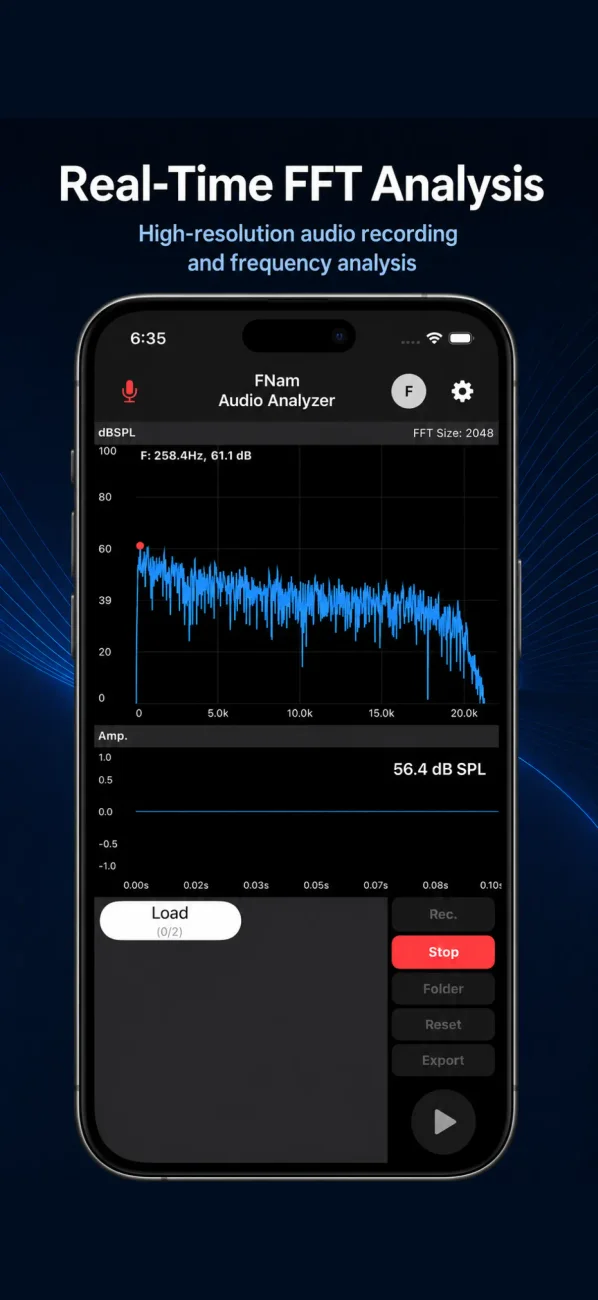
Real-time FFT & Spectrogram / All processing runs on-device /
No audio data uploaded externally.
■ FNam FFT Spectrogram Analyzer
Engineers need tools that are ready to use — anytime, anywhere.
FNam FFT Spectrogram Analyzer turns your smartphone into a
professional audio analysis tool. Unlike typical sound meter apps,
it delivers advanced features like Dual File Comparison and CSV
Export for precise post-analysis
[Video Guide - See it in action]
https://youtu.be/72SYLTG0l_8
■ NEW FEATURES
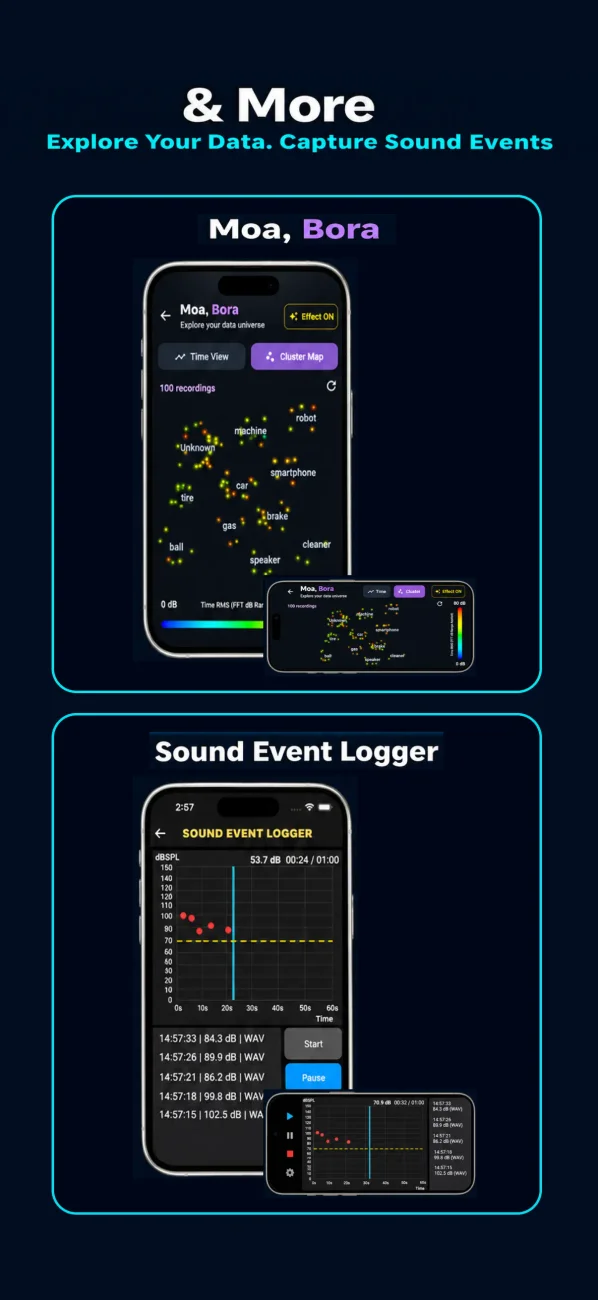
1. Moa, Bora
- Explore your saved data at a glance with Time View or Cluster Map.
2. Octave Band View Mode
- Analyze sound levels by octave bands.
- Choose 1/1 or 1/3 octave band resolution in Settings.
3. Sound Event Logger
- Automatically logs sound events when the level exceeds a set threshold.
- Can save event WAV files and FNam JSON logs for later review.
- Includes a screensaver mode to reduce screen burn-in.
■ KEY FEATURES
1. Real-time Audio Analysis
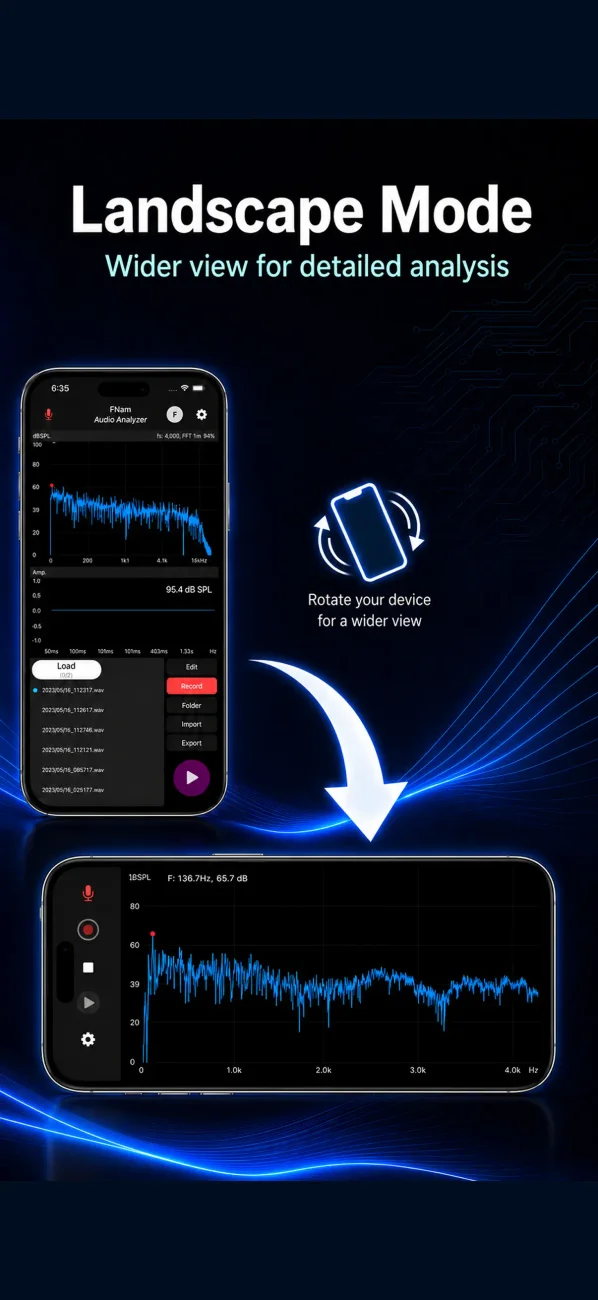
• High-precision FFT (Fast Fourier Transform) Graph.
• Time Domain Waveform (Oscilloscope) view.
• Fluid Spectrogram for visualizing frequency changes over time.
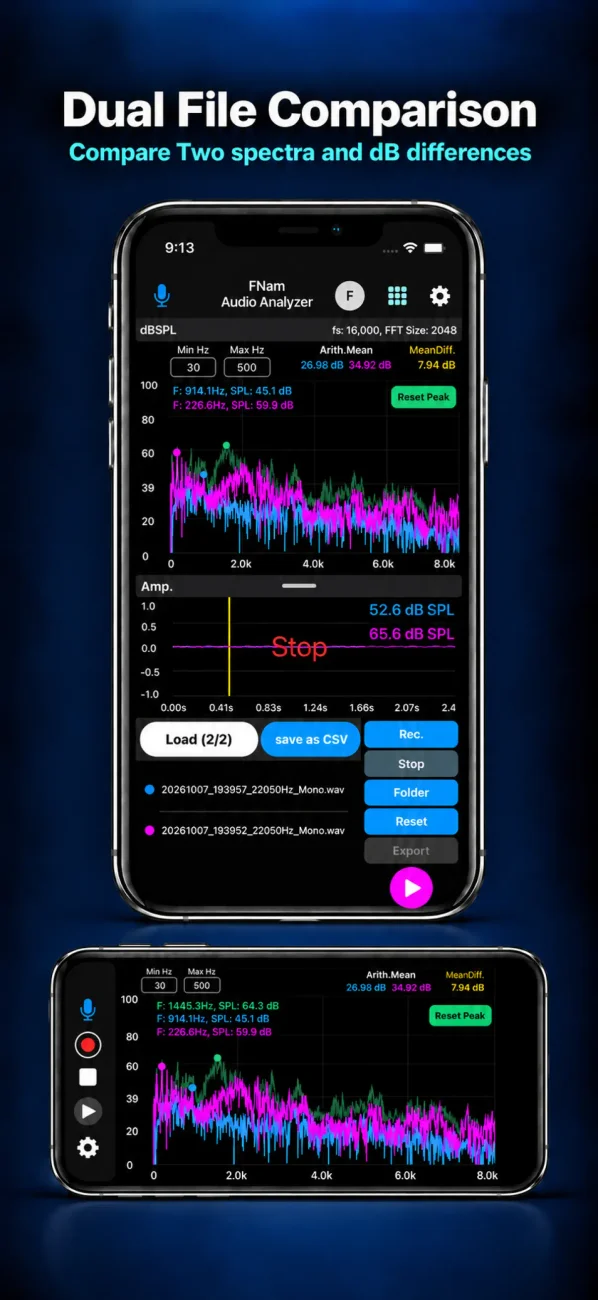
2. Dual File Comparison (Exclusive Feature)
• Simultaneous loading of two WAV files for comparative analysis.
• Spectrum Overlay: Visually compare differences using color-coded traces (Blue vs. Magenta).
• Instant Calculation: Provides Arithmetic Mean and Mean Difference between signals.
3. Data Logging & Export
• Flexible Sampling Rates: Supports various rates (4000Hz, 8000Hz, 16000Hz, 22050Hz, 44100Hz).
• High-quality Recording: Audio is recorded and saved as WAV files, strictly matching the selected sampling rate.
• Raw Data Export: Exports raw PCM data to CSV format. The exported data maintains the exact sampling rate and duration, making it optimized for post-processing in Excel, MATLAB, or Python.
• File Management: Files are stored in the 'On My iPhone\FFT Analyzer' directory.
- WAV naming format: Date_Time_SampleRate_Channel.wav
ex) 20260219_164715_44100Hz_Mono.wav
- CSV naming format: Selected WAV file name_SampleRate_Duration(s).csv
ex) 20260219_164715_44100Hz_Mono_44100_5.2s.csv
4. Professional Configuration
• Window Functions: Selectable Rectangular, Hann, Hamming, and Blackman windows.
• Frequency Weighting: Supports A, B, C, and Z (Linear) standard weighting filters.
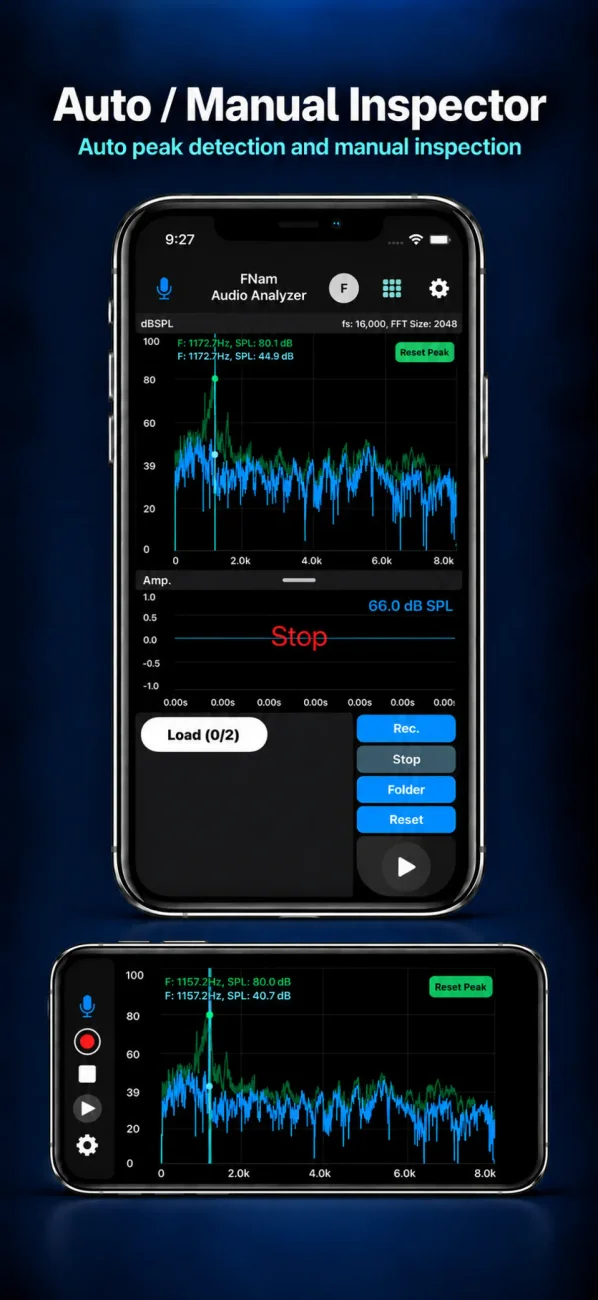
• Axis Control: Supports both Auto-scaling and Manual range settings (Hz / dB) for precise graph inspection.
• Calibration: Independent offset controls for FFT and Time Domain to ensure alignment with professional reference equipment.
• Max Peak Hold: Displays and holds the maximum amplitude values across the frequency spectrum.
• Octave Band View Mode: Visualizes frequency levels as octave band bars for easier band-by-band analysis.
• Moa, Bora: Visualizes saved data by time or label, with colors indicating sound levels.
■ TECHNICAL SPECIFICATIONS
• Signal Processing: Anti-aliasing filters are automatically applied during downsampling to ensure measurement accuracy.
• Sampling Rate: Supports standard rates up to 44.1kHz (device dependent).
• Standards: Implements IEC 61672 frequency-weighting formulas for A/B/C weighting calculations.
Note: This app implements IEC 61672 frequency-weighting formulas. Measurement discrepancies compared to professional equipment may occur due to the hardware frequency response limitations of the built-in smartphone microphone. For critical measurements, the use of a calibrated external microphone is recommended.
Neue Funktionen
Version 2.4 · 08.11.2026
- New feature : Moa, Bora - explore your saved data at a glance with Time View and Cluster Map
- Replaced the Reset button with a new Label button to organize your data
- Renamed the Folder button to Load
- Replaced Load above the file list with label filtering
- Improved readability
- Fixed minor bugs
App-Datenschutz
Was YEON SEOB KIM im App Store zum Umgang dieser App mit Daten angibt.
-
Keine Daten erfasst
Der Entwickler erfasst keine Daten von dieser App.
Die Datenschutzpraktiken können variieren, zum Beispiel je nach den von Ihnen verwendeten Funktionen oder Ihrem Alter.
Informationen
- Anbieter
- YEON SEOB KIM
- Kategorie
- Dienstprogramme
- Version
- 2.4
- Aktualisiert
- 08.11.2026
- Veröffentlicht
- 23.02.2026
- Größe
- 5,1 MB
- Erfordert
- iOS 18.0 oder neuer
- Altersfreigabe
- 12+
- Preis
- Kostenlos
- Sprachen
- Englisch
- Copyright
- © 2026 FNam
Das könnte Ihnen auch gefallen
-
 Easy Audio SpectrogramDienstprogramme
-
 N-Signal / FFT Sound AnalyzerDienstprogramme
-
 Spektrumanalysator+ Audio FFTHz-Spitze, Brummen, Raummoden
-
 Spectrum Analyzer: Audio RTAFrequenzen, FFT & Spektrogramm
-
 Spectrum: Audio-AnalyzerSchallpegel, dB & RTA-Analyse
-
 SpectralScan Audio Analyzer dBDienstprogramme
-
 ToneScopeDienstprogramme
-
 SpectroliteDienstprogramme
-
 Dezibelmesser XAudiospektrumanalysator
-
 SignalScope XDienstprogramme