- Classification d’âge12+
- CatégorieUtilitaires
- DéveloppeurYEON SEOB KIM
- LanguesAnglais
- Taille5,1 Mo
Renvoie vers la page App Store officielle
Download.org n’héberge aucun fichier de FNam FFT Spectrogram Analyzer. Le bouton ouvre la page de l’application sur App Store, où YEON SEOB KIM la publie. Fiche vérifiée pour la dernière fois le 18/11/2026.
Captures d’écran
À propos
Le développeur n’a pas fourni ce texte dans votre langue.
* completely free, no ads.
Real-time FFT & Spectrogram / All processing runs on-device /
No audio data uploaded externally.
■ FNam FFT Spectrogram Analyzer
Engineers need tools that are ready to use — anytime, anywhere.
FNam FFT Spectrogram Analyzer turns your smartphone into a
professional audio analysis tool. Unlike typical sound meter apps,
it delivers advanced features like Dual File Comparison and CSV
Export for precise post-analysis
[Video Guide - See it in action]
https://youtu.be/72SYLTG0l_8
■ NEW FEATURES
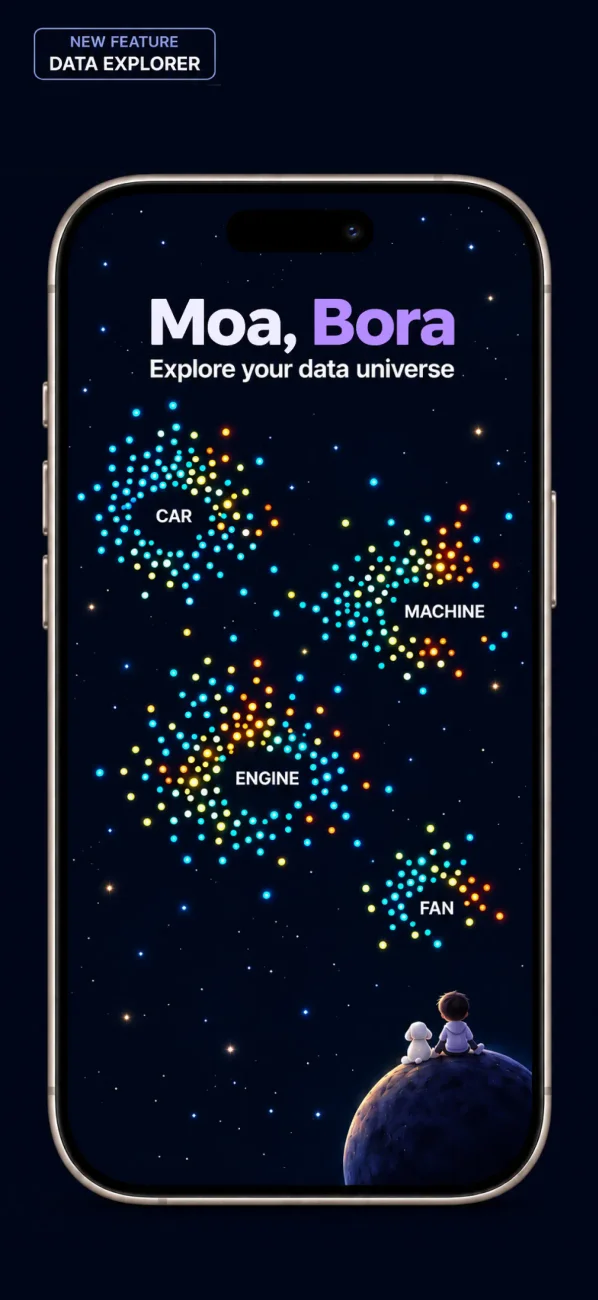
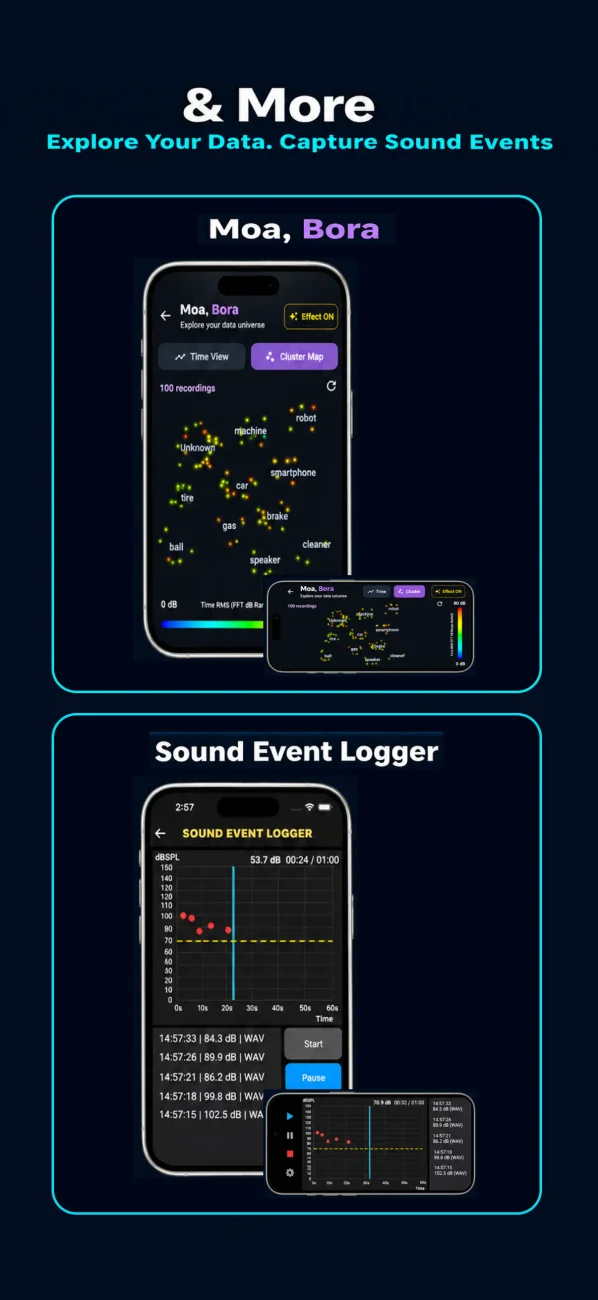
1. Moa, Bora
- Explore your saved data at a glance with Time View or Cluster Map.
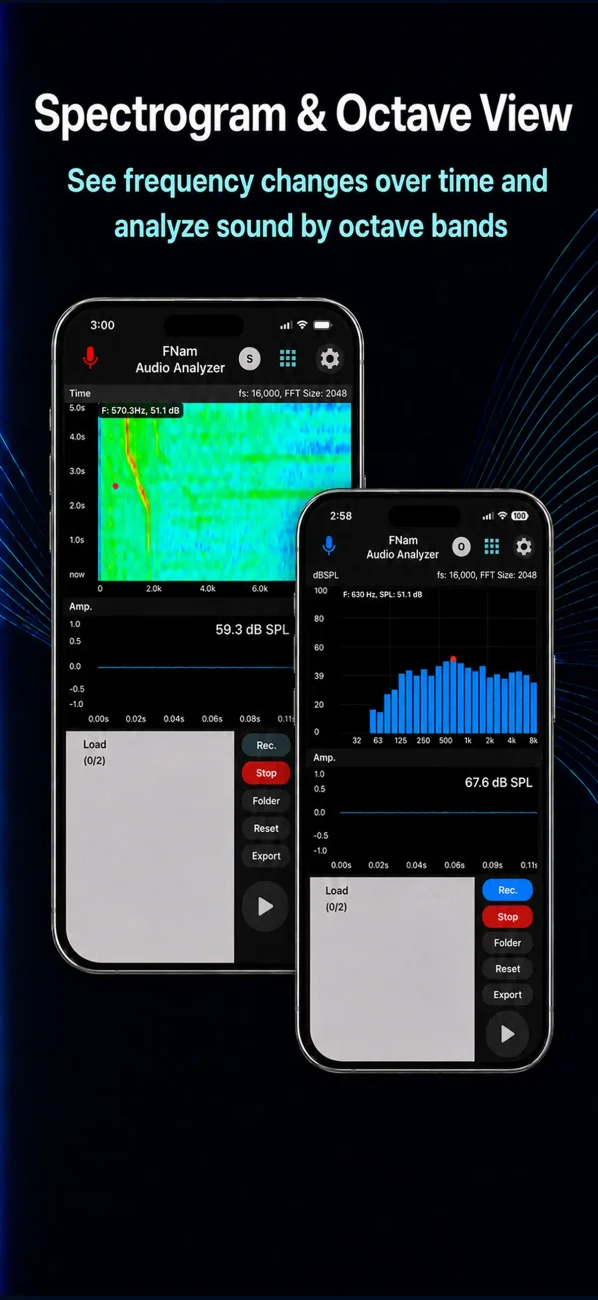
2. Octave Band View Mode
- Analyze sound levels by octave bands.
- Choose 1/1 or 1/3 octave band resolution in Settings.
3. Sound Event Logger
- Automatically logs sound events when the level exceeds a set threshold.
- Can save event WAV files and FNam JSON logs for later review.
- Includes a screensaver mode to reduce screen burn-in.
■ KEY FEATURES
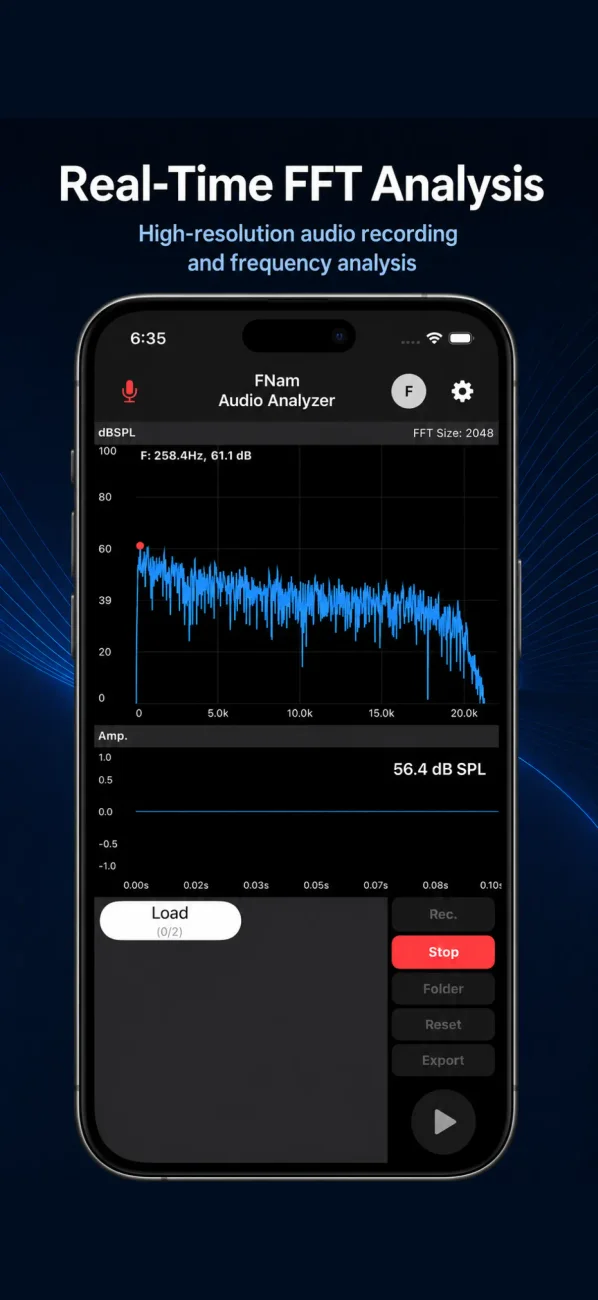
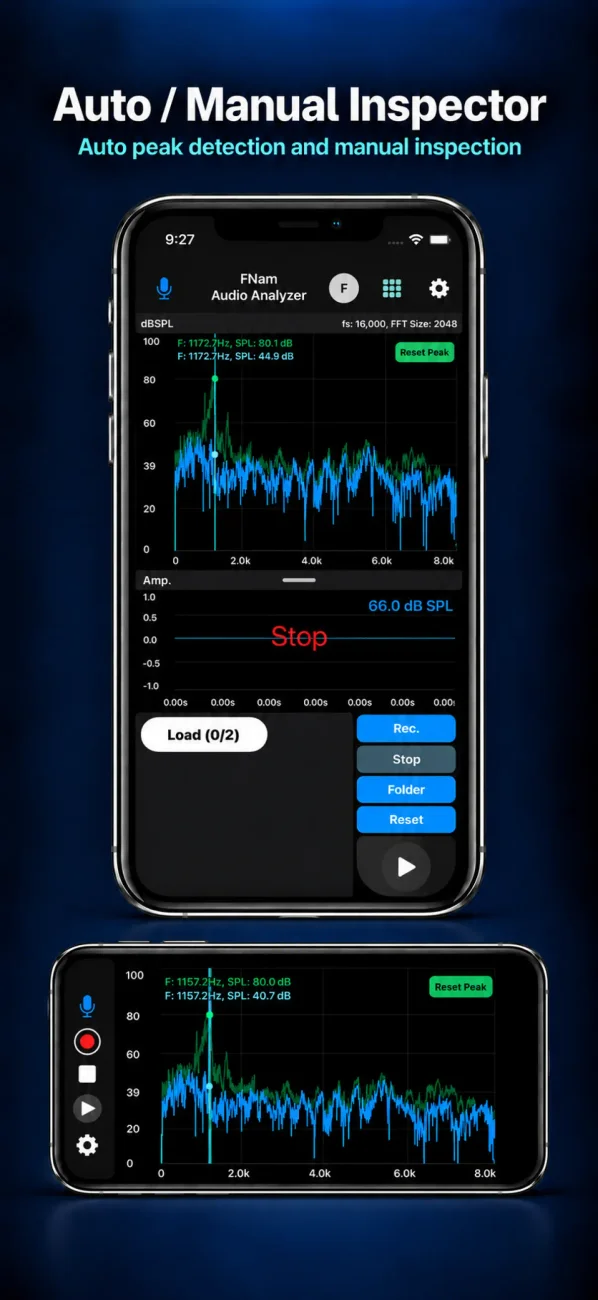
1. Real-time Audio Analysis
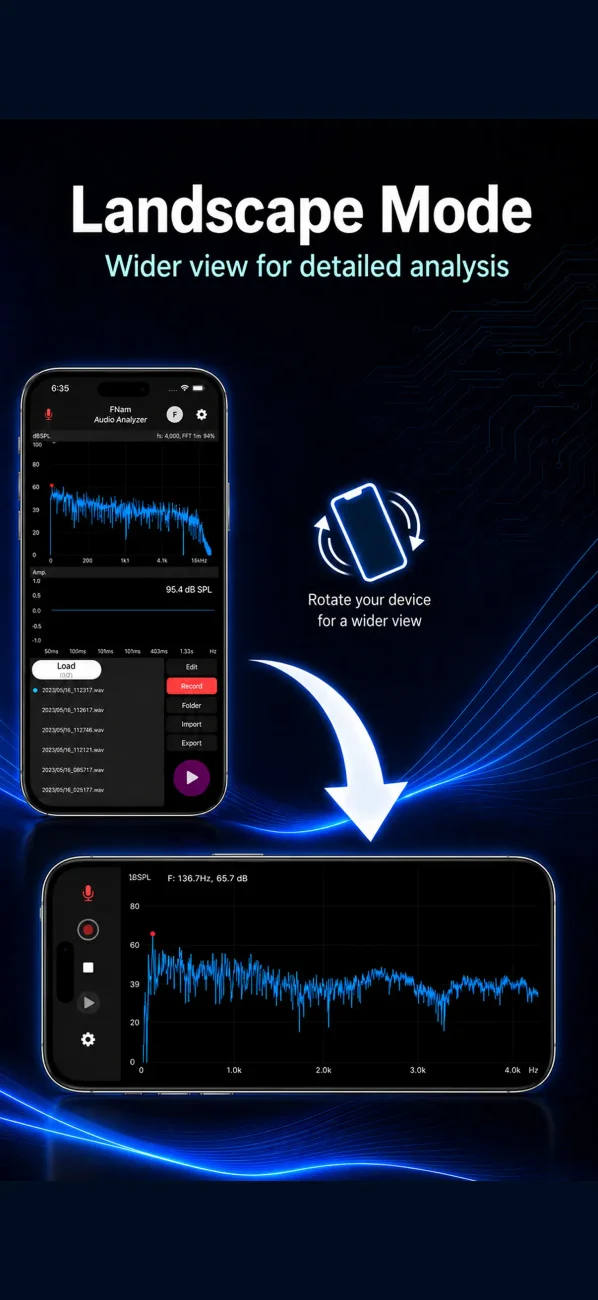
• High-precision FFT (Fast Fourier Transform) Graph.
• Time Domain Waveform (Oscilloscope) view.
• Fluid Spectrogram for visualizing frequency changes over time.
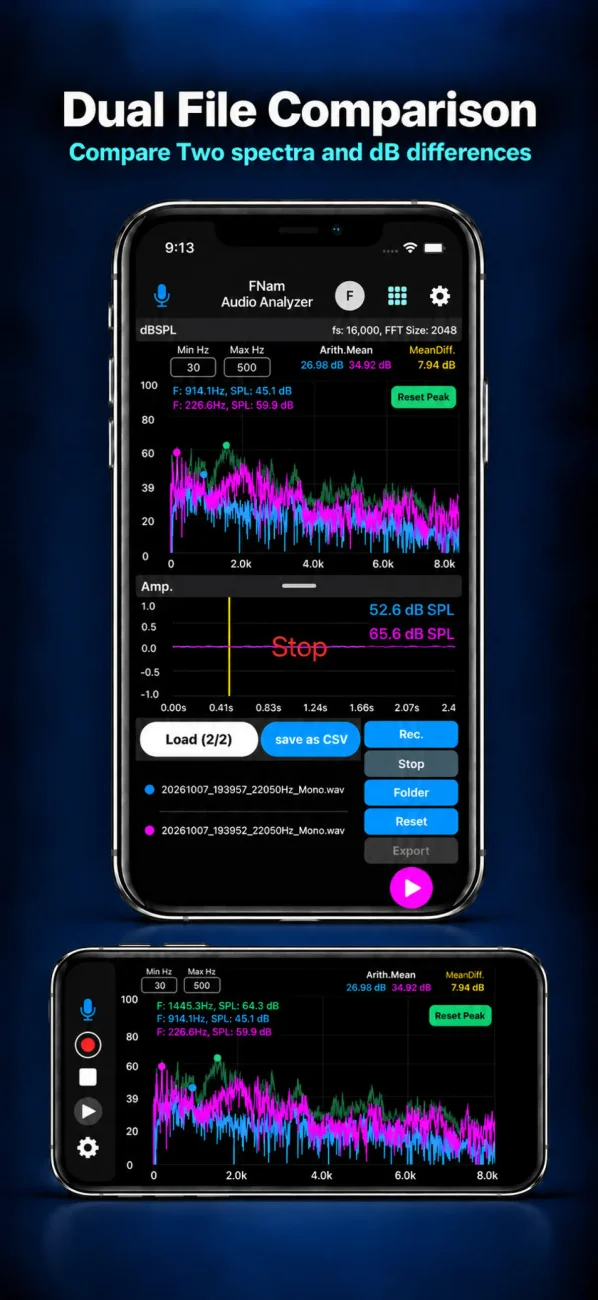
2. Dual File Comparison (Exclusive Feature)
• Simultaneous loading of two WAV files for comparative analysis.
• Spectrum Overlay: Visually compare differences using color-coded traces (Blue vs. Magenta).
• Instant Calculation: Provides Arithmetic Mean and Mean Difference between signals.
3. Data Logging & Export
• Flexible Sampling Rates: Supports various rates (4000Hz, 8000Hz, 16000Hz, 22050Hz, 44100Hz).
• High-quality Recording: Audio is recorded and saved as WAV files, strictly matching the selected sampling rate.
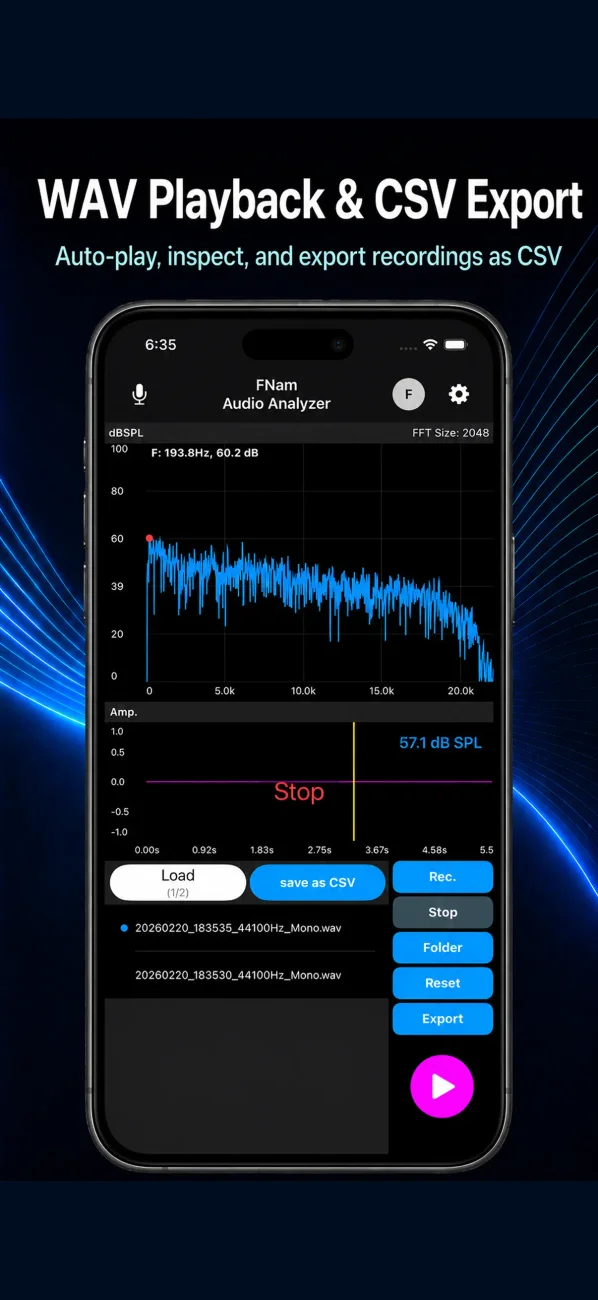
• Raw Data Export: Exports raw PCM data to CSV format. The exported data maintains the exact sampling rate and duration, making it optimized for post-processing in Excel, MATLAB, or Python.
• File Management: Files are stored in the 'On My iPhone\FFT Analyzer' directory.
- WAV naming format: Date_Time_SampleRate_Channel.wav
ex) 20260219_164715_44100Hz_Mono.wav
- CSV naming format: Selected WAV file name_SampleRate_Duration(s).csv
ex) 20260219_164715_44100Hz_Mono_44100_5.2s.csv
4. Professional Configuration
• Window Functions: Selectable Rectangular, Hann, Hamming, and Blackman windows.
• Frequency Weighting: Supports A, B, C, and Z (Linear) standard weighting filters.
• Axis Control: Supports both Auto-scaling and Manual range settings (Hz / dB) for precise graph inspection.
• Calibration: Independent offset controls for FFT and Time Domain to ensure alignment with professional reference equipment.
• Max Peak Hold: Displays and holds the maximum amplitude values across the frequency spectrum.
• Octave Band View Mode: Visualizes frequency levels as octave band bars for easier band-by-band analysis.
• Moa, Bora: Visualizes saved data by time or label, with colors indicating sound levels.
■ TECHNICAL SPECIFICATIONS
• Signal Processing: Anti-aliasing filters are automatically applied during downsampling to ensure measurement accuracy.
• Sampling Rate: Supports standard rates up to 44.1kHz (device dependent).
• Standards: Implements IEC 61672 frequency-weighting formulas for A/B/C weighting calculations.
Note: This app implements IEC 61672 frequency-weighting formulas. Measurement discrepancies compared to professional equipment may occur due to the hardware frequency response limitations of the built-in smartphone microphone. For critical measurements, the use of a calibrated external microphone is recommended.
Nouveautés
Version 2.4 · 08/11/2026
- New feature : Moa, Bora - explore your saved data at a glance with Time View and Cluster Map
- Replaced the Reset button with a new Label button to organize your data
- Renamed the Folder button to Load
- Replaced Load above the file list with label filtering
- Improved readability
- Fixed minor bugs
Confidentialité de l’application
Ce que YEON SEOB KIM déclare sur l’App Store au sujet du traitement des données par cette application.
-
Données non collectées
Le développeur ne collecte aucune donnée à partir de cette application.
Les pratiques en matière de confidentialité peuvent varier, notamment en fonction des fonctionnalités que vous utilisez ou de votre âge.
Informations
- Vendeur
- YEON SEOB KIM
- Catégorie
- Utilitaires
- Version
- 2.4
- Mis à jour
- 08/11/2026
- Publié
- 23/02/2026
- Taille
- 5,1 Mo
- Nécessite
- iOS 18.0 ou version ultérieure
- Classification d’âge
- 12+
- Prix
- Gratuit
- Langues
- Anglais
- Copyright
- © 2026 FNam
Vous aimerez peut-être aussi
-
 Easy Audio SpectrogramUtilitaires
-
 N-Signal / FFT Sound AnalyzerUtilitaires
-
 Analyseur Spectre+ Audio FFTPic Hz, bourdon, modes propres
-
 Spectrum Analyzer: Audio RTAFréquences, FFT et spectro
-
 Spectrum : Analyseur AudioSonomètre, dB et Analyseur RTA
-
 SpectralScan Audio Analyzer dBUtilitaires
-
 ToneScopeUtilitaires
-
 SpectroliteUtilitaires
-
 Decibel Meter XAnalyseur de spectre audio
-
 SignalScope XUtilitaires