Geo Changer
Coordinates & Elevations
Entwickelt für iPhone, iPad, Mac
Kostenlos · In-App-Käufe
- Altersfreigabe4+
- KategorieNavigation
- EntwicklerVitalii Parovishnyk
- SprachenEnglisch+ 1 weitere
- Größe46,7 MB
Verlinkt auf die offizielle App Store-Seite
Download.org hostet keine Datei von Geo Changer. Die Schaltfläche öffnet die App-Seite bei App Store, wo Vitalii Parovishnyk die App veröffentlicht. Eintrag zuletzt geprüft am 13.11.2026.
Screenshots
Info
Der Entwickler hat diesen Text nicht in Ihrer Sprache bereitgestellt.
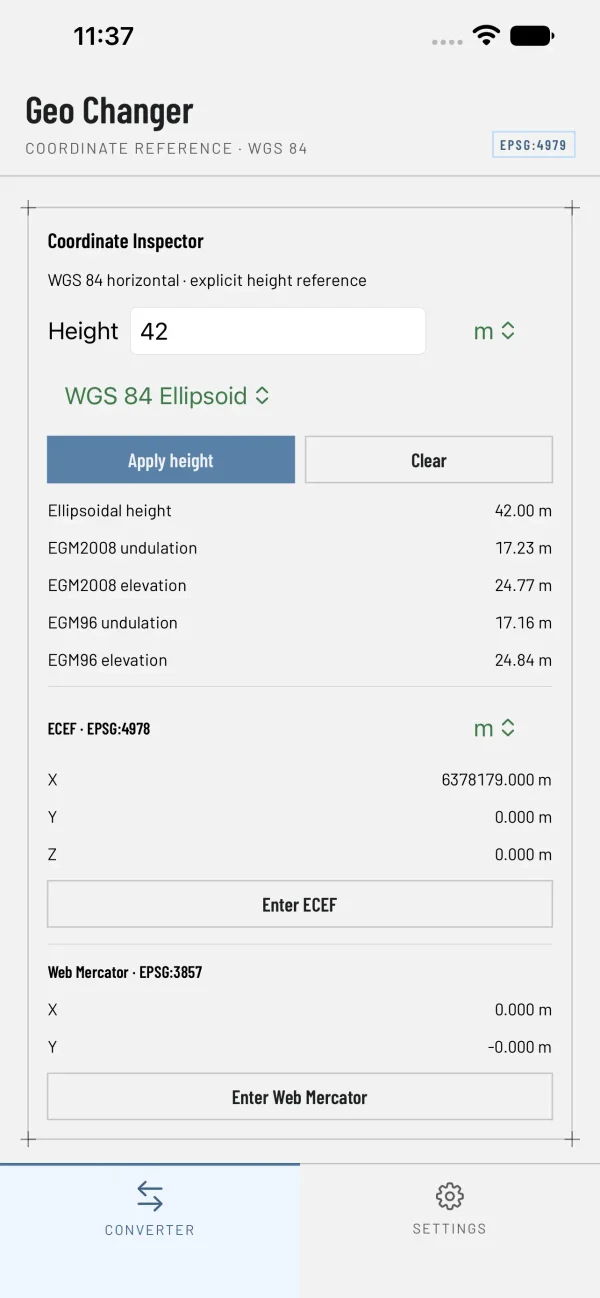
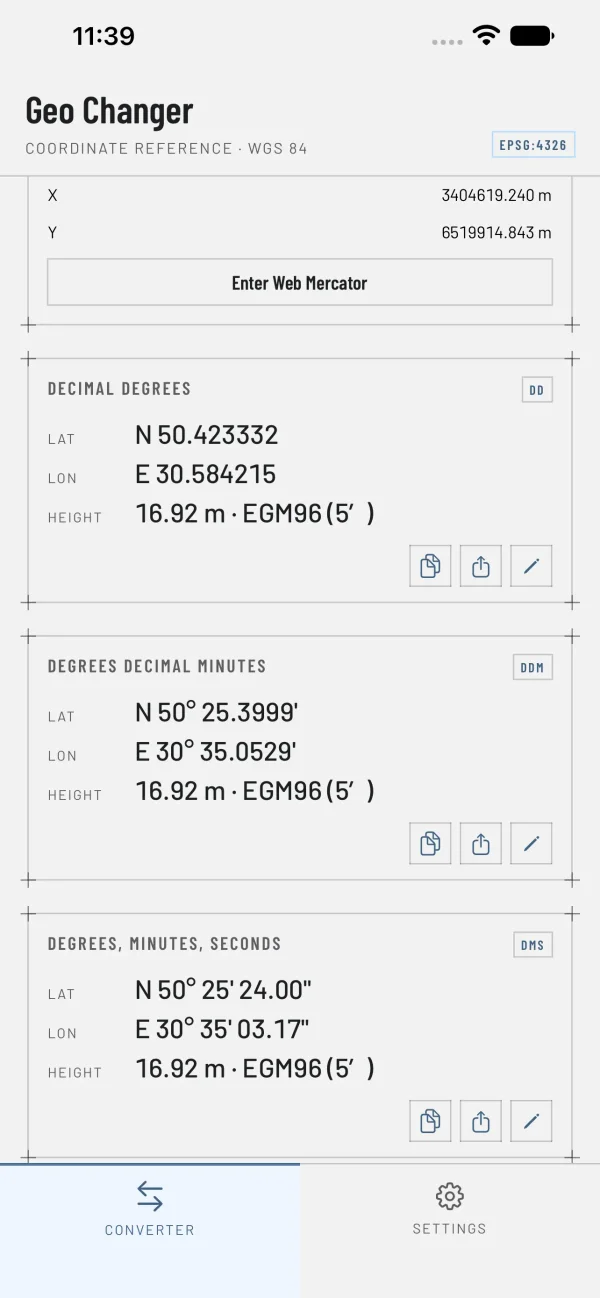
Geo Changer converts geographic coordinates and heights in one clear workspace. Enter a position once, then read or copy it in the formats you need for maps, field notes, and technical work.
Coordinate formats:
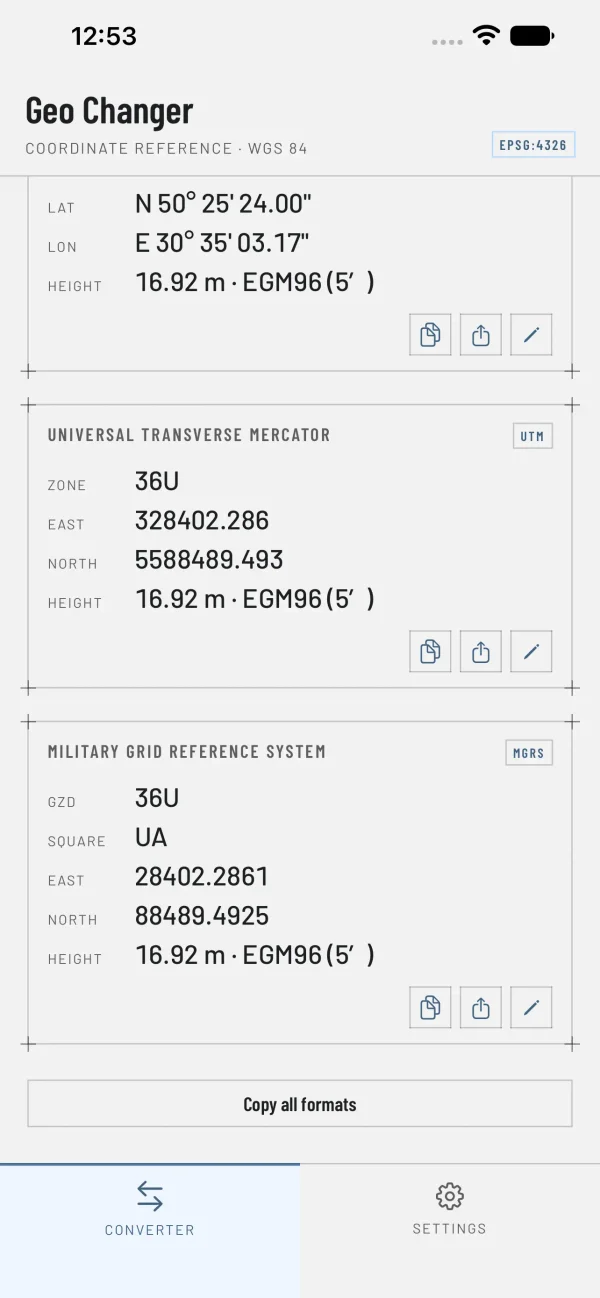
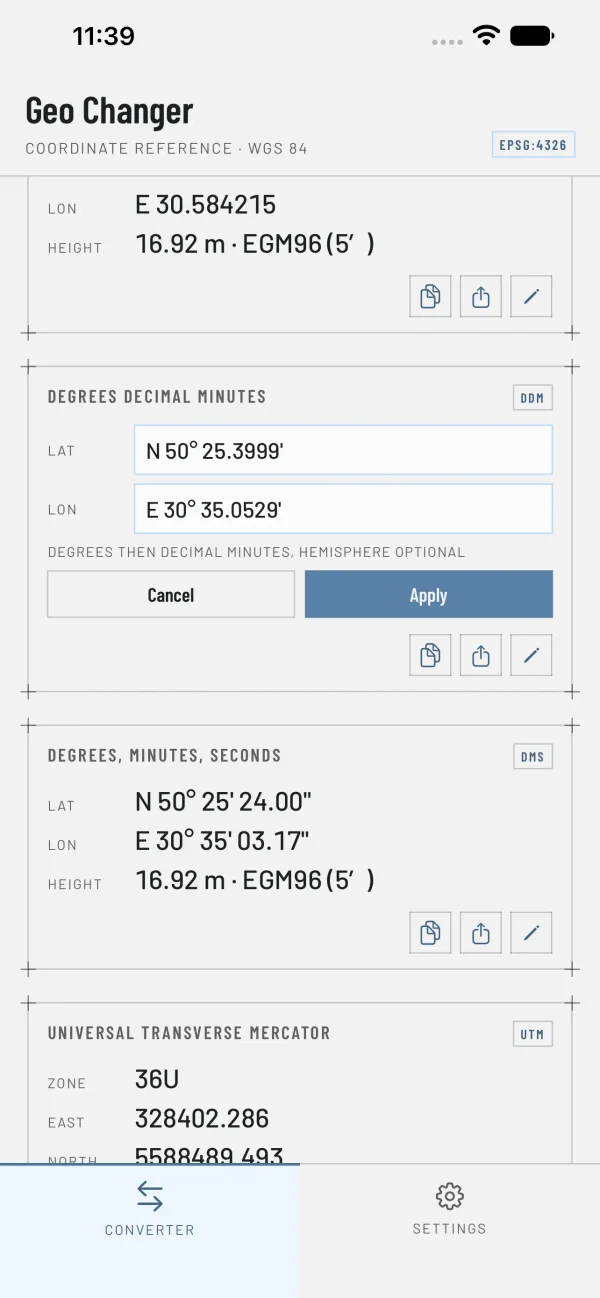
• Decimal degrees (DD), degrees and decimal minutes (DDM), and degrees, minutes and seconds (DMS).
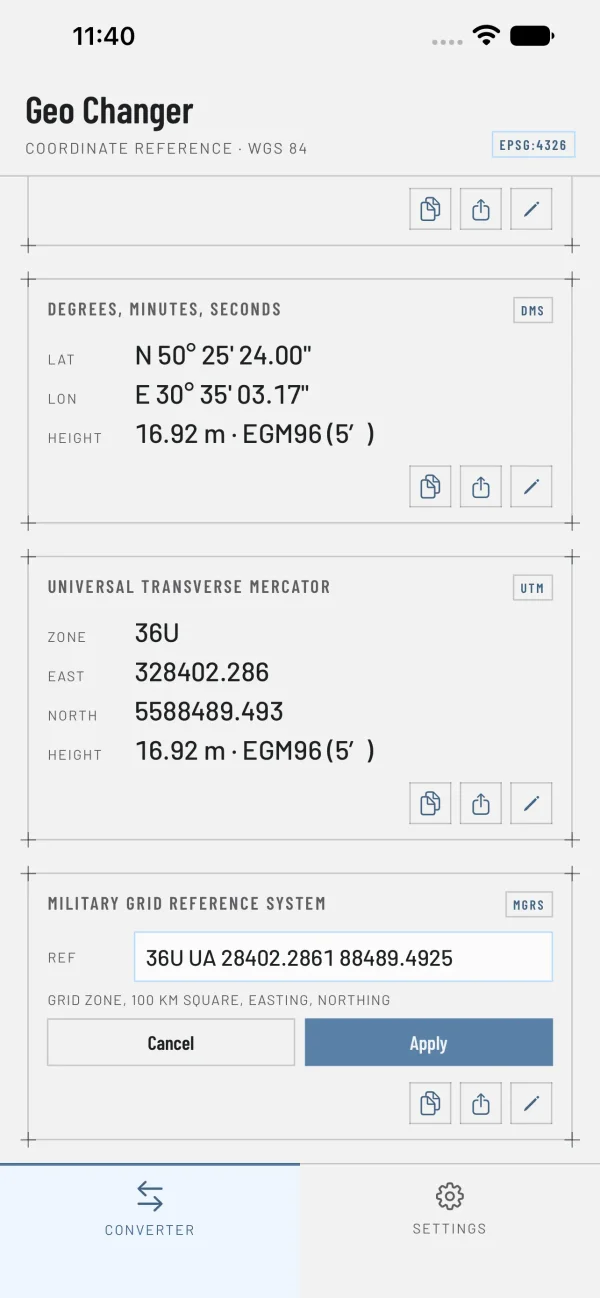
• Universal Transverse Mercator (UTM) and Military Grid Reference System (MGRS).
• WGS 84 geographic coordinates, Earth-centered Earth-fixed (ECEF), and Web Mercator.
Edit a coordinate in any of the five map-reference formats and the other formats update together. Adjust displayed precision, copy one reference, share it, or copy all formats at once.
Heights with a stated reference:
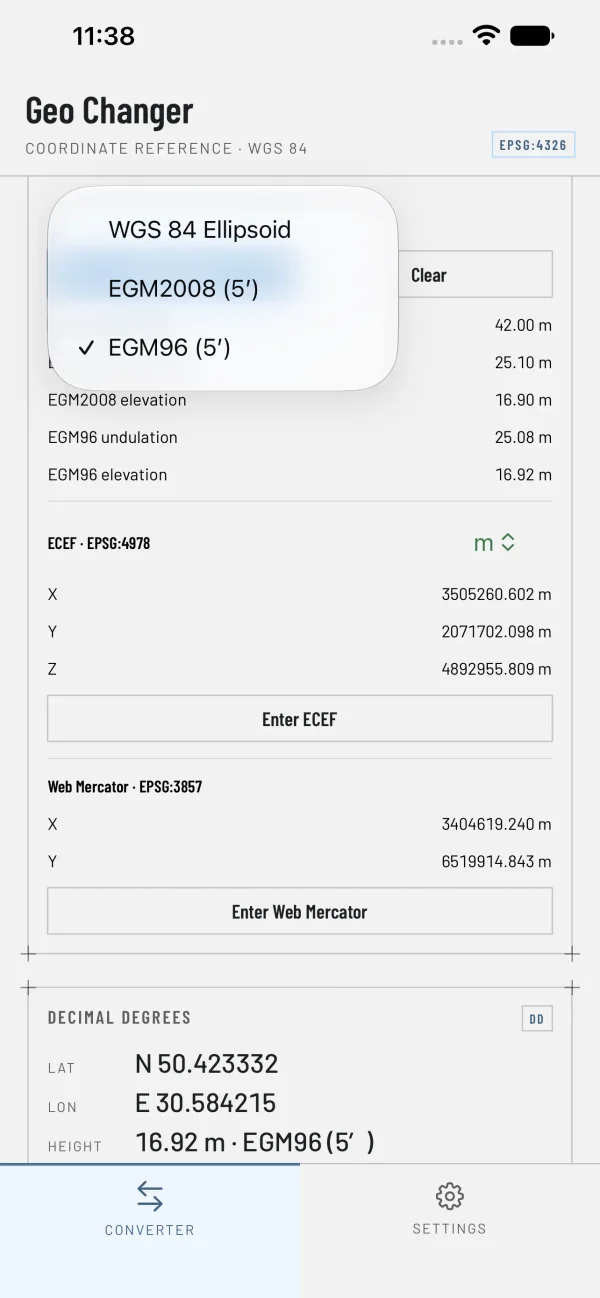
Enter WGS 84 ellipsoidal height or an elevation referenced to EGM2008 or EGM96. Geo Changer converts between these references with bundled geoid grids, so height calculations work offline. View heights in meters, feet, or kilometers. The coordinate inspector also shows geoid undulation and ECEF values.
Designed for practical use:
The converter keeps your last position for your next session and offers light, dark, and system appearance. Coordinate calculations run on your device, including the bundled geoid models.
Geoid-based elevations are model estimates. For survey work, check the required local vertical datum and accuracy before using a converted height.
Neue Funktionen
Version 1.2.0 · 10.11.2026
- View the coordinate inspector beside coordinate formats on wide iPhone Duo and landscape iPad layouts.
- Keep your coordinate edits and drafts when you rotate your device.
- Open About in Settings for app information, support, and more apps from Agnidia.
App-Datenschutz
Was Vitalii Parovishnyk im App Store zum Umgang dieser App mit Daten angibt.
-
Keine Daten erfasst
Der Entwickler erfasst keine Daten von dieser App.
Die Datenschutzpraktiken können variieren, zum Beispiel je nach den von Ihnen verwendeten Funktionen oder Ihrem Alter.
Informationen
- Anbieter
- Vitalii Parovishnyk
- Kategorie
- Navigation
- Version
- 1.2.0
- Aktualisiert
- 10.11.2026
- Veröffentlicht
- 28.12.2022
- Größe
- 46,7 MB
- Erfordert
- iOS 18.0 oder neuer
- Altersfreigabe
- 4+
- Preis
- Kostenlos
- In-App-Käufe
- Ja
- Sprachen
- Englisch, Ukrainisch
- Copyright
- © Agnidia 2008 - 2026
Das könnte Ihnen auch gefallen
-
 GPS-Koordinaten & KartentoolsTracken, umrechnen, messen
-
 Meine GPS-Koordinaten LiteVier Formate auf einmal.
-
 GPS Koordinaten & StandortStandort, Karte, Höhe
-
 Topo GPS - Topografische KarteGPX-Routen planen und folgen
-
 GPS Koordinaten KarteBreite & Länge finden
-
 Meine aktuelle GPS PositionWo bin ich? GPS-Koordinaten
-
 GPS DatenGPS-Daten, Höhe & Karte
-
 UTM Geo Map Y2TechSimple Mapping And GIS Tools.
-
 Meine GPS-KoordinatenFinden Sie Ihre aktuelle Posit
-
 Locati Change StandortwechslerLocation Changer Changeur Loc