
HanziCamera: Pinyin Reader
Scan printed Chinese offline
Entwickelt für iPhone, iPad
Kostenlos · In-App-Käufe
- Altersfreigabe4+
- KategorieBildung
- EntwicklerPENG ZHANG
- SprachenEnglisch+ 1 weitere
- Größe15,4 MB
Verlinkt auf die offizielle App Store-Seite
Download.org hostet keine Datei von HanziCamera: Pinyin Reader. Die Schaltfläche öffnet die App-Seite bei App Store, wo PENG ZHANG die App veröffentlicht. Eintrag zuletzt geprüft am 14.11.2026.
Screenshots

Info
Der Entwickler hat diesen Text nicht in Ihrer Sprache bereitgestellt.
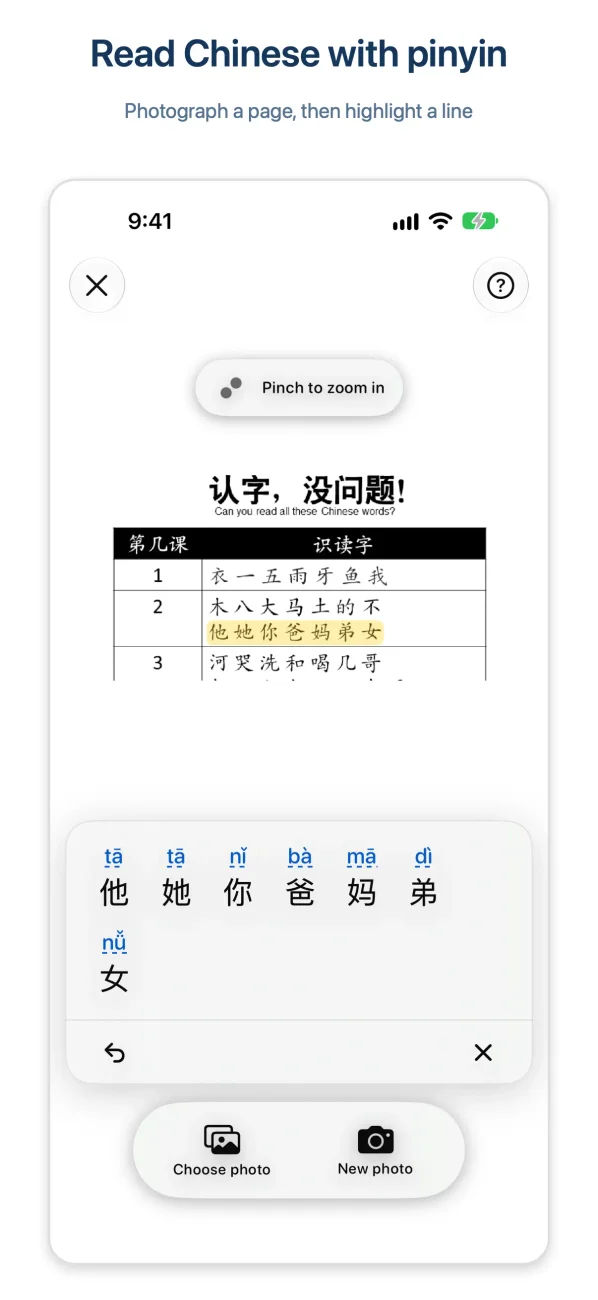
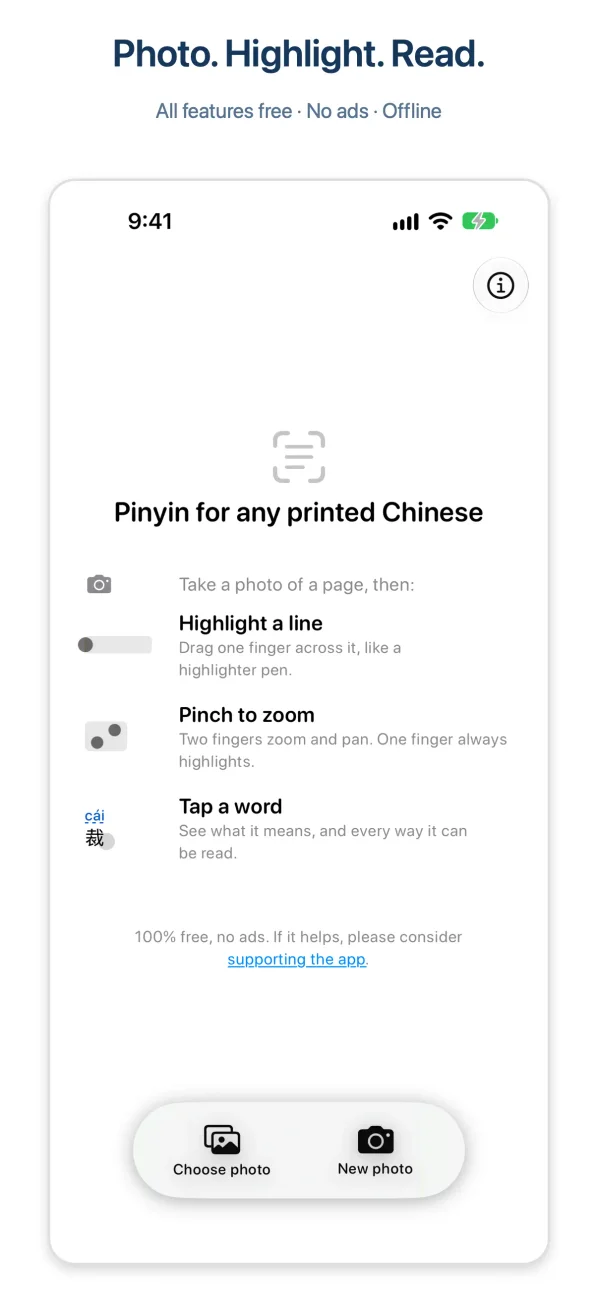
Read printed Chinese with pinyin above each character. Photograph a page, highlight the words you want to read, and tap a word for a short English meaning. All features are free, with no ads or account.
FROM PRINT TO PINYIN
Take a photo or choose one from your library. Swipe across a line like a highlighter pen. Your selection appears in a separate reading panel, with tone-marked pinyin above the Chinese characters.
Use it with homework worksheets, textbooks, storybooks, menus or signs. Pinch with two fingers to zoom in on small print. Undo and redo let you move between selections on the same photo.
FOR READERS WHO KNOW SOME PINYIN
HanziCamera helps children and other Mandarin learners who understand more Chinese than they can read. The characters stay visible alongside the pinyin, so you can practise reading the Chinese itself. Tap a word when you need its English meaning.
SIMPLIFIED AND TRADITIONAL PRINTED CHINESE
Read both scripts with Mandarin pinyin based on mainland Chinese readings.
The interface is available in English and Simplified Chinese.
Word meanings are in English.
WHEN A WORD HAS MORE THAN ONE READING
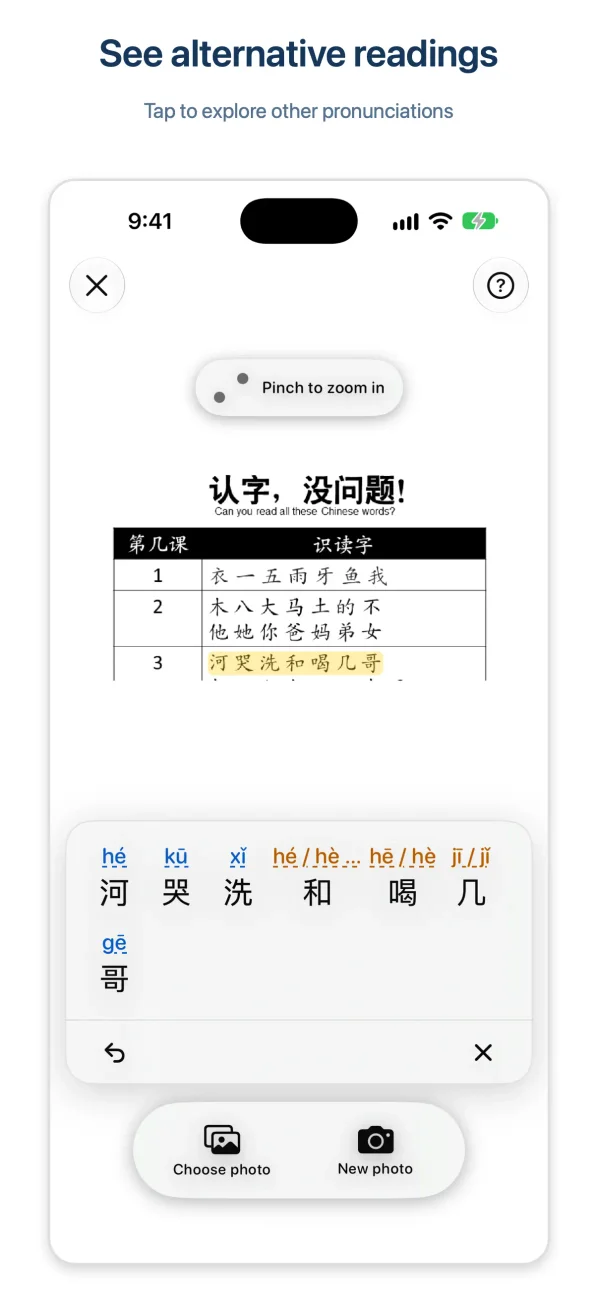
Readings use word context where possible.
If the reading is uncertain, the panel indicates alternatives; tap to see the available dictionary readings and meanings.
Unrecognised characters may have no reading.
Handwriting is not supported, and blurred photos can reduce accuracy.
FREE AND OFFLINE
• All features free: no trial, subscription or paid unlock
• No ads and no account
• Recognition and dictionary lookups work offline
• Optional in-app tips support the developer and unlock nothing
• Works on iPhone and iPad with iOS 16 or later
PRIVACY
The app makes no network requests and collects no data.
There are no analytics or advertising SDKs.
Camera photos are saved to your photo library, so your usual iCloud Photos settings apply.
Dictionary data is adapted from CC-CEDICT under CC BY-SA 3.0.
Neue Funktionen
Version 1.2 · 08.11.2026
• Improved the layout on iPhone Duo, including the reading panel and photo controls.
• Photo controls stay on screen when a longer reading fills the panel.
App-Datenschutz
Was PENG ZHANG im App Store zum Umgang dieser App mit Daten angibt.
-
Keine Daten erfasst
Der Entwickler erfasst keine Daten von dieser App.
Die Datenschutzpraktiken können variieren, zum Beispiel je nach den von Ihnen verwendeten Funktionen oder Ihrem Alter.
Informationen
- Anbieter
- PENG ZHANG
- Kategorie
- Bildung
- Version
- 1.2
- Aktualisiert
- 08.11.2026
- Veröffentlicht
- 20.08.2026
- Größe
- 15,4 MB
- Erfordert
- iOS 16.0 oder neuer
- Altersfreigabe
- 4+
- Preis
- Kostenlos
- In-App-Käufe
- Ja
- Sprachen
- Englisch, Vereinf. Chinesisch
- Copyright
- © PENG ZHANG
Das könnte Ihnen auch gefallen
-
 Live Pinyin: Hanzi-KameraChinesische Zeichen live lesen
-
 Pinyin ScholarBildung
-
 字有阶Bildung
-
 MamaReadBildung
-
 ReadPal: Picture Book ReaderBildung
-
 Hanzi Reader: Read ChineseBildung
-
 HanCam: Chinesisch mit PinyinÜbersetzer per Kamera und Foto
-
 小妙拼音快查-汉字转拼音拍照识字Bildung
-
 Qingdu AI: Chinese ReaderBildung
-
 MandarinRise: HSK-VokabelnWortnetze & Karteikarten