
HanziCamera: Pinyin Reader
Scan printed Chinese offline
Designed for iPhone, iPad
In-app purchases
- Age rating4+
- CategoryEducation
- DeveloperPENG ZHANG
- LanguagesEnglish+ 1 more
- Size15.4 MB
Links to the official App Store page
Download.org hosts no file of HanziCamera: Pinyin Reader. The button opens its official App Store page, published by PENG ZHANG. Listing last checked on Nov 14, 2026.
Screenshots

About
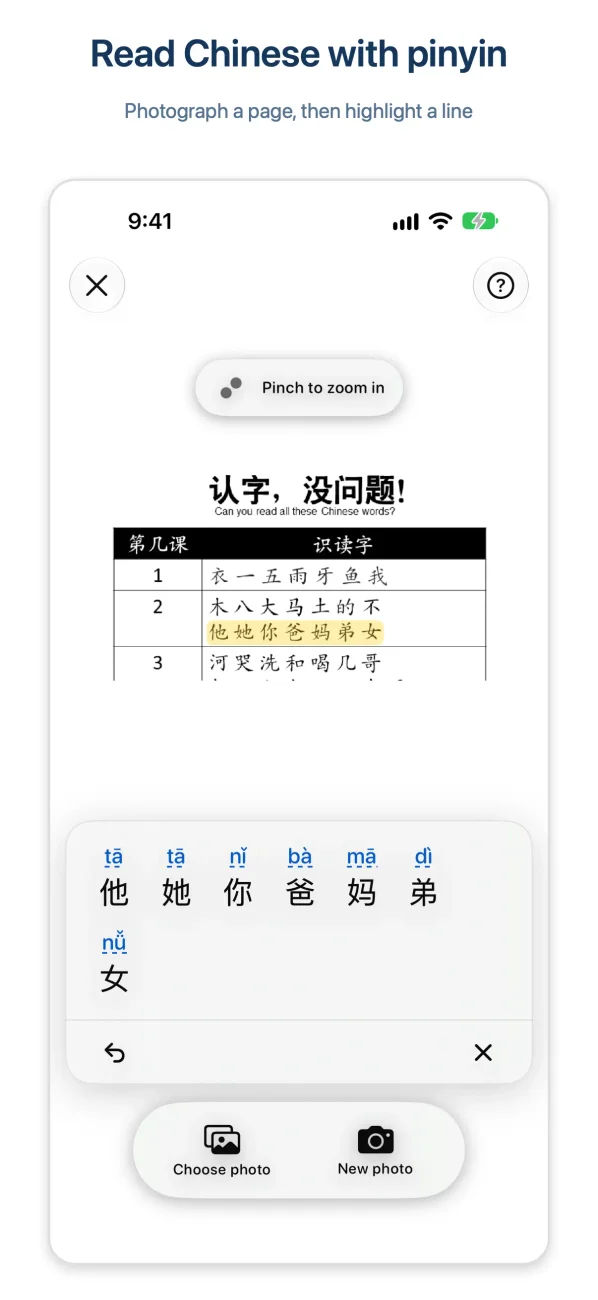
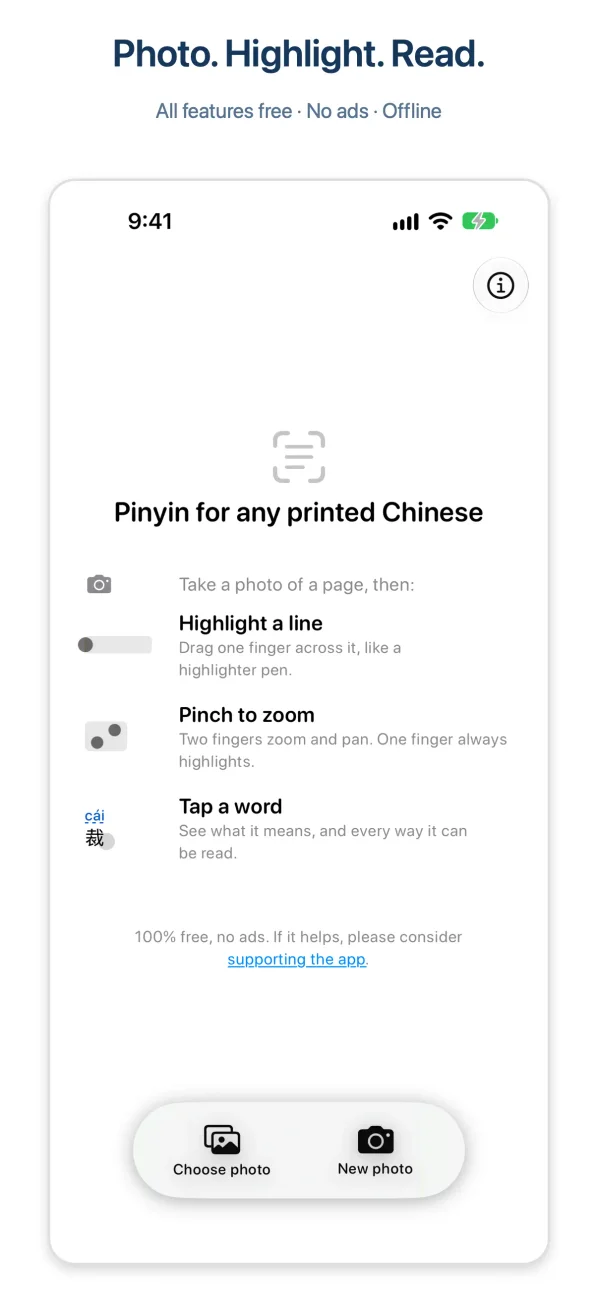
Read printed Chinese with pinyin above each character. Photograph a page, highlight the words you want to read, and tap a word for a short English meaning. All features are free, with no ads or account.
FROM PRINT TO PINYIN
Take a photo or choose one from your library. Swipe across a line like a highlighter pen. Your selection appears in a separate reading panel, with tone-marked pinyin above the Chinese characters.
Use it with homework worksheets, textbooks, storybooks, menus or signs. Pinch with two fingers to zoom in on small print. Undo and redo let you move between selections on the same photo.
FOR READERS WHO KNOW SOME PINYIN
HanziCamera helps children and other Mandarin learners who understand more Chinese than they can read. The characters stay visible alongside the pinyin, so you can practise reading the Chinese itself. Tap a word when you need its English meaning.
SIMPLIFIED AND TRADITIONAL PRINTED CHINESE
Read both scripts with Mandarin pinyin based on mainland Chinese readings.
The interface is available in English and Simplified Chinese.
Word meanings are in English.
WHEN A WORD HAS MORE THAN ONE READING
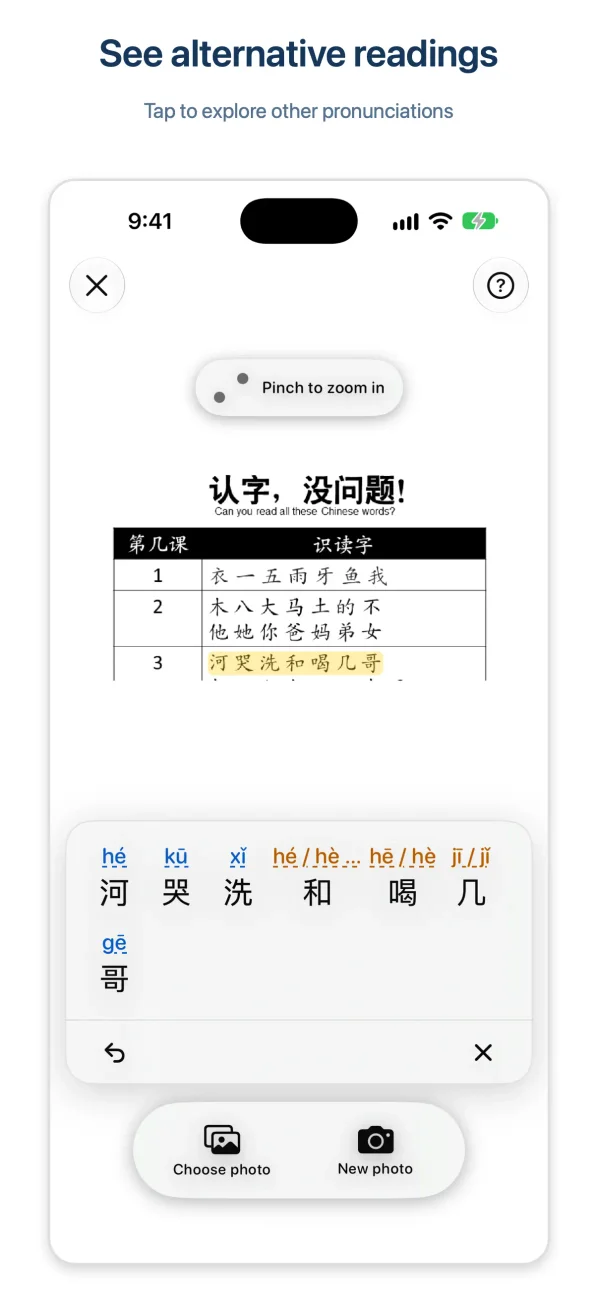
Readings use word context where possible.
If the reading is uncertain, the panel indicates alternatives; tap to see the available dictionary readings and meanings.
Unrecognised characters may have no reading.
Handwriting is not supported, and blurred photos can reduce accuracy.
FREE AND OFFLINE
• All features free: no trial, subscription or paid unlock
• No ads and no account
• Recognition and dictionary lookups work offline
• Optional in-app tips support the developer and unlock nothing
• Works on iPhone and iPad with iOS 16 or later
PRIVACY
The app makes no network requests and collects no data.
There are no analytics or advertising SDKs.
Camera photos are saved to your photo library, so your usual iCloud Photos settings apply.
Dictionary data is adapted from CC-CEDICT under CC BY-SA 3.0.
What’s new
Version 1.2 · Nov 8, 2026
• Improved the layout on iPhone Duo, including the reading panel and photo controls.
• Photo controls stay on screen when a longer reading fills the panel.
App privacy
What PENG ZHANG declares on the App Store about how this app handles data.
-
Data not collected
The developer does not collect any data from this app.
Privacy practices may vary, for example with the features you use or your age.
Information
- Seller
- PENG ZHANG
- Category
- Education
- Version
- 1.2
- Updated
- Nov 8, 2026
- Released
- Aug 20, 2026
- Size
- 15.4 MB
- Requires
- iOS 16.0 or later
- Age rating
- 4+
- In-app purchases
- Yes
- Languages
- English, Simplified Chinese
- Copyright
- © PENG ZHANG
You might also like
-
 Live Pinyin: Chinese AR LensScan hanzi, see Mandarin tones
-
 Pinyin ScholarAdd pinyin to Chinese text
-
 字有阶Education
-
 MamaReadEducation
-
 ReadPal: Picture Book ReaderScan import books tap to read
-
 Hanzi Reader: Read ChineseScan · Pinyin · Stroke Order
-
 HanCam: Chinese Pinyin CameraHanzi to pinyin OCR translator
-
 小妙拼音快查-汉字转拼音拍照识字Education
-
 Qingdu AI: Chinese ReaderHanzi OCR, Pinyin & Translator
-
 MandarinRise: HSK VocabularyWord Maps & Flashcards