
- Altersfreigabe17+
- KategorieGesundheit und Fitness
- EntwicklerJames Griesmer
- SprachenEnglisch
- Größe217,5 MB
Verlinkt auf die offizielle App Store-Seite
Download.org hostet keine Datei von HearLift. Die Schaltfläche öffnet die App-Seite bei App Store, wo James Griesmer die App veröffentlicht. Eintrag zuletzt geprüft am 25.11.2026.
Screenshots




Info
Der Entwickler hat diesen Text nicht in Ihrer Sprache bereitgestellt.
Help your brain practice combining implant sound with natural hearing.
HOW IT WORKS
I built HearLift for my own listening practice after losing the hearing in one ear and getting a cochlear implant. It's for people like me: single-sided deafness, an implant in one ear and natural hearing in the other. It may also be useful if your two ears hear differently for another reason.
If you're in the same boat, I'm sure you've noticed this: whenever your natural ear hears the sound clearly, your brain leans on it and largely tunes out your implant. It doesn't even take equal volume for that to happen. And of course, if you stream straight to your implant instead, your natural hearing is left out entirely.
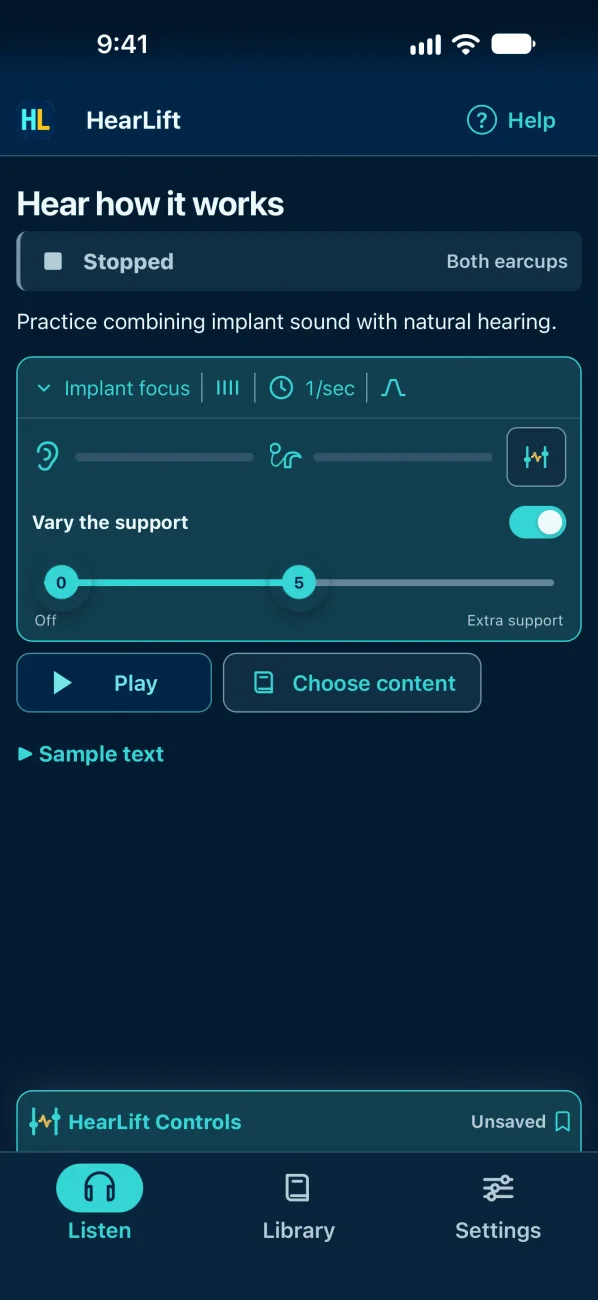
With HearLift, the full sound always goes to your implant. For speech, your natural hearing joins in underneath, weakened on purpose. It plays low and can be faded in and out, so if you tried to listen with it alone, you'd keep losing the thread. It's there to give you a hand, and your brain has to pull the two together to follow along. Music is a little different: both sides are balanced to sound about equally loud, and your natural side fades out and back while your implant stays steady.
The goal is to practice hearing your implant and your natural hearing as one combined sound, rather than two separate ones.
LISTENING CONTROLS
• Setup: Follow guided setup for your headphones and hearing.
• Books, podcasts & music: Choose Implant focus or Alternating ears. Keep natural hearing support steady, vary it in a regular or random pattern, or have it change as passages or tracks begin.
• Books & podcasts: Adjust playback speed.
• Books with text: Read along as you listen, replay the current passage, or jump forward or back.
WHAT YOU CAN LISTEN TO
Books
• Download pre-recorded books with text and synthetic narrators for offline listening.
• Browse free books from Project Gutenberg and Wikisource, or import an EPUB or text file you have permission to use.
• Stream or download human-read LibriVox audiobooks without an account. These are audio only, with no read-along text.
• Use an installed voice from your device, or higher-quality HearLift voices if your device supports them. Optional Microsoft Azure voices need your own Azure service and internet access; charges may apply.
Podcasts
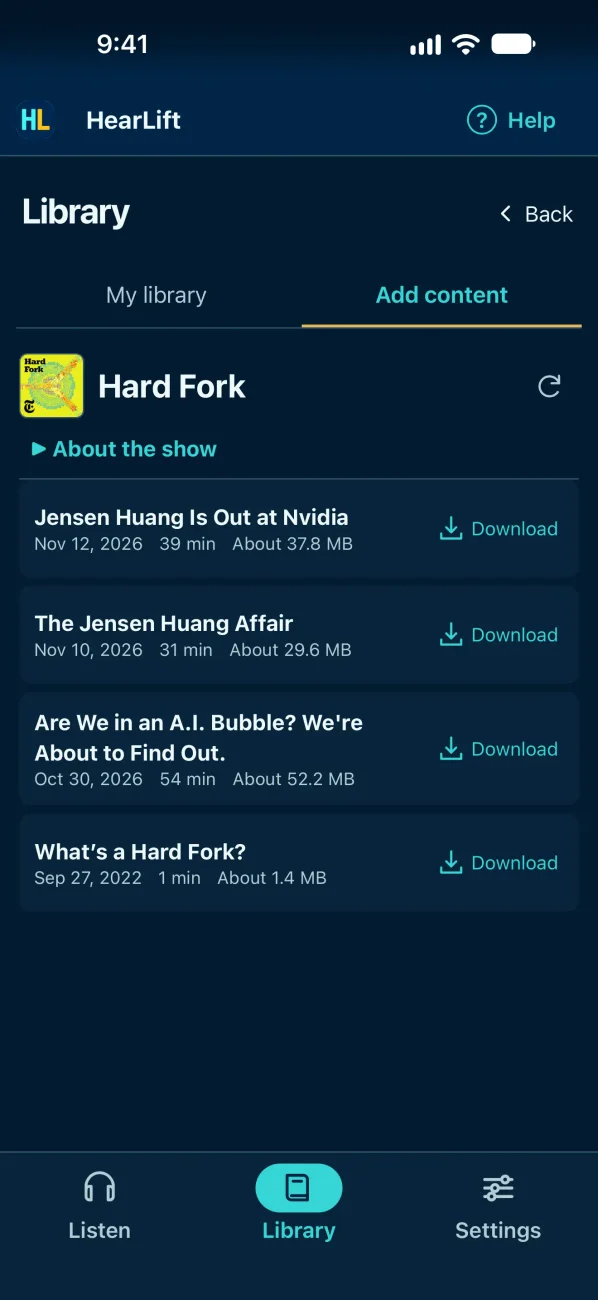
• Browse popular podcasts and download episodes for offline listening.
Music
• Choose non-DRM'd music saved on your device. HearLift keeps your place without changing your original files.
Media servers
• Connect your Plex or Audiobookshelf account to stream or download your own audio. Download from Subsonic-compatible servers, including Ampache.
SIMULATED IMPLANT MODE
Family, friends, and audiologists with natural hearing in both ears can try Simulated implant mode to explore or learn the app for someone else. The demo plays the included sample, books, podcasts, and music.
HEADPHONES
Over-ear headphones are strongly recommended, and they don't need to be expensive. A basic pair is the easiest way to deliver the same audio to your natural ear and your implant at the same time: one earcup covers your natural ear, and the other sits over the microphone on your implant processor. Other setups can work if they deliver the same audio to both ears at the same time, with left and right kept separate.
Earbuds and other in-ear headphones won't work for implant practice.
GOOD TO KNOW
• No HearLift account is required.
• Book availability and permissions vary by source and country.
• Your content, calibration, listening position, and activity stay on your device. Searches and downloads connect to their providers. Optional Azure narration sends text to Microsoft.
HearLift is a listening-practice aid. It is not a medical device or a substitute for professional care. Results vary and aren't guaranteed. Consult your audiologist for guidance on practice with your cochlear implant.
Neue Funktionen
Version 3.0.4 · 23.11.2026
Podcasts are easier to browse. Pick a category, search within a show's episodes, and see an Explicit label on episodes the publisher marks.
Simulated implant mode now plays podcasts, music, and audio-only books, so family, friends, and audiologists can try more of the app.
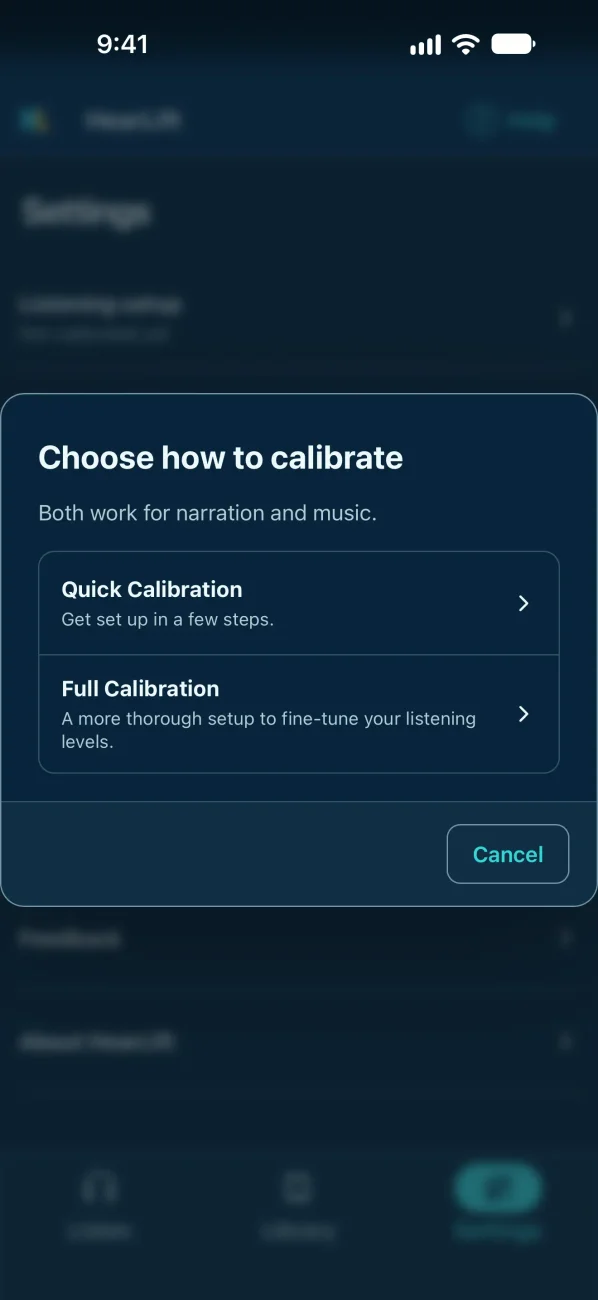
After you finish calibration, HearLift returns to what you were listening to, right where you left off. To update calibration, go to Settings → Listening setup.
Dragging the position bar now lands where you let go. On iPad, text follows your text size setting. Downloads recover better after a brief loss of connection.
App-Datenschutz
Was James Griesmer im App Store zum Umgang dieser App mit Daten angibt.
-
Mit Ihnen verknüpfte Daten
Können erfasst und mit Ihrer Identität verknüpft werden.
- Standort
- Suchverlauf
- Nutzungsdaten
- Diagnose
Die Datenschutzpraktiken können variieren, zum Beispiel je nach den von Ihnen verwendeten Funktionen oder Ihrem Alter.
Informationen
- Anbieter
- James Griesmer
- Kategorie
- Gesundheit und Fitness
- Version
- 3.0.4
- Aktualisiert
- 23.11.2026
- Veröffentlicht
- 28.09.2026
- Größe
- 217,5 MB
- Erfordert
- iOS 17.0 oder neuer
- Altersfreigabe
- 17+
- Preis
- Kostenlos
- Sprachen
- Englisch
- Copyright
- © 2026 Jim Griesmer
Das könnte Ihnen auch gefallen
-
 LangCIMedizin
-
 CochleoGesundheit und Fitness
-
 Greater Holyoke YMCA.Gesundheit und Fitness
-
 Hearify TrainingMedizin
-
 Sonara: Hearing TherapyMedizin
-
 DacitHörtraining
-
 SoundSteps: HörtrainingHörgerät & Cochlea-Implantat
-
 eargym CI RehabGesundheit und Fitness
-
 KoruIn: Food & Symptom TrackerGesundheit und Fitness
-
 Clearly AudiobooksMedizin