
- Age rating17+
- CategoryHealth & Fitness
- DeveloperJames Griesmer
- LanguagesEnglish
- Size217.3 MB
Links to the official App Store page
Download.org hosts no file of HearLift. The button opens its official App Store page, published by James Griesmer. Listing last checked on Nov 20, 2026.
Screenshots




About
Help your brain practice combining implant sound with natural hearing.
How HearLift works
HearLift was originally designed as a listening practice tool for people with single-sided deafness and use a cochlear implant in one ear and natural hearing in the other. However, it can also be used in any situation where one of your ears hears differently than the other (often referred to as bimodal hearing).
For single-sided implant users, any time both ears receive audio at the same volume you likely notice that you mainly use natural hearing to get by. Alternatively, if you stream directly to your implant, you lose the opportunity to combine that sound with your natural hearing.
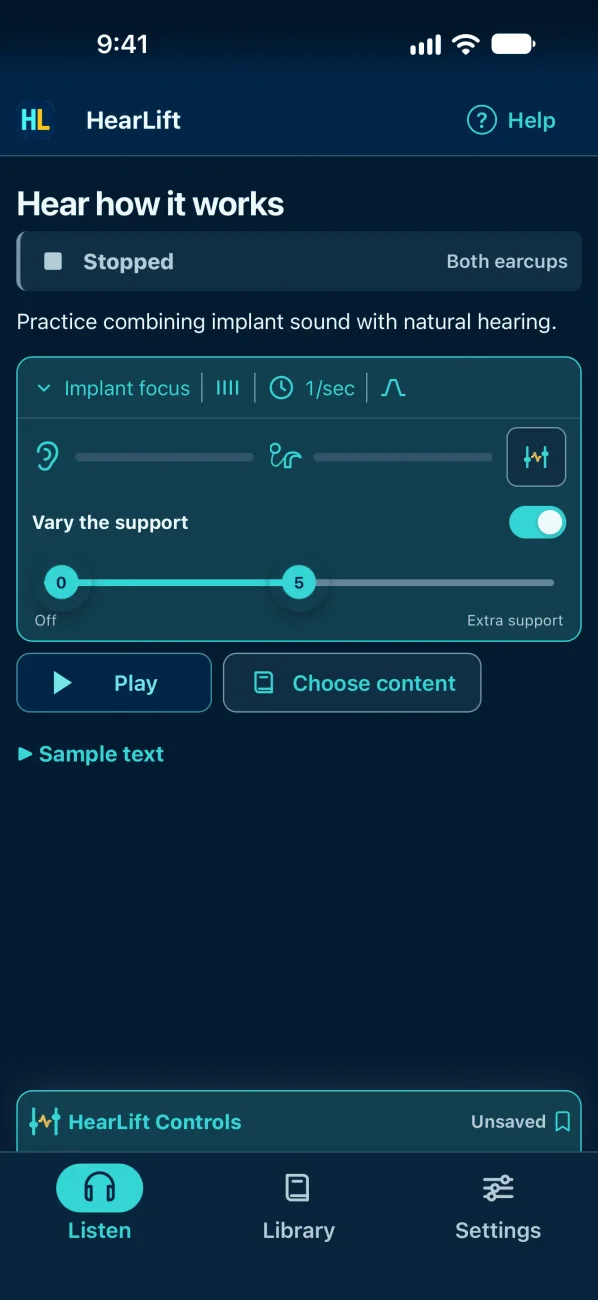
HearLift provides many listening activities that adds lower-volume natural hearing to implant sound you can better follow words or music without allowing your natural hearing to completely take over. This support can be steady -- like setting stereo balance -- but more interestingly can be automatically raised and lowered in various ways, so your brain is encouraged to practice combining the two different types of sounds as one source.
Its goal is to make your brain better at making implant and natural hearing sound like one audio source.
Note: HearLift is a listening-practice aid, not a substitute for professional care. Results vary and aren’t guaranteed. Consult your audiologist for guidance on practice with your cochlear implant.
Listening controls
• Follow guided listening setup for your headphones and hearing.
• Books, podcasts & music — Choose Implant focus or Alternating ears. Keep natural hearing support steady, vary it in a regular or random pattern, or have it change at supported passage or track boundaries.
• Books & podcasts — Adjust playback speed.
• Books with passage text — Read along as you listen, replay the current passage, or jump forward or back.
What you can listen to
Books
• Download pre-recorded books with text and fixed synthetic narrators for offline listening.
• Browse free books from Project Gutenberg and Wikisource, or import an EPUB or text file you have permission to use.
• Stream or download human-read LibriVox audiobooks without an account. These audio-only books have no read-along text.
• Use an installed voice from your device or use higher quality HearLift voices if your device supports them. (Optional Microsoft Azure voices need your own Azure service and internet access. Service charges may apply.)
Podcasts
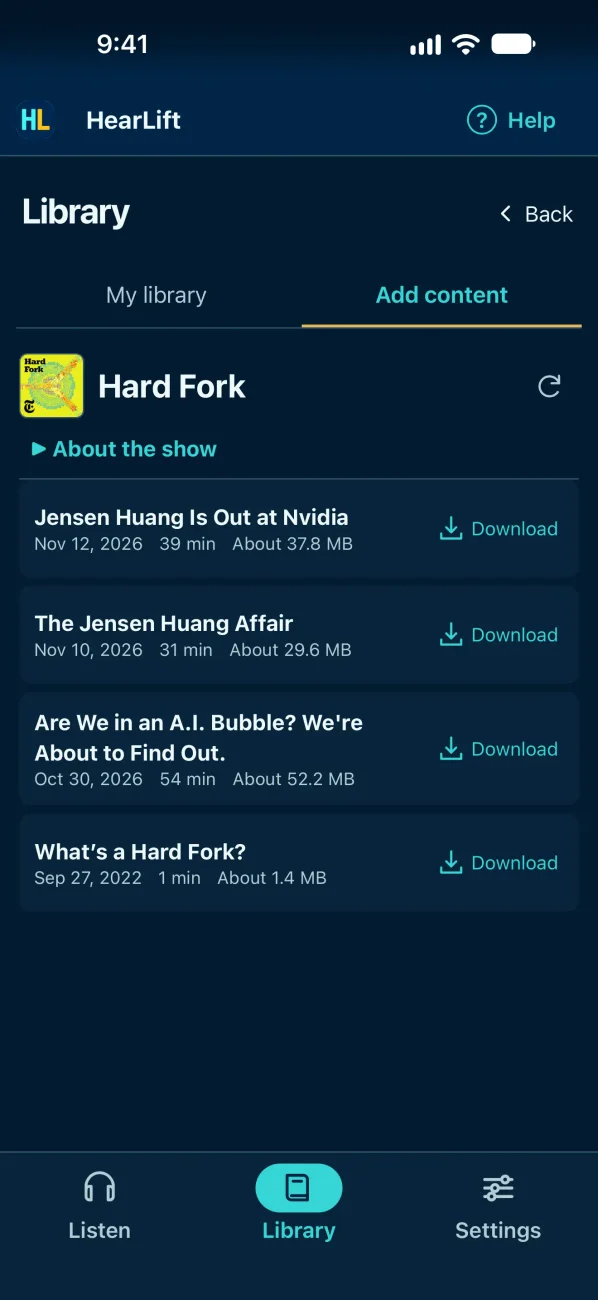
• Browse a curated selection of popular podcasts and download episodes for offline listening.
Music
• Choose non-DRM'd music saved on your device. HearLift keeps your place without changing your original files.
Media servers
• Connect your Plex or Audiobookshelf account to stream or download your own audio. Download from Subsonic-compatible servers, including Ampache.
Try Simulated implant mode
Family, friends, and audiologists with natural hearing in both ears can try Simulated implant mode to explore or learn the app for someone else. The demo supports the included sample and books with text.
Headphones and device requirements
Cheap or expensive over-ear headphones are essentially required, as they are the best way to deliver the same audio to your natural ear and your implant simultaneously.
Note: In-ear headphones, like Apple AirPods, are not supported.
NOTE: Android users only: Requires Android 10 or later and Android System WebView 120 or later.
No HearLift account is required. Book availability and permissions vary by source and country.
Privacy
Your downloaded or supplied content, calibration, listening position, and activity stay on your device. Online searches and downloads connect to their respective providers. Optional Azure narration sends text to Microsoft.
What’s new
Version 3.0.3 · Nov 18, 2026
HearLift Controls are easier to find on Listen. Open them from the bottom of the screen or from the expanded listening summary.
Use Presets to save your listening settings, including your first preset.
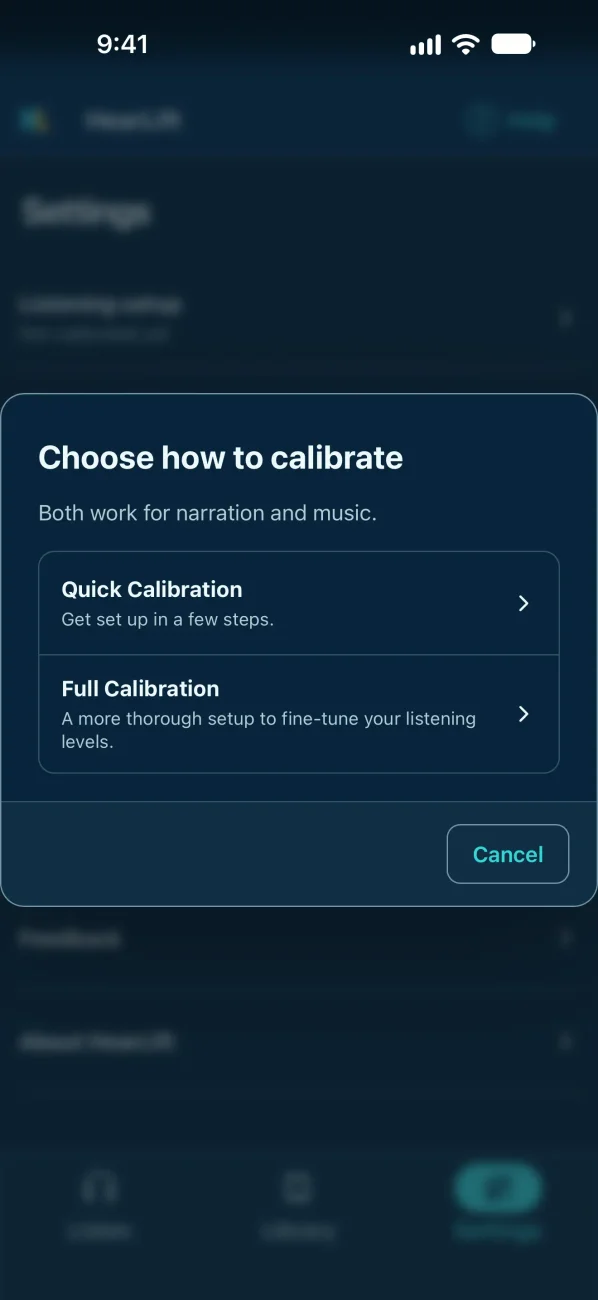
Choose Quick Calibration for a faster setup or Full Calibration for a more thorough check. Both set up narration and music. Before you save, try both samples and hear how HearLift can vary natural hearing support as you listen.
To update calibration, go to Settings → Listening setup.
App privacy
What James Griesmer declares on the App Store about how this app handles data.
-
Data linked to you
May be collected and linked to your identity.
- Location
- Search history
- Usage data
- Diagnostics
Privacy practices may vary, for example with the features you use or your age.
Information
- Seller
- James Griesmer
- Category
- Health & Fitness
- Version
- 3.0.3
- Updated
- Nov 18, 2026
- Released
- Sep 28, 2026
- Size
- 217.3 MB
- Requires
- iOS 17.0 or later
- Age rating
- 17+
- Price
- Free
- Languages
- English
- Copyright
- © 2026 Jim Griesmer
You might also like
-
 LangCIAuditory drills for CI users
-
 CochleoHear, Practice, Grow
-
 Greater Holyoke YMCA.Your YMCA On The Go
-
 Hearify TrainingRevolutionize your hearing!
-
 Sonara: Hearing TherapyAuditory Training & Rehab
-
 DacitHörtraining
-
 SoundSteps: Hearing PracticePractice for cochlear implants
-
 eargym CI RehabHealth & Fitness
-
 KoruIn: Food & Symptom TrackerTrack Symptoms, Find Triggers
-
 Clearly AudiobooksAudiovisual Hearing Coach