Holdback: App Blocker & Steps
Walk to unlock screen time
Entwickelt für iPhone
Kostenlos · In-App-Käufe
- Altersfreigabe4+
- KategorieProduktivität
- EntwicklerRaman Pazdniakou
- SprachenEnglisch
- Größe261,6 MB
Verlinkt auf die offizielle App Store-Seite
Download.org hostet keine Datei von Holdback: App Blocker & Steps. Die Schaltfläche öffnet die App-Seite bei App Store, wo Raman Pazdniakou die App veröffentlicht. Eintrag zuletzt geprüft am 20.11.2026.
Screenshots


Info
Der Entwickler hat diesen Text nicht in Ihrer Sprache bereitgestellt.
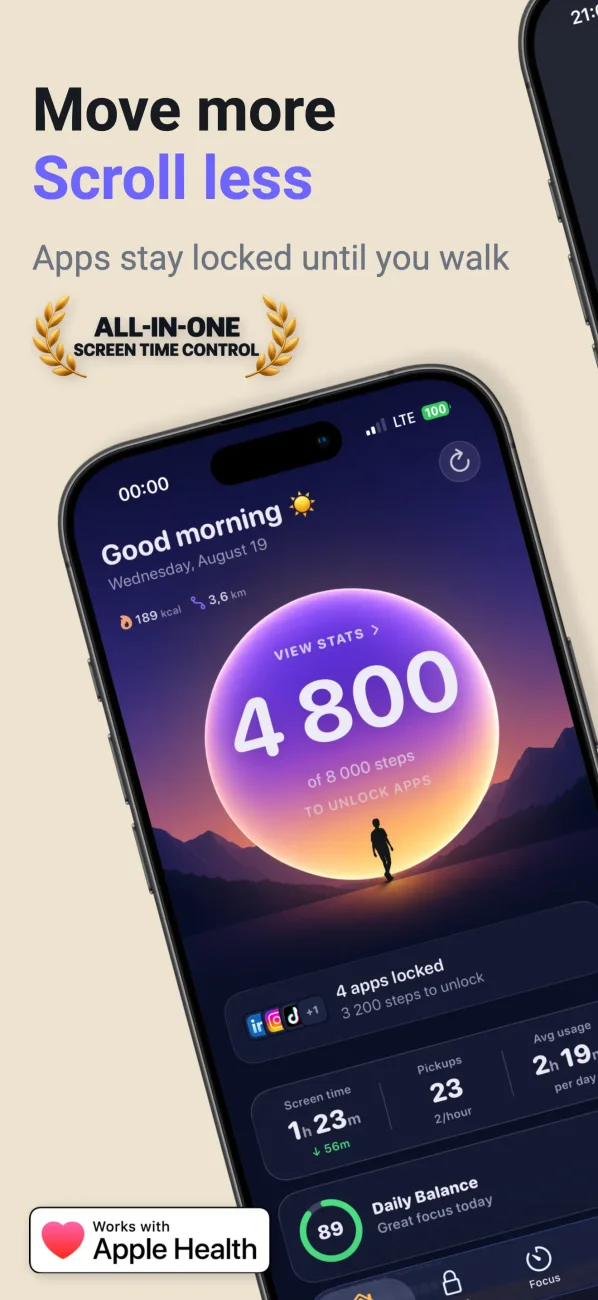
Holdback locks the apps that eat your day until you've walked your step goal — or on a schedule, or on a daily limit. Steps come from Apple Health
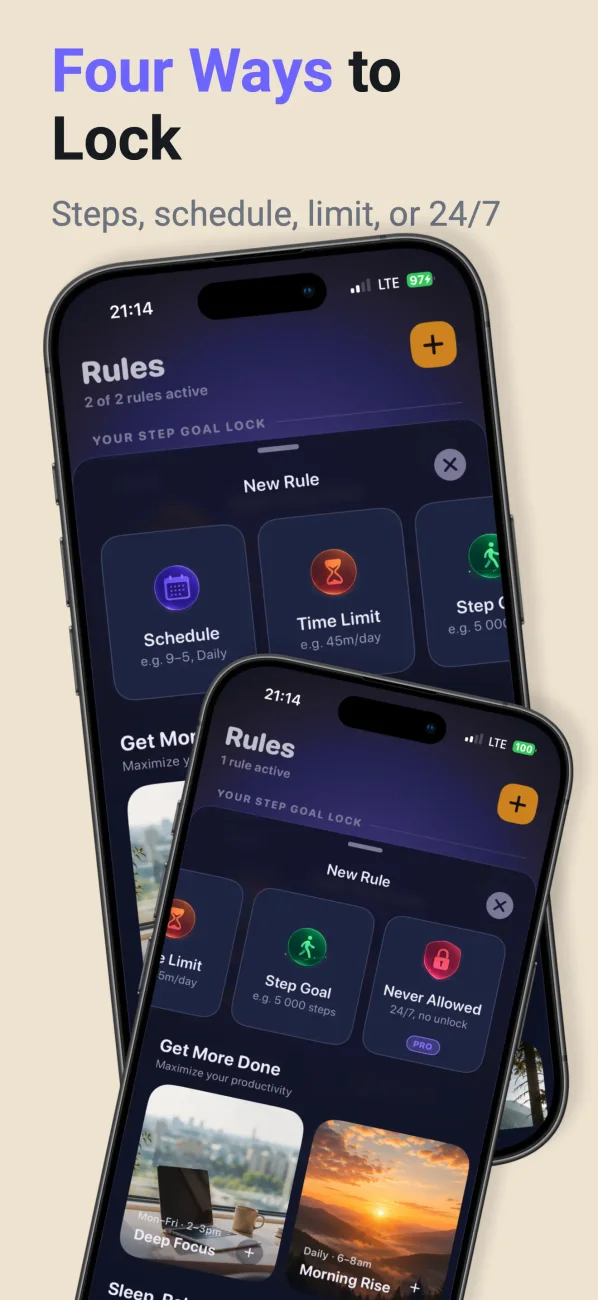
FOUR WAYS TO LOCK
• Step goal — your apps stay locked until you've walked your goal for the day.
• Schedule — pick the hours your apps stay shut. Nights, work blocks, early mornings.
• Daily limit — give an app twenty minutes. When they're gone, they're gone.
• Never Allowed — apps you are done with, blocked around the clock, with no unlock at all.
All four apply only to the apps, websites and categories you choose. Nothing else on your phone is touched. When you want the whole phone shut for an hour, that's a focus session.
WALK TO UNLOCK
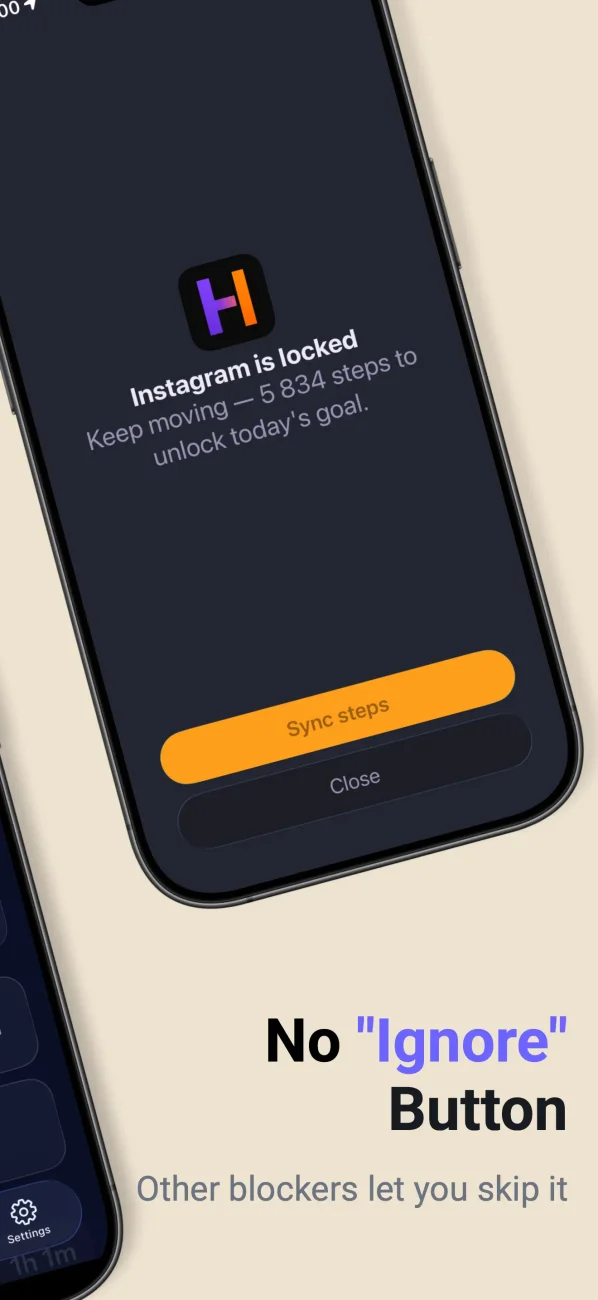
Set a step goal. Until you reach it, the apps you picked won't open. Steps are read from Apple Health, so there is nothing to fake — no taps to farm, no coins to earn, no minutes to buy back.
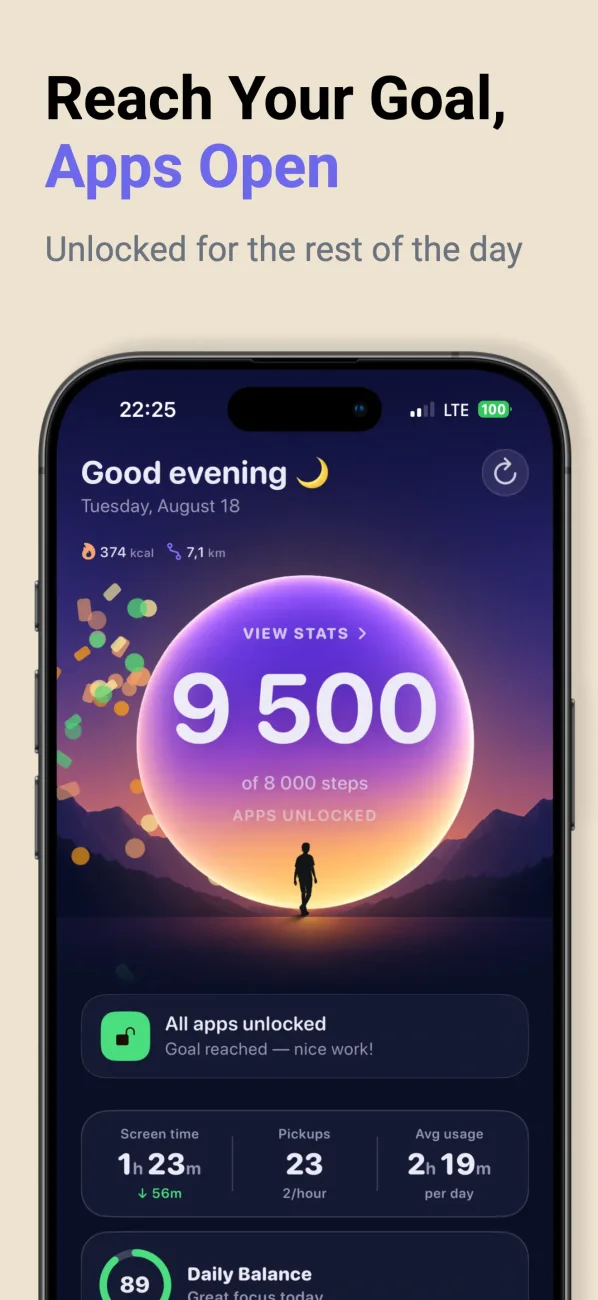
Open Hours keep your morning usable. Pick the window where your apps stay open even if the goal isn't done — or switch it off and the lock runs around the clock. Reach the goal, and everything opens for the rest of the day.
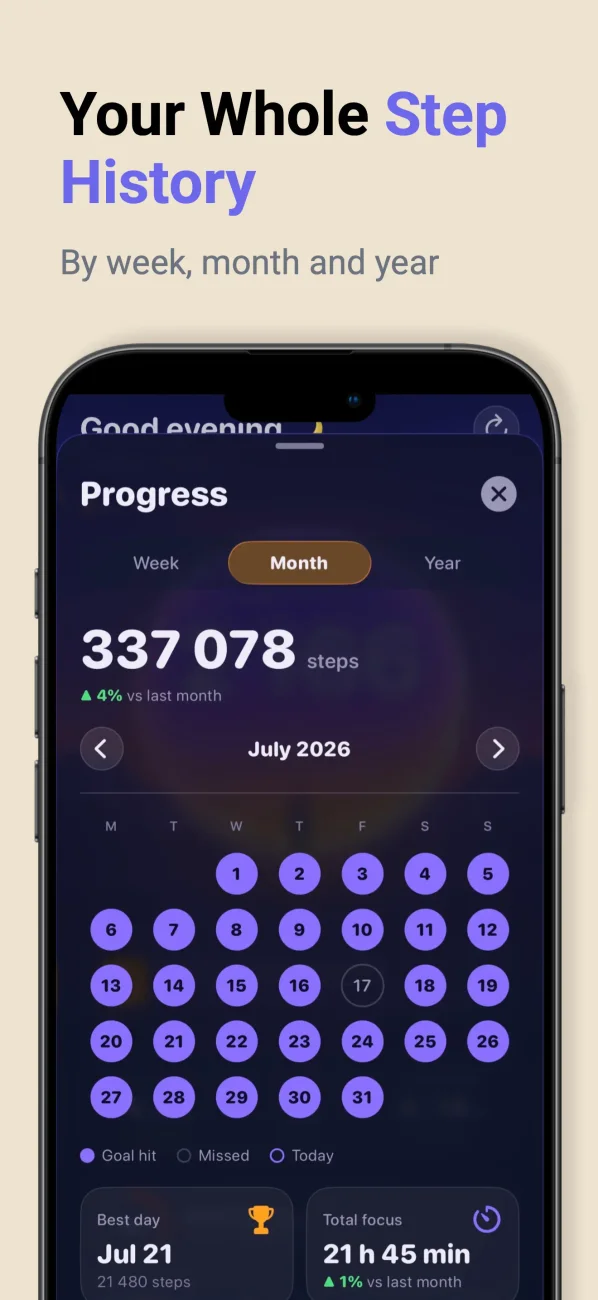
YOUR STEPS, IN ONE PLACE
Week, month and year of walking, drawn out day by day. Days on goal, longest streak, best day, averages. The record starts the day you install Holdback and keeps going.
Six milestones sit on top of it, from 20 000 steps in a day up to 100 000.
FOCUS SESSIONS
The four rules above run on their own, all day. A focus session is the one you start by hand — and while it runs, every app on your phone is locked, not just the ones you picked.
Set a timer, or run an open-ended stopwatch and stop when the work is done. Rain, waves, thunder, fire or birdsong in the background.
HOW IT WORKS
1. Choose the apps you want under control.
2. Pick how they unlock — a schedule, a limit, steps, or not at all.
3. Get on with your day.
HARD MODE
Switch it on and your settings lock along with your apps. You can raise a goal at any time, but lowering it, changing the days, or swapping the apps waits until that day's steps are done.
It closes the loophole most blockers leave open — editing your way out instead of walking.
You can remove every restriction at any time by deleting Holdback. Calls, messages and emergency services are never affected.
YOUR DATA STAYS YOURS
Holdback cannot see which apps you block. Apple's Screen Time framework hands the app anonymous tokens, not app names. Your step data is read from Apple Health and never leaves your device. No account, no sign-up, no ads, no data sold.
Terms of Use: https://holdbackapp.github.io/legal/terms-of-service.html
Privacy Policy: https://holdbackapp.github.io/legal/privacy-policy.html
Neue Funktionen
Version 1.1 · 07.09.2026
Fixed bugs
App-Datenschutz
Was Raman Pazdniakou im App Store zum Umgang dieser App mit Daten angibt.
-
Nicht mit Ihnen verknüpfte Daten
Können erfasst werden, sind aber nicht mit Ihrer Identität verknüpft.
- Käufe
- Kennungen
- Nutzungsdaten
Die Datenschutzpraktiken können variieren, zum Beispiel je nach den von Ihnen verwendeten Funktionen oder Ihrem Alter.
Informationen
- Anbieter
- Raman Pazdniakou
- Kategorie
- Produktivität
- Version
- 1.1
- Aktualisiert
- 07.09.2026
- Veröffentlicht
- 26.08.2026
- Größe
- 261,6 MB
- Erfordert
- iOS 17.6 oder neuer
- Altersfreigabe
- 4+
- Preis
- Kostenlos
- In-App-Käufe
- Ja
- Sprachen
- Englisch
- Copyright
- © Vladislav Bobarykin
Das könnte Ihnen auch gefallen
-
 Scrolloc: Screen Time ControlProduktivität
-
 Apps blockieren: RelockBildschirmzeit & App-Blocker
-
 Family Shared Tasks: Todo ListProduktivität
-
 Capsla: Pomodoro Fokus TimerLerntimer & App-Sperre
-
 Signature Maker: eSign AIProduktivität
-
 Scroll Toll: Screen PledgeProduktivität
-
 Live Club by VerticalityProduktivität
-
 Screen Time Control AppProduktivität
-
 WalkBlock: Screen Time ControlWalk first, then scroll
-
 Nevver – Phone Lock & FocusProduktivität