- Altersfreigabe4+
- KategorieDienstprogramme
- EntwicklerNAM KYUNG YEO
- SprachenEnglisch+ 1 weitere
- Größe43,3 MB
HusKyBoard ist bei App Store derzeit möglicherweise nicht verfügbar
Bei unserer letzten Prüfung war der Store-Eintrag nicht erreichbar. Der Link führt weiterhin zur offiziellen App Store-Seite.
Screenshots

Info
Der Entwickler hat diesen Text nicht in Ihrer Sprache bereitgestellt.
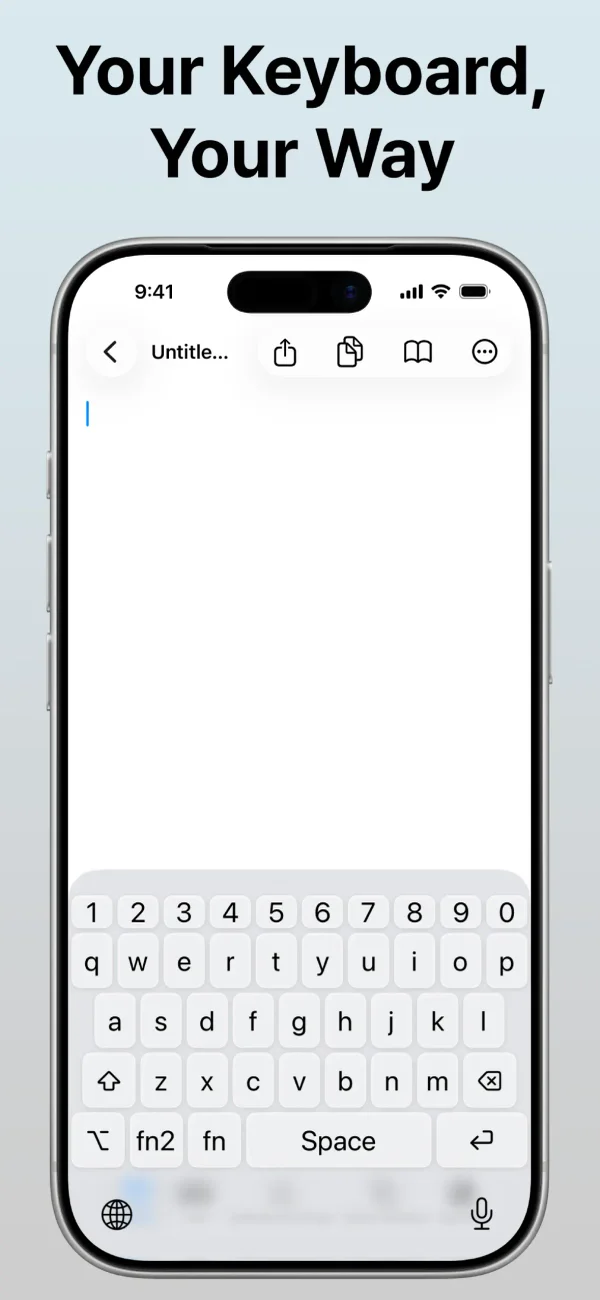
Bring the layout your fingers know to your iPad and iPhone.
HusKyBoard supports two-set and three-set Korean layouts, chorded input, and English stenography.
Make it your own with adjustable layouts, key sizes, themes, and typing settings.
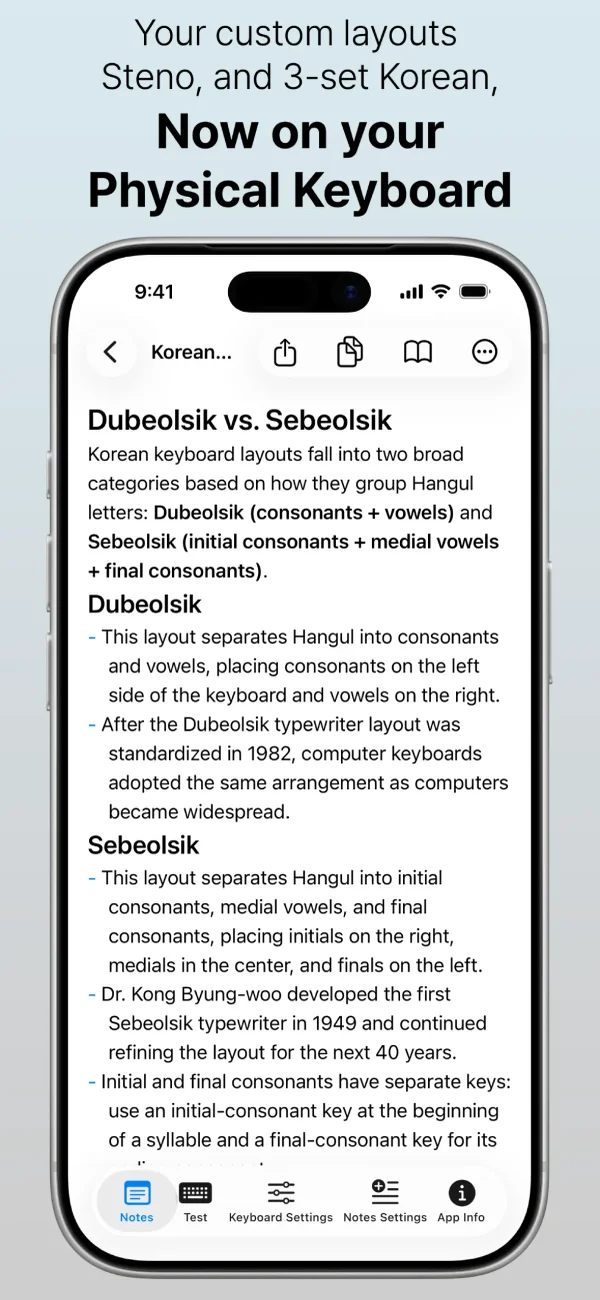
Use your chosen layout with a physical keyboard in the app’s notepad and the typing preview in Settings.
Supported Layouts
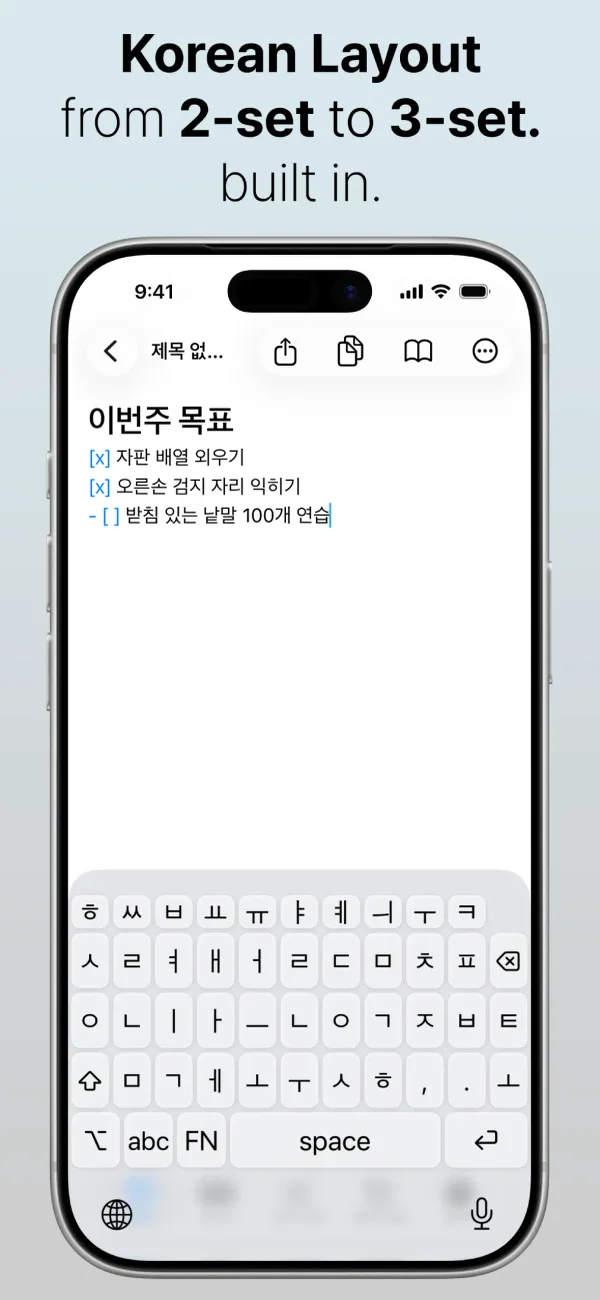
· Korean two-set: Standard Dubeolsik, Danmoeum, Dugeobi, and chorded Dubeolsik
· Korean three-set: Sebeolsik 3-90, Final (3-91), and Sinsebeolsik P2
· Semo-e 2018, Semo-e Mobile
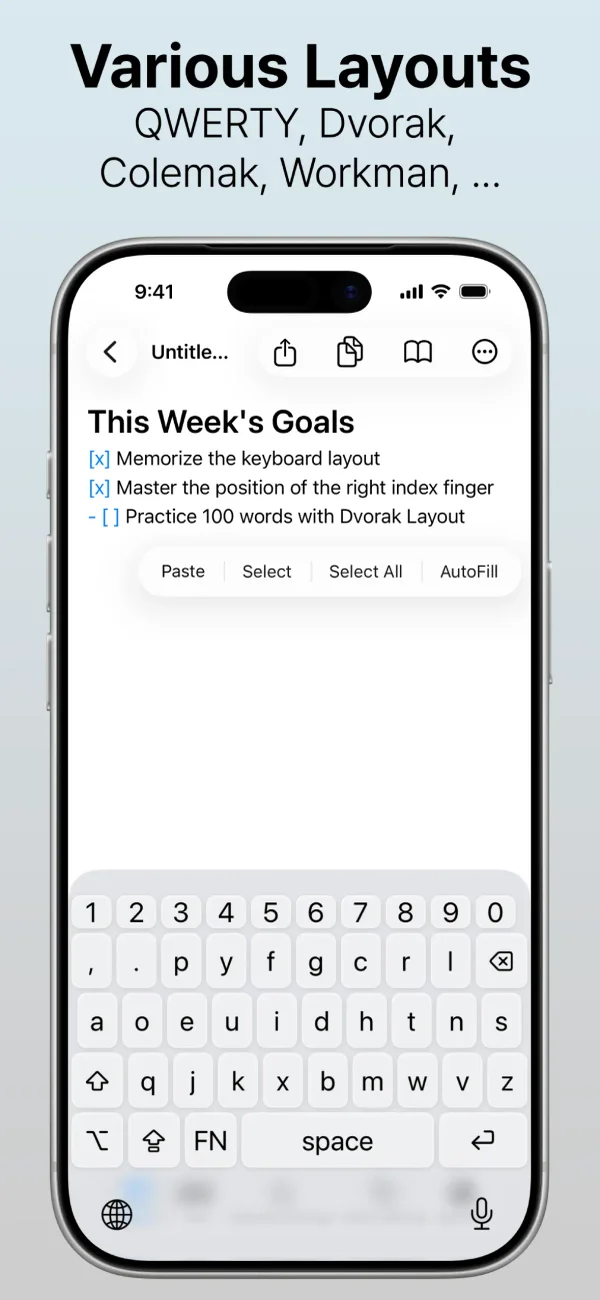
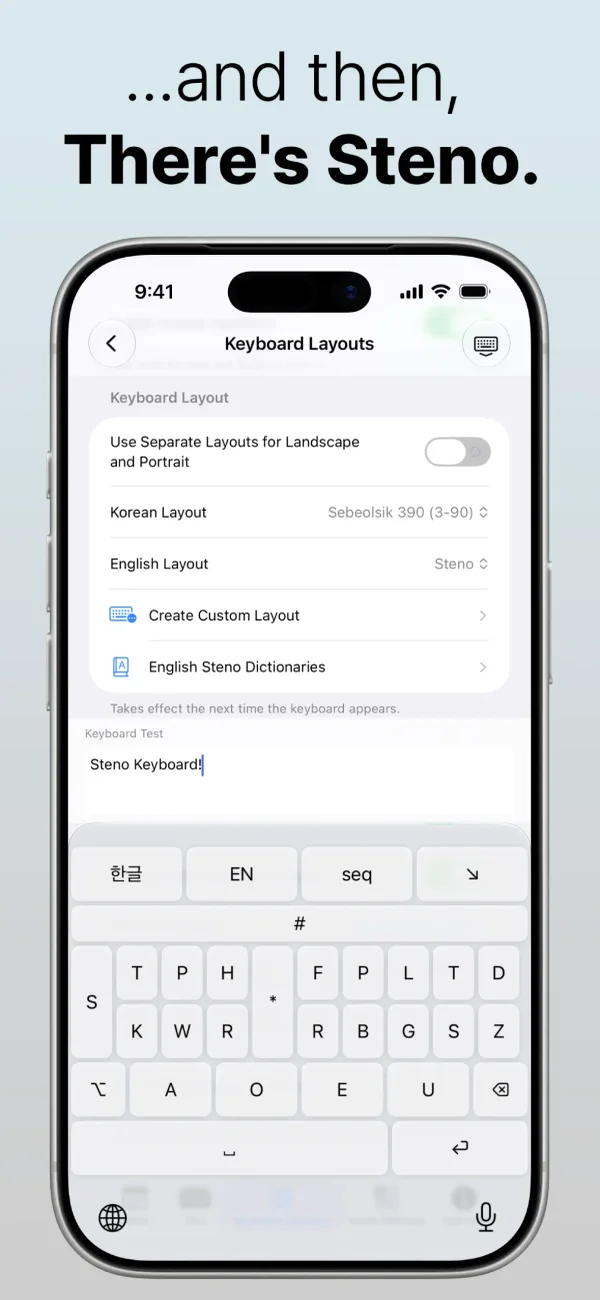
· QWERTY, Dvorak, Colemak, Workman, Steno, and more
One-Handed and Split Modes
· Swipe left or right on the space bar for one-handed mode. Available in portrait on iPhone and in either orientation on a full-width iPad keyboard. Steno layouts do not support this mode.
· Drag the empty area to adjust the width. On iPad, you can also adjust the position.
· Place two fingers on the space bar and spread them apart to split the keyboard. Available in landscape on iPhone and on supported iPad keyboard designs.
· Choose whether to keep the keyboard’s height in each mode.
Keyboard Designs
· Familiar Layout: Based on the standard iPad keyboard.
· Physical Keyboard Sizing: Based on a physical keyboard’s key sizes and layout.
· Full Key Layout: Keeps all keys in the standard ANSI layout visible, regardless of screen size.
· Three iPhone designs: iPhone-style, a uniform 11-column grid, or a grid with Backspace on the bottom row.
· Save separate keyboard heights for portrait and landscape.
VIA-Style Customization
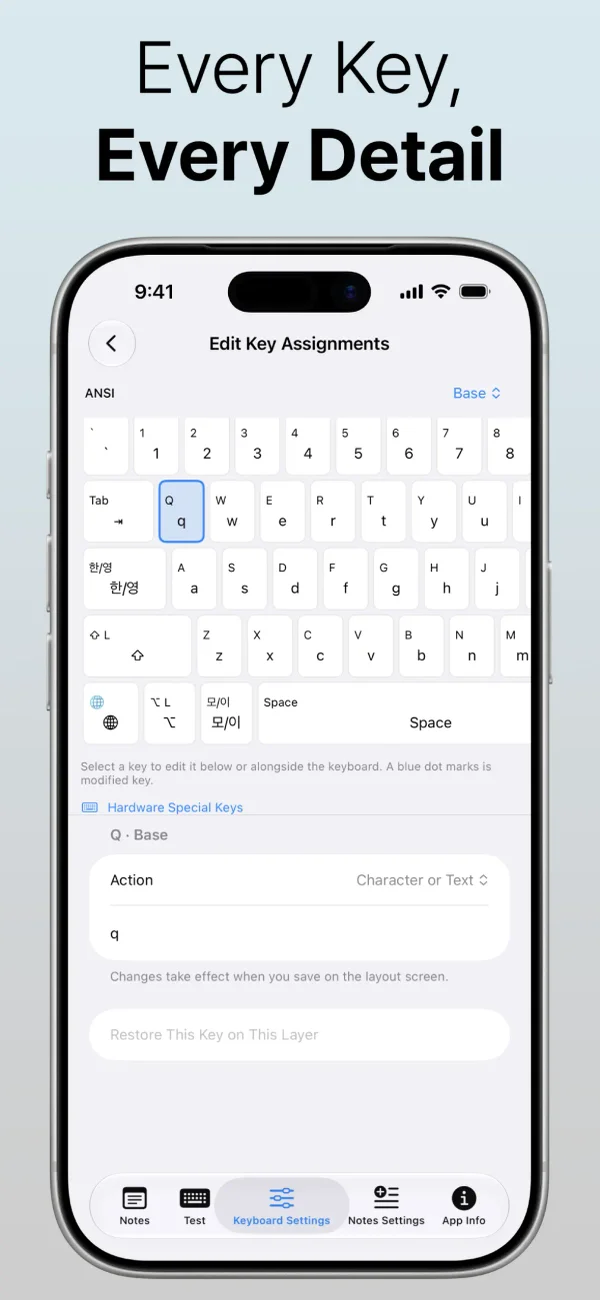
· Edit keys with an editor inspired by VIA.
· Save up to 20 custom layouts.
· Assign characters or functions across Base, Shift, Fn, Option, and custom layers.
· Copy an Option layer preset, then edit individual keys.
· Customize Korean composition rules and chord timing per layout. Semo-e layouts also support symbol extension and medial/final Shift editing, plus custom abbreviations.
· Export and import layouts to back them up or share them.
Appearance and Themes
· Choose from three built-in themes and five custom theme slots.
· Adjust keyboard and key backgrounds, borders, shadows, and label colors and font weight.
· Adjust secondary label size, color, and opacity.
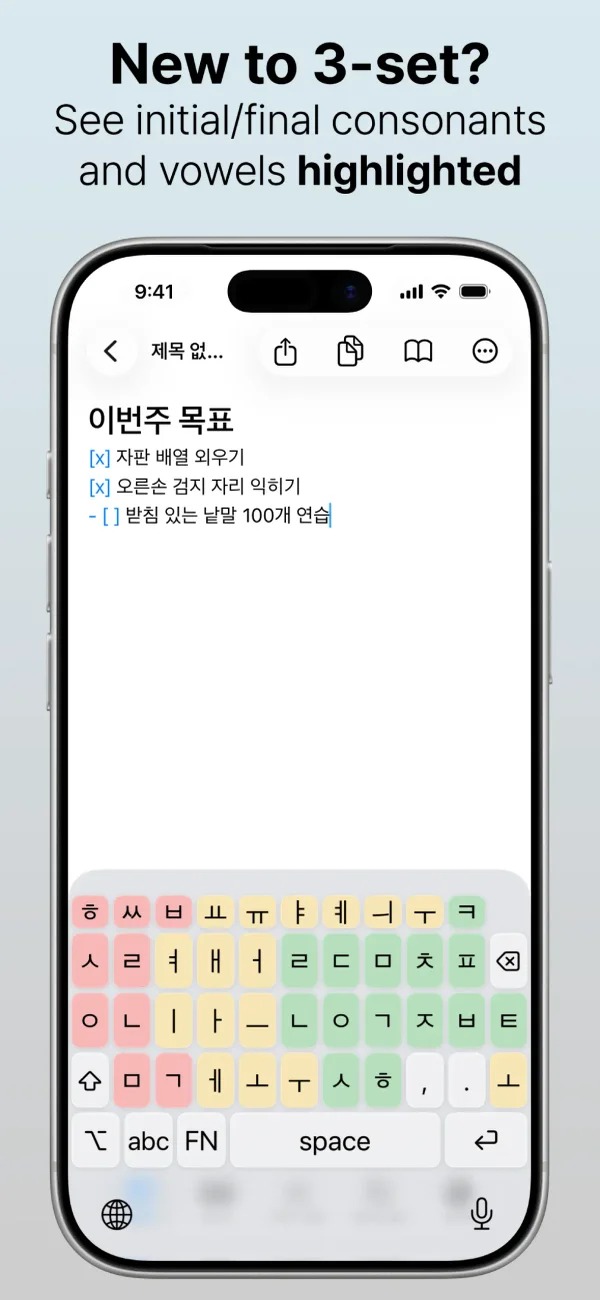
· Give initial consonant, vowel, and final consonant keys different background colors to help learn a three-set Korean layout.
· Set each theme to light, dark, or automatic mode.
Keyboard Sounds (Experimental)
· Choose iOS clicks or mechanical keyboard sounds.
· Set sounds by key type and preview them.
Physical Keyboard Support
· Use custom layouts in the notepad and the typing preview in Settings.
· By default, Caps Lock switches Korean/English, Control switches chorded/sequential input, Option activates the Option layer, and Option + Backspace deletes a word.
· Assign layer switching or other functions to special keys such as Control and Option.
Markdown Notepad
· Save notes as .md files in a folder you choose, including iCloud Drive.
· Markdown syntax is highlighted as you type.
· Customize styles for individual Markdown elements.
Typing Settings
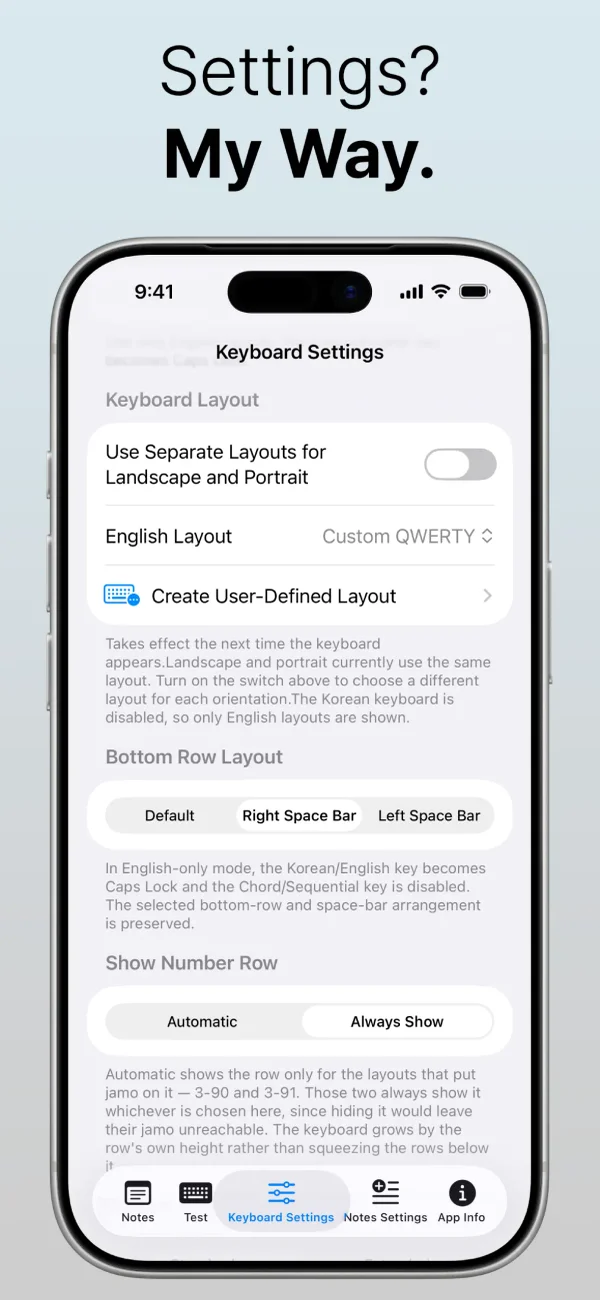
· Choose different layouts for portrait and landscape.
· Switch between chorded and sequential input on supported layouts.
· Swipe in four directions: choose a layer for each direction and set actions per key in custom layouts.
· Adjust chord timing to match your typing speed.
· Delete Korean text by character, individual letter (jamo), or a mix of both.
· Turn key repeat and Option + Backspace word deletion on or off separately.
· Adjust repeat speed, layer hold timing, label size, number row visibility, and the bottom row.
· Open the typing preview with the keyboard button in Settings to try your changes.
· Use two English steno layouts and Plover JSON dictionaries to turn chords into words.
Neue Funktionen
Version 1.4.1 · 08.10.2026
Version 1.4.1 adds new features, improves existing ones, and introduces support for iPhone Duo.
New Features
· Added support for iPhone Duo, using the existing iPhone keyboard designs.
· Added keyboard sounds (experimental): Choose iOS keyboard clicks or mechanical keyboard sounds. This feature is currently in beta and may not always work as expected.
· Added in-app announcements for update news and important notices.
· Added a two-column view for keyboard settings on iPhone in landscape, iPhone Duo when unfolded, and iPad.
Improvements
· When hold-to-switch is off, a short tap on the Korean/English key switches languages, and a long press opens the system keyboard list. Hold-to-switch is off by default. If you turn off the keyboard list option in Settings, languages switch as soon as you press the key.
· Updated several default settings to feel more familiar to users of the standard iOS keyboard:
· Number row: Automatic → Always visible
· Option key label: ⌥ → 123
· Korean text deletion: By character → Mixed
· Double-tap Space to insert a period: Off → On
· Hold-to-switch on the Korean/English key: On → Off
· Swipe threshold: 18 pt → 60 pt
· Mobile Option layer: Closes after one character → Stays open like the system keyboard
· You can now turn off key repeat when holding a key.
· You can now turn off word deletion with Option + Backspace.
· You can now copy Option layer presets and customize them.
· Removed the keyboard test tab. To test the keyboard, use the button in the upper-right corner of Settings.
· When you copy a built-in layout, the list now scrolls to the new copy.
· Improved how modification times appear in the notes list.
· Added separate options to keep the keyboard’s height in one-handed and split modes. Both are available under Keyboard Appearance and are off by default, preserving the previous behavior.
· On iPhone, you can now drag the empty area left or right in one-handed mode to adjust the keyboard’s width in real time. The adjusted width is saved to the One-Handed Width setting.
Bug Fixes
· Fixed missed or delayed input from keys near the edges of the screen.
· Fixed slow language switching when repeatedly tapping the Korean/English key with the keyboard list option turned off.
· Fixed an issue in sequential mode with the Semo-e engine where typing a number during Korean composition could replace the preceding character.
· Fixed keys remaining pressed after using a system gesture while typing.
· Fixed errors when assigning Display P3 colors to keyboard themes.
· Fixed a crash when using the Fn key in the Sebeolsik 12-Key layout.
· Fixed an issue where selecting a custom English layout changed the Korean composition timeout.
· Fixed various other bugs and script errors affecting usability.
App-Datenschutz
Was NAM KYUNG YEO im App Store zum Umgang dieser App mit Daten angibt.
-
Keine Daten erfasst
Der Entwickler erfasst keine Daten von dieser App.
Die Datenschutzpraktiken können variieren, zum Beispiel je nach den von Ihnen verwendeten Funktionen oder Ihrem Alter.
Informationen
- Anbieter
- NAM KYUNG YEO
- Kategorie
- Dienstprogramme
- Version
- 1.4.1
- Aktualisiert
- 08.10.2026
- Veröffentlicht
- 31.08.2026
- Größe
- 43,3 MB
- Erfordert
- iOS 17.6 oder neuer
- Altersfreigabe
- 4+
- Sprachen
- Englisch, Koreanisch
- Copyright
- © 2026 FarmBera
Das könnte Ihnen auch gefallen
-
 타닥 — 한글 키보드Dienstprogramme
-
 ReachTypeDienstprogramme
-
 SplitBoardDienstprogramme
-
 Skeyboard - Custom KeyboardDienstprogramme
-
 Macro Keyboard PrimeDienstprogramme
-
 글쇠 키보드 - 한글 키보드, 자동완성Dienstprogramme
-
 BetterKbdDienstprogramme
-
 Safe2Click Mobile for SafariDienstprogramme
-
 H나랏글Dienstprogramme
-
 meta KeyboardDienstprogramme